


惯性聚合 高效追踪和阅读你感兴趣的博客、新闻、科技资讯
阅读原文 在惯性聚合中打开

推荐订阅源

OSCHINA 社区最新新闻
OSCHINA 社区最新新闻
博客园 - Franky
T
Tailwind CSS Blog
Microsoft Azure Blog
The Cloudflare Blog
博客园 - 叶小钗
N
Netflix TechBlog - Medium
罗磊的独立博客
量子位
MyScale Blog
MyScale Blog
A
About on SuperTechFans
Blog — PlanetScale
Blog — PlanetScale
V
Visual Studio Blog
Cyber Security Advisories - MS-ISAC
GbyAI
GbyAI
B
Blog
腾讯CDC
爱范儿
爱范儿
Recent Announcements
有赞技术团队
有赞技术团队
F
Fortinet All Blogs
雷峰网
雷峰网
G
Google Developers Blog
Google DeepMind News

博客园 - MHL

C#:类的成员--事件 SSRS 2016 Forms Authentication 存储配置关系&知识图谱 Neo4j 使用cypher语言进行查询 项目实战--知识图谱初探 - MHL - 博客园 .NET Core多语言 ASP.NET Core WebApi 返回统一格式参数 C#启动外部程序以及等待外部程序关闭的几种方法 开源.net 混淆器ConfuserEx介绍 CRUD Operations In ASP.NET MVC 5 Using ADO.NET asp.net mvc 利用过滤器进行网站Meta设置 【译】RAID的概念和RAID对于SQL性能的影响 【转】Sql server锁,独占锁,共享锁,更新锁,乐观锁,悲观锁 One Day 金庸群侠传 3小时爆机 ExtJs Set PropertyGrid Column Name ExtJs GridPanel 生成列 电脑上玩 Google纵横 Microsoft Visual Studio 2010 宣传短片
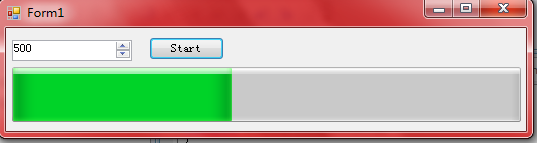
WinForm简单进度条
MHL · 2010-09-16 · via 博客园 - MHL

无标题

public partial class Form1 : Form
{
    public Form1()
    {
        InitializeComponent();
    }
    int current = 0;
    private void backgroundWorker1_DoWork(object sender, DoWorkEventArgs e)
    {
        progressBar1.Maximum = (int)numericUpDown1.Value;
        for (int i = 0; i < progressBar1.Maximum; i++)
        {
            System.Threading.Thread.Sleep(10);
            backgroundWorker1.ReportProgress(++current);
        }
        //MessageBox.Show(current.ToString());   
    }
 
    private void Form1_Load(object sender, EventArgs e)
    {
 
    }
 
    private void button1_Click(object sender, EventArgs e)
    {
        try { int.Parse(numericUpDown1.Text); }
        catch
        {
            MessageBox.Show("工作量必须为数字!");
            return;
        }
        if (backgroundWorker1.IsBusy)
        {
            MessageBox.Show("已经在处理中,请稍后!");
            return;
        }
 
        backgroundWorker1.RunWorkerAsync();
    }
 
    private void backgroundWorker1_ProgressChanged(object sender, ProgressChangedEventArgs e)
    {
        progressBar1.Value = e.ProgressPercentage;
    }
 
    private void backgroundWorker1_RunWorkerCompleted(object sender, RunWorkerCompletedEventArgs e)
    {
        progressBar1.Value = 0;
        MessageBox.Show("OK<");
    }
}