








过去几年都是用asp.net webform进行开发东西,最近听说过时了,同时webform会产生ViewState(虽然我已经不用ruanat=server的控件好久了 :)),对企业应用无所谓,但对于互联网应用就不太友好了,这几天学习了一下asp.net mvc,自己做了个网站玩玩(asp.net mvc + bootstrap + html5),随便也学习一下。
网站的组织:
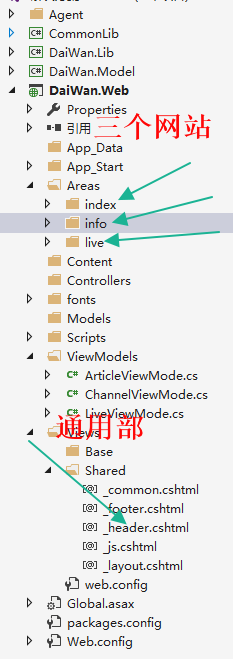
三个网站分别为 index主站、Info信息咨询站、live视频站,利用Areas进行分开

namespace DaiWan.lol.Areas.info.Filter
{
    public class MetaInfo : ActionFilterAttribute
    {

        public override void OnActionExecuting(ActionExecutingContext filterContext)
        {
            filterContext.Controller.ViewBag.meta = Meta();
        }


        private string Meta(string copyright,string keywords, string description, string author)
        {
            StringBuilder s = new StringBuilder();
            string MetaTemplate =@"<meta name = ""Copyright"" content=""#copyright#"" />
<meta name=""keywords"" content=""#keywords#"" />
<meta name=""description"" content=""#description#"" />
<meta name=""author"" content=""#author#"" />";
            return MetaTemplate.Replace("#copyright#", copyright)
                .Replace("#keywords#", keywords)
                 .Replace("#description#", description)
                 .Replace("#author#", author);
        }


        private string Meta()
        {
            string copyright = "带玩,DaiWan";
            string keywords = "英雄联盟,lol,DaiWan,Game,游戏,lol攻略,lol视频,英雄资料,英雄,攻略";
            string description = "DaiWan LOL英雄联盟,为英雄联盟玩家提供最全的英雄联盟出装攻略、英雄联盟视频、客户端下载、战斗力查询、英雄皮肤、最全的英雄资料和物品等信息,掌握第一手资料,不遗漏任何一条英雄联盟的信息,更多精彩";
            string author = "带玩游戏平台";

            return Meta(copyright, keywords, description, author);
        }
    }
}
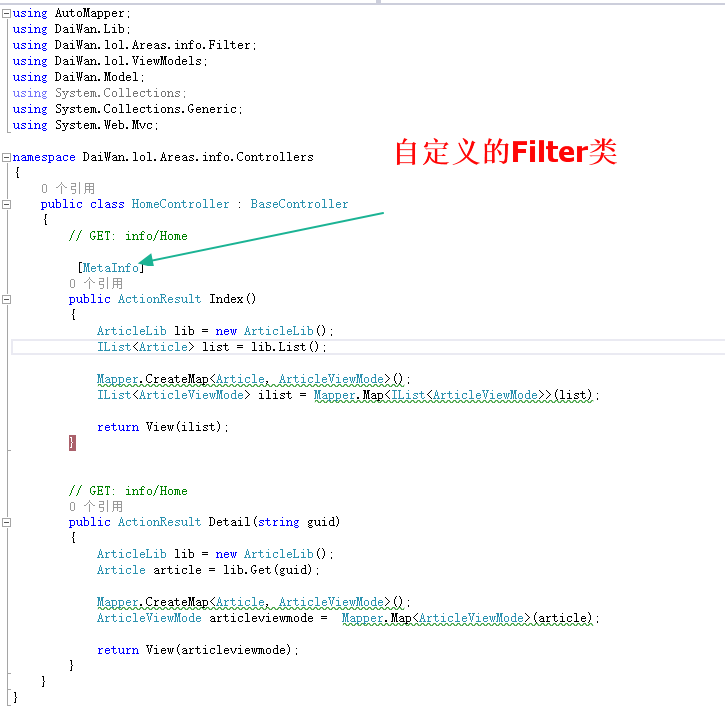
使用
namespace DaiWan.lol.Areas.info.Controllers
{
    public class HomeController : BaseController
    {
        // GET: info/Home

         [MetaInfo]
        public ActionResult Index()
        {
            ArticleLib lib = new ArticleLib();
            IList<Article> list = lib.List();

            Mapper.CreateMap<Article, ArticleViewMode>();
            IList<ArticleViewMode> ilist = Mapper.Map<IList<ArticleViewMode>>(list);

            return View(ilist);
        }


        // GET: info/Home
        public ActionResult Detail(string guid)
        {
            ArticleLib lib = new ArticleLib();
            Article article = lib.Get(guid);

            Mapper.CreateMap<Article, ArticleViewMode>();
            ArticleViewMode articleviewmode =  Mapper.Map<ArticleViewMode>(article);

            return View(articleviewmode);
        }
    }
}
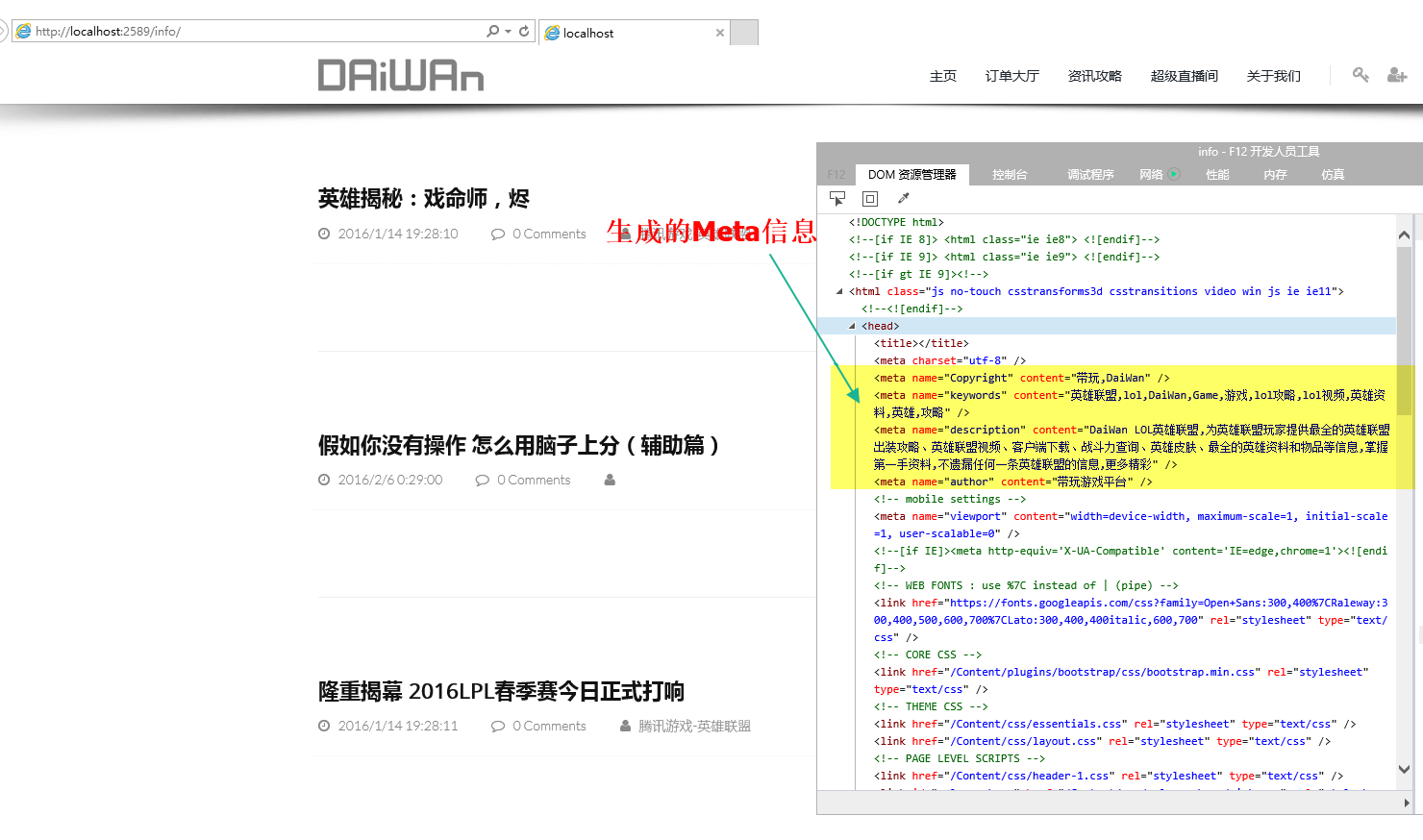
效果:

此内容由惯性聚合(RSS阅读器)自动聚合整理,仅供阅读参考。 原文来自 — 版权归原作者所有。