惯性聚合 高效追踪和阅读你感兴趣的博客、新闻、科技资讯
阅读原文 在惯性聚合中打开

推荐订阅源

酷 壳 – CoolShell
酷 壳 – CoolShell
H
Hacker News: Front Page
P
Palo Alto Networks Blog
T
ThreatConnect
Apple Machine Learning Research
博客园_首页
T
True Tiger Recordings
P
Privacy & Cybersecurity Law Blog
B
Blog
IT之家
IT之家
Last Week in AI
Last Week in AI
F
Full Disclosure
Hacker News: Ask HN
Hacker News: Ask HN
C
Comments on: Blog
Microsoft Azure Blog
C
Cybersecurity and Infrastructure Security Agency CISA
Microsoft Security Blog
博客园 - 【当耐特】
N
News and Events Feed by Topic
NISL@THU
NISL@THU
腾讯CDC
雷峰网
雷峰网
Security Latest
Security Latest
李成银的技术随笔
M
Microsoft Research Blog - Microsoft Research
L
LangChain Blog
L
Lohrmann on Cybersecurity
cs.CL updates on arXiv.org
C
Check Point Blog
Y
Y Combinator Blog
Recent Announcements
博客园 - Franky
N
News | PayPal Newsroom
V
V2EX
A
About on SuperTechFans
The Register - Security
月光博客
月光博客
奇客Solidot–传递最新科技情报
奇客Solidot–传递最新科技情报
Google Online Security Blog
MyScale Blog
MyScale Blog
Cisco Talos Blog
Cisco Talos Blog
Vercel News
Vercel News
WordPress大学
WordPress大学
C
Cyber Attacks, Cyber Crime and Cyber Security
The Hacker News
The Hacker News
IntelliJ IDEA : IntelliJ IDEA – the Leading IDE for Professional Development in Java and Kotlin | The JetBrains Blog
爱范儿
爱范儿
A
Arctic Wolf
L
LINUX DO - 最新话题
freeCodeCamp Programming Tutorials: Python, JavaScript, Git & More

博客园 - 独孤俊杰

信息系统项目管理师第4版10大管理过程ITO整理 MySQL 5.7及以上解压缩版本配置安装 Cannot load from mysql.proc. The table is probably corrupted解决办法 Jwplayer播放器:Could not load plugins: File not(转) windbg+vm双机调试 waiting to reconnect 无法连接问题,解决办法 Maximum execution time of 30 seconds exceeded解决办法 wamp server中配置php访问sqlsever php中遇到下列错误 ,Fatal error: Can't use function return value in write context,解决办法 apache服务通常启动,但打不开网页,提示Try using the Win32DisableAcceptEx directive (转) QR码生成原理(转) 安装winamp无法启动mysql,提示 [ERROR] wampmysqld: unknown variable 'table_cache=4100' 刚装的WIN7,用了一下午,记一下备忘 现在没有目标了,不知道该干什么了 电信禁止路由上网的最佳破解方法(转) meta 标签的作用 不同系统开启和关闭fso的方法(转) 安装SQLServer2000时,提示"以前的某个程序安装已在安装计算机上创建挂起的文件操作。运行安装程序之前必须重新启动计算机" - 独孤俊杰 - 博客园 加验证控件无法提交的问题解决方法 希腊字母以及发音
Elastic Stack 6.5安装:一、 在centos7中安装Logstash
独孤俊杰 · 2019-01-07 · via 博客园 - 独孤俊杰

最近在调试安装Elastic Stack 6.5,由于对linux不是很熟,遇到一些问题,现将相关调试安装步骤记录下:
一、相关软件的环境与版本
操作系统:来在centos7.6.1810
ELK版本:Elastic Stack 6.5
二、安装步骤
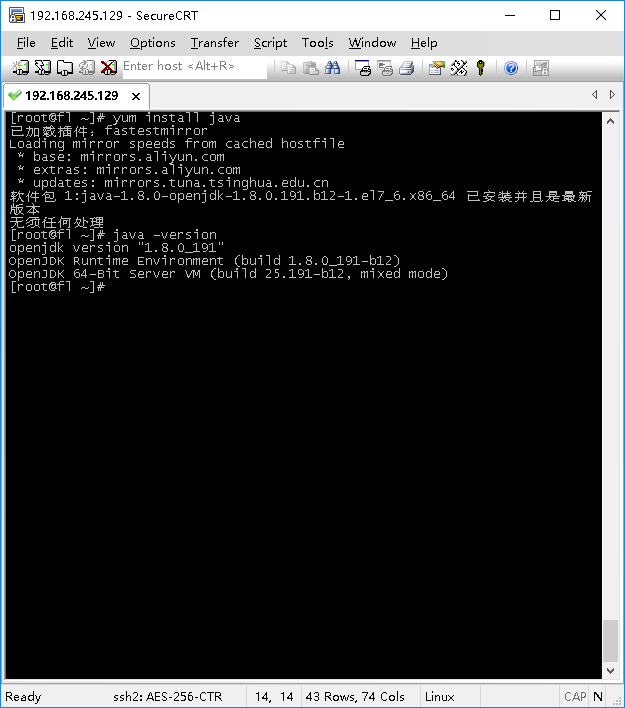
1、由于系统是最小化安装,无JAVA需安装,在root权限下运行命令:yum install java
待安装完成后,运行:java -version查看是否安装成功。
2、引入Elastic 的签名:
rpm --import https://artifacts.elastic.co/GPG-KEY-elasticsearch
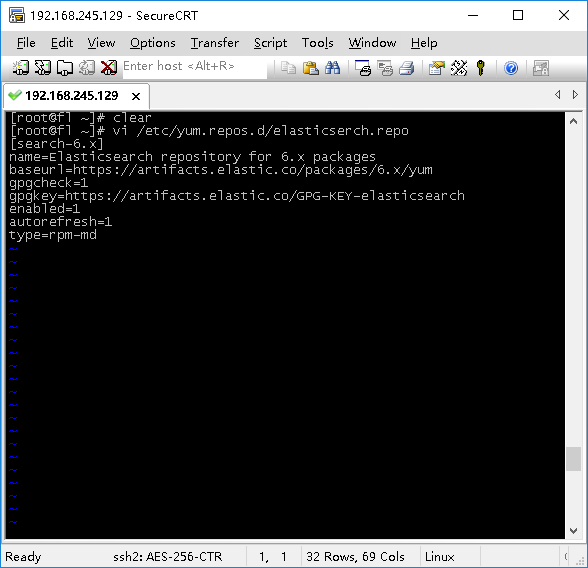
在 /etc/yum.repos.d/目录下新建一个elasticsearch.repo文件,执行下面的命令
vi /etc/yum.repos.d/elasticsearch.repo
将下面的内容输入进去:
[logstash-6.x]
name=Elastic repository for 6.x packages
baseurl=https://artifacts.elastic.co/packages/6.x/yum
gpgcheck=1
gpgkey=https://artifacts.elastic.co/GPG-KEY-elasticsearch
enabled=1
autorefresh=1
type=rpm-md

设置完成以上步骤就可以直接安装了

sudo yum install logstash
三、运行测试命令
在这里遇到一个坑,网上的教程有的没提到,有的可能安装方式不一样
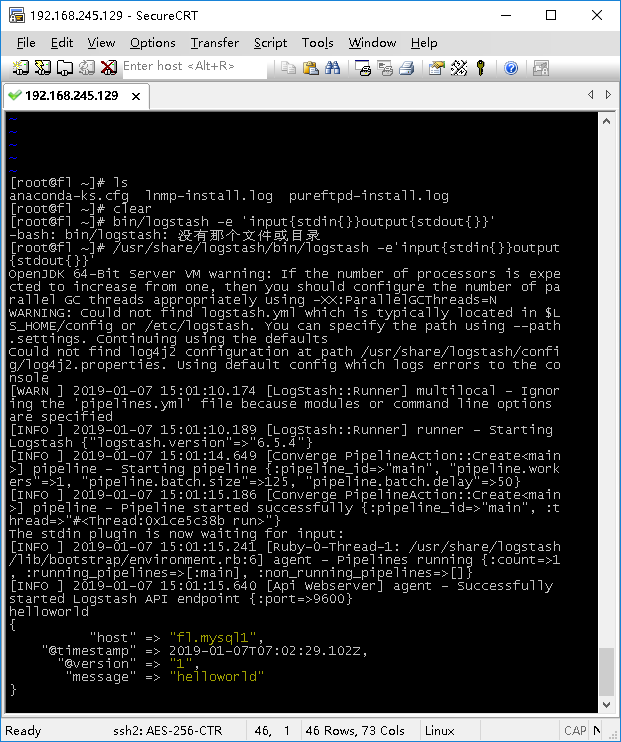
运行bin/logstash -e 'input { stdin { } } output { stdout {} }'提示没有那个文件或目录,用find命令找了一下,发现程序默认是安装在/usr/share/logstash里
/usr/share/logstash/bin/logstash -e 'input { stdin { } } output { stdout {} }'
在窗口中输入helloworld,哈哈,能跑起来了