










在.net开发员眼里,如果使用MVC,根据路由匹配原则,可以通过各种方式接收参数,比如 /Post/List/1, /Post/List/2,或者 /Post/List?id=1,/Post/List?id=2,后端PostController中的List Action都能接收到id为1或者2的参数,进行相应操作;但是,我们使用Ant Design For React的时候,如果使用react-router-dom作为路由,不管使用哪种参数,点击不同参数页面链接的时候,地址栏里页面参数是变了,但是后台页面居然不刷新,还是维持原先的页面,这是怎么一回事呢,我们来一探究竟。
我们的思路是:在P_Index页面里面使用js获取地址栏参数的方法,获取参数,进行页面渲染,代码如下:
Main.js (主要的框架页面,我们要渲染P_Index)
......
import { BrowserRouter as Router, Switch, Route, Link} from "react-router-dom";
import P_Index from './p/Index';
......
class Main extends React.Component {
......
  render() {
    return (
      <Router>
        <Layout>
          <Sider collapsible collapsed={this.state.collapsed}>
......
              <Switch>
                <Route path="/p">
                  <P_Index></P_Index>
                </Route>
.......
              </Switch>
            </Content>
          </Layout>
        </Layout>
      </Router>
    );
  }
}

export default Main;
/p/Index.js (负责接收参数进行渲染的页面)
import React from 'react';
......

export default class P_Index extends React.Component {

    //页面参数
    pageId = window.location.pathname.split('/')[2];
    //pageId = window.location.search.substr(1);

    async componentDidMount() {
        let data =  await getData(pageId);
        this.setState({...data});
    }

    render() {
        if(this.state.type){
        switch(this.state.type){
            case "aaa":
                return (
                    ......
                );
            case "bbb":
                return (
                    .......
                );
        }

        }else{
            return ('loading')
        }
    }
}
代码也很简单,页面加载时根据地址栏参数查不同数据,改变state,然后根据获取的数据进行渲染。
但是,我们在地址栏里不管是输入 /p/1 还是 /p/2 或者 /p/3,后面的页面丝毫不变化,都是第一次渲染的页面。页面内打断点,跟踪,发现地址栏改变了页面根本就没有重新渲染。我们又尝试了 /p?1 、/p?2 或者 /p?id=1、/p?id=2,都一样。这可难倒我们了,不管是html、.net WebForm、MVC,地址栏一变,页面不要重新渲染的吗?为什么在react里面就不一样了呢?
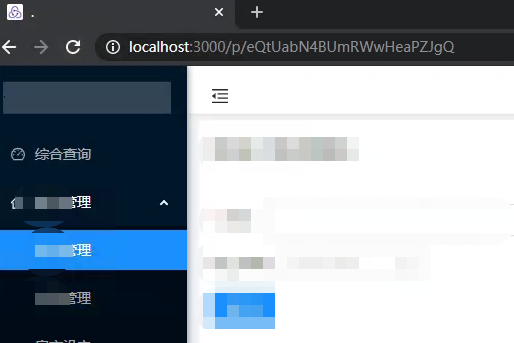

(输入不同地址页面内容竟然一样,而参数在第一次加载页面的时候已经拿到了)
抱着这个疑问,我们查询了官方的react-router-dom文档,然后根据文档结合项目,最终找到了解决的方法,摒弃了在页面里使用 window.location.pathname 或者 window.location.search 方式取参数的方法,直接在路由中配置。
改进后的文件如下:
Main.js
......
import { BrowserRouter as Router, Switch, Route, Link, useParams} from "react-router-dom";
import P_Index from './p/Index';
......

function ShowPage () {
  let { id } = useParams();
  console.log(id);
  return <P_Index id={id}></P_Index>;
};

class Main extends React.Component {
......
  render() {
    return (
      <Router>
        <Layout>
          <Sider collapsible collapsed={this.state.collapsed}>
......
              <Switch>
                <Route path="/p/:id">
                  <ShowPage></ShowPage>
                </Route>
......
              </Switch>
            </Content>
          </Layout>
        </Layout>
      </Router>
    );
  }
}

export default Main;
/p/Index.js
import React from 'react';
......
export default class P_Index extends React.Component {
    constructor(props) {
        super(props);
    }
......
    componentWillReceiveProps = async (nextProps) => {
        const { id } = this.props;
        if (id !== nextProps.id) {
            let data = await getData(nextProps.id);
            this.setState({ ...data });
        }
    }

    //页面参数
    //pageId = window.location.pathname.split('/')[2];
    //pageId = window.location.search.substr(1);

    async componentDidMount() {
        let data = await getData(this.props.id);
        this.setState({ ...data });
    }
......
    render() {
        if (this.state.type) {
            switch (this.state.type) {
                case "aaa":
                    return (
                        ......
                    );
                case "bbb":
                    return (
                        ......
                    );
            }
        } else {
            return ('loading')
        }
    }
}
我们增加了一个componentWillReceiveProps方法,该方法在每次属性改变时都会执行,这下通过菜单点击,只要地址栏里参数变化,就算是同一个页面,页面也会进行刷新,数据也会发生相应变化。至此,问题完美解决!
SAAS云平台搭建札记系列文章:
SAAS云平台搭建札记: (一)浅论SAAS多租户自助云服务平台的产品、服务和订单
SAAS云平台搭建札记: (二)Linux Unbutu下.Net Core整套运行环境的搭建
SAAS云平台搭建札记: (三) AntDesign + .Net Core WebAPI权限控制、动态菜单的生成
SAAS云平台搭建札记: (四) AntD For React使用react-router-dom路由接收不同参数页面不刷新的问题
此内容由惯性聚合(RSS阅读器)自动聚合整理,仅供阅读参考。 原文来自 — 版权归原作者所有。