







需求:
代理为:
顺序
Client –》 SLB –》 Nginx-Proxy –>baidu.com api -阿里云环境
Clinet –>Nginx -> Nginx-Proxy –>baidu.com api - 测试环境
问题
在自建环境中,没有任何问题,但是发布到阿里云SLB(service load balance)之后,居然百度端会报
参数无效。
我们是采用Bitbucket来管理Nginx-proxy, 由于采用的是Docker执行,整体上倒是很方便,就是相比直接部署来说,每次发布时间要长一些。(由于是全自动化,倒是可以喝个水,溜下单身狗什么的)
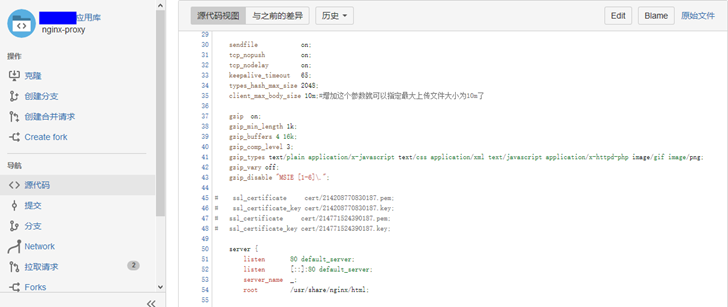
# in QA, it works well with SLB
    location ^~/proxy/baidu/ {
            #support cross-domain visit for app

            add_header Access-Control-Allow-Methods GET,POST,OPTIONS;
            #allow credentials
            add_header Access-Control-Allow-Credentials true;
            #allow-headers
            add_header 'access-control-allow-headers' 'Authentication,Origin,X-Requested-With,Content-Type,Accept,token,appId,unitId';

            #alias //;
       #     proxy_set_header X-Real-IP $remote_addr;
        #    proxy_set_header REMOTE-HOST $remote_addr;
         #   proxy_set_header X-Forwarded-For $proxy_add_x_forwarded_for;

            proxy_pass http://api.map.baidu.com/place/v2/;
            #proxy_redirect https://api.map.baidu.com/place/v2// /;

            #proxy_pass http://node-http/log/testGet/;
            #proxy_redirect http://node-http/log/testGet// /;
    }
检查过程
由于采用docker部署方式,理论上说都是一样的。唯一可能的是:SLB那边转发做了一定的改动。因此,采用tcpdump来抓包,比较两个环境下的转发请求的不同。
其实,我最开始的时候,采用的是Node-http来获得Nginx-Proxy 请求
Client –》 SLB –》 Nginx-Proxy –>baidu.com api -阿里云环境 改为
Client –》 SLB –》 Nginx-Proxy –>Node Http
通过捕获Http请求,来比较两个环境下请求有哪些不同。其实两种工具都可以: Node Http 或者采用 Tcpdump 来获得请求。
比较结果:
发现过程就是用firefox的web Tool不停的编辑header头,做测试了,直到。。。
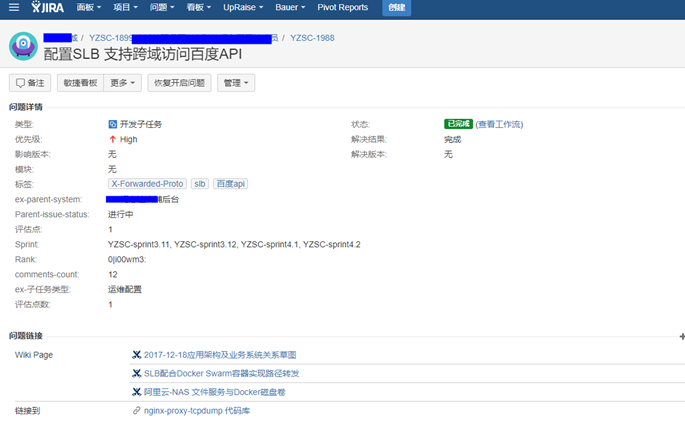
最终发现是:由于在配置SLB的时候增加了一个header造成的,去掉就可以了。
X-Forwarded-Proto: https\r\n
在此期间分别向阿里云和百度提交了工单,阿里云的工程师回复比较积极,百度就呵呵了。有可能用的百度地图服务是免费的,因此人家呵呵。
后面补充一点
由于在Nginx-Proxy docker中即要启动Nginx,同时,又需要启动tcpdump,因此需要安装了s6-svscan 服务驻守程序。
我简单把dockerfile内容供参考吧
FROM nginx:1.12.1-alpine

RUN apk update
RUN apk add tcpdump
RUN apk add s6


COPY ./services /etc/s6/services
RUN chmod +x  /etc/s6/services/nginx/run
RUN chmod +x  /etc/s6/services/nginx/finish

RUN chmod +x  /etc/s6/services/tcpdump/run
RUN chmod +x  /etc/s6/services/tcpdump/finish


CMD ["s6-svscan", "/etc/s6/services"]
注意要自己编写 services目录下面的服务启动文件 run和关闭文件finish,具体的大家google一下吧(为什么不百度,因为它呵呵我。)
能够关掉任务很开心
此内容由惯性聚合(RSS阅读器)自动聚合整理,仅供阅读参考。 原文来自 — 版权归原作者所有。