








http://www.damagehead.com/blog/2015/04/28/deploying-a-dns-server-using-docker/
https://blog.csdn.net/miss1181248983/article/details/90779267
https://www.linuxidc.com/Linux/2019-05/158642.htm
bind是一个非常灵活,功能齐全的DNS系统
1、下载镜像
docker pull sameersbn/bind:latest
2、启动
docker run --name bind -d --restart=always \
  --publish 53:53/tcp --publish 53:53/udp --publish 10000:10000/tcp \
  --volume /opt/bind:/data --env='WEBMIN_INIT_SSL_ENABLED=false' \
 --env='ROOT_PASSWORD=qwe123'  sameersbn/bind:latest
其中 WEBMIN_INIT_SSL_ENABLED默认为true,即关闭web页面,ROOT_PASSWORD设置web登录密码,没有设置默认为root/password
3、登录 默认端口10000,登录地址即http://ip:10000/

4、配置:
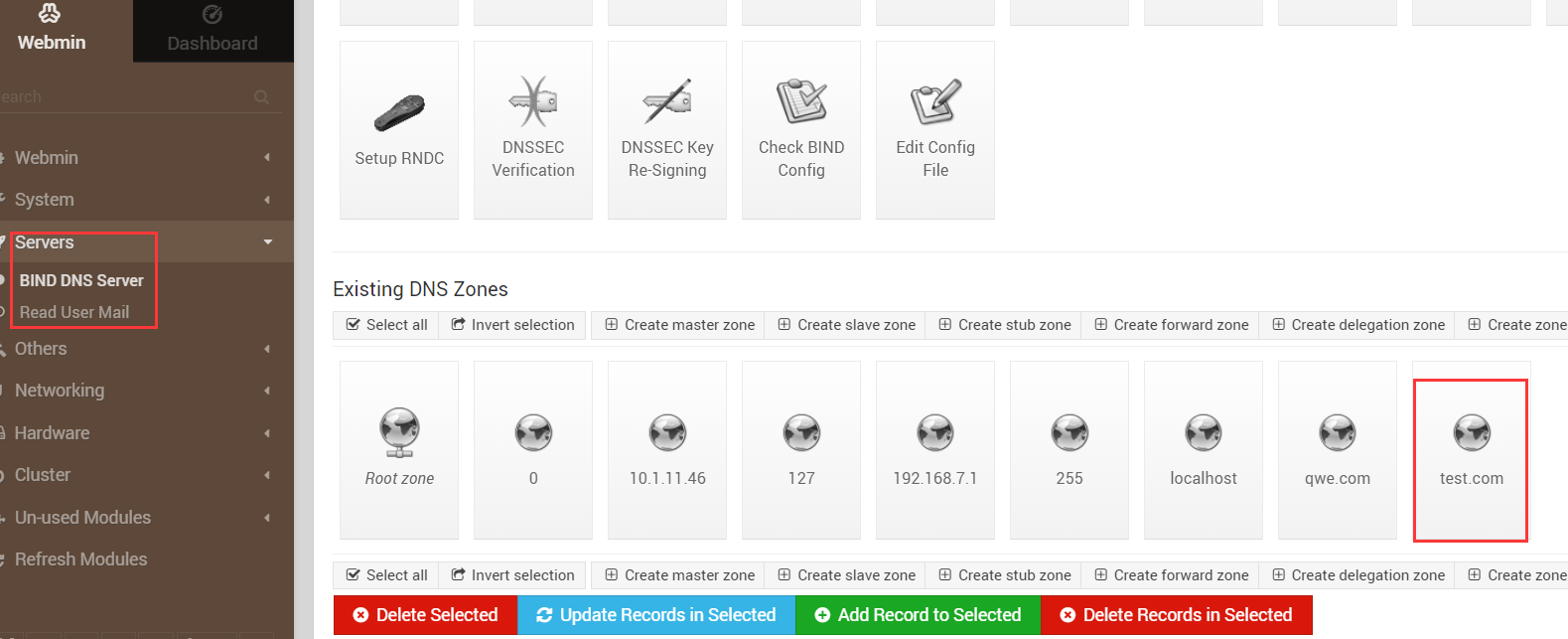
1、新增master zone


再创建一个master zone,对应上面的

进入刚刚创建的test zone
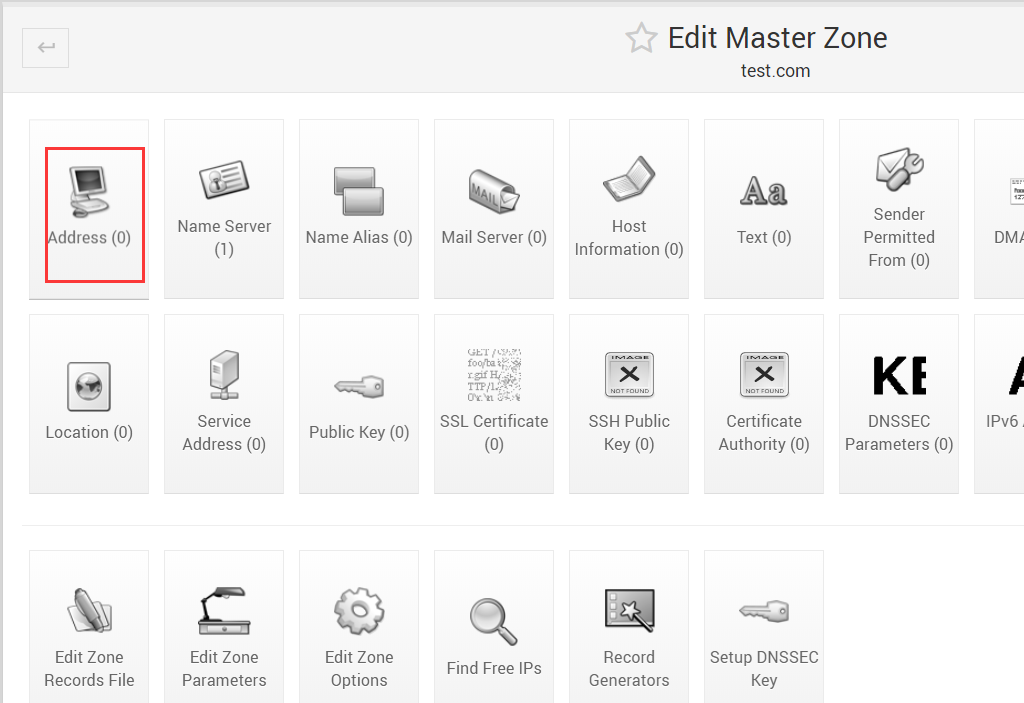
添加解析
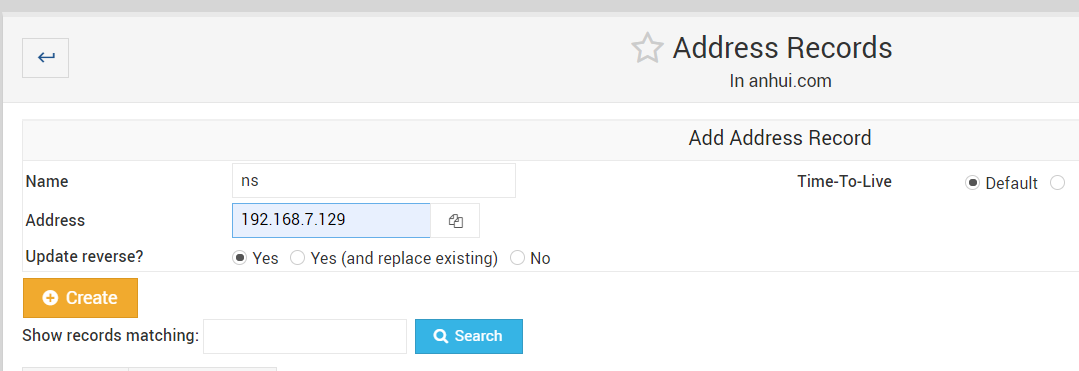
先添加ns解析,这个必须有,否则所有解析失败
在添加其他解析

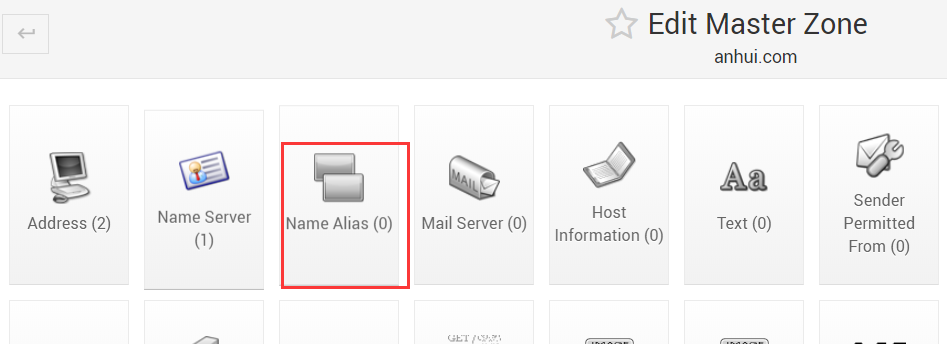
添加CNAME解析
最后记得保存

命令行配置:
1、添加zone ,一个正向解析 一个反向解析
vi /opt/bind/bind/etc/named.conf.local
#反向解析,ip倒着写
zone "254.254.9.172.in-addr.arpa" {
        type master;
        file "/var/lib/bind/172.9.254.254.rev";
        };
zone "hz.com" {
        type master;
        file "/var/lib/bind/hz.com.hosts";
        };
2、配置正向解析
vim /opt/bind/bind/lib/hz.com.hosts 文件名与上面定义的一致
$ttl 38400
hz.com. IN      SOA     ns.hz.com. admin.hz.com. (
                        1589427702
                        10800
                        3600
                        604800
                        38400 )
@       IN      NS      ns.hz.com.
ns      IN      A       192.1.1.1   #ns这行一定要有
aa.hz.com.      IN      A       192.1.1.3   #A 记录
www.hz.com.     IN      CNAME   ns          #CNAME记录
#域名可以简写可以全写
3、配置反向解析
vi 172.9.254.254.rev
$ttl 38400
254.254.9.172.in-addr.arpa.     IN      SOA     ns.hz.com. (
                        1589427616
                        10800
                        3600
                        604800
                        38400 )3.1.1.192.in-addr.arpa.       IN      PTR     aa.hz.com.
#ip可以简写可以全写
4、重启docker
5、测试
yum install -y bind-utils
[root@10 ~]# host  ns.hz.com 10.1.11.46 #docker运行的那台服务器IP
Using domain server:
Name: 10.1.11.46
Address: 10.1.11.46#53
Aliases:

ns.hz.com has address 192.1.1.1
[root@10 ~]#
此内容由惯性聚合(RSS阅读器)自动聚合整理,仅供阅读参考。 原文来自 — 版权归原作者所有。