









进入Windows 设置-应用-可选功能,添加可选应用,找到OpenSSH服务端并安装
OpenSSH 服务端允许使用密钥进行ssh连接,需要进行配置

# This is the sshd server system-wide configuration file.  See
# sshd_config(5) for more information.

# The strategy used for options in the default sshd_config shipped with
# OpenSSH is to specify options with their default value where
# possible, but leave them commented.  Uncommented options override the
# default value.

#Port 22
#AddressFamily any
#ListenAddress 0.0.0.0
#ListenAddress ::

#HostKey __PROGRAMDATA__/ssh/ssh_host_rsa_key
#HostKey __PROGRAMDATA__/ssh/ssh_host_dsa_key
#HostKey __PROGRAMDATA__/ssh/ssh_host_ecdsa_key
#HostKey __PROGRAMDATA__/ssh/ssh_host_ed25519_key

# Ciphers and keying
#RekeyLimit default none

# Logging
#SyslogFacility AUTH
#LogLevel INFO

# Authentication:

#LoginGraceTime 2m
#PermitRootLogin prohibit-password
#StrictModes yes
#MaxAuthTries 6
#MaxSessions 10

PubkeyAuthentication yes

# The default is to check both .ssh/authorized_keys and .ssh/authorized_keys2
# but this is overridden so installations will only check .ssh/authorized_keys
AuthorizedKeysFile     C:\Users\Lenovo\.ssh\authorized_keys

#AuthorizedPrincipalsFile none

# For this to work you will also need host keys in %programData%/ssh/ssh_known_hosts
#HostbasedAuthentication no
# Change to yes if you don't trust ~/.ssh/known_hosts for
# HostbasedAuthentication
#IgnoreUserKnownHosts no
# Don't read the user's ~/.rhosts and ~/.shosts files
#IgnoreRhosts yes

# To disable tunneled clear text passwords, change to no here!
#PasswordAuthentication yes
#PermitEmptyPasswords no

# GSSAPI options
#GSSAPIAuthentication no

#AllowAgentForwarding yes
#AllowTcpForwarding yes
#GatewayPorts no
#PermitTTY yes
#PrintMotd yes
#PrintLastLog yes
#TCPKeepAlive yes
#UseLogin no
#PermitUserEnvironment no
#ClientAliveInterval 0
#ClientAliveCountMax 3
#UseDNS no
#PidFile /var/run/sshd.pid
#MaxStartups 10:30:100
#PermitTunnel no
#ChrootDirectory none
#VersionAddendum none

# no default banner path
#Banner none

# override default of no subsystems
Subsystem    sftp    sftp-server.exe

# Example of overriding settings on a per-user basis
#Match User anoncvs
#    AllowTcpForwarding no
#    PermitTTY no
#    ForceCommand cvs server

#Match Group administrators
 #      AuthorizedKeysFile __PROGRAMDATA__/ssh/administrators_authorized_keys
sshd_config


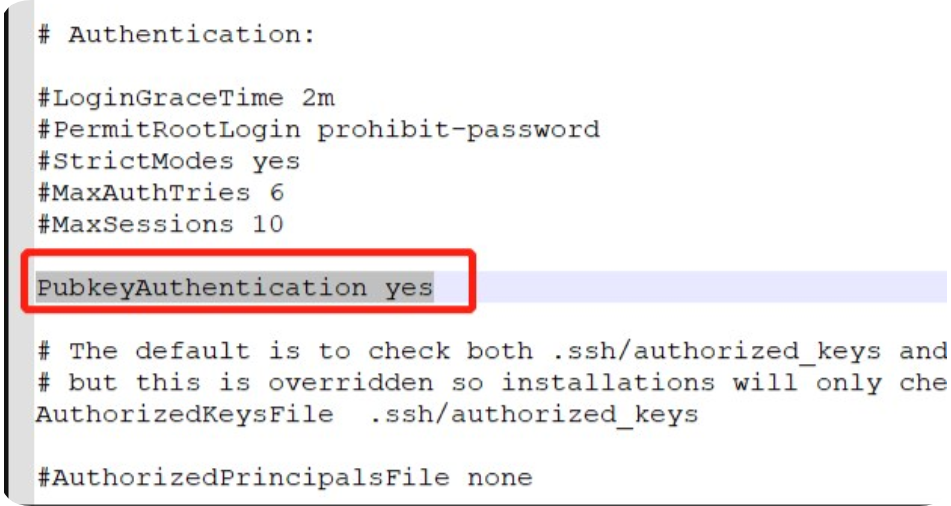
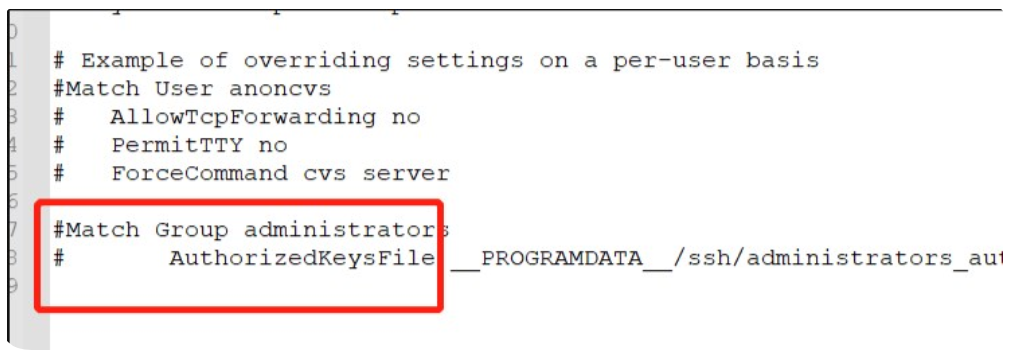
打开sshd.config配置文件,将PubkeyAuthentication yes的注释打开,将最后两行进行注释,并保存
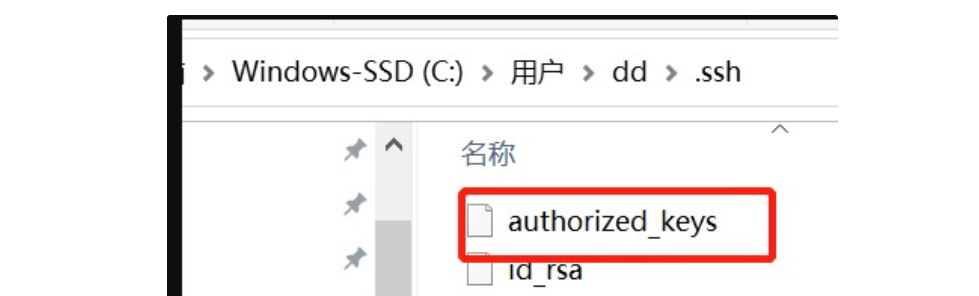
在Windows 10的用户目录下创建authorized_keys文件,将linux下生成的id_rsa.pub内容复制到authorized_keys文件
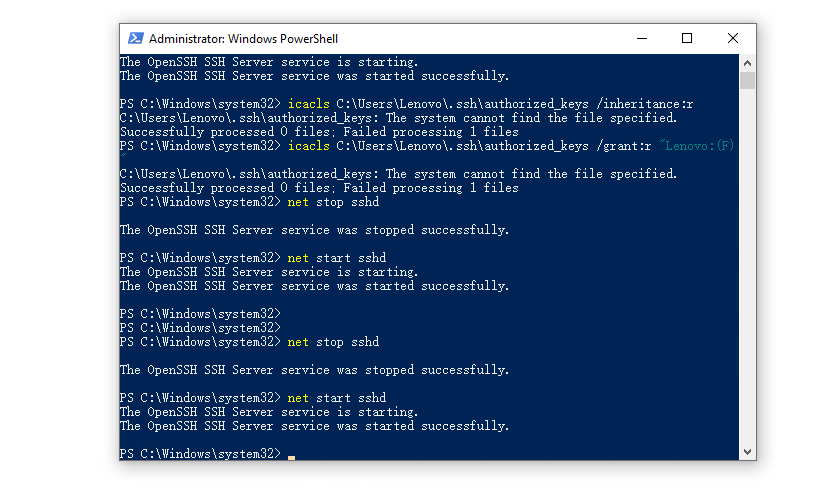
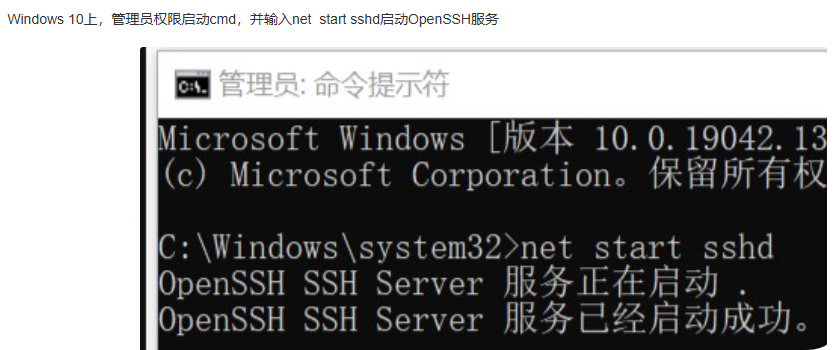
重启windows上的sshd服务
pipeline {
    agent {
        label 'master'
    }

    stages {

        stage("执行远程命令") {
            steps {
                script {
                    sh "ssh lenovo@192.168.20.155 'python --version'"
                    echo "所有文件部署完成!"
                }
            }
        }
    }
}
pipeline
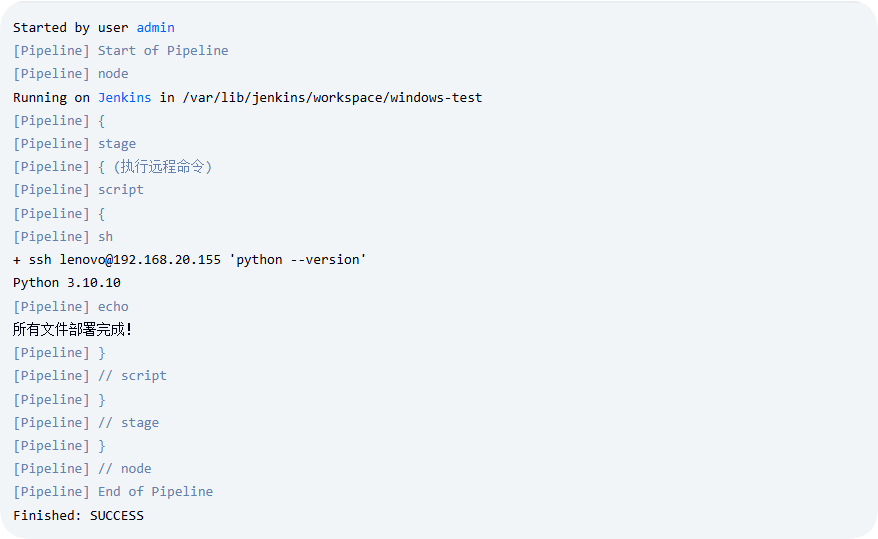
远程调用windows主机上的命令成功
此内容由惯性聚合(RSS阅读器)自动聚合整理,仅供阅读参考。 原文来自 — 版权归原作者所有。