







重要警报(critical-alerts)是 iOS 12 和 watchOS 5.0 中的一种新型选择加入通知,允许绕过“请勿打扰”和静音开关。他的本意是出现紧急情况,需要用户立即关注的关键事件。
苹果不允许通过重要通知来推送营销信息,因此,此类通知仅限于医疗或健康相关应用程序、公共安全或特殊安全应用程序。所以,重要警报需要苹果公司授予的特殊授权。
需要填写的内容:
1.app类型 2.描述我们的app 3.发送紧急通知的消息类型 4.紧急通知的频率 5.解释为什么需要用到紧急通知及功能设计过程
我们需要解释应用正在做什么以及计划如何向我们发送重要警报。Apple 希望您列出一个令人信服的理由,说明为什么我们的应用程序可能需要用户立即关注。
最后就是等待申请结果的邮件。
登陆苹果开发者账号,选择要启用关键警报的应用程序的标识符。勾选“重要警报”框。然后单击“保存”按钮。
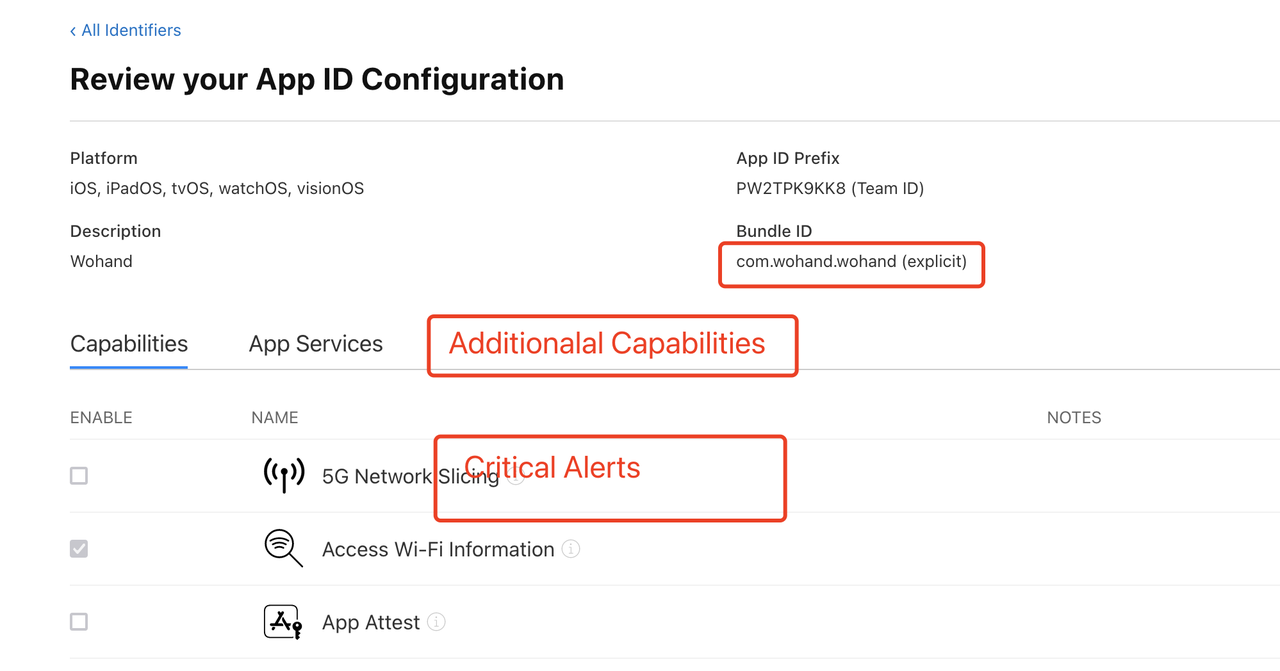
导航到Profiles,然后单击加号按钮注册新的配置文件。
选择“iOS 应用程序开发”选项,然后单击“继续”按钮。
选择您的应用程序 ID,然后单击“继续”按钮。
选择所有证书并单击“继续”按钮。
选择您的设备并单击“继续”按钮。
输入您的配置文件的名称,然后单击“生成”按钮。
单击“下载”按钮。然后双击以下文件来安装您的配置文件,发布证书也是相同流程。
选择您在前面的步骤中下载并安装的配置文件。
查看权限
在设置UNUserNotificationCenter中增加criticalAlert
func requestAuthorization(completion: ((Bool, Error?) -> Void)?) { let options: UNAuthorizationOptions if #available(iOS 12.0, *) { options = [.alert, .badge, .sound, .criticalAlert] } else { options = [.alert, .badge, .sound] } UNUserNotificationCenter.current().requestAuthorization(options: options) { (granted, error) incompletion?(granted, error) } }
然后在app.entitlements中增加keycom.apple.developer.usernotifications.critical-alerts类型为boolean 并将值设为1
最后,需要在从服务器发送推送通知时修改 APS,可以加入声音键对象。
{ "aps":{ "alert": "This is a Critical Alert!", "badge": 1, "sound": { "critical": 1, "name": "your_custom_sound.aiff", "volume": 1.0 } } }
添加自定义声音文件(.aiff 格式)并指定设备音量(值 0.0 到 1.0),其中 1.0 表示全音量。
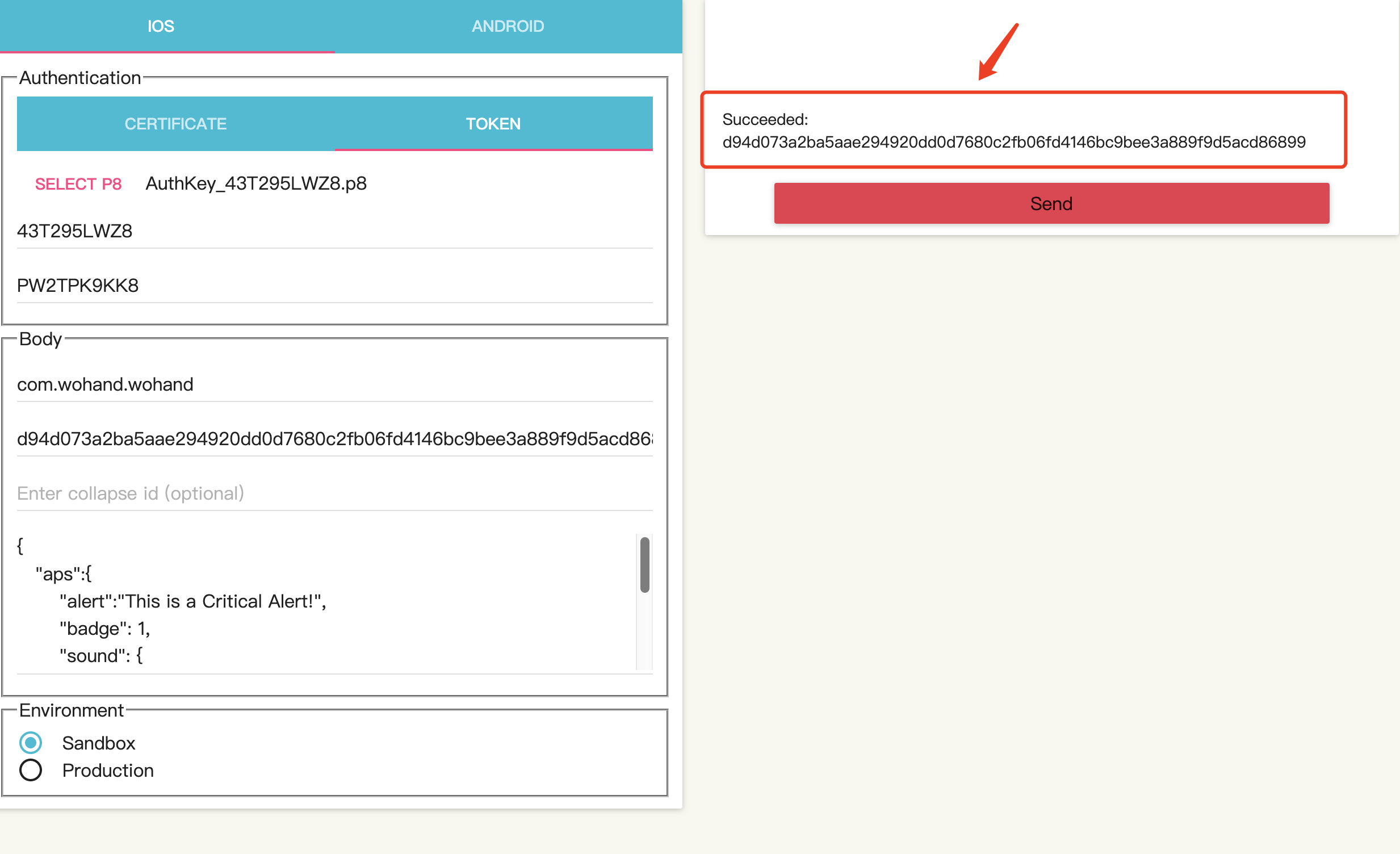
工具下载:
工具界面:
需要的参数配置:
.p8
key ID
3.team id:
4:bundle id :
5.device token:
代码里获取 ===device token:===d94d073a2ba5aae294920dd0d7680c2fb06fd4146bc9bee3a889f9d5acd86899
    func application(_ application: UIApplication, didRegisterForRemoteNotificationsWithDeviceToken deviceToken: Data) {
        print("===device token:===\(deviceToken.hexString)")
        // 记录/获取推送token,发生改变则将token上传
        if UserDefaults.standard.object(forKey: "lastSnsToken") == nil {
            WoUser.currentUser.needUpload = true
            UserDefaults.standard.set(deviceToken.hexString, forKey: "lastSnsToken")
        } else {
            let lastSnsToken: String = UserDefaults.standard.object(forKey: "lastSnsToken") as! String
            if lastSnsToken != deviceToken.hexString {
                WoUser.currentUser.needUpload = true
                UserDefaults.standard.set(deviceToken.hexString, forKey: "lastSnsToken")
            } else {
                WoUser.currentUser.getUploadUserInfoTag()
            }
        }
//        Replies.didRegisterForRemoteNotifications(withDeviceToken: deviceToken)

    }
发送成功结果:
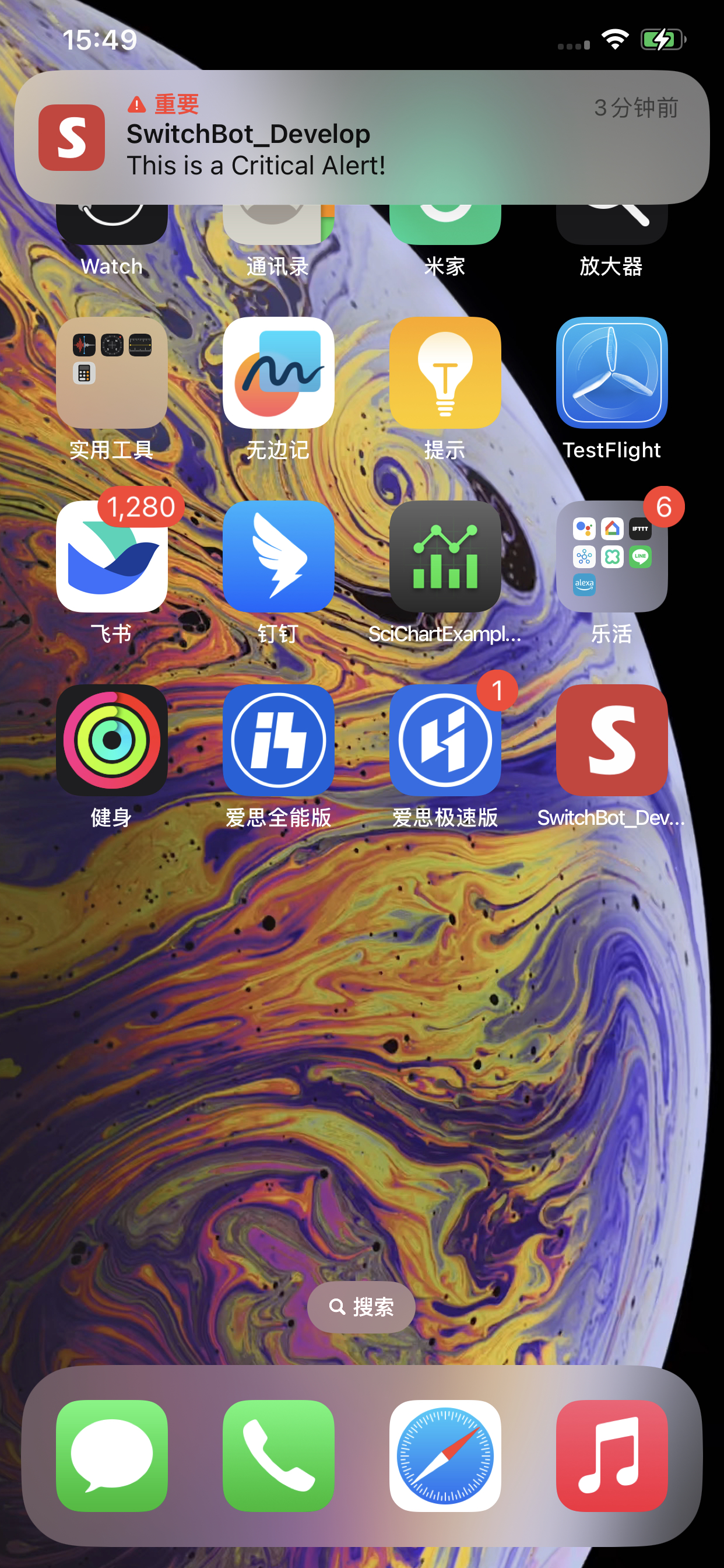
手机端会听到尖锐报警音,和如下图效果:
此内容由惯性聚合(RSS阅读器)自动聚合整理,仅供阅读参考。 原文来自 — 版权归原作者所有。