惯性聚合 高效追踪和阅读你感兴趣的博客、新闻、科技资讯
阅读原文 在惯性聚合中打开

推荐订阅源

D
Docker
Microsoft Azure Blog
云风的 BLOG
云风的 BLOG
cs.AI updates on arXiv.org
L
LangChain Blog
P
Privacy & Cybersecurity Law Blog
Hugging Face - Blog
Hugging Face - Blog
C
CXSECURITY Database RSS Feed - CXSecurity.com
大猫的无限游戏
大猫的无限游戏
Cyberwarzone
Cyberwarzone
The Register - Security
Stack Overflow Blog
Stack Overflow Blog
A
Arctic Wolf
cs.CL updates on arXiv.org
T
Threatpost
The GitHub Blog
The GitHub Blog
P
Privacy International News Feed
WordPress大学
WordPress大学
U
Unit 42
S
Securelist
T
The Exploit Database - CXSecurity.com
C
Cyber Attacks, Cyber Crime and Cyber Security
P
Proofpoint News Feed
Latest news
Latest news
Hacker News: Ask HN
Hacker News: Ask HN
小众软件
小众软件
Know Your Adversary
Know Your Adversary
The Cloudflare Blog
V
Vulnerabilities – Threatpost
The Hacker News
The Hacker News
Scott Helme
Scott Helme
有赞技术团队
有赞技术团队
Security Latest
Security Latest
Google DeepMind News
Application and Cybersecurity Blog
Simon Willison's Weblog
博客园 - Franky
Y
Y Combinator Blog
博客园 - 叶小钗
Security Archives - TechRepublic
Google DeepMind News
N
Netflix TechBlog - Medium
S
Secure Thoughts
T
Threat Research - Cisco Blogs
aimingoo的专栏
aimingoo的专栏
S
SegmentFault 最新的问题
Microsoft Security Blog
K
KPMG report finds enterprise disconnect between AI and its ROI | CIO
博客园 - 司徒正美
M
MIT News - Artificial intelligence

博客园 - ccfyyn

计算机原理 vue项目实战——网上商城项目 跨域 面试总结 npm&node.js ES6 输入URL到页面展现的过程 不同分辨率页面自适应 jquery中bind与on的区别 浏览器兼容 git代码提交 bootstrap的用法、bootstrap图标 HTML 5 Web 存储(客户端存储数据) require.js event事件 $().each 和 $each( )的区别 date-id自定义属性 项目经验 css水平垂直居中
offsetheight和clientheight和scrollheight的区别以及offsetwidth和clientwidth和scrollwidth的区别
ccfyyn · 2018-12-15 · via 博客园 - ccfyyn

1.offsetwidth和clientwidth和scrollwidth的区别

    这里的内容区就是箭头所指的这么多的宽度和高度即可视内容区(因为存在滚动条,下面还有内容)。

 offsetwidth:内容区+padding+滚动条+border;

clientwidth:内容区(可视内容区)+padding;

scrollwidth:内容区+padding;

1.offsetheight和clientheight和scrollheight的区别

 offsetheight:内容区+padding+border

clientheight:内容区(可视内容区)+padding

scrollheight:内容区(所有内容区)+padding

滚动宽高

scrollHeight

  scrollHeight表示元素的总高度,包括由于溢出而无法展示在网页的不可见部分

scrollWidth

  scrollWidth表示元素的总宽度,包括由于溢出而无法展示在网页的不可见部分

[注意]IE7-浏览器返回值是不准确的

【1】没有滚动条时,scrollHeight与clientHeight属性结果相等,scrollWidth与clientWidth属性结果相等

 【2】存在滚动条时,但元素设置宽高大于等于元素内容宽高时,scroll和client属性的结果相等

【3】存在滚动条,但元素设置宽高小于元素内容宽高,即存在内容溢出的情况时,scroll属性大于client属性

[注意]scrollHeight属性存在兼容性问题,chrome和safari浏览器中,scrollHeight包含padding-bottom;而IE和firefox不包含padding-bottom

页面尺寸

  document.documentElement.clientHeight表示页面的可视区域的尺寸,而document.documentElement.scrollHeight表示html元素内容的实际尺寸。但是由于各个浏览器表现不一样,分为以下几种情况

【1】html元素没有滚动条时,IE和firefox的client和scroll属性始终相同,且返回可视区的尺寸大小;而safari和chrome表现正常,clientHeight返回可视区域大小,而scrollHeight返回元素内容大小

【2】html元素存在滚动条时,各个浏览器都表现正常。clientHeight返回可视区域大小,而scrollHeight返回元素内容大小

滚动长度

scrollTop

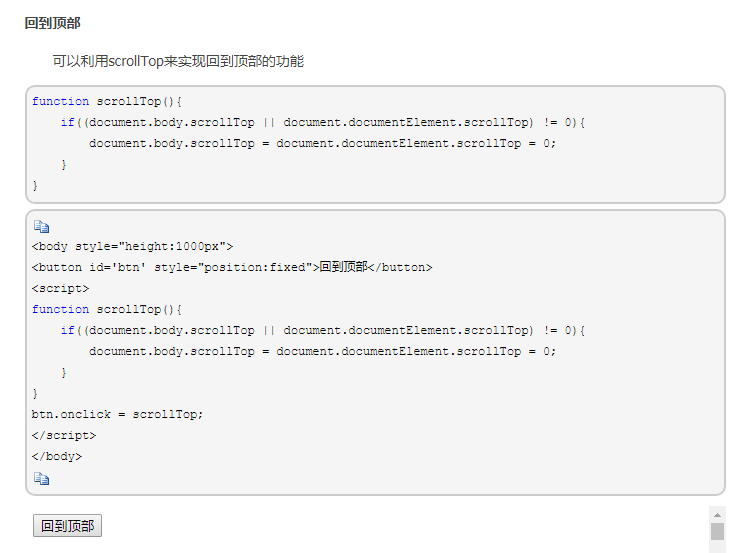
  scrollTop属性表示被隐藏在内容区域上方的像素数。元素未滚动时,scrollTop的值为0,如果元素被垂直滚动了,scrollTop的值大于0,且表示元素上方不可见内容的像素宽度
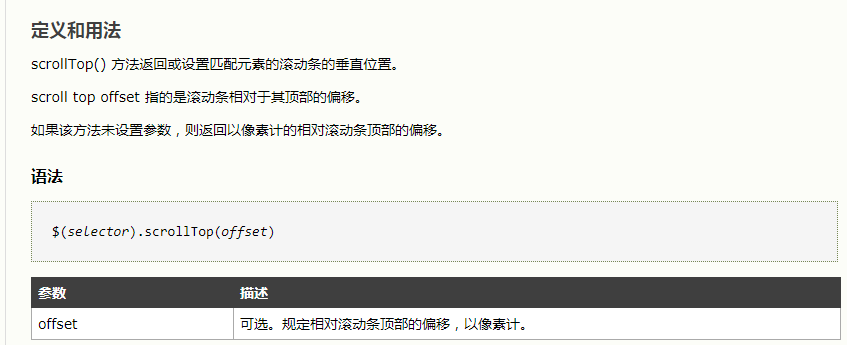
 当滚动条滚动到内容底部时,符合以下等式

scrollHeight == scrollTop  + clientHeight

scrollLeft

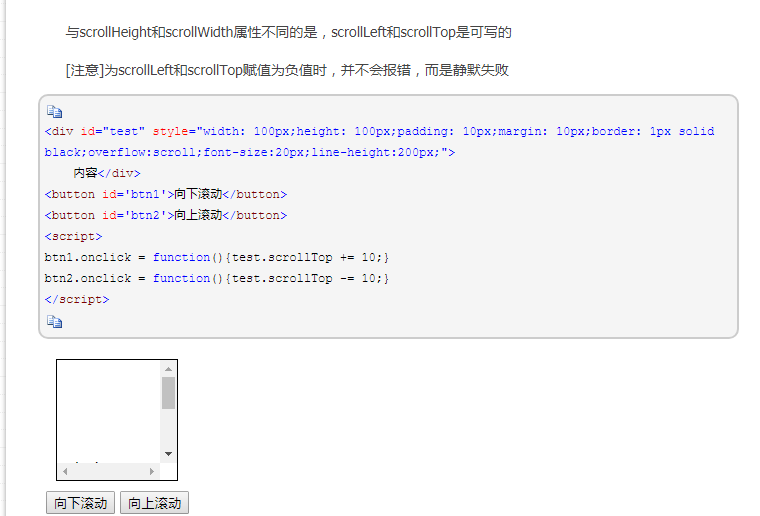
  scrollLeft属性表示被隐藏在内容区域左侧的像素数。元素未滚动时,scrollLeft的值为0,如果元素被水平滚动了,scrollLeft的值大于0,且表示元素左侧不可见内容的

像素宽度
页面滚动

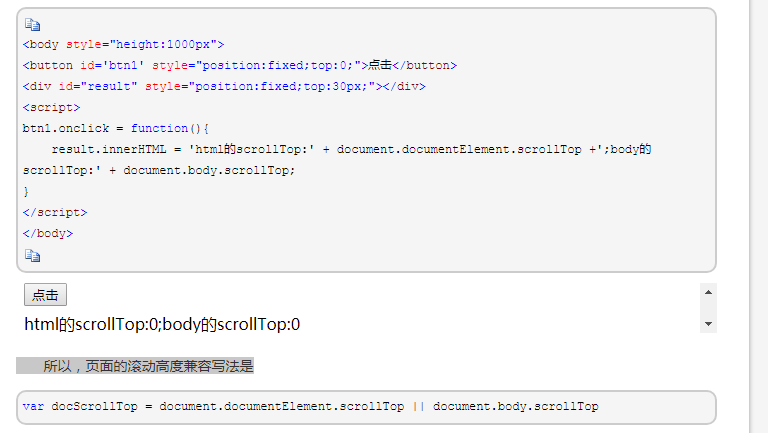
  理论上,通过document.documentElement.scrollTop和scrollLeft可以反映和控制页面的滚动;但是chrome和safari浏览器是通过document.body.scrollTop和scrollLeft来控制的