


IK 分词器的文档中描述,在 Elasticsearch 中可以使用命令来安装操作,如下图所示

[es@lab10 elasticsearch-9.1.4]$ bin/elasticsearch-plugin install https://get.infini.cloud/elasticsearch/analysis-ik/9.1.4
-> Installing https://get.infini.cloud/elasticsearch/analysis-ik/9.1.4
-> Downloading https://get.infini.cloud/elasticsearch/analysis-ik/9.1.4
WARNING: this plugin contains a legacy Security Policy file. Starting with version 8.18, Entitlements replace SecurityManager as the security mechanism. Plugins must migrate their policy files to the new format. For more information, please refer to https://www.elastic.co/guide/en/elasticsearch/plugins/current/creating-classic-plugins.html
@@@@@@@@@@@@@@@@@@@@@@@@@@@@@@@@@@@@@@@@@@@@@@@@@@@@@@@@@@@
@     WARNING: plugin requires additional entitlements    @
@@@@@@@@@@@@@@@@@@@@@@@@@@@@@@@@@@@@@@@@@@@@@@@@@@@@@@@@@@@
* outbound_network
See https://www.elastic.co/guide/en/elasticsearch/plugins/current/creating-classic-plugins.html
for descriptions of what these entitlements allow and the associated risks.

Continue with installation? [y/N]y
-> Installed analysis-ik
-> Please restart Elasticsearch to activate any plugins installed
注意:
- 请用 es 用户
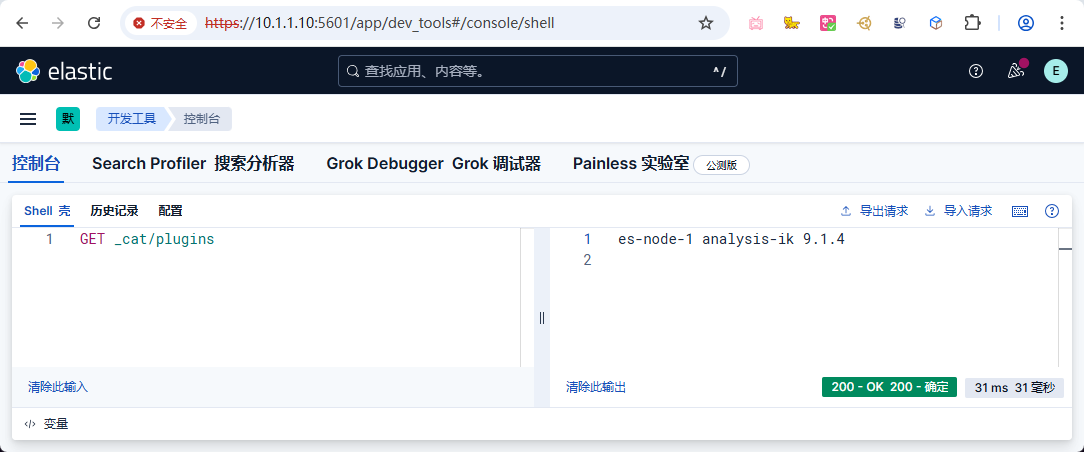
bin/elasticsearch-plugin install https://get.infini.cloud/elasticsearch/analysis-ik/9.1.4中的9.1.4更换到您当前 Elasticsearch 版本- 安装成功后请检查
/opt/module/elasticsearch-9.1.4/plugins目录下是否存在analysis-ik目录- 检查成功后请重启 Elasticsearch 服务
此内容由惯性聚合(RSS阅读器)自动聚合整理,仅供阅读参考。 原文来自 — 版权归原作者所有。