


惯性聚合 高效追踪和阅读你感兴趣的博客、新闻、科技资讯
阅读原文 在惯性聚合中打开

推荐订阅源

P
Proofpoint News Feed
博客园 - 聂微东
Application and Cybersecurity Blog
MyScale Blog
MyScale Blog
罗磊的独立博客
H
Help Net Security
L
LangChain Blog
T
Threat Research - Cisco Blogs
量子位
S
Securelist
Last Week in AI
Last Week in AI
L
Lohrmann on Cybersecurity
T
The Exploit Database - CXSecurity.com
P
Privacy International News Feed
The Hacker News
The Hacker News
Vercel News
Vercel News
D
Darknet – Hacking Tools, Hacker News & Cyber Security
C
Cybersecurity and Infrastructure Security Agency CISA
T
The Blog of Author Tim Ferriss
T
Threatpost
Security Latest
Security Latest
P
Palo Alto Networks Blog
Microsoft Security Blog
NISL@THU
NISL@THU
F
Full Disclosure
WordPress大学
WordPress大学
cs.AI updates on arXiv.org
Stack Overflow Blog
Stack Overflow Blog
C
Check Point Blog
Hacker News - Newest:
Hacker News - Newest: "LLM"
酷 壳 – CoolShell
酷 壳 – CoolShell
H
Heimdal Security Blog
J
Java Code Geeks
Recorded Future
Recorded Future
Hugging Face - Blog
Hugging Face - Blog
G
GRAHAM CLULEY
Know Your Adversary
Know Your Adversary
K
KPMG report finds enterprise disconnect between AI and its ROI | CIO
阮一峰的网络日志
阮一峰的网络日志
U
Unit 42
B
Blog RSS Feed
月光博客
月光博客
C
Cisco Blogs
V
Visual Studio Blog
D
DataBreaches.Net
H
Hacker News: Front Page
博客园 - 叶小钗
N
News and Events Feed by Topic
爱范儿
爱范儿
A
Arctic Wolf

博客园 - 周希

自动驾驶算法评测体系建设实践 Mac上的Redis安装和使用 iPhone手机越狱-逆向砸壳-代码注入 使用Apple Configurator 2提取商店ipa or app文件 WDA支持获取WebView元素 iOS模拟器命令 Android自动化测试探索(七)代码覆盖率统计 Android自动化测试探索(五)代码覆盖率统计 解决ifuse不支持24位UDID问题 Android自动化测试探索(四)uiautomator2简介和使用 iOS自动化探索(十)代码覆盖率统计 Android自动化测试探索(三)Android SDK tools安装、aapt配置以及使用aapt获取apk包名 Android自动化测试探索(二)常用自动化工具 Android自动化测试探索(一)adb详细介绍 关于Mac上使用ideviceinstaller操作iPhoneXR等24位UDID设备报“ERROR: Invalid UDID specified”解决办法 mac下csv乱码解决办法 Mac安装MySQLdb遇到的坑 【Python MySQLdb】Library not loaded: /usr/local/mysql/lib/libmysqlclient.20.dylib解决办法 Pycharm更换主题 Python -- 使用pickle 和 CPickle对数据对象进行归档和解析
使用ATOMac进行Mac自动化测试
周希 · 2020-07-27 · via 博客园 - 周希

ATOMac简介

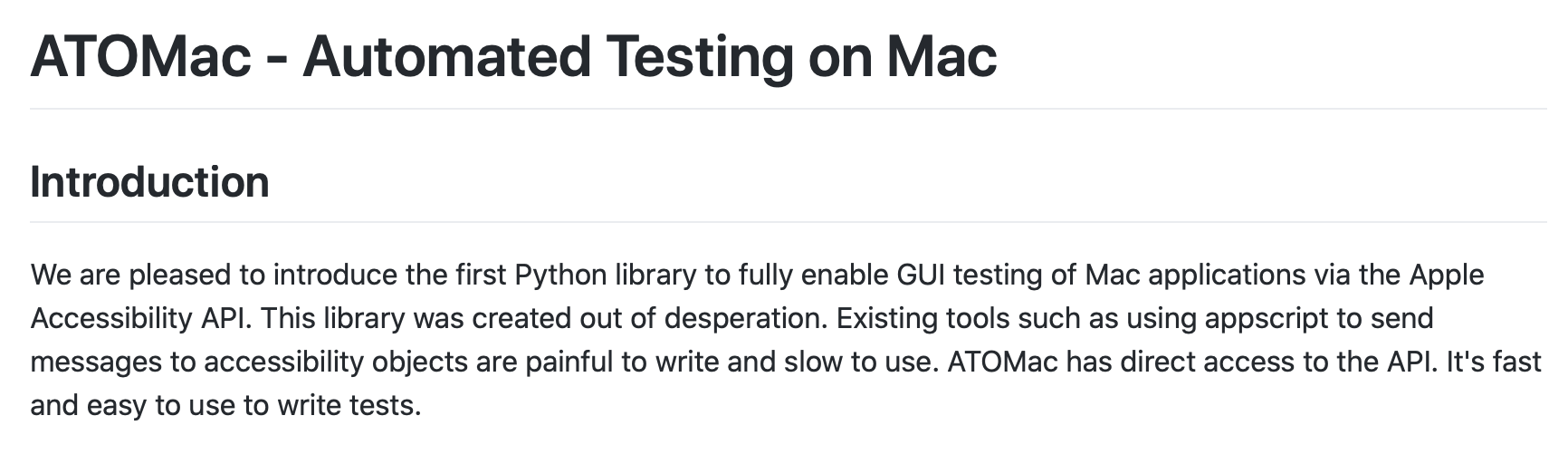
atomac是一个支持在mac上做自动化的python库,GitHub地址如下:

https://github.com/pyatom/pyatom
安装

# Python2
sudo easy_install atomac

# Python3
pip3 install git+https://github.com/pyatom/pyatom/

使用

1. 启动程序

import atomac
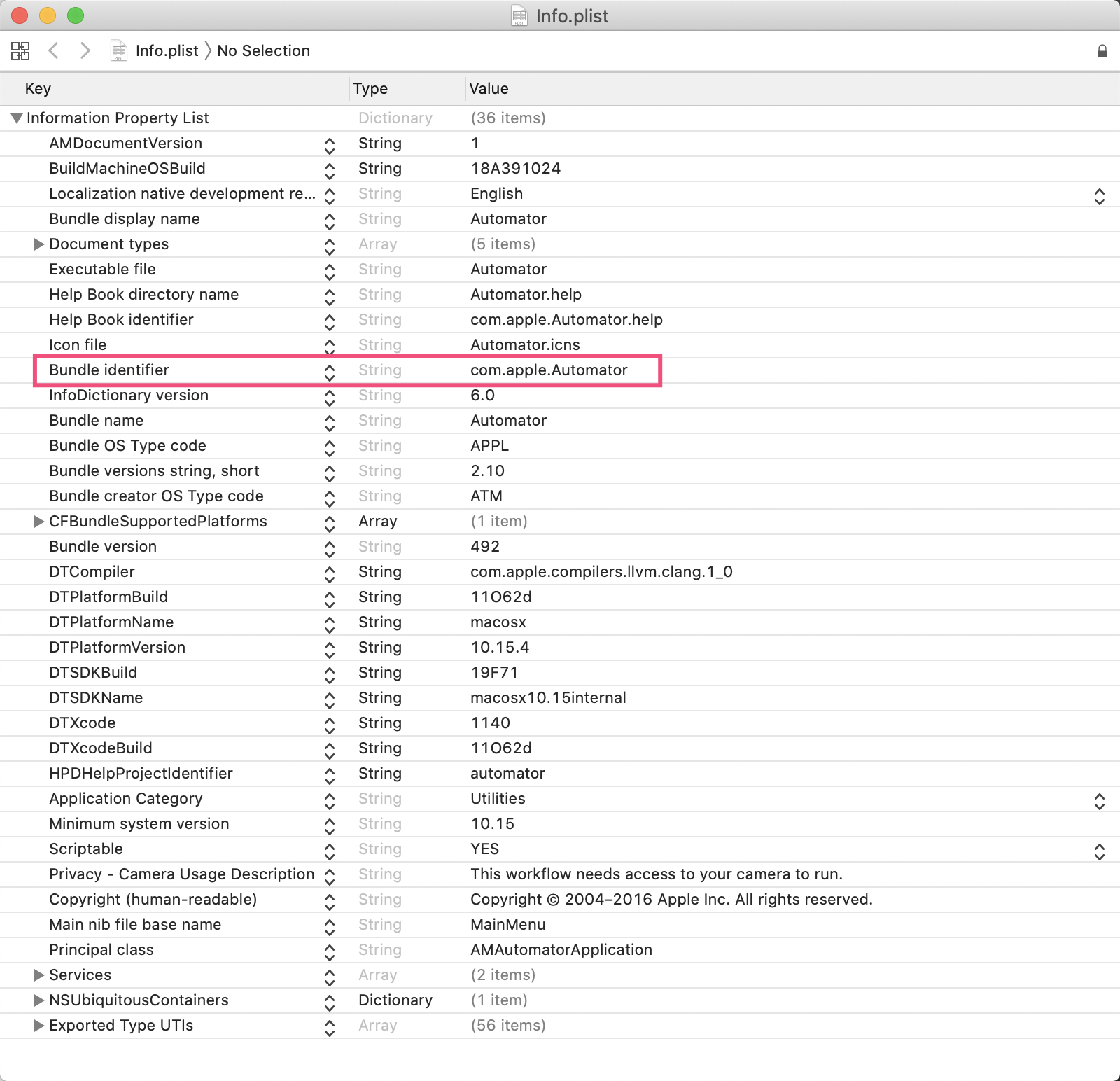
atomac.launchAppByBundleId('com.apple.Automator')

查看bundleID的方法

在应用程序->右键选择包内容->Contents->Info.plist
2. 获取Window

automator = atomac.getAppRefByBundleId('com.apple.Automator')
window = automator.windows()[0]
print(window)

输出

<atomac.AXClasses.NativeUIElement AXWindow '未命名'>

3. 获取应用标题

输出

4. 查看元素

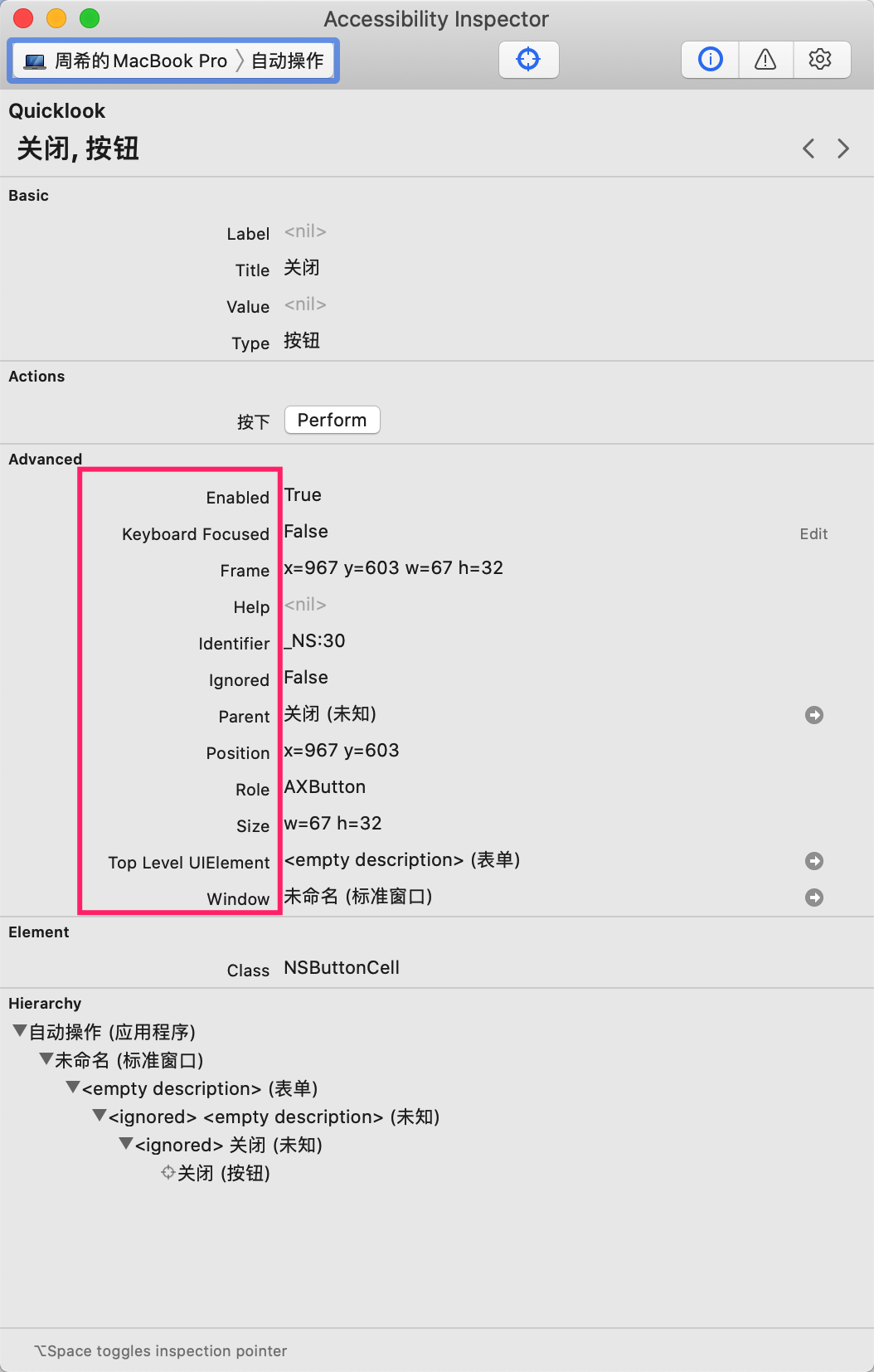
atomac支持获取和操作大部分的元素,可以使用xcode提供的accessibility inspector快速查看各个元素

路径: Xcode -> Open Developer Tools -> Accessibility inspector

Atomac支持的元素类型有:

textAreas
textFields
buttons
windows
sheets
staticTexts
genericElements
groups
radioButtons
popUpButtons
rows
sliders

atomac所有的定位方法加上'R'字符,就变成了一个搜索方法(可以添加额外的搜索条件)

5. 获取元素

通过快照我们可以进行元素定位, 这里我们以关闭按钮为例

closeButton = window.buttonsR('关闭')[0]
print(closeButton)

输出:

<atomac.AXClasses.NativeUIElement AXButton '关闭'>

6. 条件搜索元素

atomac支持findFirstR方法,根据属性来进行元素搜索,例如

closeButton = window.findFirstR(AXRole='AXButton', AXTitle='关闭')

支持的属性可以在Accessibility inspector中查看
findFirstR方法返回首个匹配的元素, 如果没有找到匹配的元素则返回空列表

findAllR使用方法相同,返回所以匹配的元素列表,没有匹配的元素则返回空列表

7. 查看元素支持的属性

closeButton = window.findFirstR(AXRole='AXButton', AXTitle='关闭')
print(closeButton.getAttributes())

输出

['AXRole', 'AXHelp', 'AXEnabled', 'AXWindow', 'AXSize', 'AXTitle', 'AXRoleDescription', 'AXTopLevelUIElement', 'AXFocused', 'AXParent', 'AXPosition', 'AXFrame', 'AXIdentifier']

查看属性值

print(closeButton.AXTitle)

输出

8. 查看元素支持的操作

print(closeButton.getActions())

输出

9. 元素操作

任何支持的操作都可以这样调用