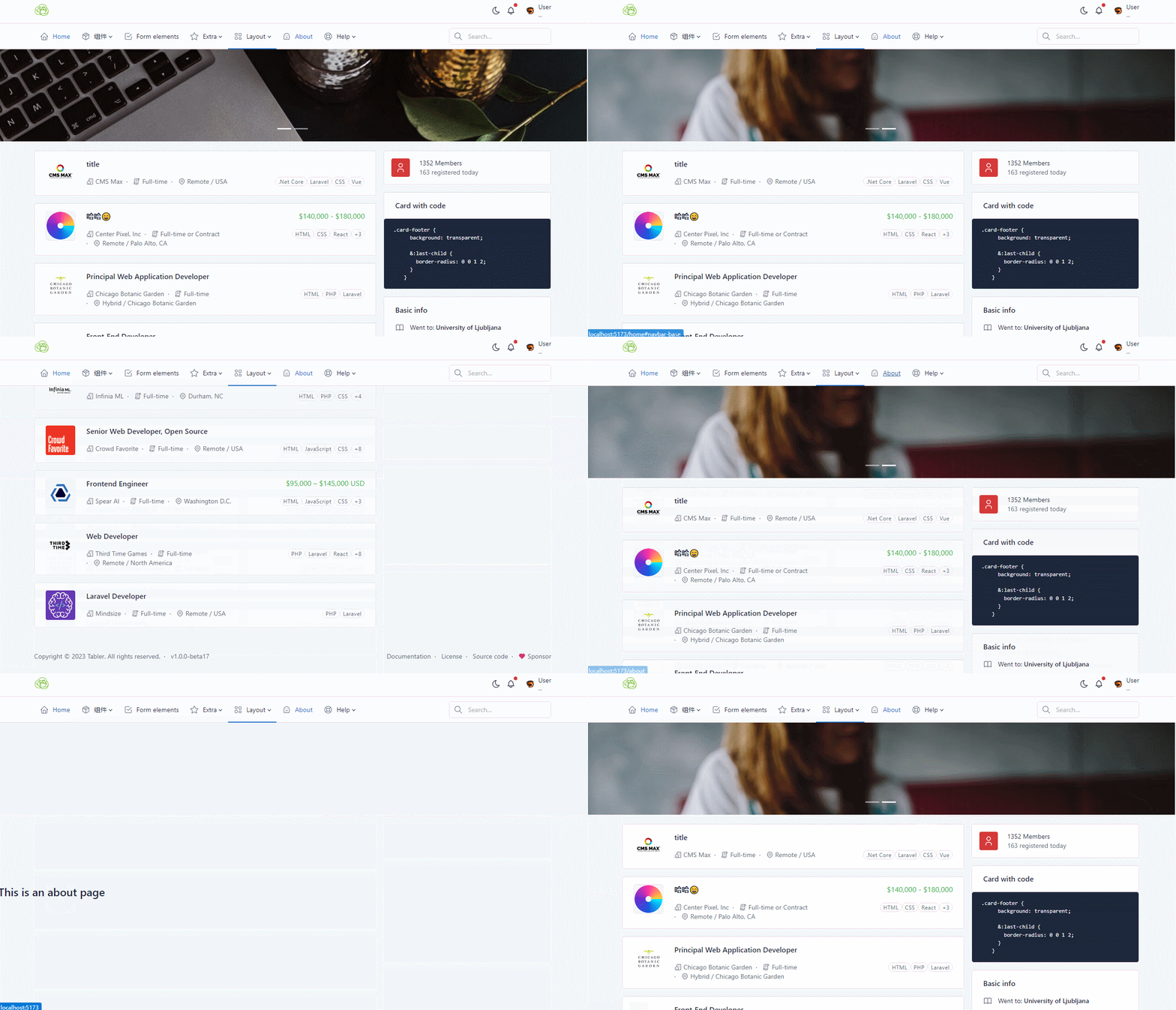
上一篇使用的bootstrap-vue-next项目迭代很快,考虑还未发文档和正式版本(自己菜)改用原生bootstrap模板tabler项目。
安装运行
不想安装可直接打开tabler\demo目录下html文件浏览查看效果
#获取后目录下运行
npm install
#需要先安装https://github.com/oneclick/rubyinstaller2/releases/download/RubyInstaller-2.7.6-1/rubyinstaller-devkit-2.7.6-1-x64.exe
bundler install
#启动
npm run start-plugins
先来个草图,做一个类似这样的布局

main.ts添加tabler
import './assets/tabler.css'
import './assets/tabler.js'
AppLayout.vue
<script setup lang="ts">
import AppHeader from './AppHeader.vue'
import AppPageWrapper from './AppPageWrapper.vue'
</script>

<template>
<div class="page">
    <AppHeader/>
     <div class="page-wrapper">
        <RouterView /> <!-- 嵌套路由 <AppPageWrapper/> -->
        <AppFooter/>
    </div>
</div>
</template>

<style scoped lang="scss">
</style>
AppHeader.vue
<script setup lang="ts">
</script>

<template>
      <!-- Navbar -->
      <div class="sticky-top">
        <header class="navbar navbar-expand-md navbar-light sticky-top d-print-none">
          <div class="container-xl">
            ...
          </div>
        </header>

        <header class="navbar-expand-md">
          <div class="collapse navbar-collapse" id="navbar-menu">
            ...
          </div>
        </header>
      </div>
</template>

<style scoped lang="scss">
</style>
AppPageWrapper.vue
<script setup lang="ts">
import AppFooter from './AppFooter.vue'
</script>

<template>
 <div class="page-wrapper">
  <!-- carousel -->
    <div style="height:200px">
      <div id="carousel-indicators" class="carousel slide" data-bs-ride="carousel">
        ...
      </div>
    </div>
    <!-- Page body -->
    <div class="page-body">
        <div class="container">
            <div class="row row-deck row-cards">
                <div class="col-md-12 col-lg-8">
                  ...
                </div>
                <div class="col-md-6 col-lg-4">
                  ...
                </div>
            </div>
        </div>
    </div>
    <AppFooter/>
</div>
</template>

<style scoped lang="scss">
</style>
AppFooter.vue
<script setup lang="ts">
</script>

<template>
  <footer class="footer footer-transparent d-print-none">
    <div class="container-xl">
      ...
    </div>
  </footer>
</template>

<style scoped lang="scss">
</style>
import AppLayout from '@/components/layout/AppLayout.vue'
//....
  routes: [
    {
      path: '/',
      name: 'applayout',
      redirect: '/home',
      component: AppLayout,
      children: [
        {
          // AppPageWrapper 将被渲染到 AppLayout 的 <routerview> 内部
          path: 'home',
          component: AppPageWrapper,
        },
        {
          path: 'about',
          component: () => import('../views/AboutView.vue')
        }
      ]
    },
//....
此内容由惯性聚合(RSS阅读器)自动聚合整理,仅供阅读参考。 原文来自 — 版权归原作者所有。