惯性聚合 高效追踪和阅读你感兴趣的博客、新闻、科技资讯
阅读原文 在惯性聚合中打开

推荐订阅源

T
The Blog of Author Tim Ferriss
Know Your Adversary
Know Your Adversary
P
Palo Alto Networks Blog
D
Darknet – Hacking Tools, Hacker News & Cyber Security
K
Kaspersky official blog
L
LINUX DO - 热门话题
P
Proofpoint News Feed
P
Privacy & Cybersecurity Law Blog
Google DeepMind News
Attack and Defense Labs
Cisco Talos Blog
Cisco Talos Blog
AI
AI
L
LINUX DO - 最新话题
H
Heimdal Security Blog
Hacker News: Ask HN
Hacker News: Ask HN
Webroot Blog
Webroot Blog
Threat Intelligence Blog | Flashpoint
The GitHub Blog
The GitHub Blog
I
Intezer
Blog — PlanetScale
Blog — PlanetScale
有赞技术团队
有赞技术团队
S
Securelist
博客园_首页
IT之家
IT之家
Schneier on Security
博客园 - 叶小钗
罗磊的独立博客
WordPress大学
WordPress大学
cs.CL updates on arXiv.org
MongoDB | Blog
MongoDB | Blog
P
Proofpoint News Feed
阮一峰的网络日志
阮一峰的网络日志
A
Arctic Wolf
Cyber Security Advisories - MS-ISAC
Exploit-DB.com RSS Feed
W
WeLiveSecurity
The Register - Security
D
DataBreaches.Net
S
Security @ Cisco Blogs
Security Archives - TechRepublic
让小产品的独立变现更简单 - ezindie.com
腾讯CDC
Recorded Future
Recorded Future
NISL@THU
NISL@THU
N
News and Events Feed by Topic
T
Tailwind CSS Blog
N
News and Events Feed by Topic
Cyberwarzone
Cyberwarzone
T
Tor Project blog
www.infosecurity-magazine.com

博客园 - 雨V幕

使用chromedp 来做人工模拟操作爬取数据方法 遍历redis按照前缀给未设置过期时间的数据添加过期时间 使用rabbitmq 进行任务调度 使用trace进行排查网络瓶颈 使用vscode 调试 Python 使用power shell 拆分 csv文件 将大文件拆分成小文件。 使用postman 添加预处理验签。 go 使用pprof 进行问题排查 Mysql无主键删除重复数据的快速方法 解决mysql 事务死锁的方法 go在处理批量下载时候出现fatal error: runtime: out of memory AnalyticDB 创建db go 序列化反序列化之后时区信息丢失 clickhouse 进行建表期间的一些优化 kraots2.0 在windows 环境搭建开发环境 Sql Server使用函数获取拼音码 关于async 和await关键字 使用kubespray 一键部署 containerd 的安装和熟悉
VMware 配置双网卡实现上网和固定ip
雨V幕 · 2023-02-13 · via 博客园 - 雨V幕
  • 开始之前的准备
    • VMware 和centos镜像源 http://mirrors.163.com/centos/7.9.2009/isos/x86_64
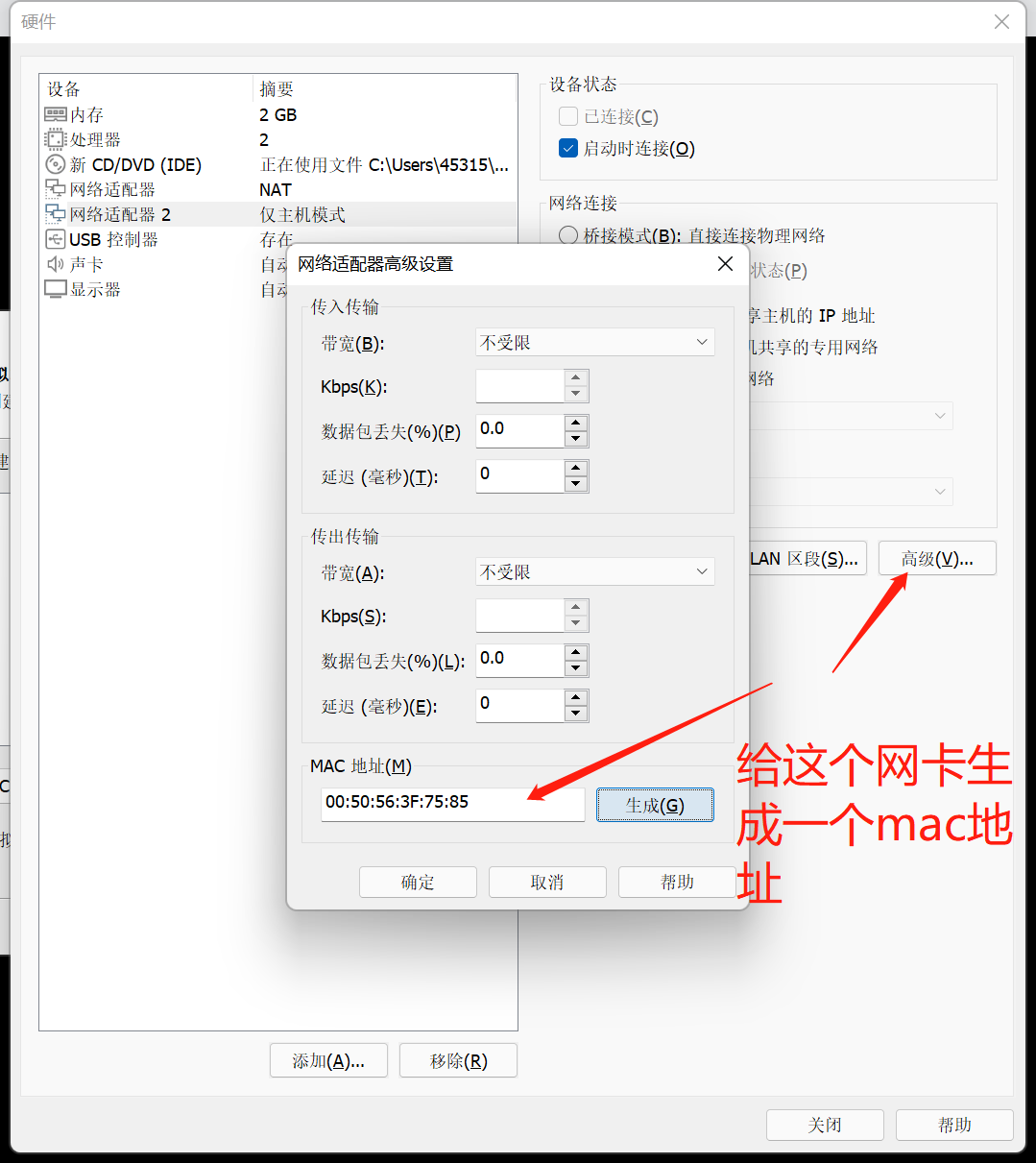
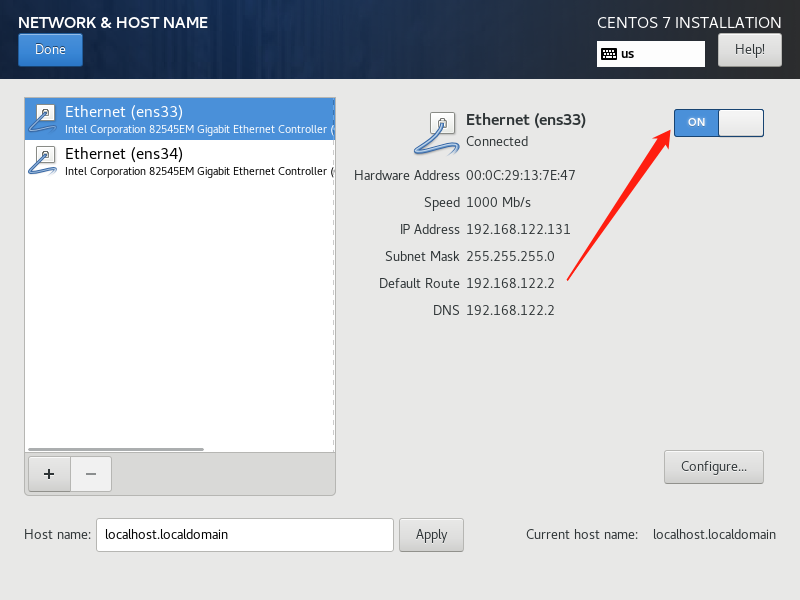
    • 安装镜像的几个过程需要注意(1.新增网卡 2.生成网卡的mac地址 3.打开网络设置)见下图


    • 准备工作做好了那么进入到虚拟机内执行命令行
      #首先查看网卡
      ip a 
      #选择没有ip的网卡配置文件进行编辑这里是ens34这张网卡
      vi /etc/sysconfig/network-script/ifcfg-ens34 
      
      首先把 DEFOROUTE=dhcp -> 修改为 static
      然后添加 IPADDR=192.168.88.200(我这里网段是192.168.88.128-254)
      最后把 OBNBOOT=yes 
      
      #最后一步重启network服务
      systemctl restart network 
      

stay hungry stay foolish!

posted @ 2023-02-13 18:55  雨V幕  阅读(997)  评论(0)    收藏  举报