惯性聚合 高效追踪和阅读你感兴趣的博客、新闻、科技资讯
阅读原文 在惯性聚合中打开

推荐订阅源

Google DeepMind News
Stack Overflow Blog
Stack Overflow Blog
Hugging Face - Blog
Hugging Face - Blog
博客园_首页
T
The Blog of Author Tim Ferriss
博客园 - 叶小钗
N
Netflix TechBlog - Medium
腾讯CDC
C
Check Point Blog
P
Proofpoint News Feed
Engineering at Meta
Engineering at Meta
GbyAI
GbyAI
S
SegmentFault 最新的问题
F
Fortinet All Blogs
美团技术团队
U
Unit 42
freeCodeCamp Programming Tutorials: Python, JavaScript, Git & More
博客园 - 司徒正美
F
Full Disclosure
Recorded Future
Recorded Future
D
DataBreaches.Net
博客园 - 【当耐特】
Martin Fowler
Martin Fowler
J
Java Code Geeks
I
InfoQ
Y
Y Combinator Blog
A
About on SuperTechFans
AI
AI
爱范儿
爱范儿
Exploit-DB.com RSS Feed
Forbes - Security
Forbes - Security
W
WeLiveSecurity
M
MIT News - Artificial intelligence
雷峰网
雷峰网
cs.CV updates on arXiv.org
Simon Willison's Weblog
Schneier on Security
The GitHub Blog
The GitHub Blog
Security Archives - TechRepublic
aimingoo的专栏
aimingoo的专栏
Cyber Security Advisories - MS-ISAC
G
GRAHAM CLULEY
Know Your Adversary
Know Your Adversary
Latest news
Latest news
Threat Intelligence Blog | Flashpoint
D
Docker
Recent Commits to openclaw:main
量子位
V2EX - 技术
V2EX - 技术
Project Zero
Project Zero

博客园 - 雨V幕

使用chromedp 来做人工模拟操作爬取数据方法 遍历redis按照前缀给未设置过期时间的数据添加过期时间 使用rabbitmq 进行任务调度 使用trace进行排查网络瓶颈 使用vscode 调试 Python 使用power shell 拆分 csv文件 将大文件拆分成小文件。 go 使用pprof 进行问题排查 Mysql无主键删除重复数据的快速方法 解决mysql 事务死锁的方法 go在处理批量下载时候出现fatal error: runtime: out of memory AnalyticDB 创建db go 序列化反序列化之后时区信息丢失 clickhouse 进行建表期间的一些优化 kraots2.0 在windows 环境搭建开发环境 Sql Server使用函数获取拼音码 关于async 和await关键字 使用kubespray 一键部署 containerd 的安装和熟悉 VMware 配置双网卡实现上网和固定ip
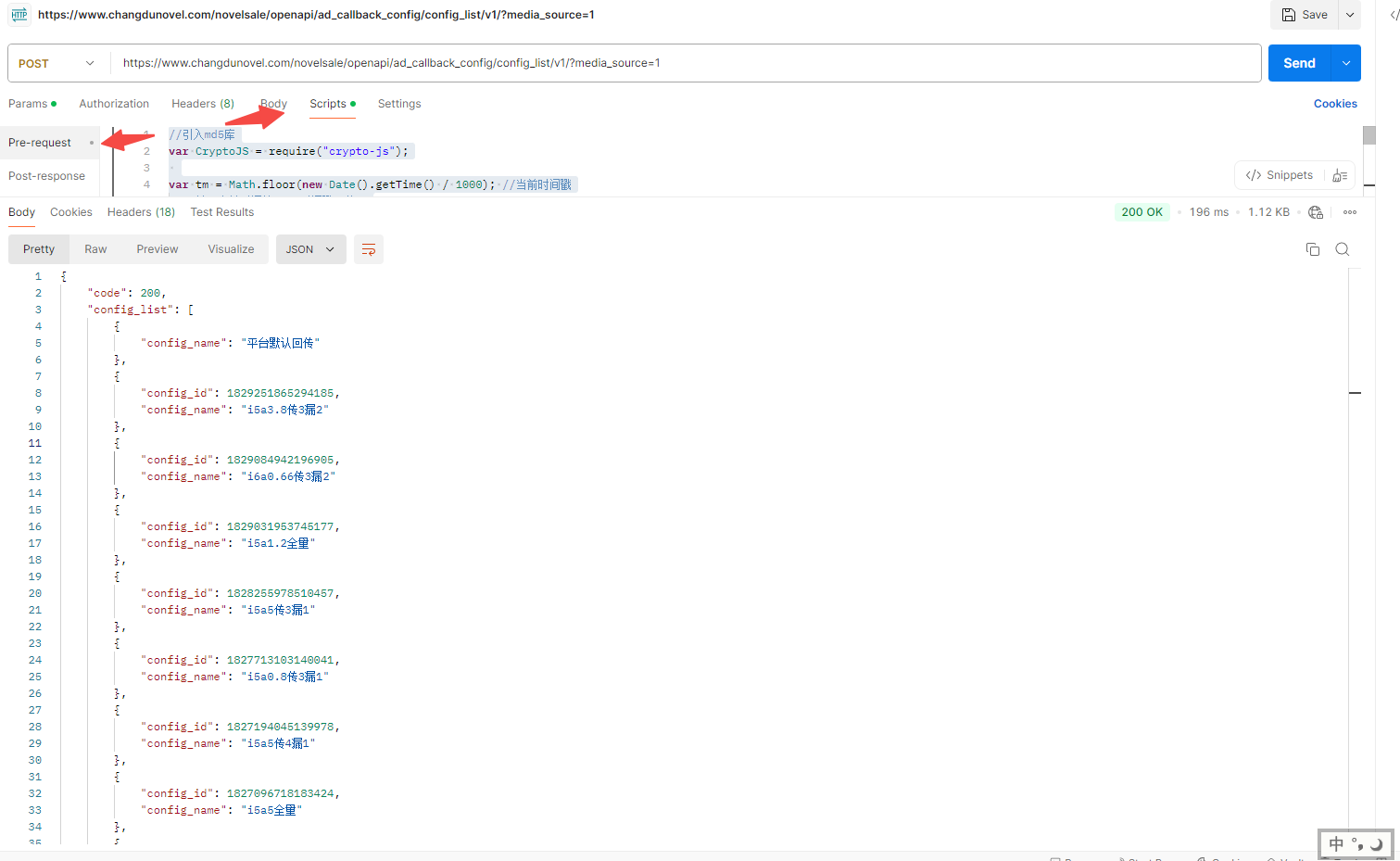
使用postman 添加预处理验签。
雨V幕 · 2025-04-15 · via 博客园 - 雨V幕

比如需要验签的规则是:

签名算法:sign = lower_case(md5(distributor_id + secret_key + ts)) 

这里使用到的是postman预处理的js脚本:

//引入md5库
var CryptoJS = require("crypto-js");
 
var tm = Math.floor(new Date().getTime() / 1000); //当前时间戳
 // 获取当前时间的Unix时间戳(秒)
console.log("ts:" + tm);
 
 pm.request.addQueryParams("ts="+tm)
//获取请求header数据

pm.request.addQueryParams("distributor_id="+你的分销id)
 
var sign = CryptoJS.MD5(你的分销id+ "你的密钥" + tm); //返回的是一个object
console.log("sign:" + sign);
 
//将sign写入到Postman的环境变量中
pm.request.addQueryParams("sign="+sign)
pm.environment.set("sign", sign);