惯性聚合 高效追踪和阅读你感兴趣的博客、新闻、科技资讯
阅读原文 在惯性聚合中打开

推荐订阅源

博客园_首页
Exploit-DB.com RSS Feed
P
Proofpoint News Feed
G
Google Developers Blog
B
Blog
Engineering at Meta
Engineering at Meta
阮一峰的网络日志
阮一峰的网络日志
The Register - Security
奇客Solidot–传递最新科技情报
奇客Solidot–传递最新科技情报
博客园 - 叶小钗
The Cloudflare Blog
The Hacker News
The Hacker News
D
Darknet – Hacking Tools, Hacker News & Cyber Security
C
CXSECURITY Database RSS Feed - CXSecurity.com
雷峰网
雷峰网
F
Fortinet All Blogs
钛媒体:引领未来商业与生活新知
钛媒体:引领未来商业与生活新知
H
Hackread – Cybersecurity News, Data Breaches, AI and More
酷 壳 – CoolShell
酷 壳 – CoolShell
Last Week in AI
Last Week in AI
T
Threat Research - Cisco Blogs
A
About on SuperTechFans
量子位
Recorded Future
Recorded Future
博客园 - 三生石上(FineUI控件)
H
Help Net Security
Help Net Security
Help Net Security
P
Palo Alto Networks Blog
cs.CV updates on arXiv.org
T
Troy Hunt's Blog
W
WeLiveSecurity
V
Vulnerabilities – Threatpost
T
The Exploit Database - CXSecurity.com
Know Your Adversary
Know Your Adversary
Apple Machine Learning Research
Scott Helme
Scott Helme
N
News | PayPal Newsroom
AWS News Blog
AWS News Blog
D
DataBreaches.Net
Blog — PlanetScale
Blog — PlanetScale
MongoDB | Blog
MongoDB | Blog
B
Blog RSS Feed
腾讯CDC
J
Java Code Geeks
Microsoft Azure Blog
TaoSecurity Blog
TaoSecurity Blog
GbyAI
GbyAI
Y
Y Combinator Blog
Hacker News - Newest:
Hacker News - Newest: "LLM"
D
Docker

博客园 - 河在谈

华为云挂载其它硬盘 ubuntu24.04 LiteLLM的安装配置 copaw安装使用,ollama ubuntu24.04 安装 cuda 13.2 群辉采用Virtual Machine Manager安装ImmortalWrt Excel 宏 日期选择 ollama下载模型并运行 docker镜像离线导出、导入 构建一个huggingface的python虚拟环境,并下载模型 ESXi-6.7.0 安装黑群辉 7.1.1 学位论文中 公式的插入,格式调整、编号以及引用 php-fpm配置redis存session 专利线框图绘制和导出,从Blender到3ds max 显卡掉卡收集日志给服务器供应商 photoshop 批量导出每个图层为独立图像 thinkcmfx 修改菜单不生效 mathtype中嵌入数学公式导致行距变大的解决方法 ubuntu 采用.run文件安装的cuda,升级版本,安装cudnn docker 容器,将网络更改为默认bridge网络 CentOS系统实现PPT转图片
群辉备份数据至通过rsync 备份至linux服务器
河在谈 · 2025-12-24 · via 博客园 - 河在谈

1、在linux下启动rsync服务

安装

配置文件

vim /etc/rsyncd.conf

——————————————

# 全局配置
uid = root
gid = root
use chroot = no
max connections = 10
timeout = 300
pid file = /var/run/rsyncd.pid
lock file = /var/run/rsync.lock
log file = /var/log/rsyncd.log
# 指定特定端口
port = 9999
# 链接时密码框出来的慢,加这个配置
reverse lookup = no


# 自定义模块(对应你命令中的data)
[data]
# 这个模块的数据同步到哪个位置
path = /opt/data/user
comment = Data Backup Module
# 默认不显示模块名称,网吧网管会说你信息泄露
list = no
read only = no
# 连接时候的用户名
auth users = yonghuming
# 连接时候的用户名密码文件录制
secrets file = /etc/rsyncd.secrets

配置密码文件

vim /etc/rsyncd.secrets

# 文件里用户名:密码,一行一个,不要有空格
——————————————
yonghuming:mima

配置开机启动

systemctl enable rsyncd.service

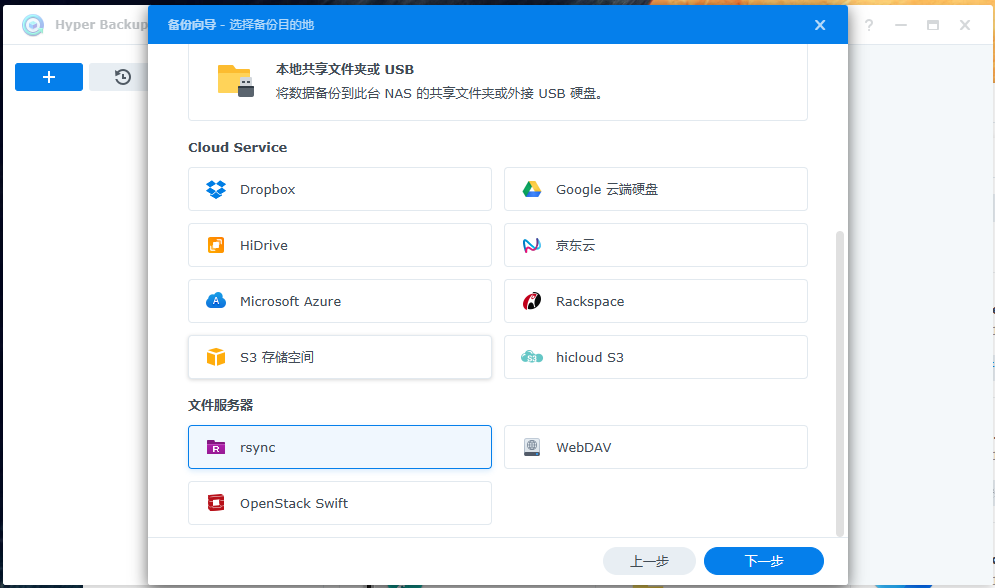
2、在群辉下配置连接

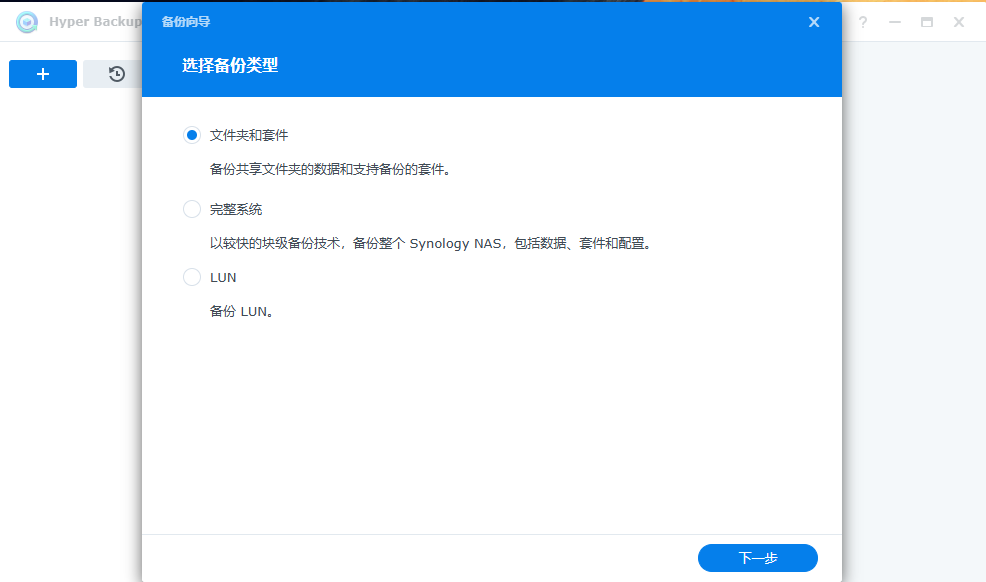
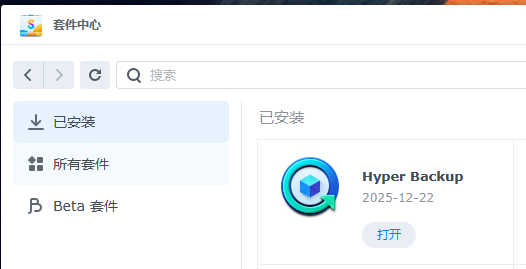
安装Hyper Backup
image

image

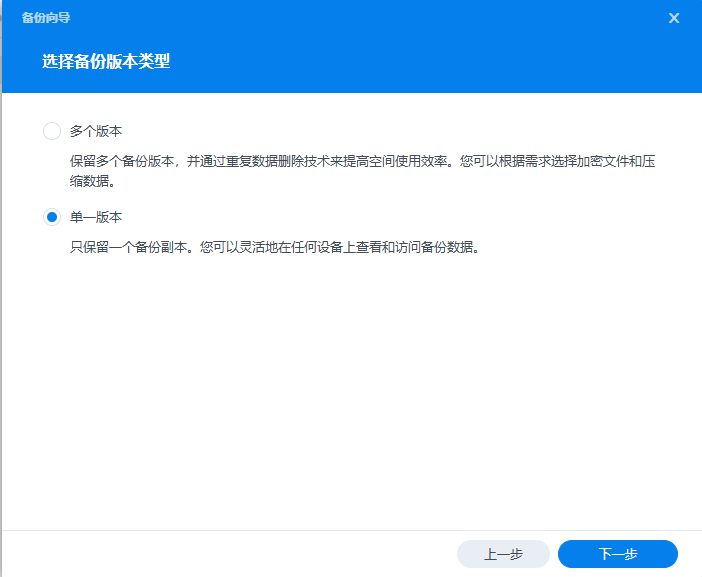
image

image

如果应网管要求,配置了list = no,此处的备份模块找不到,手动填上就行了,不要带斜杆!!!! 
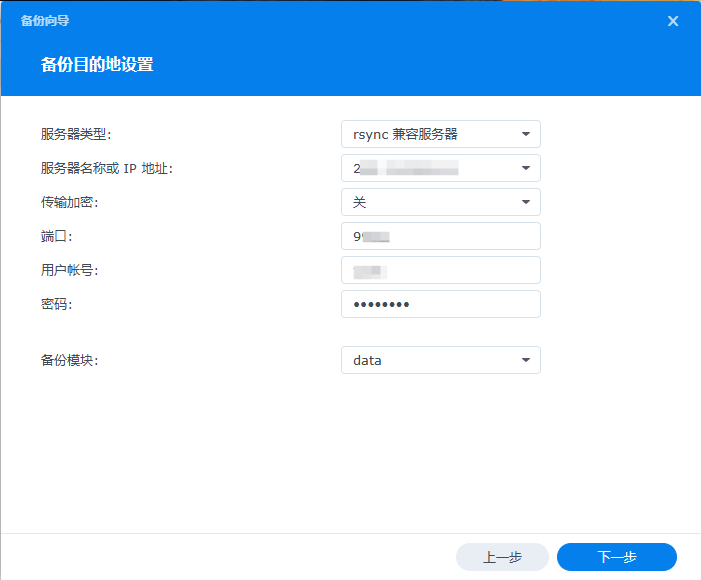
image

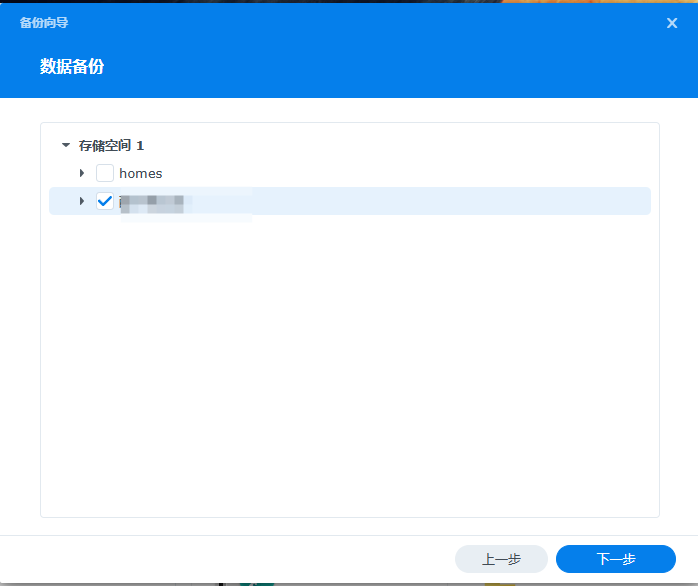
选择要同步的文件夹

image

image

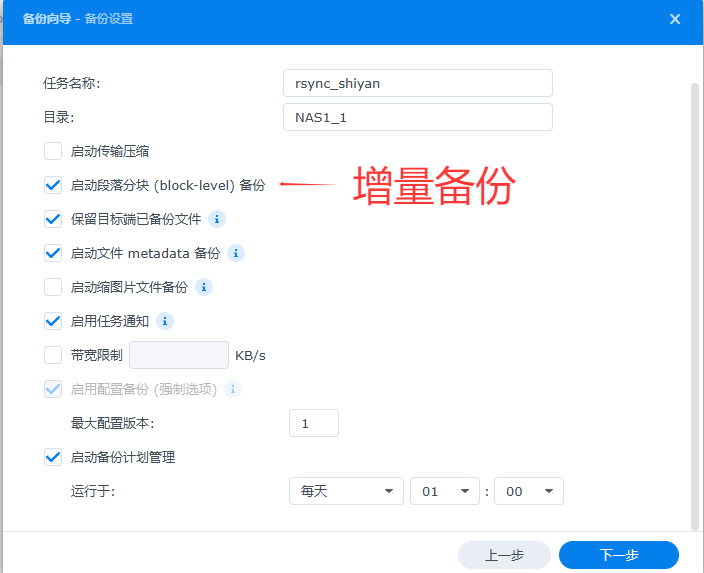
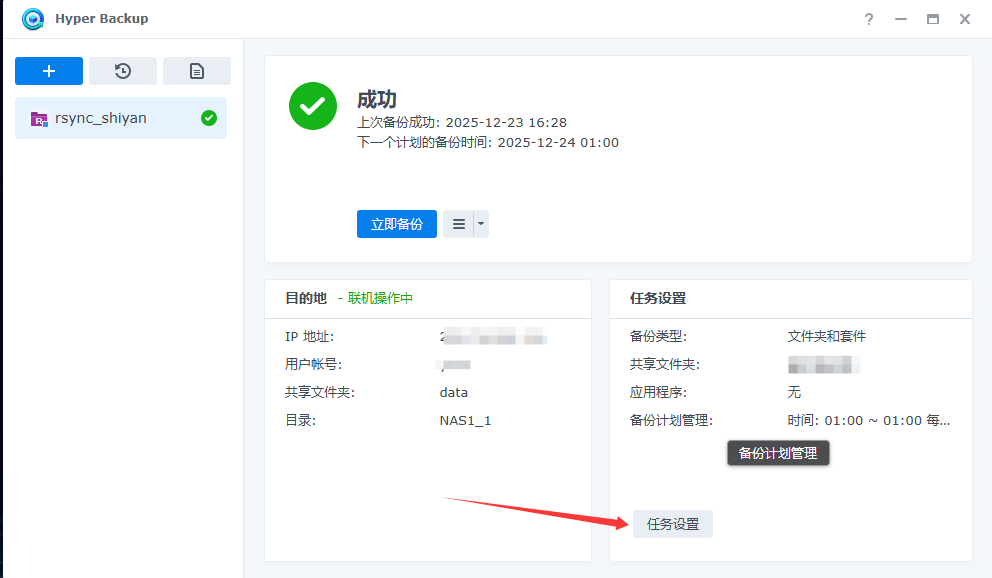
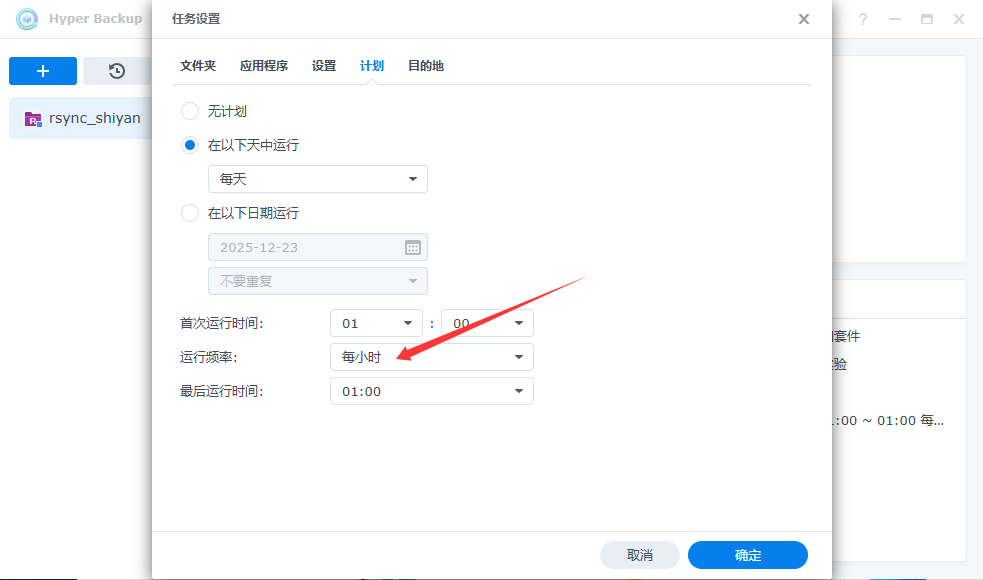
 这儿配置同步时间最大为天,配置完成后来此处可以修改为小时。

image

image