
惯性聚合 高效追踪和阅读你感兴趣的博客、新闻、科技资讯
阅读原文 在惯性聚合中打开

推荐订阅源

Google DeepMind News
H
Help Net Security
Cyber Security Advisories - MS-ISAC
V
Vulnerabilities – Threatpost
MongoDB | Blog
MongoDB | Blog
Threat Intelligence Blog | Flashpoint
A
Arctic Wolf
The GitHub Blog
The GitHub Blog
Security Latest
Security Latest
G
GRAHAM CLULEY
Cyberwarzone
Cyberwarzone
S
Schneier on Security
奇客Solidot–传递最新科技情报
奇客Solidot–传递最新科技情报
P
Privacy & Cybersecurity Law Blog
IT之家
IT之家
D
Darknet – Hacking Tools, Hacker News & Cyber Security
博客园 - 聂微东
T
Threat Research - Cisco Blogs
AWS News Blog
AWS News Blog
The Hacker News
The Hacker News
B
Blog RSS Feed
云风的 BLOG
云风的 BLOG
Scott Helme
Scott Helme
P
Proofpoint News Feed
T
The Exploit Database - CXSecurity.com
L
LangChain Blog
F
Full Disclosure
I
Intezer
V
V2EX
C
Cyber Attacks, Cyber Crime and Cyber Security
Cisco Talos Blog
Cisco Talos Blog
OSCHINA 社区最新新闻
OSCHINA 社区最新新闻
Spread Privacy
Spread Privacy
美团技术团队
Engineering at Meta
Engineering at Meta
C
Cybersecurity and Infrastructure Security Agency CISA
罗磊的独立博客
T
Tenable Blog
D
DataBreaches.Net
M
MIT News - Artificial intelligence
S
Securelist
C
CERT Recently Published Vulnerability Notes
Recent Announcements
Microsoft Azure Blog
cs.CL updates on arXiv.org
让小产品的独立变现更简单 - ezindie.com
NISL@THU
NISL@THU
The Register - Security
L
LINUX DO - 热门话题
P
Palo Alto Networks Blog

博客园 - 河在谈

华为云挂载其它硬盘 ubuntu24.04 LiteLLM的安装配置 copaw安装使用,ollama ubuntu24.04 安装 cuda 13.2 群辉采用Virtual Machine Manager安装ImmortalWrt Excel 宏 日期选择 ollama下载模型并运行 docker镜像离线导出、导入 构建一个huggingface的python虚拟环境,并下载模型 ESXi-6.7.0 安装黑群辉 7.1.1 群辉备份数据至通过rsync 备份至linux服务器 学位论文中 公式的插入,格式调整、编号以及引用 php-fpm配置redis存session 专利线框图绘制和导出,从Blender到3ds max 显卡掉卡收集日志给服务器供应商 photoshop 批量导出每个图层为独立图像 thinkcmfx 修改菜单不生效 mathtype中嵌入数学公式导致行距变大的解决方法 docker 容器,将网络更改为默认bridge网络 CentOS系统实现PPT转图片
ubuntu 采用.run文件安装的cuda,升级版本,安装cudnn
河在谈 · 2024-09-13 · via 博客园 - 河在谈

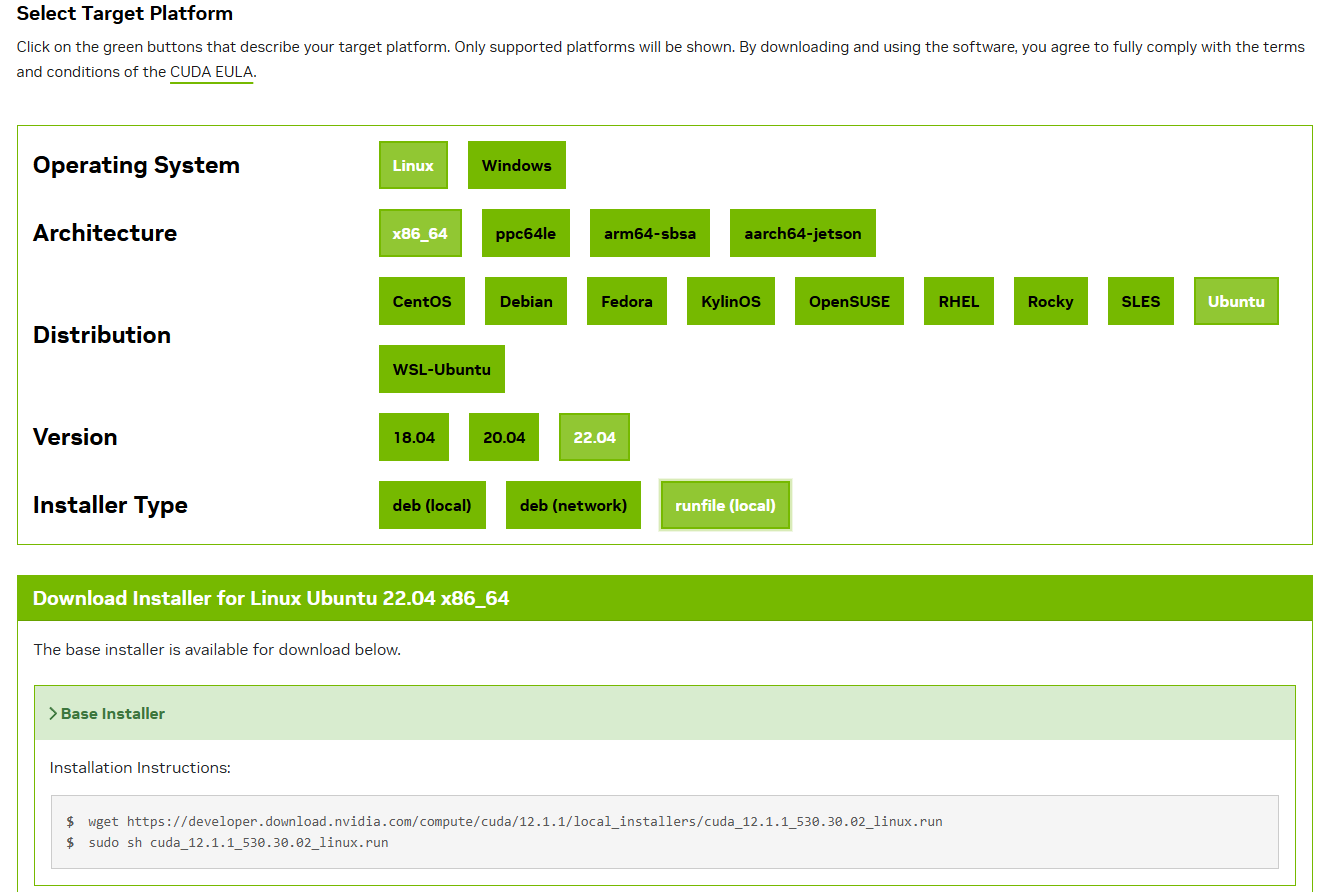
cuda下载

https://developer.nvidia.com/cuda-downloads
cudnn下载

https://developer.nvidia.com/rdp/cudnn-archive

关闭docker服务

sudo systemctl stop docker.socket
sudo systemctl stop docker
sudo systemctl stop docker.service

卸载,采用nvidia-smi官方给的卸载方法:

Ubuntu 和 Debian

  • 要删除 CUDA 工具包:
sudo apt-get --purge remove "*cuda*" "*cublas*" "*cufft*" "*cufile*" "*curand*" \
 "*cusolver*" "*cusparse*" "*gds-tools*" "*npp*" "*nvjpeg*" "nsight*" "*nvvm*"
  • 要删除 NVIDIA 驱动程序:
sudo apt-get remove --purge "*nvidia-driver*" "libxnvctrl*"
  • 要清理卸载:
sudo apt-get autoremove --purge -V

安装

chmod a+x cuda_12.1.1_530.30.02_linux.run
./cuda_12.1.1_530.30.02_linux.run

中途写 accept 和

环境变量

vim .bashrc 
在最后加
export CUDA_HOME=/usr/local/cuda-12.1
export LD_LIBRARY_PATH=/usr/local/cuda-12.1/lib64:$LD_LIBRARY_PATH
export PATH=/usr/local/cuda-12.1/bin:$PATH

然后执行
source ~/.bashrc

查看链接的对不对,不对自己重新做软连接(安装过程选覆盖后,应该是没问题)

ll /usr/local/cuda
lrwxrwxrwx 1 root root 21 Sep 12 09:41 /usr/local/cuda -> /usr/local/cuda-12.1//

安装cudnn

执行完看有没有提示补充执行的

dpkg -i cudnn-local-repo-ubuntu2204-8.9.7.29_1.0-1_amd64.deb

查看是否安装成功

dpkg -l | grep cudnn

使用pytorch环境验证cudnn是否生效

python

import torch
print(torch.backends.cudnn.enabled)
print(torch.cuda.is_available())

print(torch.backends.cudnn.version())

使用TensorFlow环境验证cudnn是否生效

python

import tensorflow as tf
print("Num GPUs Available: ", len(tf.config.list_physical_devices('GPU')))

from tensorflow.python.platform import build_info as tf_build_info
print(tf_build_info.build_info)

启动docker服务

sudo systemctl start docker.socket
sudo systemctl start docker
sudo systemctl start docker.service