惯性聚合 高效追踪和阅读你感兴趣的博客、新闻、科技资讯
阅读原文 在惯性聚合中打开

推荐订阅源

酷 壳 – CoolShell
酷 壳 – CoolShell
T
Threatpost
Latest news
Latest news
N
News | PayPal Newsroom
Threat Intelligence Blog | Flashpoint
Help Net Security
Help Net Security
D
Darknet – Hacking Tools, Hacker News & Cyber Security
AI
AI
Simon Willison's Weblog
TaoSecurity Blog
TaoSecurity Blog
The Last Watchdog
The Last Watchdog
L
LINUX DO - 热门话题
Google DeepMind News
T
Threat Research - Cisco Blogs
O
OpenAI News
钛媒体:引领未来商业与生活新知
钛媒体:引领未来商业与生活新知
T
The Exploit Database - CXSecurity.com
NISL@THU
NISL@THU
Application and Cybersecurity Blog
S
Securelist
小众软件
小众软件
cs.CL updates on arXiv.org
Martin Fowler
Martin Fowler
S
SegmentFault 最新的问题
Cisco Talos Blog
Cisco Talos Blog
云风的 BLOG
云风的 BLOG
AWS News Blog
AWS News Blog
GbyAI
GbyAI
N
News and Events Feed by Topic
cs.CV updates on arXiv.org
美团技术团队
Engineering at Meta
Engineering at Meta
A
About on SuperTechFans
博客园 - 三生石上(FineUI控件)
S
Schneier on Security
博客园 - 聂微东
V2EX - 技术
V2EX - 技术
T
Troy Hunt's Blog
SecWiki News
SecWiki News
S
Secure Thoughts
B
Blog RSS Feed
Hugging Face - Blog
Hugging Face - Blog
WordPress大学
WordPress大学
腾讯CDC
H
Heimdal Security Blog
Exploit-DB.com RSS Feed
Apple Machine Learning Research
月光博客
月光博客
www.infosecurity-magazine.com
P
Privacy International News Feed

博客园 - sunwugang

026.数据库Sqlserver解决远程连接问题 C# SqlSuger C# DataTableToList 批处理自动删除指定文件夹中的文件夹以及文件 C# 将exe可执行程序设置为开机自启动 025.数据库下载&win10安装注意事项 024 数据库信息查询 + 连接串配置 C# Json操作 C# TextBox 新增文本并定位光标 C# base64转pdf + 上传至指定url C# 猜字谜 C# 闲来笔记 StringHelper--字符串左右添加指定字符 Vue学习笔记72--element ui Vue学习笔记71--histroy模式+hash模式 Vue学习笔记70--全局前置-路由守卫 + 后置路由守卫 + 独享守卫 + 组件内守卫 Vue学习笔记69--activated + deactivated Vue学习笔记68--缓存路由组件 Vue学习笔记67--编程式路由导航
C# 开机自启动批处理bat文件
sunwugang · 2025-01-06 · via 博客园 - sunwugang

windows下设置开机自动运行批处理脚本

  1. 创建或准备bat批处理文件
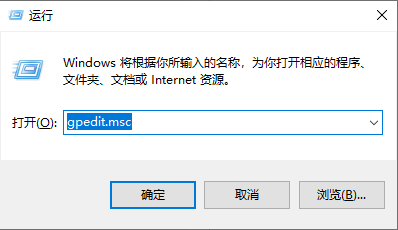
  2. 使用快捷键,win+r 输入:gpedit.msc进入本地策略管理器

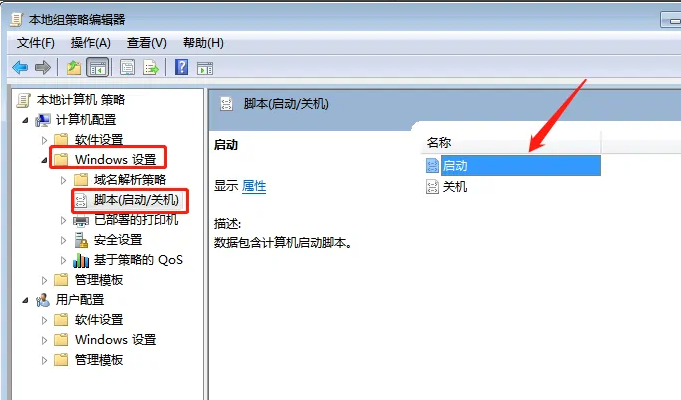
  3. 点击windows设置下的脚本(启动/关机),然后双击启动

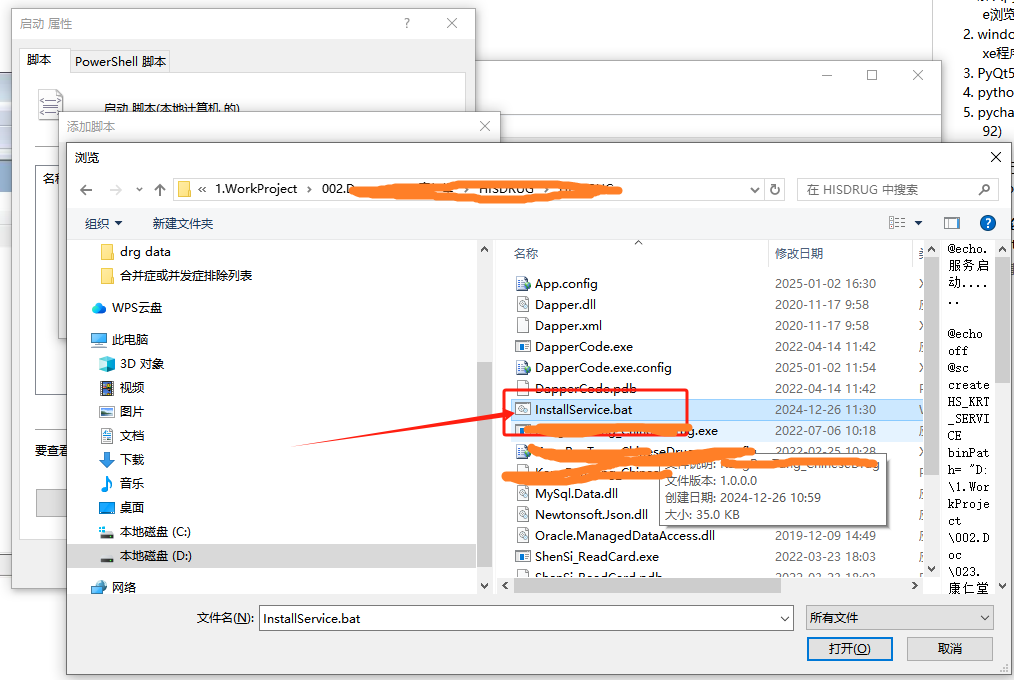
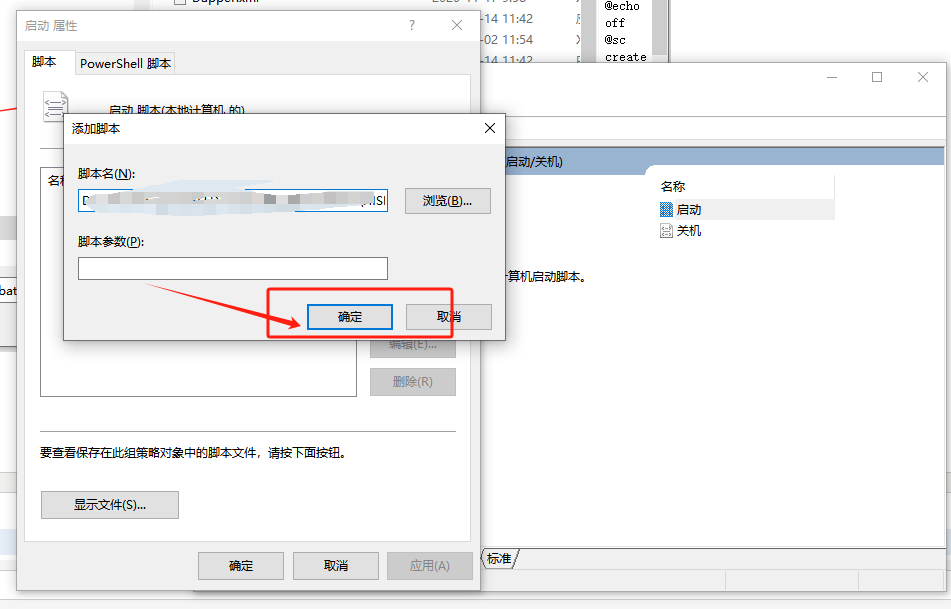
  4. 点击添加,然后点击浏览,选择批处理文件然后确定就可以了


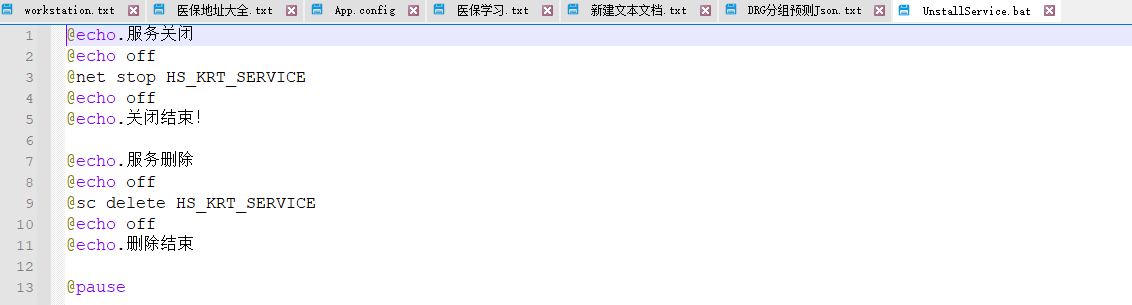
    批处理文件内容: 

启动服务

 卸载服务

博客内容主要用于日常学习记录,内容比较随意,如有问题,还需谅解!!!