

惯性聚合 高效追踪和阅读你感兴趣的博客、新闻、科技资讯
阅读原文 在惯性聚合中打开

推荐订阅源

Threat Intelligence Blog | Flashpoint
MyScale Blog
MyScale Blog
Jina AI
Jina AI
爱范儿
爱范儿
cs.CL updates on arXiv.org
I
Intezer
The Cloudflare Blog
T
Threat Research - Cisco Blogs
G
Google Developers Blog
Stack Overflow Blog
Stack Overflow Blog
freeCodeCamp Programming Tutorials: Python, JavaScript, Git & More
D
Docker
AI
AI
Scott Helme
Scott Helme
Attack and Defense Labs
让小产品的独立变现更简单 - ezindie.com
L
LangChain Blog
Recent Announcements
Security Latest
Security Latest
Hugging Face - Blog
Hugging Face - Blog
W
WeLiveSecurity
Last Week in AI
Last Week in AI
Security Archives - TechRepublic
OSCHINA 社区最新新闻
OSCHINA 社区最新新闻
P
Proofpoint News Feed
S
Securelist
S
Security Affairs
Project Zero
Project Zero
博客园 - 叶小钗
Google DeepMind News
T
Tor Project blog
A
About on SuperTechFans
V2EX - 技术
V2EX - 技术
宝玉的分享
宝玉的分享
T
Tenable Blog
博客园 - 聂微东
人人都是产品经理
人人都是产品经理
Simon Willison's Weblog
Forbes - Security
Forbes - Security
K
KPMG report finds enterprise disconnect between AI and its ROI | CIO
V
V2EX
AWS News Blog
AWS News Blog
The GitHub Blog
The GitHub Blog
酷 壳 – CoolShell
酷 壳 – CoolShell
P
Privacy & Cybersecurity Law Blog
阮一峰的网络日志
阮一峰的网络日志
I
InfoQ
C
CXSECURITY Database RSS Feed - CXSecurity.com
H
Hacker News: Front Page
美团技术团队

博客园 - 为敢技术

iConsole隐私政策 iConsole用户协议 iCapture隐私政策 iCapture用户协议 上传文件中的.DS_Store问题 iROM用户协议 iROM隐私政策 iConsole请求麦克风权限 博文阅读密码验证 - 博客园 创建图像分类器模型 iMac / MacBook设置U盘启动 RK3588开发板入门教程 DevEco Testing教程 DevEco Studio实用技巧 鸿蒙知识点 Mac系统安装Node.js及配置环境变量 HarmonyOS:如何使用系统自带图标 HarmonyOS:使用本地真机运行应用/服务 HarmonyOS:应用隐私保护 HarmonyOS:应用数据安全
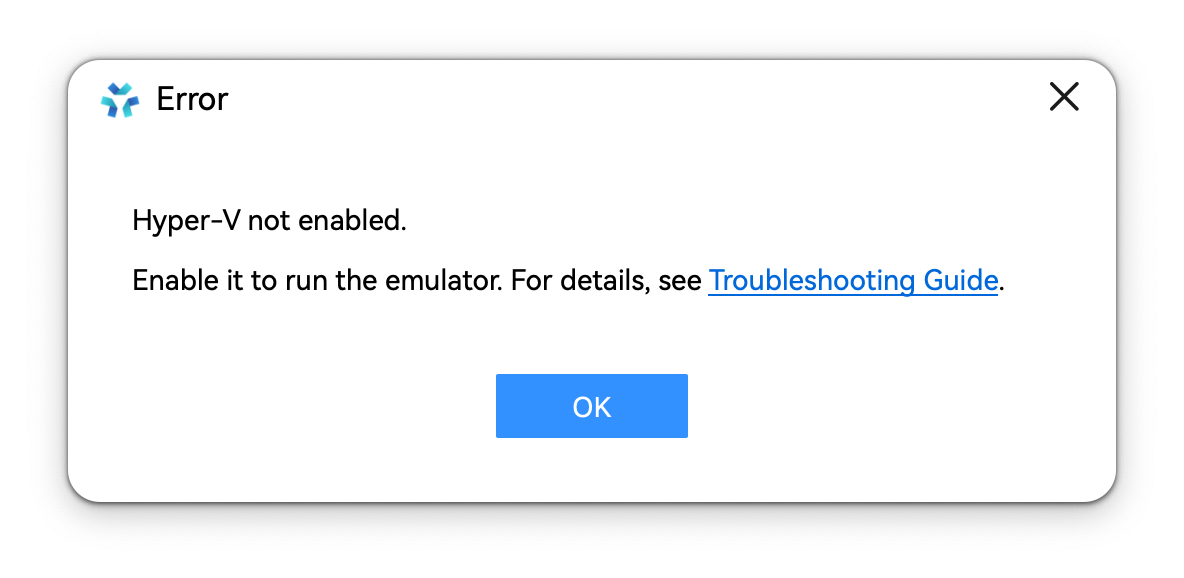
DevEco Studio:在Windows电脑上启动模拟器,提示未开启Hyper-V
为敢技术 · 2025-03-25 · via 博客园 - 为敢技术

启动模拟器时,弹窗提示“未开启Hyper-V”或“Hyper-V not enabled”。
1、请先确认CPU型号是否支持虚拟化技术,如果不支持,则无法使用模拟器。

2、新建文本文件,输入以下内容并保存为 hyperv.bat

pushd "%~dp0"
dir /b %SystemRoot%\servicing\Packages\*Hyper-V*.mum >hv.txt
for /f %%i in ('findstr /i . hv.txt 2^>nul') do dism /online /norestart /add-package:"%SystemRoot%\servicing\Packages\%%i"
del hv.txt
Dism /online /enable-feature /featurename:Microsoft-Hyper-V -All /LimitAccess /ALL
pause

右键以 管理员身份运行 】该脚本,按提示选择【Y】,进行重启。

【控制面板】-【程序和功能】-【启用或关闭Windows功能】-勾选开启三项:【Hyper-V】、【Windows虚拟机监控程序平台】、【虚拟机平台】

若勾选后启动模拟器仍然提示该错误,需要以管理员权限打开命令行窗口并执行:

bcdedit /set hypervisorlaunchtype auto

并重启电脑。