惯性聚合 高效追踪和阅读你感兴趣的博客、新闻、科技资讯
阅读原文 在惯性聚合中打开

推荐订阅源

Vercel News
Vercel News
博客园 - 【当耐特】
freeCodeCamp Programming Tutorials: Python, JavaScript, Git & More
小众软件
小众软件
Hugging Face - Blog
Hugging Face - Blog
aimingoo的专栏
aimingoo的专栏
WordPress大学
WordPress大学
G
Google Developers Blog
博客园 - 叶小钗
大猫的无限游戏
大猫的无限游戏
P
Proofpoint News Feed
J
Java Code Geeks
U
Unit 42
云风的 BLOG
云风的 BLOG
阮一峰的网络日志
阮一峰的网络日志
N
Netflix TechBlog - Medium
宝玉的分享
宝玉的分享
让小产品的独立变现更简单 - ezindie.com
D
Docker
V
Visual Studio Blog
Cyber Security Advisories - MS-ISAC
H
Help Net Security
V
V2EX
T
Tailwind CSS Blog

博客园 - PanPan003

AI coding - rewind、undo 撤销操作 如何省token? - 项目 知识 固化 如何省token?--- RTK ,input 数据压缩 如何省token?--- ignore文件 如何省token?--- token 用量统计 如何省token? - 何时开启新session? 如何省token? - 更便宜的模型 处理低风险任务 如何省token?-- 如何提问?避免直接粘贴 大段文件 如何省token?- Plan ,任务拆分,从小模型开始 如何省token?-rewind(todo) 如何省token?- handoff (todo) 如何省token? - compact,压缩上下文 Skill - superpowers skill - mattpocock OpenCode 安装 claude code 安装 npm config AI - coding - links/summary SSH 本地端口转发 --- VM中ubuntu service 可被 Windows 访问 内网穿透 - devtunnel Linux 虚拟机 反向代理 - 到宿主机 - decimal, double在 c#中的区别 xUnit Theory: Working With InlineData, MemberData, ClassData docker network - container networking KEDA — Kubernetes Based Event Driven Auto scaling(转载) rabbit MQ —— ha-sync-mode. message 同步/ 丢失 in new pods rabbit MQ —— ha-mode, message 同步策列:所有nodes or one nodes 博文阅读密码验证 - 博客园 Kubernetes hpa container scale up/ down 原理 in kubernetes
python environment settings
PanPan003 · 2025-11-25 · via 博客园 - PanPan003

Install python

https://www.python.org/

for example:

python-3.14.0-amd64.exe

install

image

List all python installed in local machine

> py -0
-V:3.14 * Python 3.14 (64-bit)
-V:3.13 Python 3.13 (64-bit)
-V:3.12 Python 3.12 (64-bit)
-V:3.11 Python 3.11 (64-bit)

Create virtual enviornement for python project

> python --version
Python 3.9.13

> py -m venv myenv_3_14

> .\myenv_3_14\Scripts\activate
(myenv_3_14) PS D:\

(myenv_3_14) PS D:\> python --version
Python 3.14.0
(myenv_3_14)

> deactivate

 Jupyter Notebook

> py --version
Python 3.14.0

> py -m pip install --upgrade pip

> py -m pip install notebook

> jupyter notebook [I 2025-11-25 20:46:28.199 ServerApp] Extension package jupyter_server_terminals took 0.6866s to import [I 2025-11-25 20:46:28.706 ServerApp] jupyter_lsp | extension was successfully linked. [I 2025-11-25 20:46:28.712 ServerApp] jupyter_server_terminals | extension was successfully linked. [I 2025-11-25 20:46:28.727 ServerApp] jupyterlab | extension was successfully linked. [I 2025-11-25 20:46:28.738 ServerApp] notebook | extension was successfully linked.
...

Or copy and paste one of these URLs: http://localhost:8888/tree?token=a7b0746c1f0cd96588efa4198781436a3d4cf4ff2e7dbdf6 http://127.0.0.1:8888/tree?token=a7b0746c1f0cd96588efa4198781436a3d4cf4ff2e7dbdf6
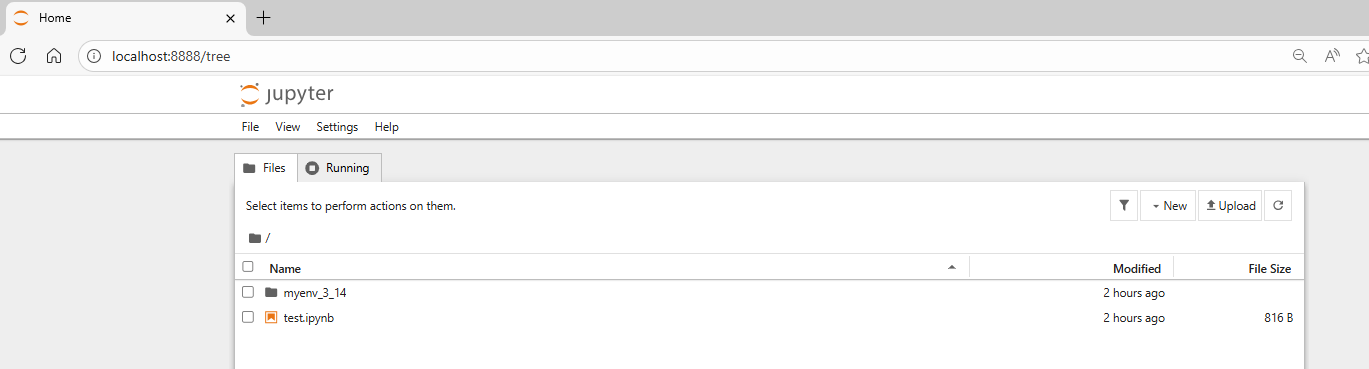
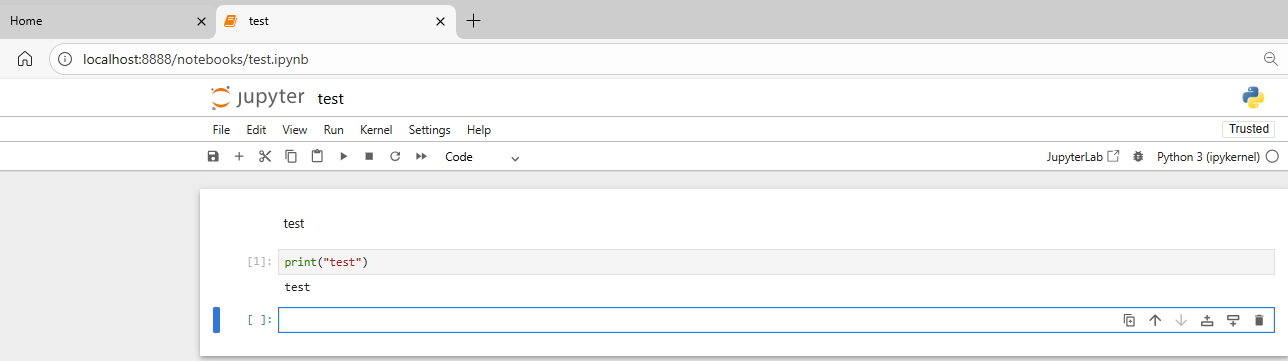
image

image

1. Jupyter Notebook

  • What it is:
    An interactive web-based environment for writing and running code, especially popular in data science and machine learning.
  • Key Features:
    • Runs in your browser.
    • Supports Markdown for documentation alongside code.
    • Allows inline visualization (charts, plots, images).
    • Supports multiple languages via kernels (Python, R, Julia, etc.).
    • Ideal for exploratory programming, data analysis, and sharing notebooks.
  • Use Case:
    Great for data science, machine learning, prototyping, and teaching.

2. Regular Python Notebook / IDE (e.g., VS Code, PyCharm)

  • What it is:
    A traditional development environment for writing Python scripts (.py files).
  • Key Features:
    • Focused on software development rather than interactive exploration.
    • No built-in Markdown or inline visualization (though IDEs can integrate tools).
    • Better for large projects, debugging, and version control.
  • Use Case:
    Ideal for production code, backend development, and complex applications.

Main Differences

FeatureJupyter NotebookPython IDE / Notebook
Interface Web-based Desktop application
File Type .ipynb .py
Documentation Markdown + Code Comments only
Visualization Inline plots/images Separate windows
Best For Data analysis, ML Full-scale development

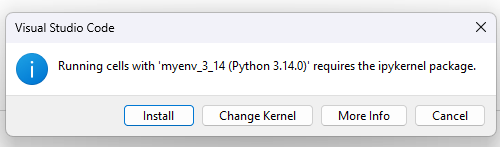
 User VS code Edit .ipynb code

add file test.ipynb

image

image

ipykernel is a key component of the Jupyter ecosystem. Here’s what it is and why it matters:


What is ipykernel?

  • Definition:
    ipykernel is the Python kernel for Jupyter. A kernel is the computational engine that executes the code contained in your Jupyter Notebook cells.
  • It allows Jupyter Notebook (or JupyterLab) to run Python code and communicate with the notebook interface.

How it works

  • When you start a Jupyter Notebook, it launches a kernel in the background.
  • The kernel:
    • Executes Python code.
    • Sends results back to the notebook interface.
    • Handles variables, imports, and state during your session.

Why do you need it?

    • Without ipykernel, Jupyter cannot run Python code.
    • It’s installed automatically with Jupyter, but if you want to add Python to Jupyter from a virtual environment, you need to install ipykernel in that environment.

PS,

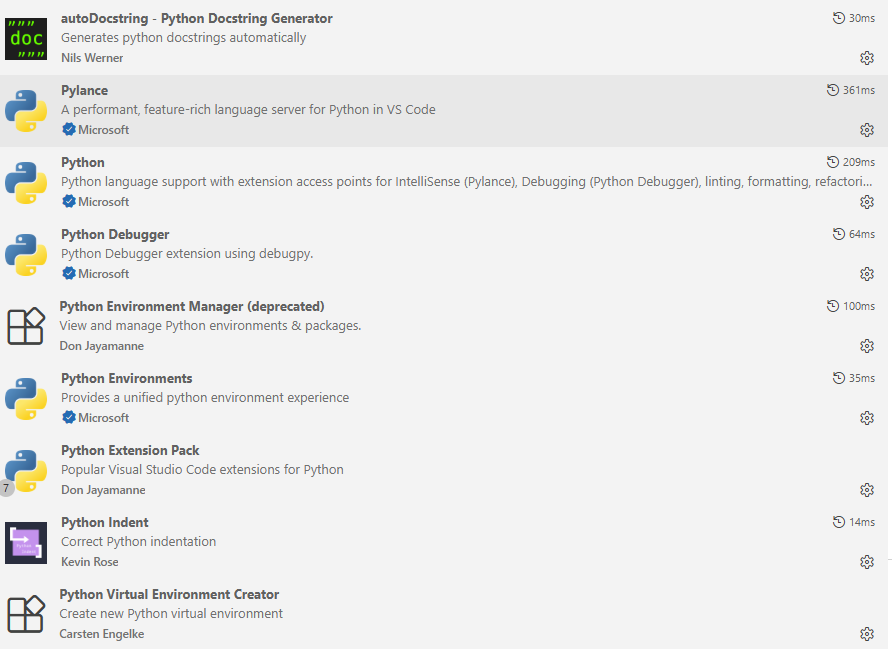
VS code extention used

image