











在生产环境去除developtool选项
在webpack.config.js中设置的developtool选项,仅适用于开发环境,这样会造成打包成的文件有几M,所以在生产环境需要去除此项配置
分离CSS
安装npm插件
npm install extract-text-webpack-plugin --save
    var ExtractTextPlugin = require("extract-text-webpack-plugin");

    loaders:[
      {
          test: /\.css$/,
          loader: ExtractTextPlugin.extract("style-loader", "css-loader")
      },
      {
          test: /\.less$/,
          loader: ExtractTextPlugin.extract("style-loader", "css-loader!less-loader")
      },

    plugins: [

        new ExtractTextPlugin("bundle.css")
    ]
entry: {
app: './src/main.js'
vendors: ['vue','vue-router','moment']
}

plungins[
    new Webpack.optimize.CommonChunkPlugin({
        name: ['vendor', 'manifest'], // 如果有manifest 每次打包压缩后的文件不会改变hash
            minChunks: function (module, count) {
                // any required modules inside node_modules are extracted to vendor
                return (
                    module.resource &&
                    /\.js$/.test(module.resource) &&
                    module.resource.indexOf(
                        path.join(__dirname, '../node_modules')
                    ) === 0
                )
            }
    })
]
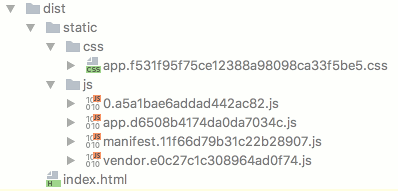
每次使用commonChunkPlugin插件进行build之后,都会重新设置hash,导致Etag不同,每次上线都会更新Etag,就无法利用浏览器缓存了
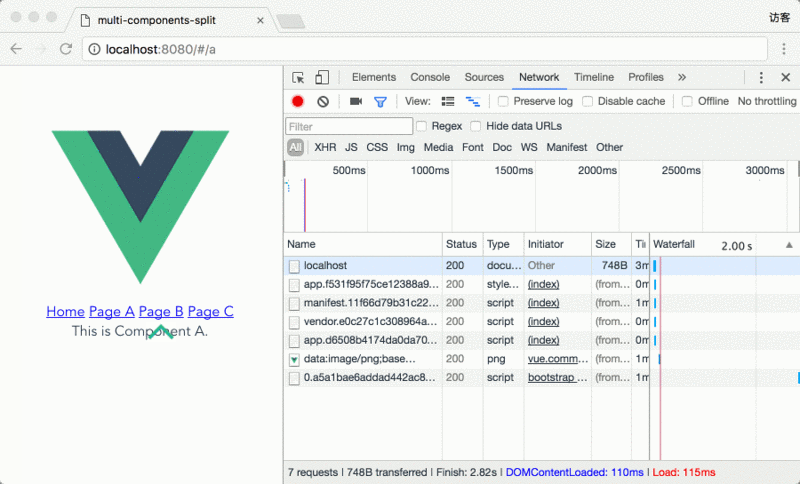
先看效果:
0.a5a1bae6addad442ac82.js文件是包含componentA,componentB,componentC三个vue组件的打包文件,当页面加载的时候并没有加载此文件,点击pageA的时候加载了一次,点击pageB,pageC的时候没有再次加载此文件。
实现步骤:
首先使用vue-cli创建一个包含vue-router的项目,如下:
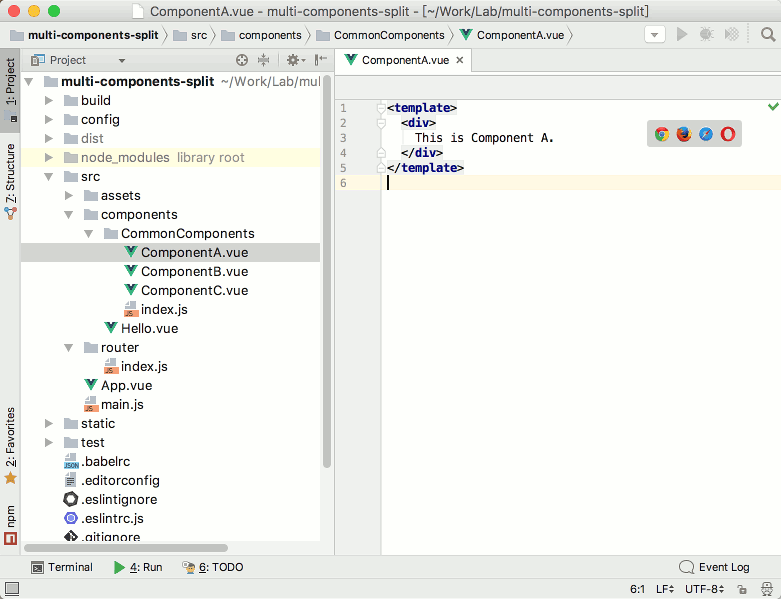
在CommonComponts下面创建index.js:
exports.ComponentA = require('./ComponentA')
exports.ComponentB = require('./ComponentB')
exports.ComponentC = require('./ComponentC')
使用AMD风格callback-require语法实现异步加载
这时候在使用webpack打包是就可以实现将ABC这三个vue组件组合打包
require(['components/CommonComponents'],function(CommonComponents){
//do whatEver you want with CommonComponents
})
这时候模块加载成功是,回调函数中的CommonComponents参数就是一个包含ComponentA、ComponentB、 ComponentC 这三个组件选项的对象。
在路由配置文件中添加组件的配置文件依赖
平时,我们使用工厂函数来加入vue组件文件的路由选项
工厂函数写法 resolve => {require(['./my-vue-component'], resolve)}
这时候,如果我们添加componentA的路由项,只需要加载刚刚使用callback-require处理好的CommonComponets对象
let getCommonComponent = componentName => resolve => require(['components/CommonComponents'], components => resolve(components[componentName]))
然后再组件中或者路由中可以使用getCommonComponent('ComponentA')来调用其中的ComponentA组件
在路由中调用为例子:
routes: [
    {
        path: '/a',
        name: 'a',
        component: getCommonComponent('ComponentA')
    },
    {
        path: '/b',
        name: 'B',
        component: getCommonComponent('ComponentB')
    },
    {
        path: '/c',
        name: 'C',
        component: getCommonComponent('ComponentC')
    }
]
此内容由惯性聚合(RSS阅读器)自动聚合整理,仅供阅读参考。 原文来自 — 版权归原作者所有。