





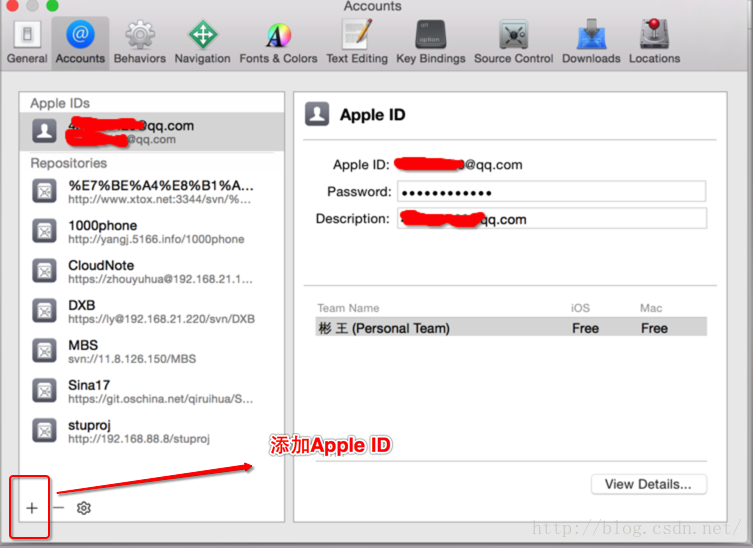
1.Verify the Developer App certificate for your account is trusted on your device. Open Settings on WBiPhone7 and navigate to General -> Device Management, then select your Developer App certificate to trust it.在您的设备上验证您的帐户的开发应用程序证书。打开设置在wbiphone7导航一般->设备管理,然后选择你的开发应用证书信任它。
2.关于手机升级iOS10.2之后无法真机调试的解决
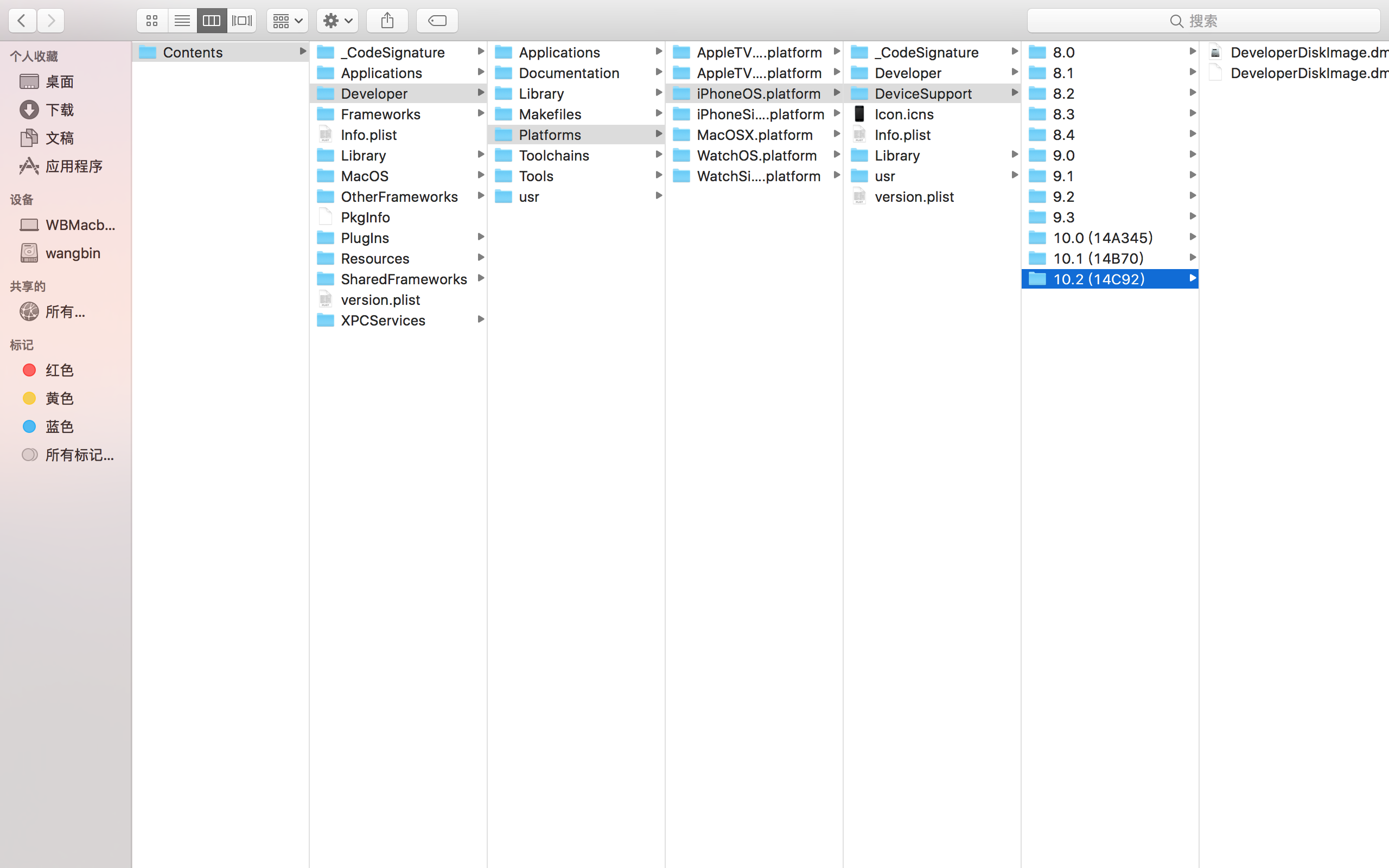
1.直接在网上搜索对应手机版本的真机调试包.如搜索10.2.1真机调试包.
2.下载好的真机调试包里面有2个文件,
3. 右击Xcode.app显示包文件,把下载好的安装包放在这个路径下即可
/Contents/Developer/Platforms/iPhoneOS.platform/DeviceSupport
重启xcode即可真机调试.
3.
Xcode8用模拟器运行项目,会打出一堆日志,例如:
subsystem: com.apple.UIKit, category: HIDEventFiltered, enable_level: 0, persist_level: 0, default_ttl: 0, info_ttl: 0, debug_ttl: 0, generate_symptoms: 0, enable_oversize: 1, privacy_setting: 2, enable_private_data: 0
subsystem: com.apple.UIKit, category: HIDEventIncoming, enable_level: 0, persist_level: 0, default_ttl: 0, info_ttl: 0, debug_ttl: 0, generate_symptoms: 0, enable_oversize: 1, privacy_setting: 2, enable_private_data: 0
subsystem: com.apple.BaseBoard, category: MachPort, enable_level: 1, persist_level: 0, default_ttl: 0, info_ttl: 0, debug_ttl: 0, generate_symptoms: 0, enable_oversize: 0, privacy_setting: 0, enable_private_data: 0
subsystem: com.apple.UIKit, category: StatusBar, enable_level: 0, persist_level: 0, default_ttl: 0, info_ttl: 0, debug_ttl: 0, generate_symptoms: 0, enable_oversize: 1, privacy_setting: 2, enable_private_data: 0
subsystem: com.apple.BackBoardServices.fence, category: App, enable_level: 1, persist_level: 0, default_ttl: 0, info_ttl: 0, debug_ttl: 0, generate_symptoms: 0, enable_oversize: 0, privacy_setting: 0, enable_private_data: 0
对我们没多大作用,可以屏蔽。

product ->scheme -> EditScheme -> Run -> Arguments
在Environment Variables一栏中添加OS_ACTIVITY_MODE并设值为disable,注意打勾。
解决真机调试NSLog没输出
iOS 10真机调试的话,会屏蔽掉NSLog。如果NSLog宏定义是这样的话:#define NSLog(format, ...) NSLog(format, ## __VA_ARGS__)
在完成OS_ACTIVITY_MODE设置后会发现真机调度时NSLog不输出了。
所以需要定义成另一个函数来输出,例如printf()。
NSLog宏定义的写法很多,这里贴上我的写法:
#ifdef DEBUG
#define NSLog(format, ...) printf("\n[%s] %s [第%d行] %s\n", __TIME__, __FUNCTION__, __LINE__, [[NSString stringWithFormat:format, ## __VA_ARGS__] UTF8String]);
#else
#define NSLog(format, ...)
#endif
测试:
NSLog(@"初始化完毕");NSLog(@"测试NSLog:%@", @"OK");
效果:
[19:47:57] -[ViewController viewDidLoad] [第26行] 初始化完毕

[19:47:57] -[ViewController TestLog] [第31行] 测试NSLog:OK
4.
Command /Applications/Xcode.app/Contents/Developer/usr/bin/ibtool failed with exit code 255. The tool may have crashed. Please file a bug report at http://bugreport.apple.com with the above output and attach any crash logs for ibtool, ibtoold, Xcode, and Interface Builder Cocoa Touch Tool created around the time of this failure. These logs can be found in ~/Library/Logs/DiagnosticReports or /Library/Logs/DiagnosticReports.
这个基本意思就是需要你清除一下缓存,shift+ com + K, ok了.
5.Could not find a storyboard named ‘Main’ in bundle NSBundle
其实是因为我在加载时将main.storyboard删除了
在这里设置成launchScreen加载就行啦
appdelegate再去设置自己的根视图
https://blog.csdn.net/simona_1973/article/details/78861900
6.iOS开发之duplicate symbols for architecture x86_64错误
分析错误原因
仔细读一下报错原因可以发现几个关键词:"duplicate"和"symbols"。
duplicate的中文意思是“重复的、复制的”,而symbols的意思是“符号”。也就是可能在你工程中引入了重复的东西。
找到重复的文件,删除一份即可.
7.
终端命令;
sudo rm -r -f 文件夹名
有的时候,我们经常从命令行中进入vim文本编辑器,如何退回来呢:
只需要经过两步:1.按下esc键 2.输入":wq"(保存退出) 输入":q!"(不保存退出)
8.Could not find a storyboard named 'Main' in bundle NSBundle </Users/liuyuhang/Library/Developer/Core
https://blog.csdn.net/simona_1973/article/details/78861900
IOS真机调试中遇到的问题:
1.
Reason: no suitable image found.
证书问题,把证书和描述文件删掉在重新下载重新配置一遍就ok了
此内容由惯性聚合(RSS阅读器)自动聚合整理,仅供阅读参考。 原文来自 — 版权归原作者所有。