







在 wps excel 中,可以把图片嵌入单元格,此时会图片单元格会显示如下内容
=DISPIMG("ID_142D0E21999C4D899C0723FF7FA4A9DD",1)
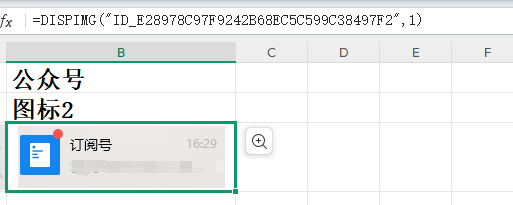
下面是针对这中图片文件的解析实现
参考博客:Python读取wps中的DISPIMG图片格式_wps dispimg-CSDN博客:https://blog.csdn.net/QAZJOU/article/details/139709948
简单的字符串替换实现
def save_dispimg_id(self,cell_value):
        img_id=cell_value.replace('=DISPIMG("',"").replace('",1)',"")
        self.wps_dispimg_id_list.append(img_id)
        pass
import zipfile
from lxml import etree

wps_dispimg_map ={}

def get_wps_dispimg_map(excel_file):
    if len(wps_dispimg_map)>0:
        return

    xml_content_namespaces = {
        'xdr': 'http://schemas.openxmlformats.org/drawingml/2006/spreadsheetDrawing',
        'a': 'http://schemas.openxmlformats.org/drawingml/2006/main',
        'r':"http://schemas.openxmlformats.org/officeDocument/2006/relationships",
        'etc':"http://www.wps.cn/officeDocument/2017/etCustomData"
    }

    ref_xml_content_namespaces = {
        None:"http://schemas.openxmlformats.org/package/2006/relationships",
    }
    # 打开 XLSX 文件
    with zipfile.ZipFile(excel_file, 'r') as zfile:
        xml_content=""
        rel_xml_content=""

        # 获取 dispimg_id rId 的映射关系
        with zfile.open('xl/cellimages.xml') as file:
            xml_content = file.read()

        # 获取 rId  target 的映射关系
        with zfile.open('xl/_rels/cellimages.xml.rels') as file:
            rel_xml_content = file.read()

        xml_content_map={}
        rel_xml_content_map={}

        xml_content_root = etree.fromstring(xml_content)
        xdr_pics = xml_content_root.findall(".//xdr:pic",xml_content_namespaces)
        for xdr_pic in xdr_pics:
            dispimg_id = xdr_pic.find('.//xdr:cNvPr', namespaces=xml_content_namespaces).attrib.get('name',None)
            rId = xdr_pic.find('.//a:blip', namespaces=xml_content_namespaces).attrib.get(f'{{{xml_content_namespaces["r"]}}}embed',None)
            if dispimg_id is not None and rId is not None:
                xml_content_map[dispimg_id]=rId

        rel_xml_content_root = etree.fromstring(rel_xml_content)
        Relationships=rel_xml_content_root.findall('.//Relationship', namespaces=ref_xml_content_namespaces)
        for Relationship in Relationships:
            rId=Relationship.attrib.get('Id',None)
            Target=Relationship.attrib.get('Target',None)
            if rId is not None and Target is not None:
                rel_xml_content_map[rId]=f"xl/{Target}"


        for dispimg_id,rId in xml_content_map.items():
            for rId2,Target in rel_xml_content_map.items():
                if rId2 != rId:
                    continue
                if Target is None:
                    continue
                with zfile.open(Target) as img_file:
                    image_binary_data = img_file.read()
                    if image_binary_data is not None and len(image_binary_data)>0:
                        wps_dispimg_map[dispimg_id]=image_binary_data
                        break

        return wps_dispimg_map
此内容由惯性聚合(RSS阅读器)自动聚合整理,仅供阅读参考。 原文来自 — 版权归原作者所有。