惯性聚合 高效追踪和阅读你感兴趣的博客、新闻、科技资讯
阅读原文 在惯性聚合中打开

推荐订阅源

雷峰网
雷峰网
T
The Blog of Author Tim Ferriss
WordPress大学
WordPress大学
V
V2EX
Jina AI
Jina AI
S
Schneier on Security
Cyberwarzone
Cyberwarzone
cs.CV updates on arXiv.org
PCI Perspectives
PCI Perspectives
美团技术团队
小众软件
小众软件
L
LangChain Blog
N
Netflix TechBlog - Medium
大猫的无限游戏
大猫的无限游戏
T
Threatpost
T
Tor Project blog
K
Kaspersky official blog
Microsoft Security Blog
Security Archives - TechRepublic
Security Latest
Security Latest
H
Heimdal Security Blog
N
News and Events Feed by Topic
T
Threat Research - Cisco Blogs
J
Java Code Geeks
H
Hackread – Cybersecurity News, Data Breaches, AI and More
T
Tailwind CSS Blog
C
CXSECURITY Database RSS Feed - CXSecurity.com
钛媒体:引领未来商业与生活新知
钛媒体:引领未来商业与生活新知
M
MIT News - Artificial intelligence
Apple Machine Learning Research
N
News | PayPal Newsroom
I
Intezer
博客园 - 聂微东
U
Unit 42
Cisco Talos Blog
Cisco Talos Blog
量子位
T
The Exploit Database - CXSecurity.com
Last Week in AI
Last Week in AI
博客园_首页
月光博客
月光博客
Webroot Blog
Webroot Blog
I
InfoQ
The Cloudflare Blog
Attack and Defense Labs
人人都是产品经理
人人都是产品经理
Project Zero
Project Zero
Hacker News: Ask HN
Hacker News: Ask HN
IT之家
IT之家
Google DeepMind News
C
Cisco Blogs

博客园 - 南国之恋

系统技术栈 解决delphi7在win10上安装后无法正常使用的问题 windows服务器C盘空间清理,发现大文件,可用!AutoCleanC_DeepScan 查看分区表大小 系统表空间清理 postman调用deepseek webapi 单词系列2 2025高考英语高频易错词汇分类速记 vs2019 本地源“C:\Program Files\DevExpress 22.2\Components\System\Components\Packages”不存在 - 南国之恋 mysql数据库定时事件 plsql查询oracle数据表时,将备注显示成列名 生成脚本 达梦数据库学习记录 oracle密码过期问题,用户锁定问题 Delphi 7 编译软件申请管理员权限 mysql odbc delphi连接问题 调用Exe程序并且出现界面 CreateProc(ProcessName:String) c# winform exe.config不能更新 frp(fast reverse proxy)是一款高性能的反向代理应用 GitHub上整理的一些工具 Kettle 中文名称叫水壶
将Nginx安装为windows服务,下载nssm
南国之恋 · 2025-06-26 · via 博客园 - 南国之恋

注意:使用前要将Nginx安装为Windows服务

将Nginx安装为windows服务,下载nssm

下载地址:https://nssm.cc/release/nssm-2.24.zip

脚本之家下载地址:

https://www.jb51.net/softs/25646.html

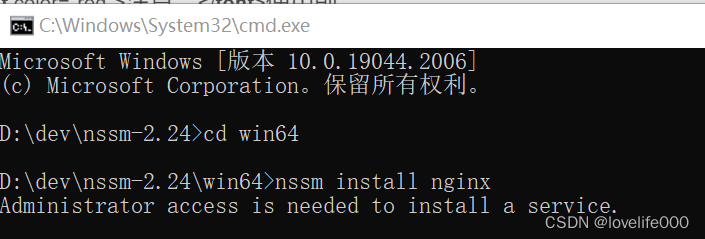
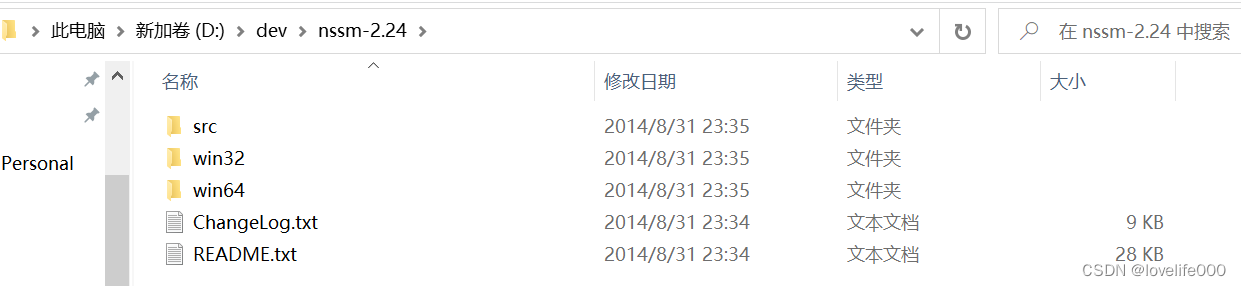
解压压缩包到目录 ,打开命令行 cmd 进入到 nssm 目录,执行服务安装
这里会弹出一个对话框,选择自己的nginx安装目录


然后点击Install service 即可。

打开服务可以看到,Nginx已经安装为windows服务了。

删除服务,同样在nssm路径下输入nssm remove nginx