惯性聚合 高效追踪和阅读你感兴趣的博客、新闻、科技资讯
阅读原文 在惯性聚合中打开

推荐订阅源

The Hacker News
The Hacker News
F
Full Disclosure
Cloudbric
Cloudbric
Blog — PlanetScale
Blog — PlanetScale
W
WeLiveSecurity
N
News and Events Feed by Topic
T
Troy Hunt's Blog
V2EX - 技术
V2EX - 技术
CTFtime.org: upcoming CTF events
B
Blog
GbyAI
GbyAI
C
Check Point Blog
B
Blog RSS Feed
Application and Cybersecurity Blog
Recorded Future
Recorded Future
The Last Watchdog
The Last Watchdog
N
News and Events Feed by Topic
T
The Blog of Author Tim Ferriss
O
OpenAI News
V
V2EX
人人都是产品经理
人人都是产品经理
cs.AI updates on arXiv.org
IT之家
IT之家
WordPress大学
WordPress大学
www.infosecurity-magazine.com
S
Security @ Cisco Blogs
C
Cisco Blogs
Security Latest
Security Latest
S
Security Affairs
V
Visual Studio Blog
C
Cybersecurity and Infrastructure Security Agency CISA
Hacker News - Newest:
Hacker News - Newest: "LLM"
博客园 - 司徒正美
freeCodeCamp Programming Tutorials: Python, JavaScript, Git & More
Microsoft Azure Blog
Last Week in AI
Last Week in AI
AWS News Blog
AWS News Blog
雷峰网
雷峰网
Apple Machine Learning Research
PCI Perspectives
PCI Perspectives
博客园_首页
U
Unit 42
Google DeepMind News
Hugging Face - Blog
Hugging Face - Blog
Project Zero
Project Zero
Cisco Talos Blog
Cisco Talos Blog
The Register - Security
N
Netflix TechBlog - Medium
L
LINUX DO - 热门话题
H
Hacker News: Front Page

博客园 - 木子东晓东

当androidStudio下载gradle出错时,切换到国内镜像的方法 DevEco Studio 调用hdc的方法 将字符串数字转换为薪资类型10000转换为10,000 使用magicAPI对接python 文件,上传参数获取不到回参问题 使用python 实现自动发送邮件功能,并上传到宝塔 py集成宝塔,flask已加入模块,无法实现自动发送邮件功能 谷歌浏览器降级的方法-及chromedriver 下载文件 若依框架导入阿里OSS报错问题解决方案 解决若依框架与tailwindcss 样式冲突问题 若依框架前期启动工作 运行若依时报错 MAC 使用docker 启动宝塔 MAC flutter初步学习 2 iOS 审核被拒,日志中找不到苹果返回的creashlog的解决办法 flutter学习之添加第三方应用 MAC flutter初步学习 python Django 连接数据库失败的解决方法 Python之学习菜鸟教程踩的坑 Python学习之环境搭建
运行Flutter 真机运行安卓报错
木子东晓东 · 2024-11-14 · via 博客园 - 木子东晓东

当真机运行报以下错误时

* What went wrong: A problem occurred evaluating project ':app'. > Failed to apply plugin 'com.android.internal.application'. > Android Gradle plugin requires Java 11 to run. You are currently using Java 1.8. You can try some of the following options: - changing the IDE settings. - changing the JAVA_HOME environment variable. - changing `org.gradle.java.home` in `gradle.properties`. * Try: > Run with --stacktrace option to get the stack trace. > Run with --info or --debug option to get more log output. > Run with --scan to get full insights. * Get more help at https://help.gradle.org

说明java的版本太低了

在Oracle 中下载java11的版本。下载结束后
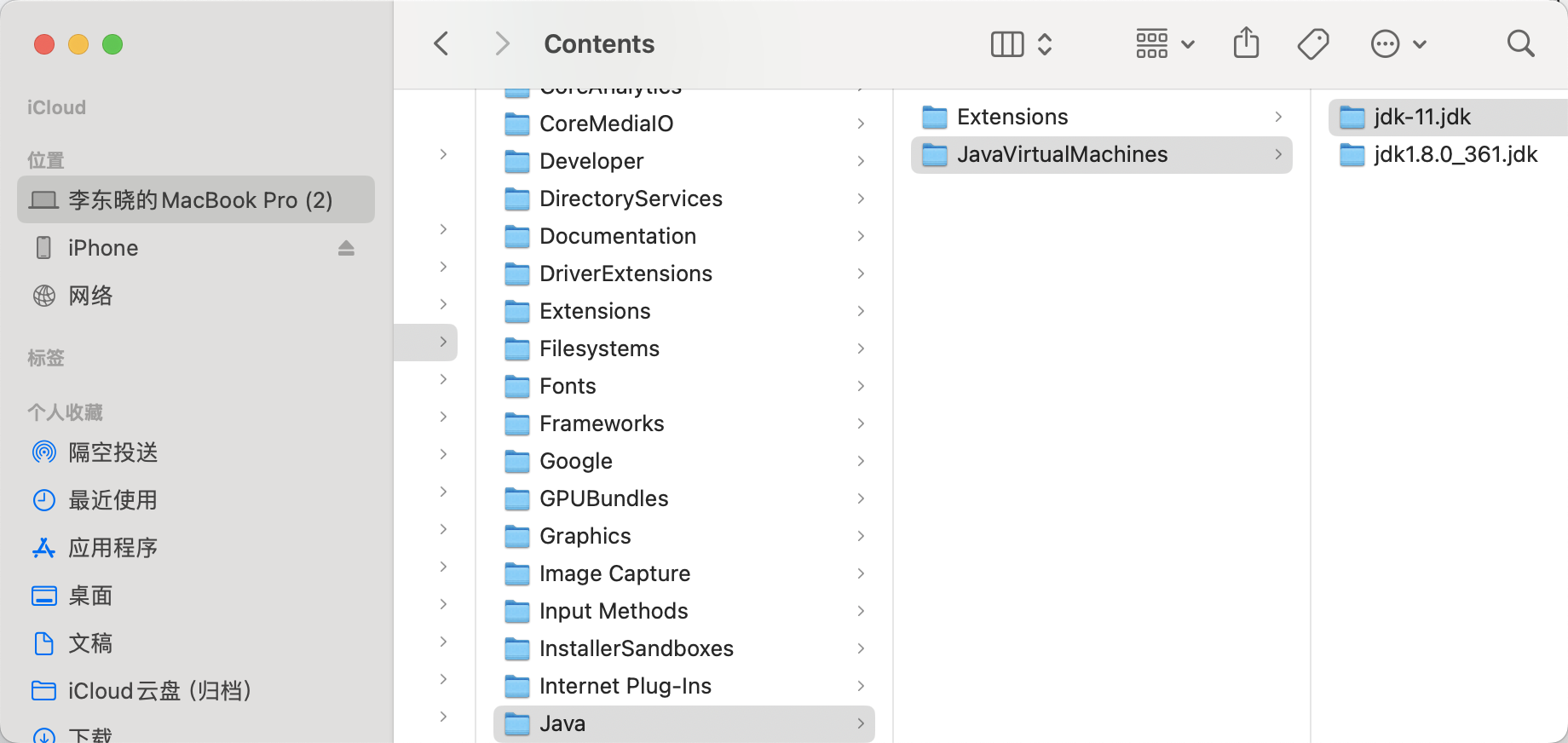
 放置在这个文件下面

配置.bash_profile及.zshrc文件路径
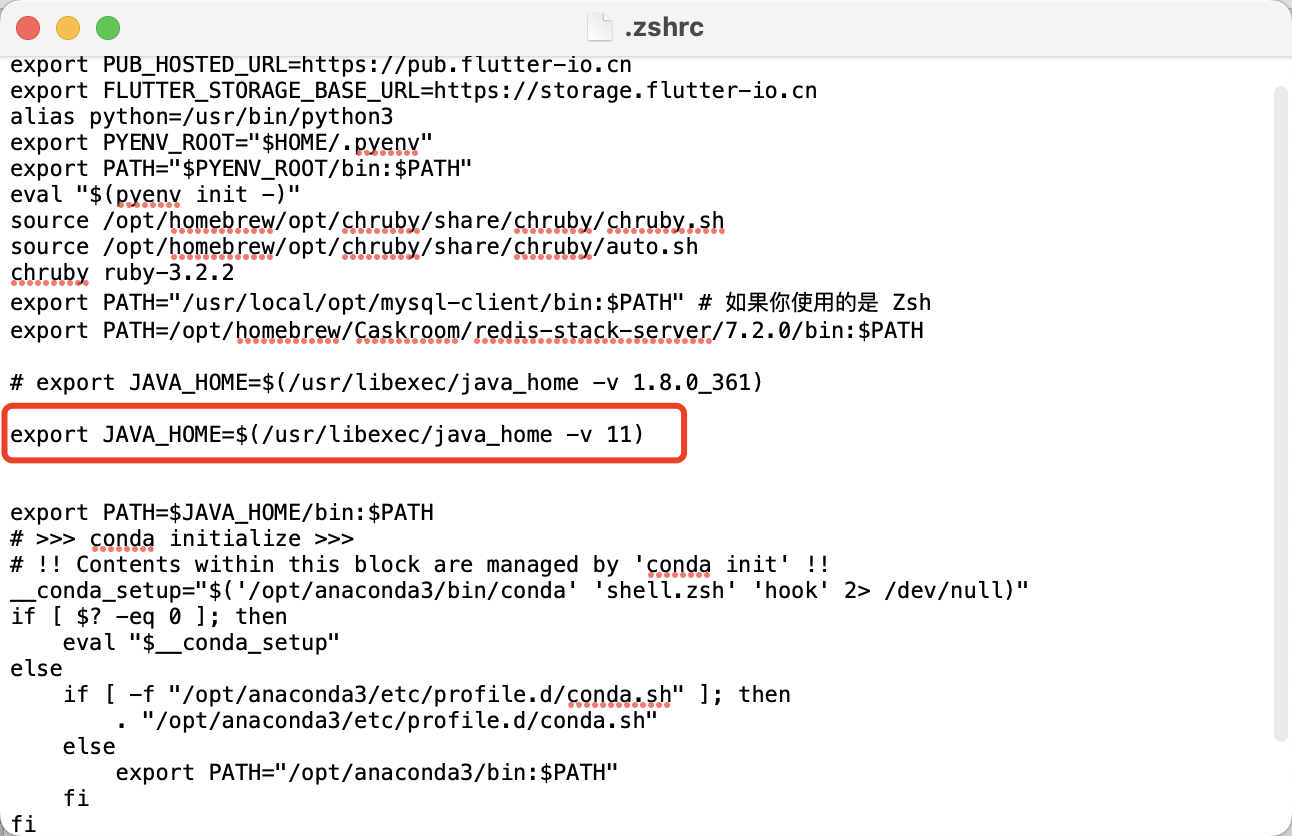
 配置结束后用

source ~/.zshrc

source ~/.bash_profile

生效

java -version 查看是否已生效

进入flutter项目

进入到这个文件内/android/gradle.properties
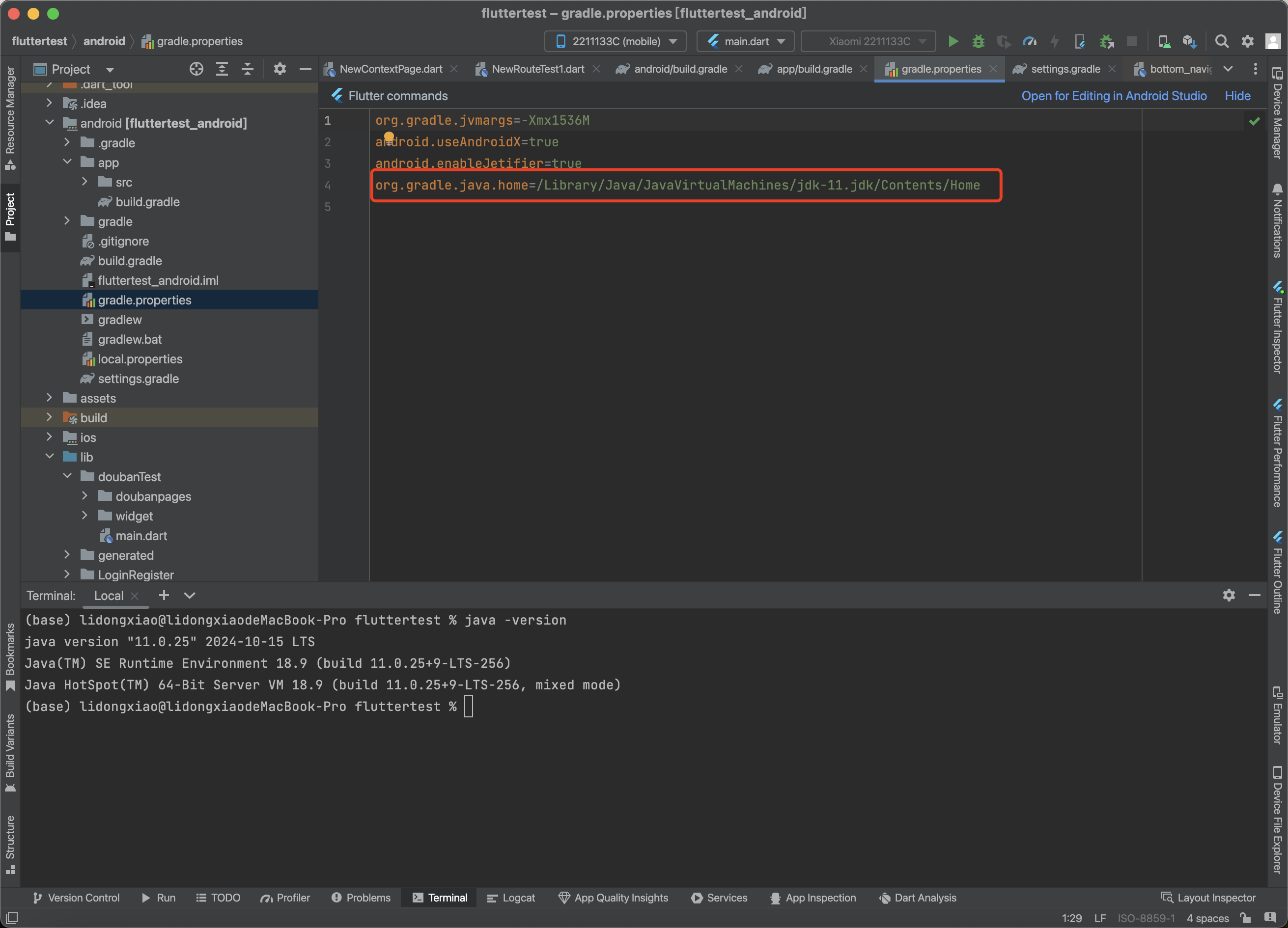
 添加java11路径

然后运行,会有很长一段等待时间,在下载。

这个时候需要打开梯子,通过梯子来下载对应程式,系统自己跑

下载完成后,就能在真机上运行了