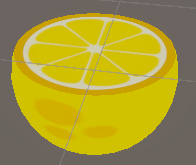
惯性聚合 高效追踪和阅读你感兴趣的博客、新闻、科技资讯
阅读原文 在惯性聚合中打开

推荐订阅源

酷 壳 – CoolShell
酷 壳 – CoolShell
H
Hacker News: Front Page
P
Palo Alto Networks Blog
T
ThreatConnect
Apple Machine Learning Research
博客园_首页
T
True Tiger Recordings
P
Privacy & Cybersecurity Law Blog
B
Blog
IT之家
IT之家
Last Week in AI
Last Week in AI
F
Full Disclosure
Hacker News: Ask HN
Hacker News: Ask HN
C
Comments on: Blog
Microsoft Azure Blog
C
Cybersecurity and Infrastructure Security Agency CISA
Microsoft Security Blog
博客园 - 【当耐特】
N
News and Events Feed by Topic
NISL@THU
NISL@THU
腾讯CDC
雷峰网
雷峰网
Security Latest
Security Latest
李成银的技术随笔
M
Microsoft Research Blog - Microsoft Research
L
LangChain Blog
L
Lohrmann on Cybersecurity
cs.CL updates on arXiv.org
C
Check Point Blog
Y
Y Combinator Blog
Recent Announcements
博客园 - Franky
N
News | PayPal Newsroom
V
V2EX
A
About on SuperTechFans
The Register - Security
月光博客
月光博客
奇客Solidot–传递最新科技情报
奇客Solidot–传递最新科技情报
Google Online Security Blog
MyScale Blog
MyScale Blog
Cisco Talos Blog
Cisco Talos Blog
Vercel News
Vercel News
WordPress大学
WordPress大学
C
Cyber Attacks, Cyber Crime and Cyber Security
The Hacker News
The Hacker News
IntelliJ IDEA : IntelliJ IDEA – the Leading IDE for Professional Development in Java and Kotlin | The JetBrains Blog
爱范儿
爱范儿
A
Arctic Wolf
L
LINUX DO - 最新话题
freeCodeCamp Programming Tutorials: Python, JavaScript, Git & More

博客园 - 世纪末の魔术师

坚毅,是一种缓慢修理自己的方式 语言的边界,与软件的命运 人类与AI协同进化 《坚毅》第一部分读书笔记 用 System.CommandLine 构建工程级 CLI 工具 用 Command 模式构建可扩展的命令行工具 从哎呦”到语言宇宙 ——读《What Is ChatGPT Doing … And Why Does It Work?》 ⏱️ 深入理解定时器中的【时间轮算法】 🚫 为什么「定时器」不应该是线程安全的? C# AOT编译后——调用其类库方法因顺序出错? UnitTask中的Forget()与 CTS 八、方法(method) 二十、异常与状态管理(Exception&State Management) 二十八、IO绑定的异步操作(IO-Bound Async) 二十二、CLR寄宿与AppDomain(CLR Hosting and App Domains ) 二十九、原始线程同步构造(Primitive Thread Synchronization Constructs ) 二十六、线程与并发(Thread Basic) 二十七、计算密集型异步操作(Compute-Bound Asynchronous Operations) 二十三、程序集加载与反射(Assembly Loading and Reflection)
光线追踪和球体追踪
世纪末の魔术师 · 2025-09-10 · via 博客园 - 世纪末の魔术师

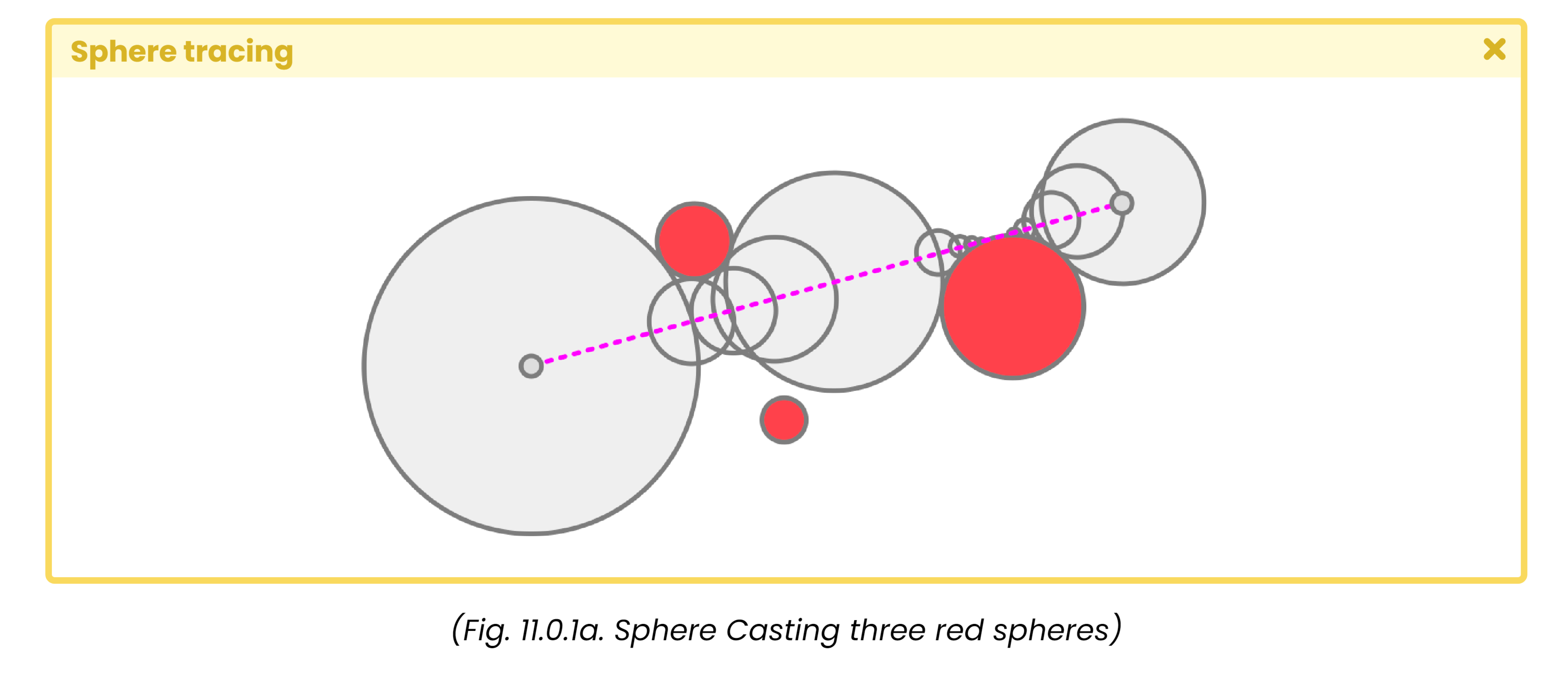
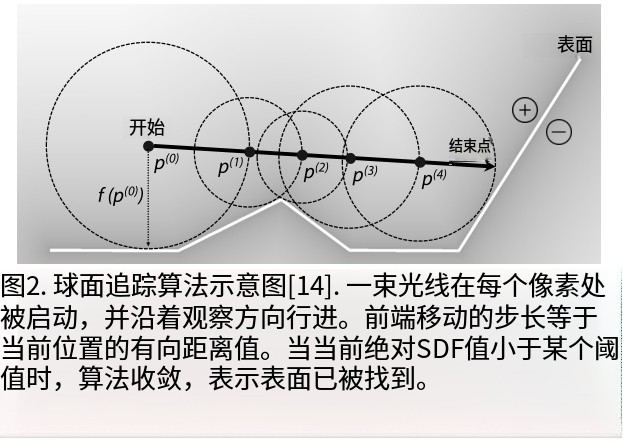
球体追踪就是用场景的 SDF(signed distance function)告诉你从当前位置到最近表面的最小距离,然后用这个距离作为步长向前跳——仿佛每一步放一个贴紧场景的球体,球体刚好不穿透物体,直到球体接触表面或超过上限。

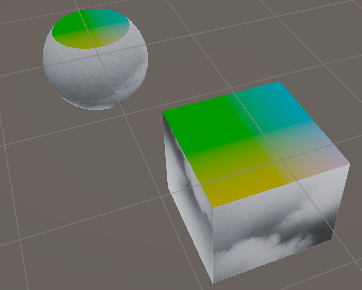
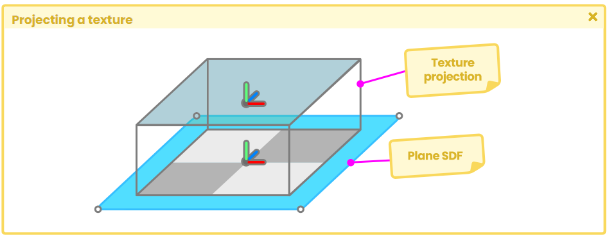
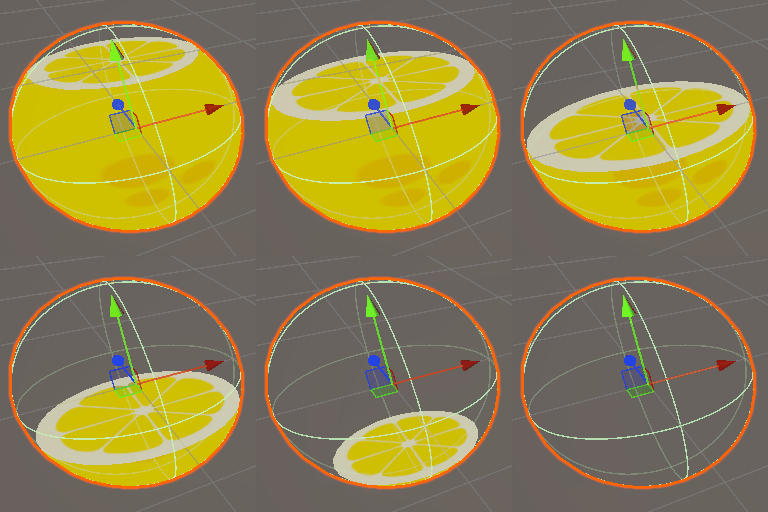
“射线起始点”向量对应“射线的起点”,即相机在局部空间中的位置;而“射线方向”则等于“网格顶点的位置”,也就是我们正在处理的球体所在位置。由于我们需要根据边生成图元划分,因此必须确保sdf平面的位置与三维物体的位置保持一致。 💁在该示例中,相机到平面的距离即float plane = ray_position.y - _Edge; 为射线步进的长度 image.png
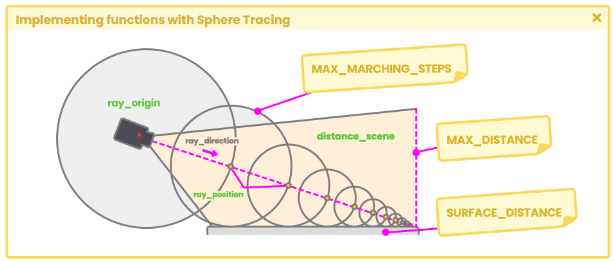
这段代码是一个 Sphere Tracing(球面追踪 / Ray Marching) 的核心片段,用来做 基于 SDF(有符号距离函数) 的光线行进算法。我们逐行拆解:

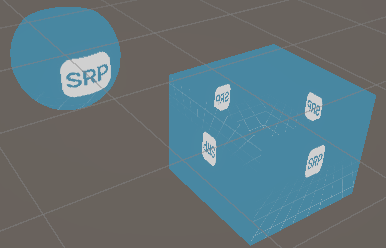
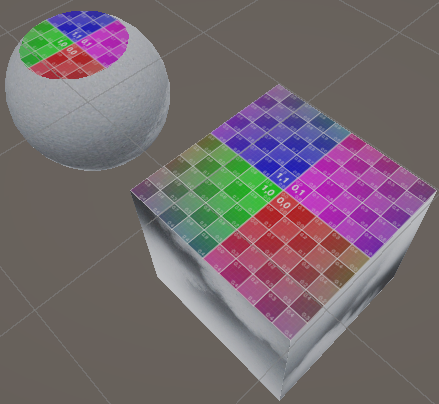
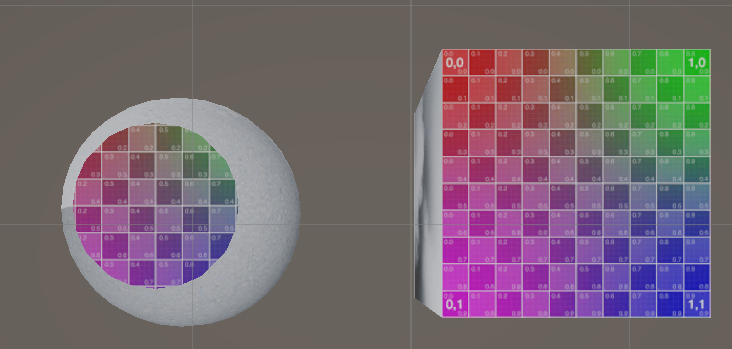
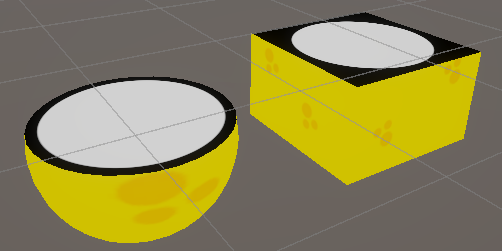
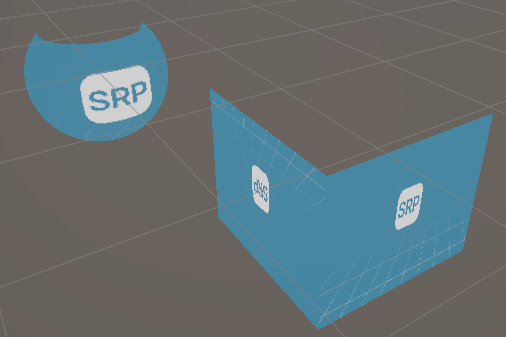
如前所述,需要剔除球体平面上的像素点。要实现这种评估,我们需要获取球体y轴上顶点在物体空间中的坐标位置。通过使用“discard”语句,我们可以剔除位于边缘的像素点,具体操作如下所示。
Shader "Unlit/FruitSDF"  
{  
    Properties  
    {  
        _MainTex ("Texture", 2D) = "white" {}  
        // plane texture   
_PlaneTex ("Plane Texture", 2D) = "white" {}  
        // edge color projection   
_CircleCol ("Circle Color", Color) = (1, 1, 1, 1)  
        // edge radius projection   
_CircleRad ("Circle Radius", Range(0.0, 0.5)) = 0.45  
        _Edge("Edge", Range(-0.5, 0.5))=0.0  
    }  
    SubShader  
    {  
        cull Off  
  
        Pass        {  
            CGPROGRAM  
            #pragma vertex vert  
            #pragma fragment frag  
  
            #include "UnityCG.cginc"  
  
              
            struct appdata  
            {  
                float4 vertex : POSITION;  
                float2 uv : TEXCOORD0;  
            };  
            struct v2f  
            {  
                float2 uv : TEXCOORD0;  
                float4 vertex : SV_POSITION;  
                float3 hitPos : TEXCOORD1;  
            };  
            sampler2D _MainTex;  
            float4 _MainTex_ST;  
            sampler2D _PlaneTex;  
            float4 _CircleCol;  
            float _CircleRad;  
            float _Edge;  
  
            // declare the function for the plane  
            float planeSDF(float3 ray_position) {  
                // subtract the edge to the “Y” ray position to increase  
                // // or decrease the plane position                float plane = ray_position.y - _Edge;  
                return plane;  
            }  
            #define MAX_MARCHING_STEPS 50  
            #define MAX_DISTANCE 10  
            #define SURFACE_DISTANCE 0.001  
  
            float sphereCasting(float3 ray_origin, float3 ray_direction)  
            {                float distance_origin = 0;  
                for (int i = 0; i < MAX_MARCHING_STEPS; i++)  
                {                    float3 ray_position = ray_origin + ray_direction * distance_origin;  
                    float distance_scene = planeSDF(ray_position);  
                    distance_origin += distance_scene;                    if (distance_scene < SURFACE_DISTANCE || distance_origin > MAX_MARCHING_STEPS)  
                        break;  
                }                return distance_origin;  
            }  
            v2f vert (appdata v)  
            {                v2f o;  
                o.vertex = UnityObjectToClipPos(v.vertex);  
                o.uv = TRANSFORM_TEX(v.uv, _MainTex);  
                o.hitPos= v.vertex;  
                return o;  
            }  
            fixed4 frag (v2f i, bool face: SV_IsFrontFace) : SV_Target  
            {  
                // sample the texture  
                fixed4 col = tex2D(_MainTex, i.uv);  
  
                //将相机位置转换到物体空间  
                float3 ray_origin = mul(unity_WorldToObject, float4(_WorldSpaceCameraPos, 1));  
  
                //计算射线方向(相机指向片元 i.hitPos顶点着色器顶点信息传入片元)  
                float3 ray_direction = normalize(i.hitPos - ray_origin);  
  
                //调用球体投射函数  
                float t = sphereCasting(ray_origin, ray_direction);  
  
                float4 planeCol=0;  
                float4 circleCol=0;  
                if(t<MAX_DISTANCE)  
                {                    //计算交点位置  
                    float3 plane_pos = ray_origin+ ray_direction*t;  
                    //黑洞  
                    //float uvScale= sqrt(1-pow((i.hitPos.y-0.05)*2,2));  
                    //利用平面参数调整uv缩放                    float uvScale= sqrt(1-pow((_Edge*2),2));  
  
                    //计算圆形边缘颜色  
                    float c= length(plane_pos.xz);  
                    circleCol= smoothstep(c-0.001,c+0.01,_CircleRad-abs(pow(_Edge*(1*0.5),2)));  
                    float2 uv_plane= (plane_pos.xz/uvScale)+0.5;  
                    planeCol = tex2D(_PlaneTex, uv_plane);  
                    planeCol*= circleCol;  
                    //叠加  
                    planeCol+= (1-circleCol)*_CircleCol;  
                }  
  
                //最后,我们可以丢弃位于边缘属性上的像素。  
                if(i.hitPos.y>_Edge)  
                    discard;  
  
                //正面返回模型纹理;背面返回平面纹理  
                return face?col:planeCol;  
            }            ENDCG  
        }  
    }}