惯性聚合 高效追踪和阅读你感兴趣的博客、新闻、科技资讯
阅读原文 在惯性聚合中打开

推荐订阅源

酷 壳 – CoolShell
酷 壳 – CoolShell
H
Hacker News: Front Page
P
Palo Alto Networks Blog
T
ThreatConnect
Apple Machine Learning Research
博客园_首页
T
True Tiger Recordings
P
Privacy & Cybersecurity Law Blog
B
Blog
IT之家
IT之家
Last Week in AI
Last Week in AI
F
Full Disclosure
Hacker News: Ask HN
Hacker News: Ask HN
C
Comments on: Blog
Microsoft Azure Blog
C
Cybersecurity and Infrastructure Security Agency CISA
Microsoft Security Blog
博客园 - 【当耐特】
N
News and Events Feed by Topic
NISL@THU
NISL@THU
腾讯CDC
雷峰网
雷峰网
Security Latest
Security Latest
李成银的技术随笔
M
Microsoft Research Blog - Microsoft Research
L
LangChain Blog
L
Lohrmann on Cybersecurity
cs.CL updates on arXiv.org
C
Check Point Blog
Y
Y Combinator Blog
Recent Announcements
博客园 - Franky
N
News | PayPal Newsroom
V
V2EX
A
About on SuperTechFans
The Register - Security
月光博客
月光博客
奇客Solidot–传递最新科技情报
奇客Solidot–传递最新科技情报
Google Online Security Blog
MyScale Blog
MyScale Blog
Cisco Talos Blog
Cisco Talos Blog
Vercel News
Vercel News
WordPress大学
WordPress大学
C
Cyber Attacks, Cyber Crime and Cyber Security
The Hacker News
The Hacker News
IntelliJ IDEA : IntelliJ IDEA – the Leading IDE for Professional Development in Java and Kotlin | The JetBrains Blog
爱范儿
爱范儿
A
Arctic Wolf
L
LINUX DO - 最新话题
freeCodeCamp Programming Tutorials: Python, JavaScript, Git & More

博客园 - 大汪的数据之路

数据码农马年大吉 字符串分割并展开成表格的SQL实现方法 BI报表及可视化分析类工具使用经验总结(下) BI报表及可视化分析类工具使用经验总结(上) 基于Python实现自动化微信通知和预警 Chat2DB测试体验 常用数据管理工具与平台汇总 OneID系统建设实践总结 网易有数BI使用总结 网易NDH大数据平台使用经验 版本管理总结 程序自动化vs人工手动处理 SQL开发总结 数据平台使用经验 数据团队运维值班任务简介 Python环境安装、管理与部署 SQL动态长度行列转置 ODI Scenario 场景 Oracle KEEP 分析函数
windows获取kerberos认证
大汪的数据之路 · 2025-06-24 · via 博客园 - 大汪的数据之路

1、安装kerberos客户端

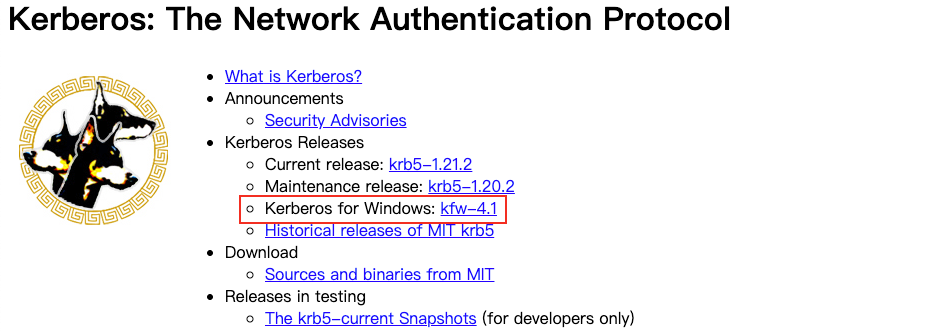
下载Kerberos for Windows
2、配置krb5.ini文件

在kerberos安装目录下(如:C:\ProgramData\MIT\Kerberos5)找到krb5.ini文件

  将 KDC Server 的服务器上的 /etc/krb5.conf 配置文件中的部分内容拷贝到该文件中。

3、配置环境变量

配置KRB5_CONFIG、KRB5CCNAME,完成后最好重启下电脑

4、获取kerberos认证

打开Windows命令行,执行命令:kinit -k -t admin.mammut.keytab bdms_admin.mammut/dev@BDMS.COM

5、查看principal及其有效期

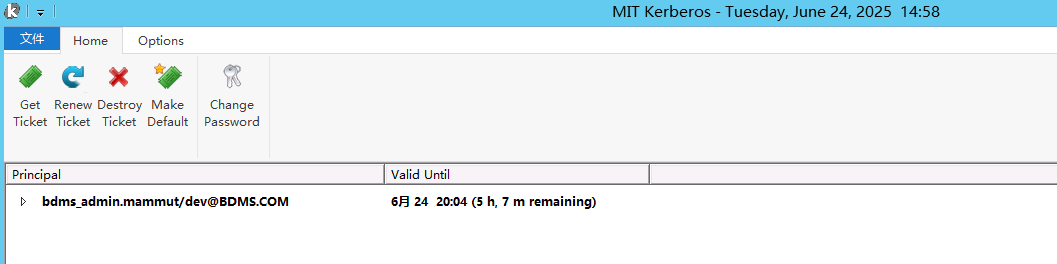
命令执行成功后,可打开kerberos客户端,有效期时间可能就一天左右,比如10个小时