












版本说明
Java:1.8
JUnit:5.x
Mokito:3.x
H2:1.4.200
spring-boot-starter-test:2.3.9.RELEASE
前言:通常任何软件都会划分为不同的模块和组件。单独测试一个组件时,我们叫做单元测试。单元测试用于验证相关的一小段代码是否正常工作。
单元测试不验证应用程序代码是否和外部依赖正常工作。它聚焦与单个组件并且 Mock 所有和它交互的依赖。
集成测试主要用于发现用户端到端请求时不同模块交互产生的问题。
集成测试范围可以是整个应用程序,也可以是一个单独的模块,取决于要测试什么。
典型的 Spring boot CRUD 应用程序,单元测试可以分别用于测试控制器(Controller)层、DAO 层等。它不需要任何嵌入服务,例如:Tomcat、Jetty、Undertow。
在集成测试中,我们应该聚焦于从控制器层到持久层的完整请求。应用程序应该运行嵌入服务(例如:Tomcat)以创建应用程序上下文和所有 bean。这些 bean 有的可能会被 Mock 覆盖。
单元测试的动机,单元测试不是用于发现应用程序范围内的 bug,或者回归测试的 bug,而是分别检测每个代码片段。
几个要点
Gradle 引入
plugins {
    id 'java'
    id "org.springframework.boot" version "2.3.9.RELEASE"
    id 'org.jetbrains.kotlin.jvm' version '1.4.32'
}

apply from: 'config.gradle'
apply from: file('compile.gradle')

group rootProject.ext.projectDes.group
version rootProject.ext.projectDes.version

repositories {
    mavenCentral()
}


dependencies {
    implementation rootProject.ext.dependenciesMap["lombok"]
    annotationProcessor rootProject.ext.dependenciesMap["lombok"]
    implementation rootProject.ext.dependenciesMap["commons-lang3"]
    implementation rootProject.ext.dependenciesMap["mybatis-plus"]
    implementation rootProject.ext.dependenciesMap["spring-boot-starter-web"]
    implementation rootProject.ext.dependenciesMap["mysql-connector"]
    implementation rootProject.ext.dependenciesMap["druid"]

    testImplementation group: 'org.springframework.boot', name: 'spring-boot-starter-test', version: '2.3.9.RELEASE'
    testImplementation rootProject.ext.dependenciesMap["h2"]
    implementation "org.jetbrains.kotlin:kotlin-stdlib-jdk8"
}

test {
    useJUnitPlatform()
}
引入 spring-boot-starter-test 做为测试框架。该框架已经包含了 JUnit5 和 Mokito 。
工程结构

Domain 中定义 student 对象。
@Data
@AllArgsConstructor
public class Student {

    public Student() {
        this.createTime = LocalDateTime.now();
    }

    /**
    * 学生唯一标识
    */
    @TableId(type = AUTO)
    private Integer id;

    /**
    * 学生名称
    */
    private String name;

    /**
    * 学生地址
    */
    private String address;

    private LocalDateTime createTime;

    private LocalDateTime updateTime;
}
Service 层定义 student 增加和检索的能力。
public interface StudentService extends IService<Student> {

/**
 * 创建学生
 * <p>
 * 验证学生名称不能为空
 * 验证学生地址不能为空
 *
 * @param dto 创建学生传输模型
 * @throws BizException.ArgumentNullException 无效的参数,学生姓名和学生住址不能为空
 */
void create(CreateStudentDto dto) throws BizException.ArgumentNullException;

/**
 * 检索学生信息
 *
 * @param id 学生信息 ID
 * @return 学生信息
 * @throws DbException.InvalidPrimaryKeyException 无效的主键异常
 */
StudentVo retrieve(Integer id) throws DbException.InvalidPrimaryKeyException;
}
Service 实现,单元测试针对该实现进行测试。
@Service
public class StudentServiceImpl extends ServiceImpl<StudentRepository, Student> implements StudentService {

    private final Mapper mapper;

    public StudentServiceImpl(Mapper mapper) {
        this.mapper = mapper;
    }

    @Override
    public void create(CreateStudentDto dto) throws BizException.ArgumentNullException {
        if (stringNotEmptyPredicate.test(dto.getName())) {
            throw new BizException.ArgumentNullException("学生名称不能为空,不能创建学生");
        }
        if (stringNotEmptyPredicate.test(dto.getAddress())) {
            throw new BizException.ArgumentNullException("学生住址不能为空,不能创建学生");
        }

        Student student = mapper.map(dto, Student.class);
        save(student);
    }

    @Override
    public StudentVo retrieve(Integer id) throws DbException.InvalidPrimaryKeyException {
        if (integerLessZeroPredicate.test(id)) {
            throw new DbException.InvalidPrimaryKeyException("无效的主键,主键不能为空");
        }

        Student student = getById(id);
        return mapper.map(student, StudentVo.class);
    }

}
创建单元测试,Mock 一切。
class StudentServiceImplTest {

    @Spy
    @InjectMocks
    private StudentServiceImpl studentService;

    @Mock
    private Mapper mapper;

    @Mock
    private StudentRepository studentRepository;

    @BeforeEach
    public void setUp() {
        MockitoAnnotations.initMocks(this);
    }

    @Test
    public void testCreateStudent_NullName_ShouldThrowException() {
        CreateStudentDto createStudentDto = new CreateStudentDto("", "一些测试地址");
        String msg = Assertions.assertThrows(BizException.ArgumentNullException.class, () -> studentService.create(createStudentDto)).getMessage();
        String expected = "学生名称不能为空,不能创建学生";
        Assertions.assertEquals(expected, msg);
    }

    @Test
    public void testCreateStudent_NullAddress_ShouldThrowException() {
        CreateStudentDto createStudentDto = new CreateStudentDto("小明", "");
        String msg = Assertions.assertThrows(BizException.ArgumentNullException.class, () -> studentService.create(createStudentDto)).getMessage();
        String expected = "学生住址不能为空,不能创建学生";
        Assertions.assertEquals(expected, msg);
    }

    @Test
    public void testCreateStudent_ShouldPass() throws BizException.ArgumentNullException {
        CreateStudentDto createStudentDto = new CreateStudentDto("小明", "住址测试");

        when(studentService.getBaseMapper()).thenReturn(studentRepository);
        when(studentRepository.insert(any(Student.class))).thenReturn(1);
        Student student = new Student();
        when(mapper.map(createStudentDto, Student.class)).thenReturn(student);
        studentService.create(createStudentDto);
    }

    @Test
    public void testRetrieve_NullId_ShouldThrowException() {
        String msg = Assertions.assertThrows(DbException.InvalidPrimaryKeyException.class, () -> studentService.retrieve(null)).getMessage();
        String expected = "无效的主键,主键不能为空";
        Assertions.assertEquals(expected, msg);
    }

    @Test
    public void testRetrieve_ShouldPass() throws DbException.InvalidPrimaryKeyException {
        when(studentService.getBaseMapper()).thenReturn(studentRepository);

        Integer studentId = 1;
        String studentName = "小明";
        String studentAddress = "学生地址";
        LocalDateTime createTime = LocalDateTime.now();
        LocalDateTime updateTime = LocalDateTime.now();
        Student student = new Student(studentId, studentName, studentAddress, createTime, updateTime);
        when(studentRepository.selectById(studentId)).thenReturn(student);
        StudentVo studentVo = new StudentVo(studentId, studentName, studentAddress, createTime, updateTime);
        when(mapper.map(student, StudentVo.class)).thenReturn(studentVo);

        StudentVo studentVoReturn = studentService.retrieve(studentId);

        Assertions.assertEquals(studentId, studentVoReturn.getId());
        Assertions.assertEquals(studentName, studentVoReturn.getName());
        Assertions.assertEquals(studentAddress, studentVoReturn.getAddress());
        Assertions.assertEquals(createTime, studentVoReturn.getCreateTime());
        Assertions.assertEquals(updateTime, studentVoReturn.getUpdateTime());
    }
}
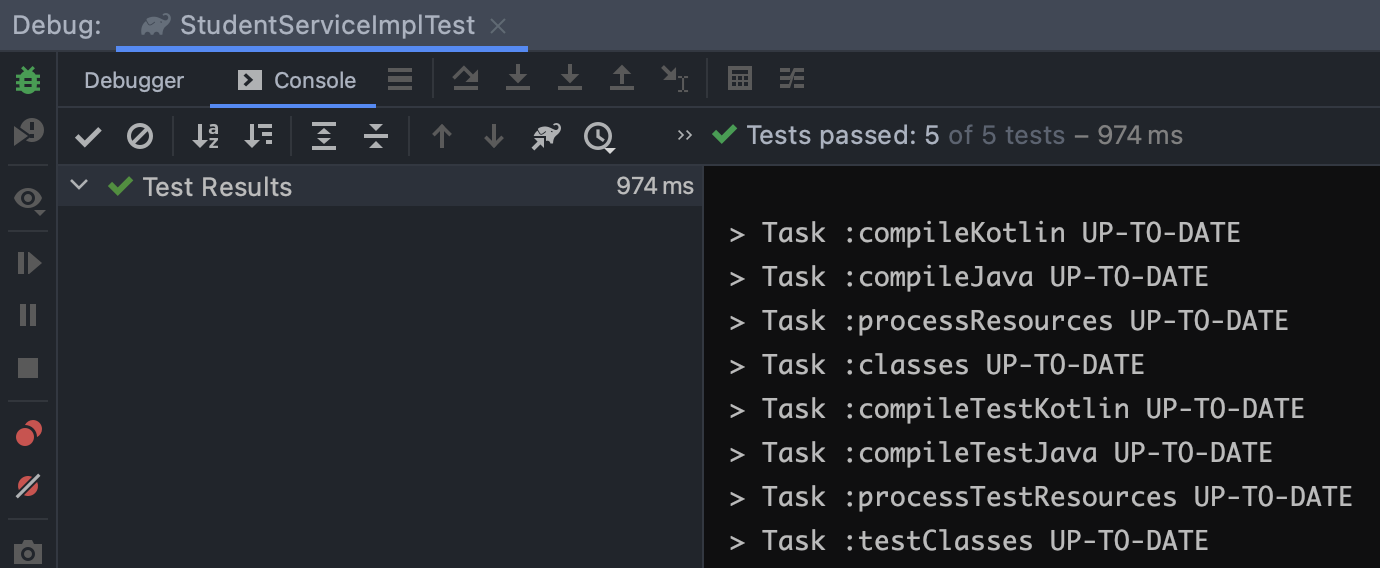
StudentServiceImpl 被标注为 @InjectMocks 对象,所以 Mokito 将为 StudentServiceImpl 创建 Mock 对象,并依赖注入 Mapper 和 StudentRepository 对象。结果
我们把集成测试集中在 Controller 层。
创建 Controller ,语法使用了 Kotlin 😈,提供 Create 和 Reitreve 能力。
@RestController
@RequestMapping("student")
class StudentController(private val studentService: StudentService) {
    /**
    * 创建学生
    * 添加一条学生记录到数据库中
    *
    * @param createStudentDto 创建学生传输模型
    */
    @PostMapping("create")
    fun create(@RequestBody createStudentDto: CreateStudentDto?): Result<String> = try {
        studentService.create(createStudentDto)
        Result.success("创建成功")
    } catch (e: ArgumentNullException) {
        e.printStackTrace()
        Result.failure(e.message)
    }


    /**
    * 检索学生信息
    *
    * @param id 学生唯一标识
    * @return 学生信息
    */
    @GetMapping("retrieve")
    fun retrieve(id: Int?): Result<StudentVo> = try {
        val studentVo = studentService.retrieve(id)
        Result.success(studentVo)
    } catch (e: InvalidPrimaryKeyException) {
        e.printStackTrace()
        Result.failure(e.message)
    }
}
配置 H2 为数据源。并通过 schema.sql 创建 table,student_data.sql 初始化数据。
@TestConfiguration
public class ToyTestConfiguration {

    @Bean
    DataSource createDataSource() {
        return new EmbeddedDatabaseBuilder()
                .generateUniqueName(true)
                .setType(EmbeddedDatabaseType.H2)
                .setScriptEncoding("UTF-8")
                .ignoreFailedDrops(true)
                .addScript("schema.sql")
                .addScript("student_data.sql")
                .build();
    }
}
schema.sql
create table if not exists student
(
    id          INTEGER(64) PRIMARY KEY AUTO_INCREMENT,
    name        varchar(20)  null,
    address     varchar(200) null,
    create_time datetime     null,
    update_time datetime     null
);
student_data.sql
INSERT INTO student (id, name, address, create_time, update_time)
VALUES (1, '小明', '一些测试地址', now(), now());
集成测试
@Import(ToyTestConfiguration.class)
@SpringBootTest(classes = ToyTestApplication.class,
        webEnvironment = SpringBootTest.WebEnvironment.RANDOM_PORT)
public class StudentControllerTest {

    @LocalServerPort
    private int port;

    @Autowired
    DataSource datasource;

    @Autowired
    private TestRestTemplate restTemplate;

    @Test
    public void testCreateStudent_ShouldPass() {
        CreateStudentDto createStudentDto = new CreateStudentDto("小明", "住址测试");
        ResponseEntity<Result> responseEntity = restTemplate.postForEntity("http://localhost:" + port + "/student/create", createStudentDto, Result.class);
        Assertions.assertNotNull(responseEntity.getBody());
        Assertions.assertTrue(responseEntity.getBody().getSucceeded());
    }

    @Test
    public void testRetrieveStudent_ShouldPass() {
        ResponseEntity<Result> responseEntity = restTemplate.getForEntity("http://localhost:" + port + "/student/retrieve?id=1", Result.class);
        Assertions.assertNotNull(responseEntity.getBody());
        Assertions.assertTrue(responseEntity.getBody().getSucceeded());
    }

}
结果

此内容由惯性聚合(RSS阅读器)自动聚合整理,仅供阅读参考。 原文来自 — 版权归原作者所有。