惯性聚合 高效追踪和阅读你感兴趣的博客、新闻、科技资讯
阅读原文 在惯性聚合中打开

推荐订阅源

GbyAI
GbyAI
OSCHINA 社区最新新闻
OSCHINA 社区最新新闻
C
Check Point Blog
cs.AI updates on arXiv.org
Exploit-DB.com RSS Feed
J
Java Code Geeks
博客园 - 【当耐特】
H
Hacker News: Front Page
S
Secure Thoughts
博客园_首页
Engineering at Meta
Engineering at Meta
N
News | PayPal Newsroom
美团技术团队
SecWiki News
SecWiki News
U
Unit 42
The Hacker News
The Hacker News
有赞技术团队
有赞技术团队
T
The Exploit Database - CXSecurity.com
M
MIT News - Artificial intelligence
T
Threat Research - Cisco Blogs
V
Vulnerabilities – Threatpost
TaoSecurity Blog
TaoSecurity Blog
The Last Watchdog
The Last Watchdog
www.infosecurity-magazine.com
F
Fortinet All Blogs
T
Tor Project blog
T
Tailwind CSS Blog
Scott Helme
Scott Helme
Recorded Future
Recorded Future
Know Your Adversary
Know Your Adversary
The Register - Security
Google DeepMind News
Microsoft Security Blog
D
Darknet – Hacking Tools, Hacker News & Cyber Security
Google DeepMind News
S
Security @ Cisco Blogs
S
SegmentFault 最新的问题
Apple Machine Learning Research
月光博客
月光博客
阮一峰的网络日志
阮一峰的网络日志
H
Heimdal Security Blog
MongoDB | Blog
MongoDB | Blog
S
Securelist
C
CXSECURITY Database RSS Feed - CXSecurity.com
雷峰网
雷峰网
博客园 - 聂微东
S
Schneier on Security
T
Tenable Blog
C
Cyber Attacks, Cyber Crime and Cyber Security
B
Blog

博客园 - Pavilion

windows下安装mingw-w64,c/c++编译器 word 文档,高亮关键字,因 DOM 结构复杂(跨段落、跨表格、跨样式)导致滚动定位偏差问题解决方案 python 命令行参数修改 安装Mysql macd指标 pyCharm 设置 签名,时间 Pycharm 设置 flask 监听端口 pycharm专业版的安装和破解教程 Python 虚拟环境安装flask框架 Read timed out. Python虚拟环境 解决pip无法更新问题的简单方法:WARNING: You are using pip version 20.2.1; however, version 24.2 is available. pyqt5 列表内添加按钮 RequestsDependencyWarning: urllib3 (2.0.0.dev0) or chardet (3.0.4) doesn't match a supported version! RequestsDependencyWarning) 十大排序算法 IntelliJ IDEA安装教程 JDK12的安装搭建 提交并发量的方法:Java GC tuning :Garbage collector VNPY加密教程(Python生成pyd文件) python 绘制点线
PyCharm怎样添加Qt designer
Pavilion · 2020-09-09 · via 博客园 - Pavilion

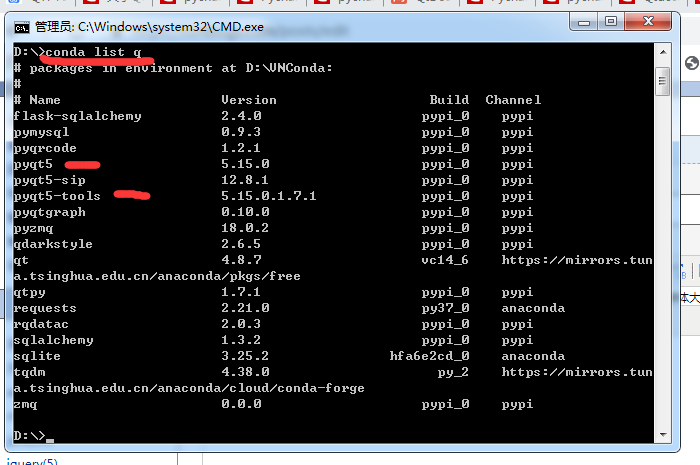
cmd命令检查是否安装一下工具包

不存在,用pip 命令安装

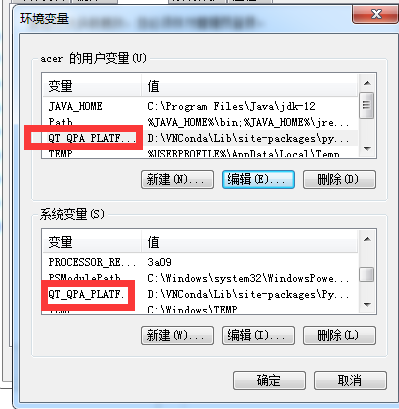
添加环境变量;

QT_QPA_PLATFORM_PLUGIN_PATH    ---D:\VNConda\Lib\site-packages\pyqt5_tools\Qt\bin\plugins
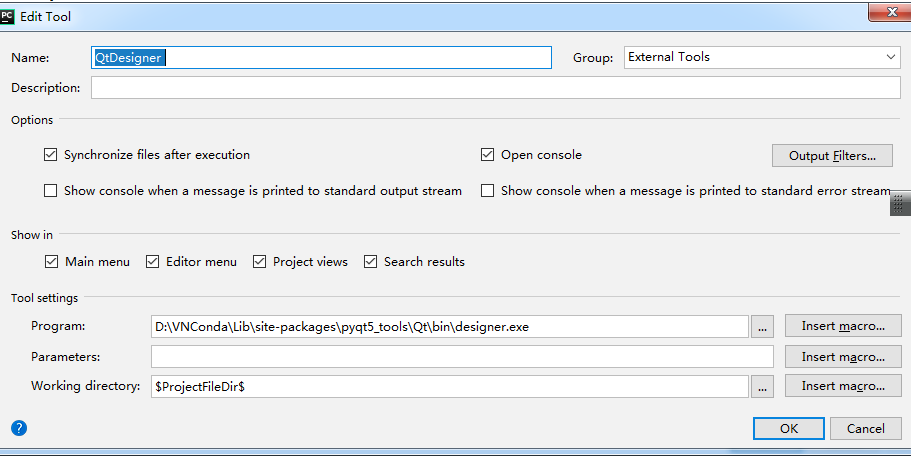
 pycharm --File---Setting
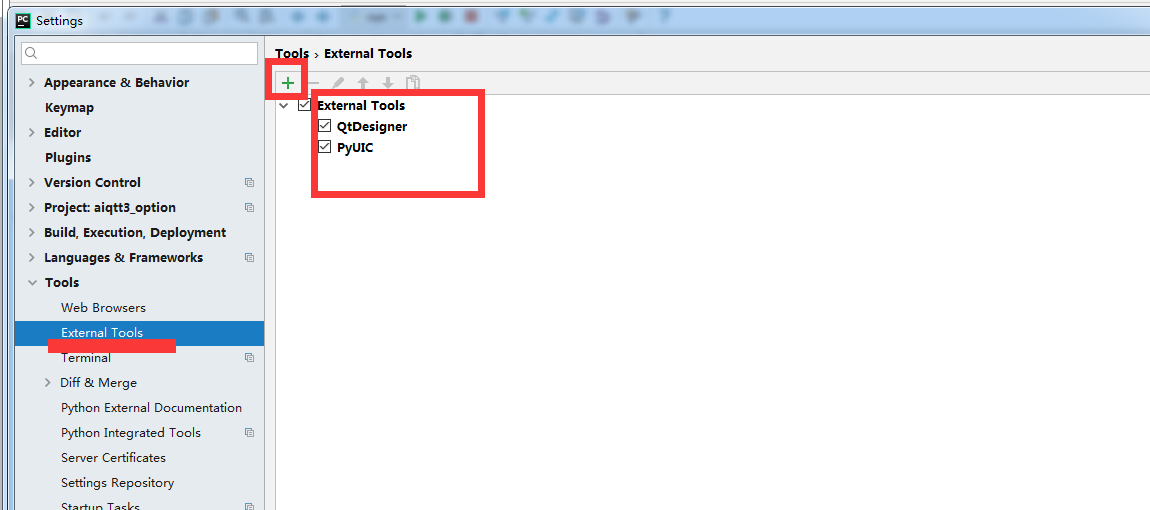
 

QtDesigner 

$ProjectFileDir$
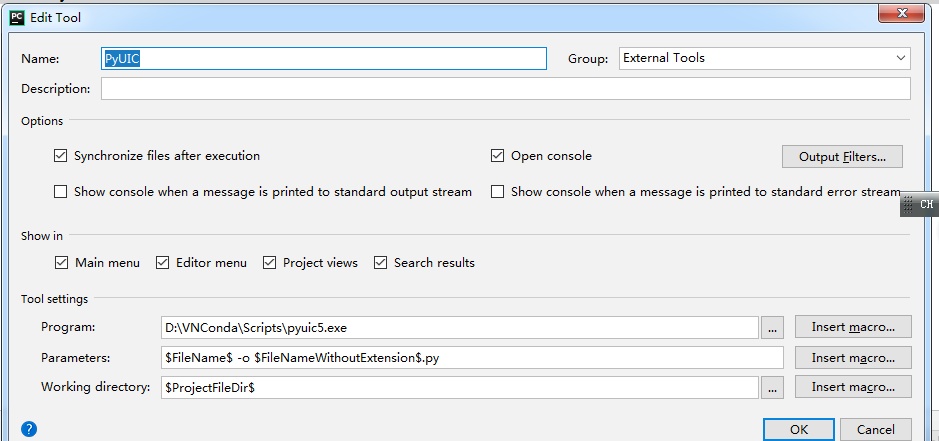
 

PyUIC 

$FileName$ -o $FileNameWithoutExtension$.py

$ProjectFileDir$
 

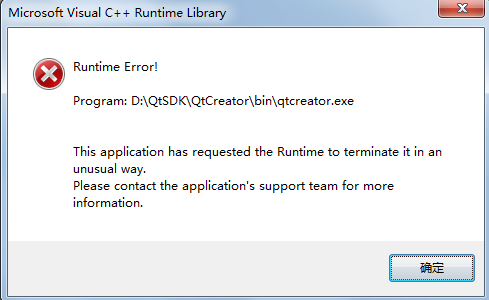
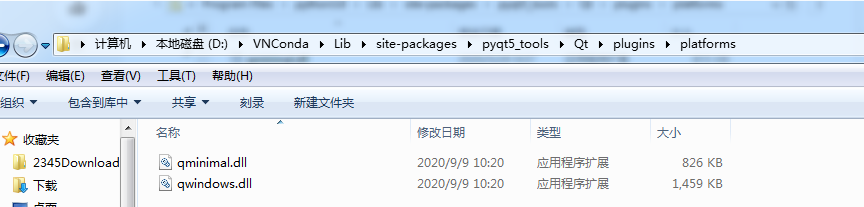
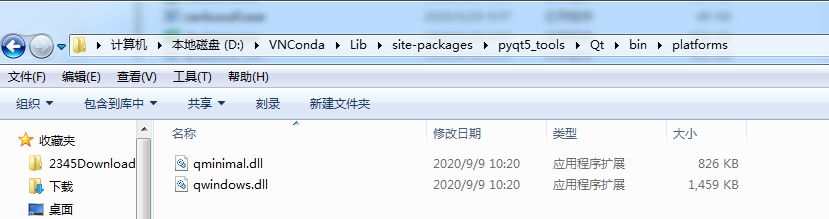
 找到pyqt5-tools安装目录中的designer.exe,直接点击无法启动。在pycharm中配置使用了error。

一、先找到pyqt5-tools下的这个位置,把这两个位置复制
 

 二、找到这个位置,并粘贴这两个文件
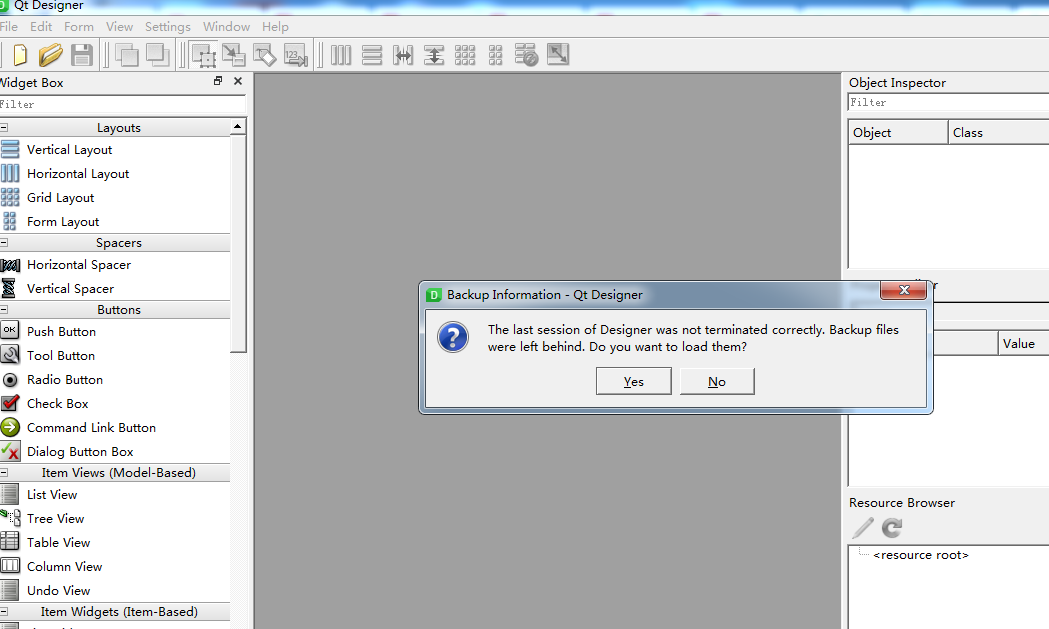
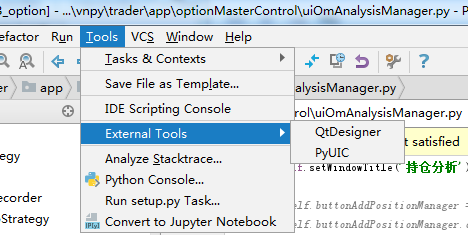
回到pycharm --Tools---QtDesigner