
惯性聚合 高效追踪和阅读你感兴趣的博客、新闻、科技资讯
阅读原文 在惯性聚合中打开

推荐订阅源

B
Blog
C
Cybersecurity and Infrastructure Security Agency CISA
Microsoft Security Blog
B
Blog RSS Feed
云风的 BLOG
云风的 BLOG
G
Google Developers Blog
Recent Announcements
A
About on SuperTechFans
cs.AI updates on arXiv.org
Google Online Security Blog
Google DeepMind News
S
Schneier on Security
S
Secure Thoughts
T
The Exploit Database - CXSecurity.com
Martin Fowler
Martin Fowler
P
Proofpoint News Feed
Security Latest
Security Latest
Jina AI
Jina AI
D
Darknet – Hacking Tools, Hacker News & Cyber Security
Recorded Future
Recorded Future
T
Tor Project blog
有赞技术团队
有赞技术团队
H
Hackread – Cybersecurity News, Data Breaches, AI and More
N
News | PayPal Newsroom
博客园 - 三生石上(FineUI控件)
MyScale Blog
MyScale Blog
cs.CV updates on arXiv.org
Last Week in AI
Last Week in AI
F
Full Disclosure
Hacker News: Ask HN
Hacker News: Ask HN
Forbes - Security
Forbes - Security
D
DataBreaches.Net
人人都是产品经理
人人都是产品经理
NISL@THU
NISL@THU
C
Cisco Blogs
Recent Commits to openclaw:main
Google DeepMind News
Project Zero
Project Zero
IT之家
IT之家
T
Threatpost
Cyberwarzone
Cyberwarzone
O
OpenAI News
cs.CL updates on arXiv.org
J
Java Code Geeks
P
Proofpoint News Feed
The Last Watchdog
The Last Watchdog
月光博客
月光博客
Latest news
Latest news
MongoDB | Blog
MongoDB | Blog
Apple Machine Learning Research

博客园 - 杭州铁锤

IC卡ID卡简介 博文阅读密码验证 - 博客园 win11系统优化(右键鼠标选项功能太多) Jmeter修改界面字体大小 SpaceDesk连接后黑白屏解决方法 博文阅读密码验证 - 博客园 搭建基于Grafana+Prometheus+Node_exporter的性能监控与分析平台 混沌测试和异常测试区别 博文阅读密码验证 - 博客园 fiddler模拟弱网测试 Fiddler如何抓取HTTPS请求 博文阅读密码验证 - 博客园 Tabby开源终端工具使用教程 人力资源工作内容和职责 基础的软件测试面试题及答案 软件测试团队的管理 性能并发指标 VSCode编辑器极简使用入门 JavaScript基础教程前言
Fiddler如何设置只抓取固定域名的数据
杭州铁锤 · 2025-04-17 · via 博客园 - 杭州铁锤

fiddler过滤域名:仅显示指定的域名

fiddler 进行抓包, 调试接口时,尤其好用。为了方便查看 调试过程中,只看 固定域名 的网址交互信息。 fiddler 中设置下 域名过滤,特别好用。

切换到fiddler右侧窗口的Filters选项卡,勾选顶部的“Use Filters”,找到Hosts区域,设置以下三个选项:

1.第一项有三个选项,不做更改:
“No zone filter”
“Show Only Intranet Hosts”
“Show Only Internet Hosts”

2.第二个选项是只监控以下网址,如只监控百度,在下面的输入框里填上 www.baidu.com
“No Host Filter”不设置hosts过滤
“Hide The Following Hosts”隐藏过滤到的域名
“Show Only The Following Hosts”只显示过滤到的域名
“Flag The Following Hosts”标记过滤到的域名
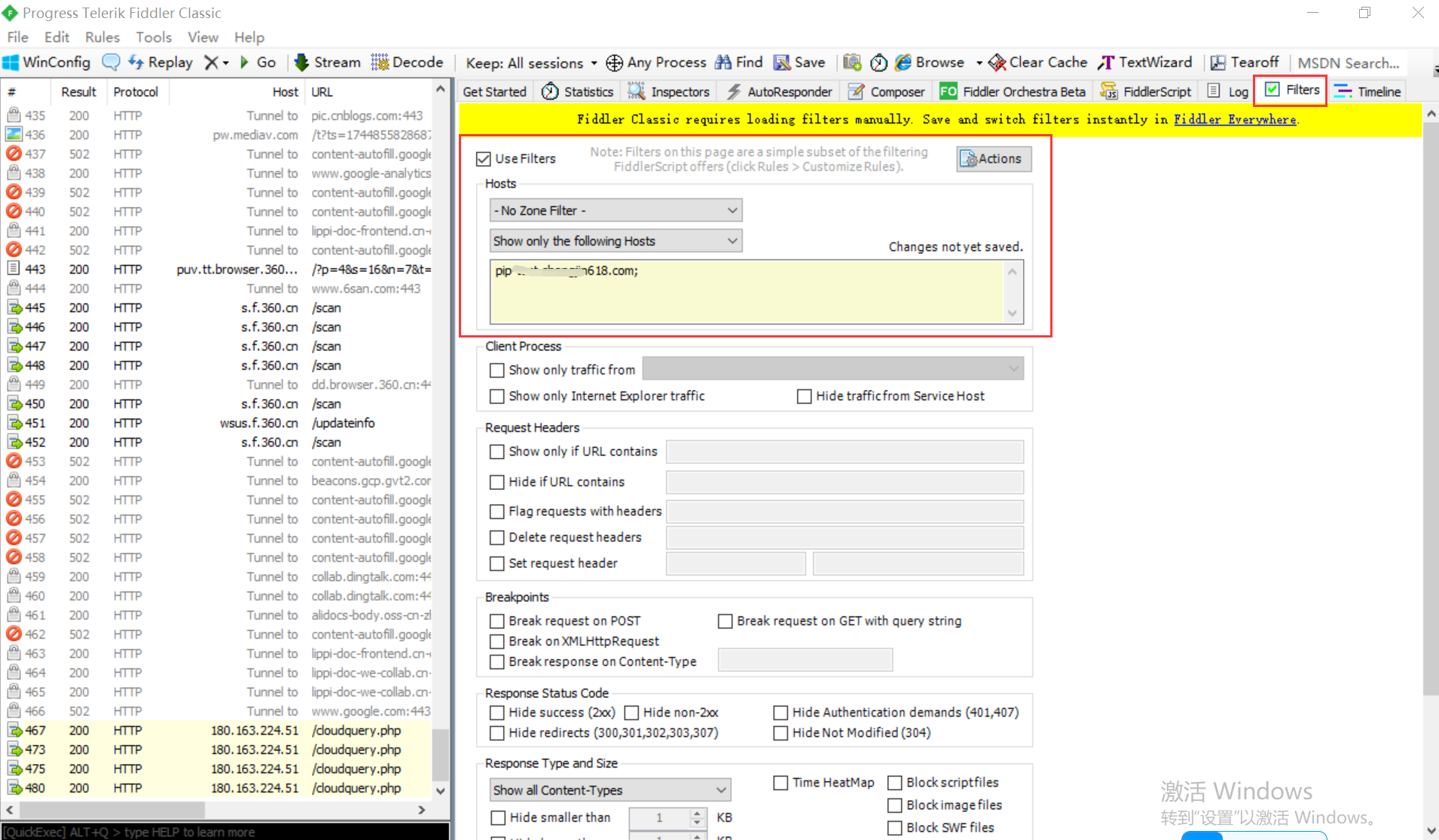
3.文本框内输入需要过滤的域名,多个域名使用”;“分号分割。fiddler默认会检查http头中设置的host,强制显示http地址中德域名。

fiddler过滤指定域名的方法二

1.切换到fiddler右侧窗口的Filters选项卡,勾选顶部的“Use Filters”,根据需要找到request headers或者response headers区域

2.勾选”set request header”,文本框分别输入”Host”和”要过滤的域名”

例子:如果需要 过滤这种:
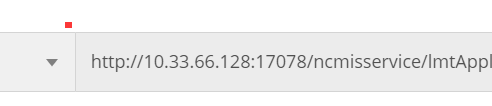
 fiddler 直接输入:10.33.66.128, 即可.后面的端口号,不需要了就。