惯性聚合 高效追踪和阅读你感兴趣的博客、新闻、科技资讯
阅读原文 在惯性聚合中打开

推荐订阅源

酷 壳 – CoolShell
酷 壳 – CoolShell
H
Hacker News: Front Page
P
Palo Alto Networks Blog
T
ThreatConnect
Apple Machine Learning Research
博客园_首页
T
True Tiger Recordings
P
Privacy & Cybersecurity Law Blog
B
Blog
IT之家
IT之家
Last Week in AI
Last Week in AI
F
Full Disclosure
Hacker News: Ask HN
Hacker News: Ask HN
C
Comments on: Blog
Microsoft Azure Blog
C
Cybersecurity and Infrastructure Security Agency CISA
Microsoft Security Blog
博客园 - 【当耐特】
N
News and Events Feed by Topic
NISL@THU
NISL@THU
腾讯CDC
雷峰网
雷峰网
Security Latest
Security Latest
李成银的技术随笔
M
Microsoft Research Blog - Microsoft Research
L
LangChain Blog
L
Lohrmann on Cybersecurity
cs.CL updates on arXiv.org
C
Check Point Blog
Y
Y Combinator Blog
Recent Announcements
博客园 - Franky
N
News | PayPal Newsroom
V
V2EX
A
About on SuperTechFans
The Register - Security
月光博客
月光博客
奇客Solidot–传递最新科技情报
奇客Solidot–传递最新科技情报
Google Online Security Blog
MyScale Blog
MyScale Blog
Cisco Talos Blog
Cisco Talos Blog
Vercel News
Vercel News
WordPress大学
WordPress大学
C
Cyber Attacks, Cyber Crime and Cyber Security
The Hacker News
The Hacker News
IntelliJ IDEA : IntelliJ IDEA – the Leading IDE for Professional Development in Java and Kotlin | The JetBrains Blog
爱范儿
爱范儿
A
Arctic Wolf
L
LINUX DO - 最新话题
freeCodeCamp Programming Tutorials: Python, JavaScript, Git & More

博客园 - 倾听-静轩水月

Mysql优化笔记 Arthas使用 vue2.0和vue3.0同时使用 零基础尝试mybatis-plus读写分离 零基础尝试搭建docker和nacos环境 零基础尝试mysql主从复制 mybatis-plus 批量插入示例 找回windows应用商店 linux 开放端口 小白零基础在 Centos 7 中安装 mysql http转向https 内存不够导致编译报错:Information:java: java.lang.OutOfMemoryError: GC overhead limit exceeded docker常用命令 CentOS7使用命令行安装Oracle11GR2 使用Xshell连接VMware上的Linux虚拟机 mysql免安装版初次使用 SqlServer无备份下误删数据恢复 javaweb学习--javabean javaweb学习--jsp
微信小程序支付证书及SSL证书使用
倾听-静轩水月 · 2018-12-03 · via 博客园 - 倾听-静轩水月

小程序使用微信支付包括:电脑管理控制台导入证书->修改代码为搜索证书->授权IIS使用证书->设置TSL加密级别为1.2

描述:

1、通常调用微信生成订单接口的时候,使用的证书都是直接路径指向就行了,但是这种方法在IIS是不适用的

2、IIS网站绑定SSL证书之后,证书加密级别默认为1.0,而小程序要求1.2以上

下面介绍具体步骤详情:

一、导入证书

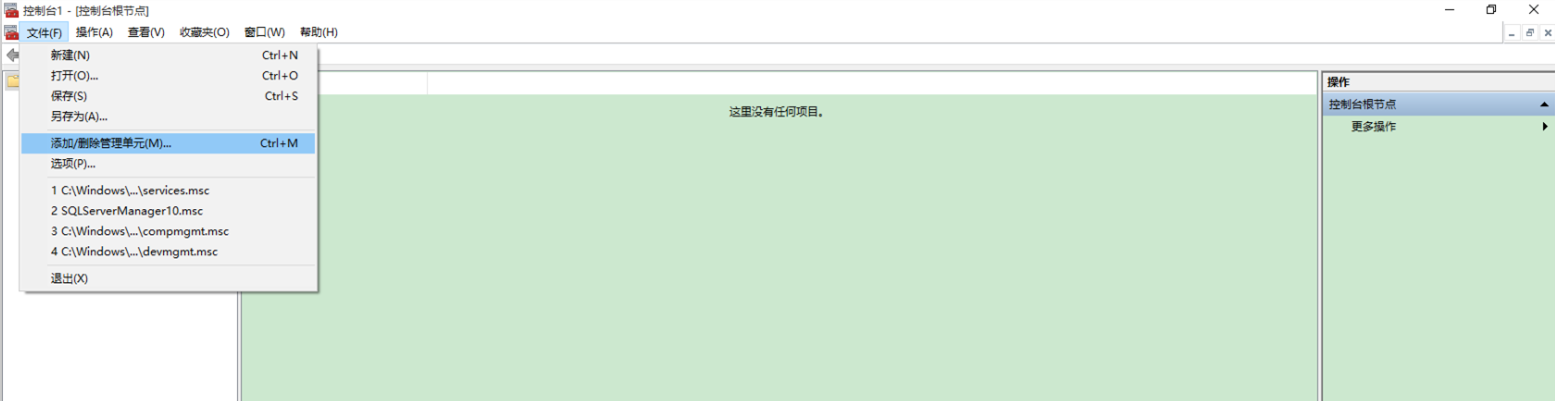
1、运行->mmc,打开管理控制台,文件->添加/删除管理单元
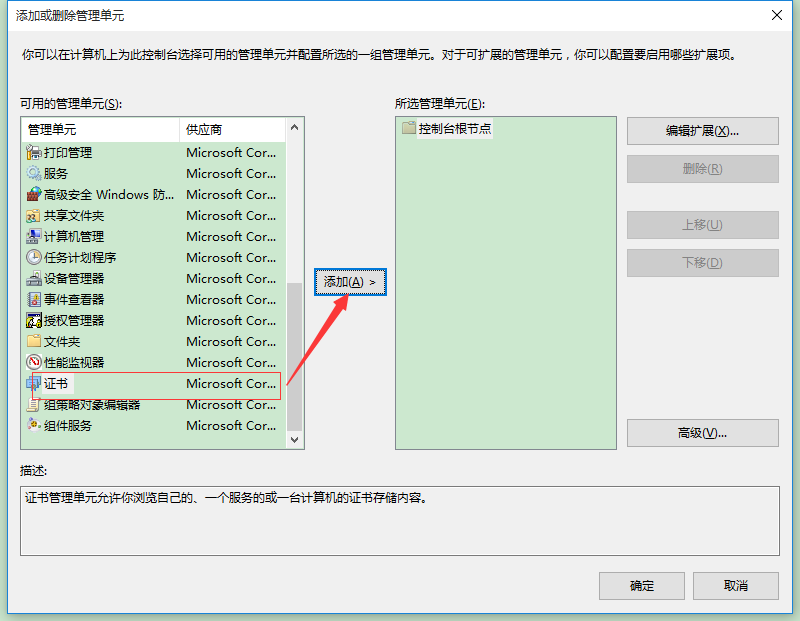
2、在可用的管理单元中选择证书,然后点击添加
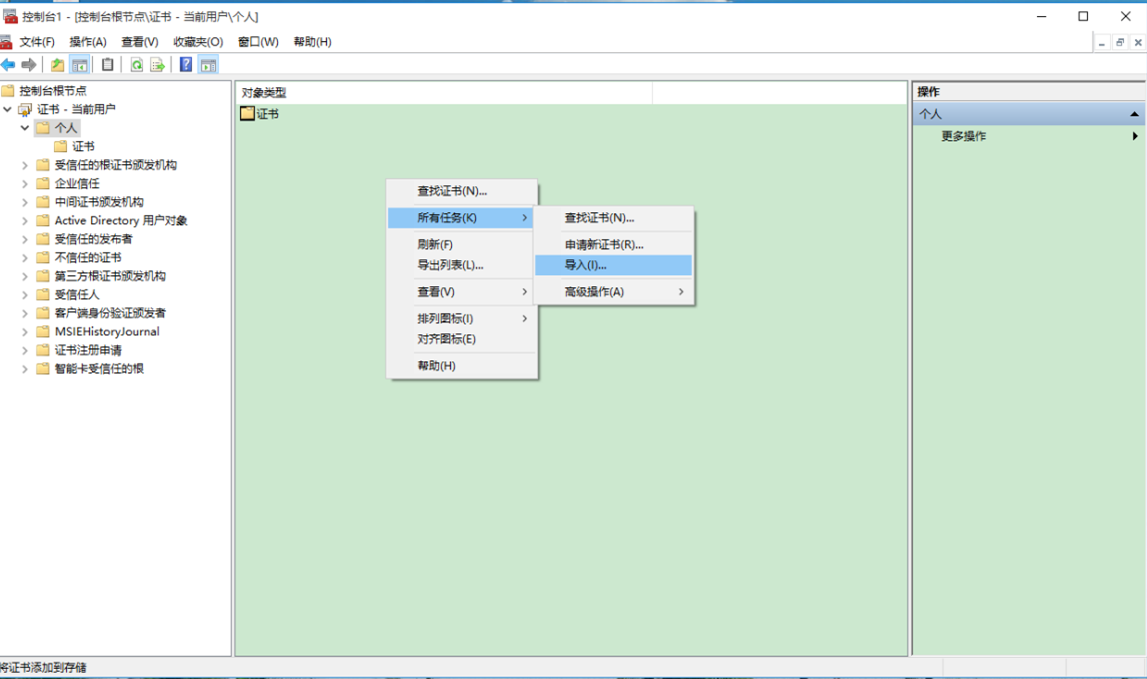
3、回到控制台,展开证书-当前用户->个人->证书,然后导入证书
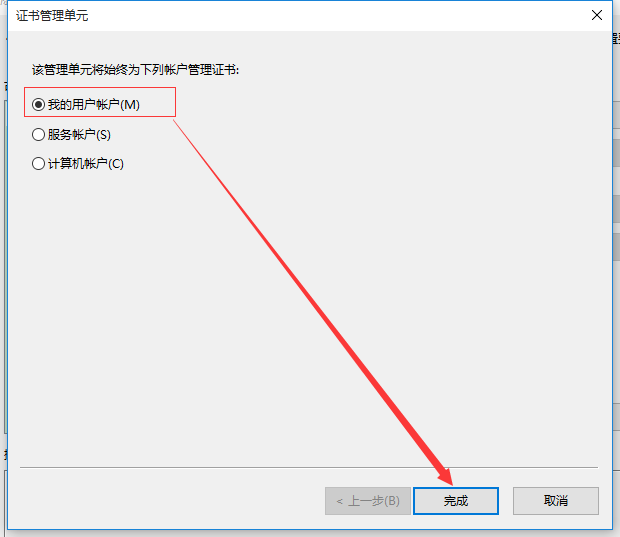
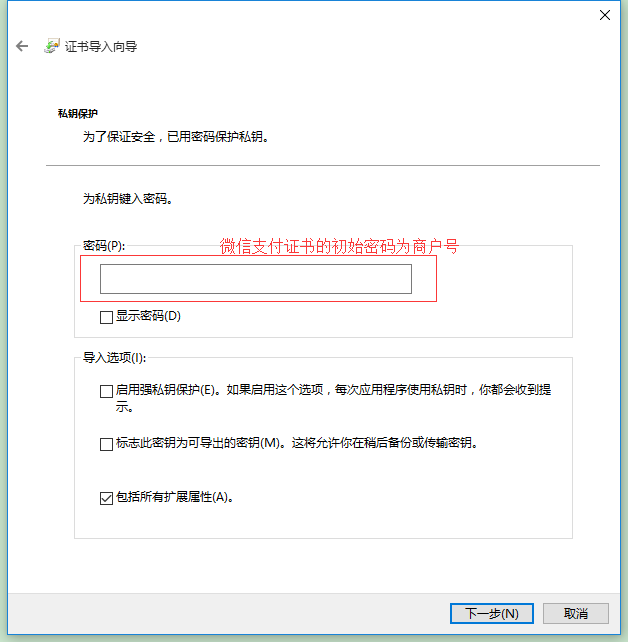
按照步骤导入证书,微信支付证书初始密码为商户号
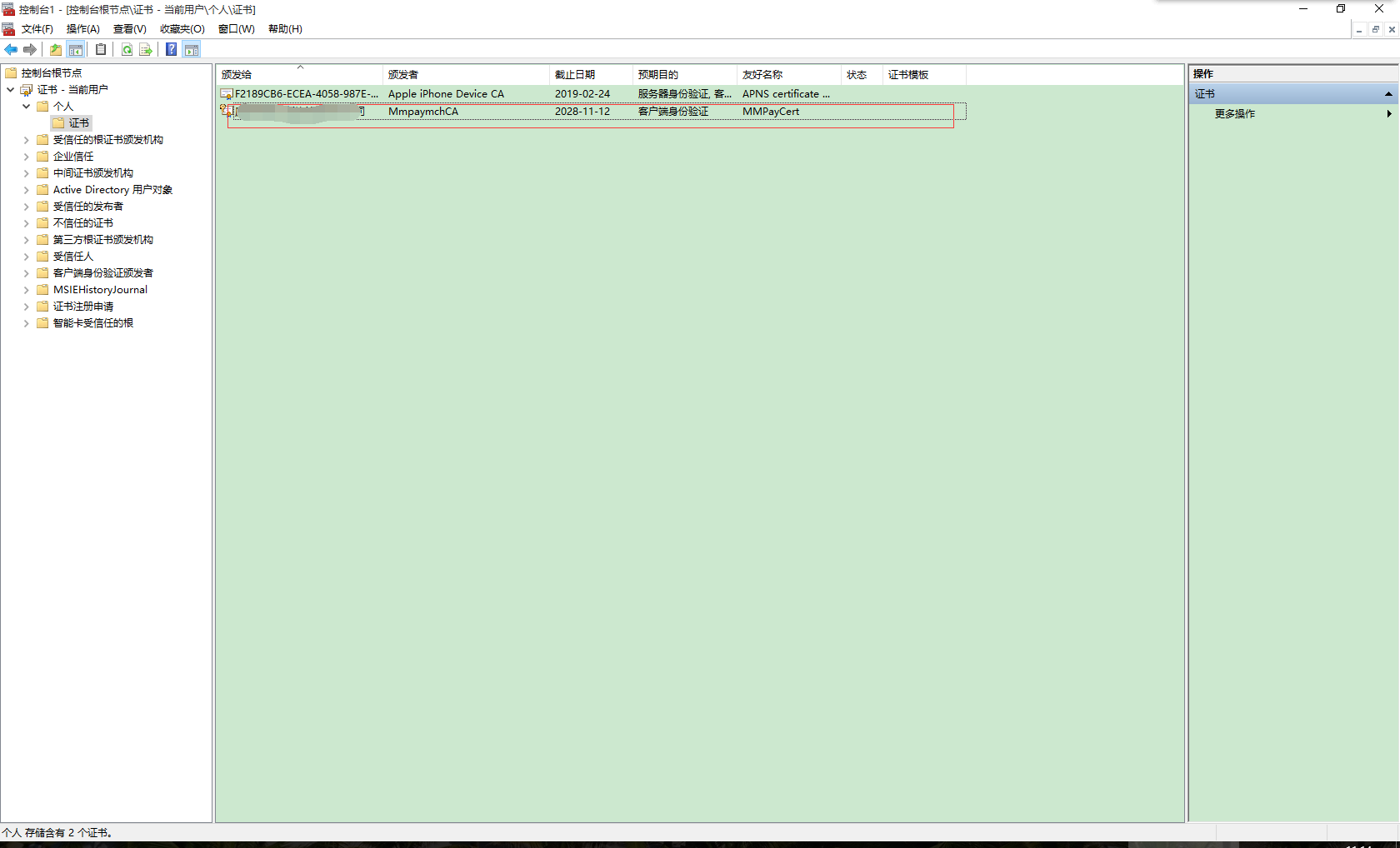
4、证书导入完成后,就会出现在证书列表上
二、修改代码

修改统一下单代码,改变搜索证书

1 X509Store certStore = new X509Store(StoreName.My, StoreLocation.LocalMachine);
2                     certStore.Open(OpenFlags.ReadOnly);
3                     X509Certificate2Collection certCollection = certStore.Certificates.Find(X509FindType.FindBySubjectName, "你的证书名称", false);

View Code

注:匹配模式为模糊搜索

三、授权IIS使用证书,本章测试为IIS7.5,IIS6以下请参考其它文章

1、下载安装winhttpcertcfg.msi

2、cmd->cd C:\Program Files (x86)\Windows Resource Kits\Tools,执行命令:winhttpcertcfg -g -c LOCAL_MACHINE\MY -s "厦门康意达餐饮管理有限公司" -a "EVERYONE"

以上步骤完成之后,就在IIS可以使用微信支付证书了

四、修改TSL证书加密级别

1、下载SSLTools.exe,提取码:iz5n

2、运行SSLTools.exe文件(注:电脑可能会提示病毒,在杀毒软件上添加信任就行了,确认无毒)

3、选择启用TSL1.1、TSL1.2
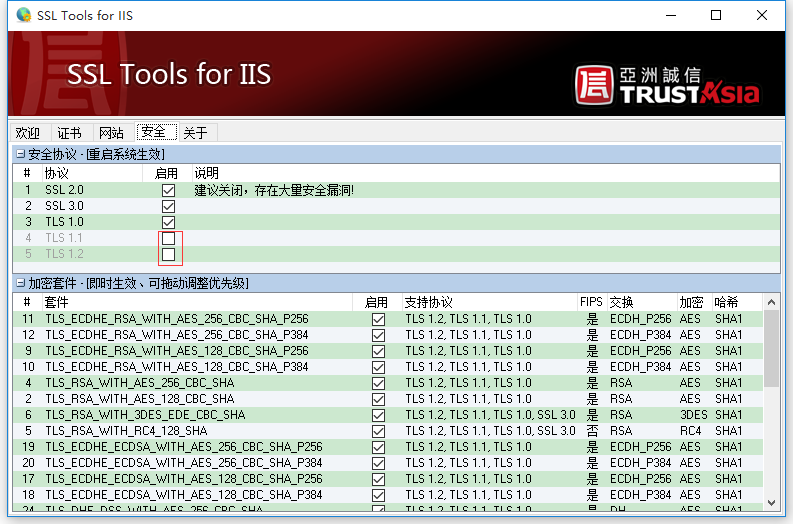
4、重启电脑

至此,所以配置操作步骤已完成