


Data is abstract. Geospatial design management is how engineers across various disciplines make sense of complex data to make more informed decisions and better understand the spatial relationships in the world around us. In this blog post, I explore how complex data and geographic features can be represented in MySQL.
Geospatial data, often referred to in technical documentation as geodata, includes information related to locations on the Earth's surface. In MySQL, geographic features represent anything in the real world with a location and are defined as either Entities or Space.
| Type | Definition | Examples |
|---|---|---|
Entities | Specific objects with defined boundaries and individual properties |
|
Spaces | Continuous areas defined by their location and characteristics |
|
MySQL spatial data types
In the paragraph above, we covered what Spaces and Entities are. How exactly are these geographic features represented in MySQL and other relational databases? These real-world objects and areas can be modeled within the database by utilizing specific data types and spatial functions. MySQL's capabilities revolve around three core geospatial object types: points, paths, and polygons.
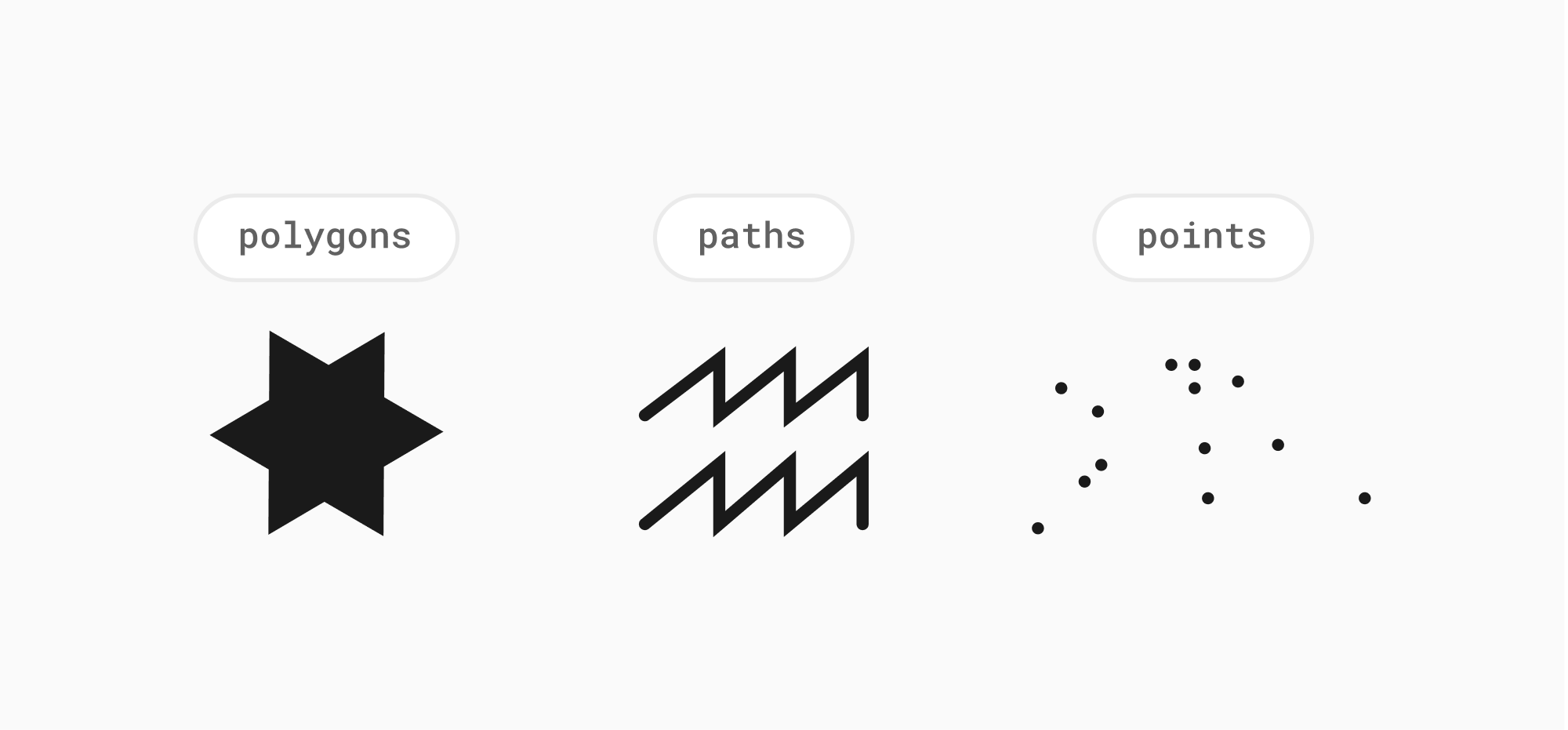
In MySQL, spatial data types store geometry and geography values in the table column. Both single-geometry and multi-geometry types are supported. Single-geometry values include GEOMETRY, POINT, LINESTRING, POLYGON. Multi-geometry types that represent multiple objects of the same type include MULTIPOINT, MULTILINESTRING, MULTIPOLYGON, and GEOMETRYCOLLECTION.
| Type | Description | Examples |
|---|---|---|
GEOMETRY | Stores any type of geometry value. It is a noninstantiable class but has a number of properties common to all geometry values. | Link to documentation |
POINT | Stores a MySQL single X and Y coordinate value | POINT(-74.044514 40.689244) |
LINESTRING | Stores a set of points that form a curve. An ordered list of points connected by edges | LINESTRING(0 0, 0 1, 1 1) |
POLYGON | Stores a set of points in a multi-sided geometry. Similar to a linestring, but closed (must have at least three unique points, and the first and last point-pairs must be equal) | POLYGON((0 0,10 0,10 10,0 10,0 0),(5 5,7 5,7 7,5 7, 5 5)). Each ring is represented as a set of points. |
MULTIPOINT | Stores a set of multiple point values | MULTIPOINT(0 0, 20 20, 60 60) |
MULTILINESTRING | Stores a set of multiple LINESTRING values | MULTILINESTRING((10 10, 20 20), (15 15, 30 15)) |
MULTIPOLYGON | Stores a set of multiple POLYGON values | MULTIPOLYGON(((0 0,10 0,10 10,0 10,0 0)),((5 5,7 5,7 7,5 7, 5 5))) |
GEOMETRYCOLLECTION | Stores a set of multiple GEOMETRY values. Note that MySQL does NOT support empty GeometryCollections except for the single GeometryCollection object itself. | GEOMETRYCOLLECTION(POINT(10 10), POINT(30 30), LINESTRING(15 15, 20 20)) |
Supported spatial data formats
MySQL supports several spatial data formats for storing and manipulating geospatial data within its database. Here are the three primary formats:
- Well-Known Text (WKT) format: Which is a human-readable text format for representing geometric objects
- Uses keywords like
POINT,LINESTRING,POLYGONfollowed by coordinates and optional metadata.
- Uses keywords like
- Well-Known Binary (WKB) format: Which is a compact binary format for representing geometric objects. It’s not human-readable but it’s easily parsed by software and tends to have more efficient storage and transmission than WKT.
- Internal Format: MySQL stores spatial data internally in a format similar to WKB but with an additional 4 bytes for storing the Spatial Reference Identifier (SRID). SRID defines the coordinate system of the geometry, ensuring accurate interpretation.
Working with geospatial features in MySQL
Geospatial objects are just another data type in MySQL and can be used right alongside numbers, strings, and JSON.
Note
PlanetScale supports geospatial objects. If you'd like to follow along with these examples, sign up to spin a database cluster in seconds.
Creating a geospatial table
Use the CREATE TABLE statement to create a table with a spatial column. Here we have a table named geom that has a column named g that can store values of any geometry type. We also defined the column with a spatial data type to have an SRID attribute and explicitly indicated the spatial reference system (SRS) for values stored in the column:
CREATE TABLE
    `locations` (
        `id` int NOT NULL,
        `city` varchar(255) NOT NULL,
        `city_ascii` varchar(255) NOT NULL,
        `country` varchar(255) NOT NULL,
        `iso3` varchar(3) NOT NULL,
        `admin_name` varchar(255) NOT NULL,
        `capital` varchar(255) NOT NULL,
        `population` int NOT NULL,
        `g` geometry NOT NULL SRID 4326,
        PRIMARY KEY (`id`),
        SPATIAL KEY `g` (`g`),
        FULLTEXT KEY `city_ascii` (`city_ascii`)
    );
Use the ALTER TABLE statement to add or drop a spatial column to or from an existing table:
ALTER TABLE geom ADD pt POINT;
ALTER TABLE geom DROP pt;
Querying geospatial data
Understanding geographic features and their representation in MySQL is crucial for working with spatial data effectively. This allows you to store, retrieve, analyze, and visualize geographic information efficiently within your database.
MySQL provides various spatial functions for manipulating and analyzing geographic data. Let's cover some of the common spatial functions.
Location functions
Location functions are used to extract coordinates.
ST_GeomFromText(wkt_string) -- to convert WKT to a geometry object
ST_X(geom), ST_Y(geom) -- to extract coordinates.
Distance calculations
Distance calculations are used to measure the distance between features.
ST_Distance(geom1, geom2)
Area and perimeter calculations
Area and perimeter calculations are used to determine the area and perimeter of polygons.
ST_Area(geom) -- calculate the area of a polygon
Intersection and containment
Intersecton and containment are used to find features that overlap or are contained within others.
ST_Contains(geom1, geom2) -- to check if one feature contains another
ST_Intersects(geom1, geom2) -- to check if features intersect.
Buffering
Buffering is used to create zones around features based on a specified distance.
ST_Buffer(geom, distance) -- to create a zone around a feature with a specified distance.
Analysis functions
Analysis functions can be used to combine or diff geometries.
ST_Union(geom1, geom2) -- to combine geometries
ST_Difference(geom1, geom2) -- to obtain the difference between geometries.
Relationship functions
Relationship functions are used to detect relationships between features.
ST_Touches(geom1, geom2), ST_Crosses(geom1, geom2)
ST_Overlaps(geom1, geom2) -- to determine various spatial relationships between features
Examples using these spatial functions
Remember, the specific functions and queries you use will depend on your specific data and analysis goals. Let's look through some common examples of spatial functions.
Distance between two cities
select st_distance_sphere( (
            select g
            from locations
            where city_ascii = 'Santos'
        ), (
            select g
            from locations
            where
                city_ascii = 'Sao Paulo'
        )
    );

select st_distance_sphere( (
            select g
            from locations
            where
                city_ascii = 'New York'
        ), (
            select g
            from locations
            where city_ascii = 'Blauvelt'
        )
    );
Find cities in a radius
select
    city,
    st_astext(g),
    st_distance_sphere(
        g, (
            select g
            from locations
            where city_ascii = 'New York'
        )
    )
from locations
where st_distance_sphere(
        g, (
            select g
            from locations
            where
                city_ascii = 'New York'
        )
    ) <= 15000
order by 3 desc;

select
    city,
    st_astext(g),
    st_distance_sphere(
        g, (
            select g
            from locations
            where city_ascii = 'Santos'
        )
    )
from locations
where st_distance_sphere(
        g, (
            select g
            from locations
            where
                city_ascii = 'Santos'
        )
    ) <= 15000
order by 3 desc;
- Find all restaurants within 1 km of a specific point:
SELECT * FROM restaurants
WHERE ST_Distance(ST_GeomFromText('POINT(10 20)'), location) <= 1000;
- Find all parks that intersect with a specified polygon:
SELECT * FROM parks
WHERE ST_Intersects(geom, ST_GeomFromText('POLYGON((10 20, 20 30, 30 20, 10 20))'));
- Find the total area of all forests:
SELECT SUM(ST_Area(geom)) FROM forests;
Addtional geospatial feature notes
Spatial databases for geographic features: MySQL 8 vs 5.7 compared
Better support for spatial data handling was one of the major improvements included in the MySQL 8 release. However, it was already possible to store and process geographic features using earlier MySQL versions as well as competing database systems. The first major improvement brought forth by MySQL 8 was better support for coordinate reference systems a.k.a. spatial reference systems (SRS). In the table below, we can see that there are now three kinds of spatial reference system available in MySQL 8:
| Type of spatial reference system (SRS) | Explanation | Coordinates | Units |
|---|---|---|---|
| Projected SRS | Projection of a globe onto a flat surface — a map | Cartesian | Distance units: meters, feet, etc. |
| Geographic SRS | Non-projected — an ellipsoid | Latitude-longitude | Any angular unit |
| SRS with SRID 0 | Default SRID for spatial data in MySQL | Infinite flat Cartesian plane | Unitless |
While spatial reference systems are not a new concept in MySQL, with version 8.0 they directly affect computation. Each spatial reference system is denoted by a spatial reference system identifier (SRID). There are more than 5,000 spatial reference systems to choose from.
The second major improvement to spatial data handling in MySQL 8 pertains to spatial indexing, that is, the optimization of columns holding spatial data. Two requirements have to be met for spatial indexing to work properly:
- The geometry columns to be included in the index need to be defined as NOT NULL.
- Columns need to be restricted to a spatial reference system identifier (SRID), and all column values must have the same SRID.
Prior to MySQL 8.0, spatial features were stored with a spatial reference system identifier (SRID), but the database couldn't utilize this information for calculations. Instead, all functions operated on a flat plane (SRID 0). This meant users had to create custom functions to convert units and perform accurate calculations, requiring a deep understanding of math and geometry.Furthermore, many spatial relationship functions only used the minimum bounding rectangle (MBR) instead of the object's actual shape, limiting their accuracy.