








You've put all this effort into making your Rails application as fast as possible. Each and every query is optimized. Views are cached. N+1 queries are fixed.
The last remaining problem is the speed of light between your server and your users.
Just check out this chart. Here is the additional network latency for a single request to an app deployed to US East. Works great if you're located near the server, but not so great as you get farther away.
| Location | Latency to US East application |
|---|---|
| N. California | 52ms |
| Paris | 83ms |
| Frankfurt | 92ms |
| Singapore | 214ms |
| Cape town | 231ms |
Latency values from https://www.cloudping.co
Wouldn't it be wonderful if we could just deploy our Rails application everywhere that our users are! Getting our application servers distributed around the globe is actually quite easy these days with providers like Fly.io, Heroku and Render. Cool people call this, deploying to "the edge".
Even if we do this, we still have one major problem. The database. It will need to be multi-region too.
If our application is running in Singapore, but our database is in US east, we'll be paying that ~200ms penalty per database query.
Multi-region databases with Rails
To deploy our application globally, we must also co-locate our data with our application.
This means we need to do two things:
- Setup database replicas in the same regions as our application
- Teach our Rails application to read from the nearest replica
Our end goal will be having a Rails application that sends all of its reads to the nearest database replica. Any writes will still be directed at the primary.
Set up database replicas
If you haven't already, sign up for a PlanetScale account. Spin up a new database, and follow our Rails quickstart to get connected. Once you have your database connected to your Rails application, it's time to configure it to support multi-region.
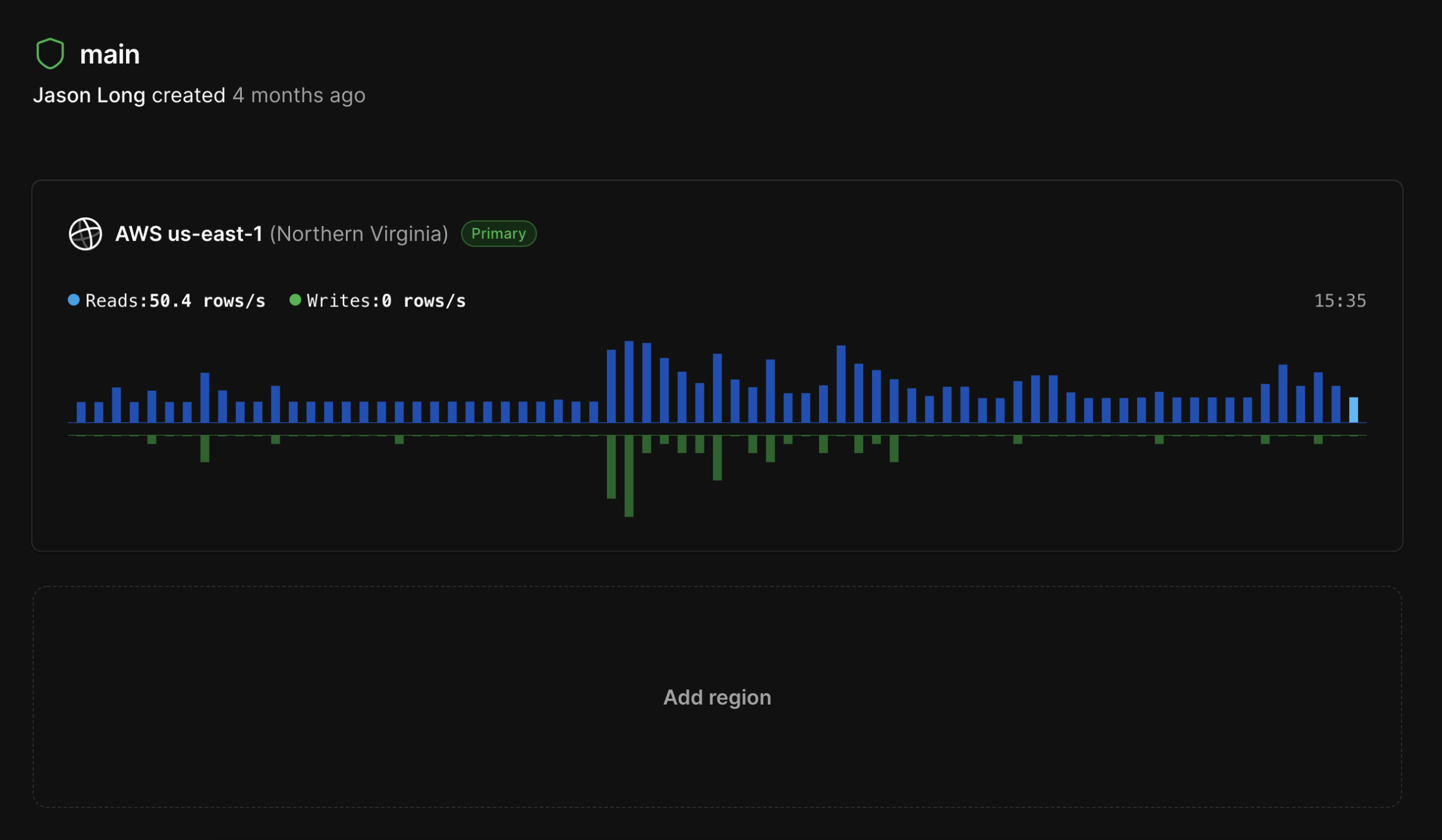
With PlanetScale, we can set up read-only replicas all over the globe. To do this, navigate to your database's main branch, click "Add region" toward the bottom to create a replica, choose the region you want to add, and grab the credentials to connect.
PlanetScale will set up a replica in your chosen region and automatically keep it in sync as data is written to your primary region.
Read-only database connection
Now that your read-only region is configured on PlanetScale, you need to set up a new read-only connection to your replica in your application.
To do this, modify your database.yml to include both a primary and read-only replica connection.
default: &default
  adapter: trilogy
  encoding: utf8mb4
  pool: <%= ENV.fetch("RAILS_MAX_THREADS") { 5 } %>
  username: root
  password:
  socket: /tmp/mysql.sock

development:
  primary:
    <<: *default
    database: multi_region_rails_development
  primary_replica:
    <<: *default
    database: multi_region_rails_development
    replica: true

test:
  primary:
    <<: *default
    database: multi_region_rails_test
  primary_replica:
    <<: *default
    database: multi_region_rails_test
    replica: true
Add the following to your application_record.rb:
# app/models/application_record.rb
class ApplicationRecord < ActiveRecord::Base
  primary_abstract_class

  connects_to database: { writing: :primary, reading: :primary_replica }
end
Once Rails is aware of your replica connection, you'll be able to manually query it by wrapping any queries in a block using connected_to(role: :reading).
ActiveRecord::Base.connected_to(role: :reading) do
  books = Book.where(author: "Taylor")
  # all code in this block will be connected to the replica
end
Automatic connection switching
Manually wrapping every read query would be tedious. Rails has a better way. Automatic connection switching enables Rails to swap between your primary and replica connections as needed. All writes will be directed to the primary. Reads will hit the replica.
This is what we need for our application to work well automatically when deployed to different regions.
To set this up, run:
bin/rails g active_record:multi_db
And then uncomment the following lines in application.rb:
Rails.application.configure do
  config.active_record.database_selector = { delay: 2.seconds }
  config.active_record.database_resolver = ActiveRecord::Middleware::DatabaseSelector::Resolver
  config.active_record.database_resolver_context = ActiveRecord::Middleware::DatabaseSelector::Resolver::Session
end
Notice this line: config.active_record.database_selector = { delay: 2.seconds }. It's the key detail that will enable your application to handle reading its own writes.
Replication lag and reading your own writes
The majority of web requests to most Rails applications are GET requests. These requests read data from your database.
POST/PUT/PATCH and DELETE requests update data in your application. When using multiple database connections, one common pitfall is replication lag.
When using database replicas, there will always be a small delay between when data is written to the primary and when it is available on the replicas. This is known as replication lag. It can vary based on how busy the primary database is.
Replication lag becomes a problem for your application when a user writes to the database and then immediately tries to read that same data from the replica. It's possible the data is not there yet and the user will be served an error rather than the data they are expecting.
To solve this, Rails has middleware that will automatically set a cookie for 2 seconds after each write. While this cookie is present Rails will direct all reads to the primary rather than the replica.
Connecting to the nearest database replica
Now that our application can connect to our replica, we need it to selectively connect to the closest one to take advantage of the low latency.
To do this, we need to tell our application which set of credentials to use based on where our Rails application is deployed.
In this example, we have our connection details stored in Rails credentials.
<%
  # Our application has a region environment variable.
  # We check this variable and connect to the closest DB region.
  region = ENV["APP_REGION"]

  # When in Frankfurt, we use our Frankfurt region.
  # When in São Paolo, => São Paolo region.
  region_replica_mapping = {
      "fra" => Rails.application.credentials.planetscale_fra,
      "gra" => Rails.application.credentials.planetscale_gra
  }

  # If no specific region exists, we’ll connect to the primary.
  db_replica_creds = region_replica_mapping[region] || Rails.application.credentials.planetscale
%>

production:
  primary:
    <<: *default
    username: <%= Rails.application.credentials.planetscale&.fetch(:username) %>
    password: <%= Rails.application.credentials.planetscale&.fetch(:password) %>
    database: <%= Rails.application.credentials.planetscale&.fetch(:database) %>
    host: <%= Rails.application.credentials.planetscale&.fetch(:host) %>
    ssl_mode: <%= Trilogy::SSL_VERIFY_IDENTITY %>
  primary_replica:
    <<: *default
    username: <%= db_replica_creds.fetch(:username) %>
    password: <%= db_replica_creds.fetch(:password) %>
    database: <%= db_replica_creds.fetch(:database) %>
    host: <%= db_replica_creds.fetch(:host) %>
    ssl_mode: <%= Trilogy::SSL_VERIFY_IDENTITY %>
    replica: true
Once this is in place, we can now have our globally deployed app read data from our globally deployed database. This will result in much faster GET requests for anyone in that region. Any writes will still go to the primary.