


We’re happy to announce that PlanetScale now supports zero downtime data migrations from your existing MySQL database. We’re leveraging the power of Vitess to let you connect your database to PlanetScale, try us out as a replica and then switch over your database to PlanetScale completely. That’s right, no dumping your data, no restoring from backup. Just give us a connection and let us handle the rest.
When you connect your existing MySQL database to PlanetScale, you instantly get to experience the power of PlanetScale’s platform, which includes:
- Secure Passwords that scale to thousands of simultaneous connections
- Query Insights, start finding & optimizing slow queries
- Web Console to query your database directly from the PlanetScale web UI
PlanetScale’s data imports are powered by Vitess’s Unmanaged Tablet technology. In this blog post, we will go over how to perform an import of your existing MySQL database into PlanetScale.
Connect PlanetScale to your existing MySQL database server
Let PlanetScale know how we can reach your MySQL server and which database you’d like to import. You’ll need credentials for a user who has read and write permissions to your database, and you will need to have binary logs enabled.
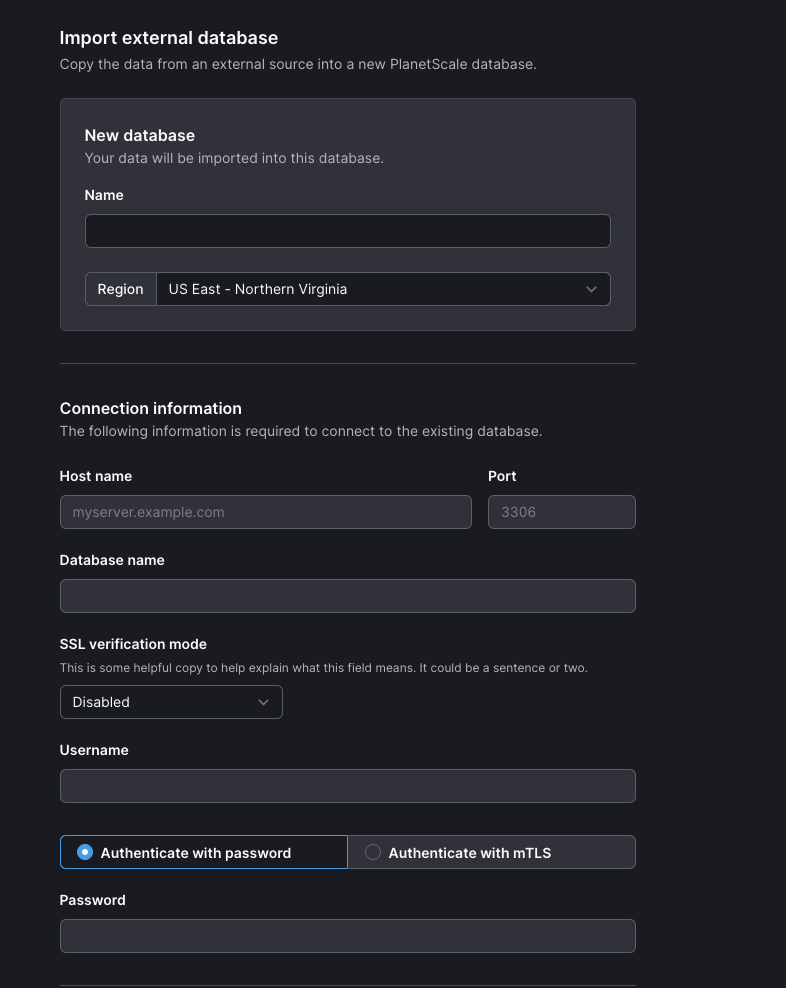
We will notify you of any schema incompatibility or connection errors that might interfere with using PlanetScale:
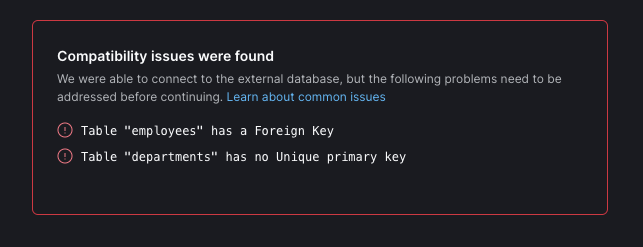
Head on over to our documentation to see how to resolve these compatibility issues, and then try importing your database again.
Initial data copy from your database to PlanetScale
If there are no issues, you can get started with the import. The first step is an initial online data copy from your database.
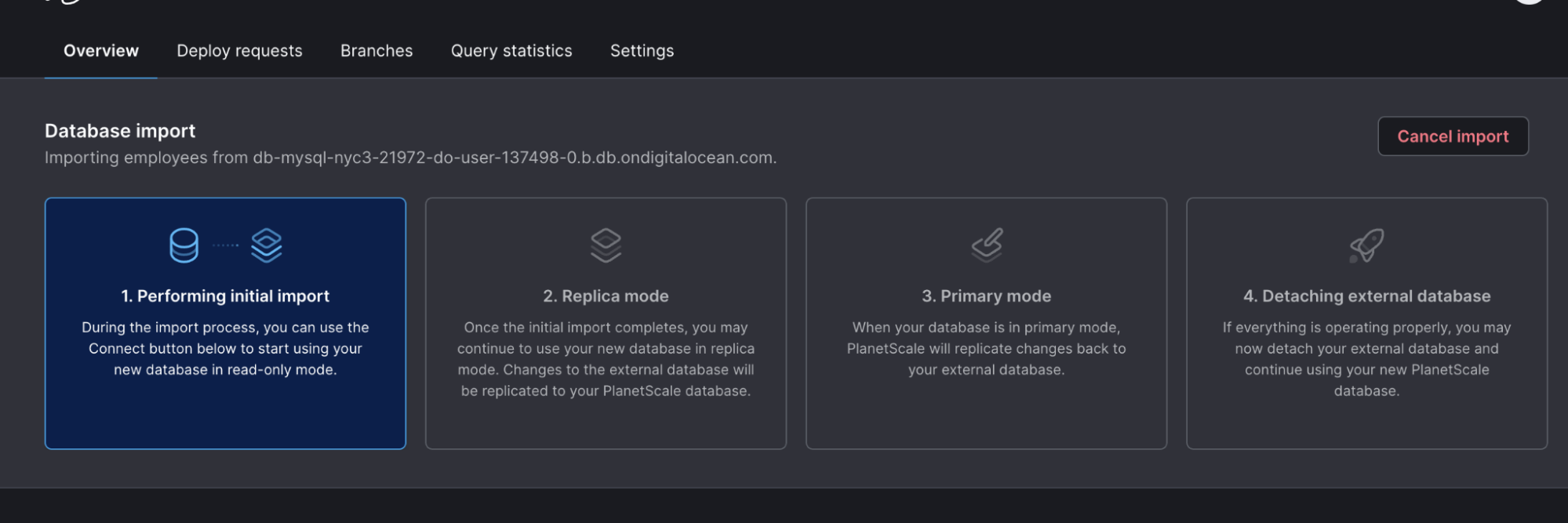
In this phase, PlanetScale will connect to your database and begin copying over the schema and data from your target database automatically, writing it in chunks back to PlanetScale.
When this is done, you’ll have an up-to-date copy of your data securely stored and ready to be queried.
Replicating changes from your database to PlanetScale
After the initial data copy is complete, we will keep PlanetScale’s database in sync with your database by utilizing Binary Log File replication. Any changes made to your database, including inserts, deletes, and updates are replayed on PlanetScale.
Connect your application to PlanetScale’s copy of your database
Now that you’ve made it this far, you can deploy your application pointed to PlanetScale as the database.
This works because your new PlanetScale database is also acting as a “data router”. Queries will be served by PlanetScale with writes transparently routed to your existing database, and then replicated back to PlanetScale using Vitess’ powerful Routing Rules.
This step of routing your application’s reads and writes through PlanetScale allows you to safely validate that your application is fully compatible with PlanetScale without taking downtime and without fragile application-level migration mechanisms like dual writes.
Switching over to PlanetScale as the Primary database
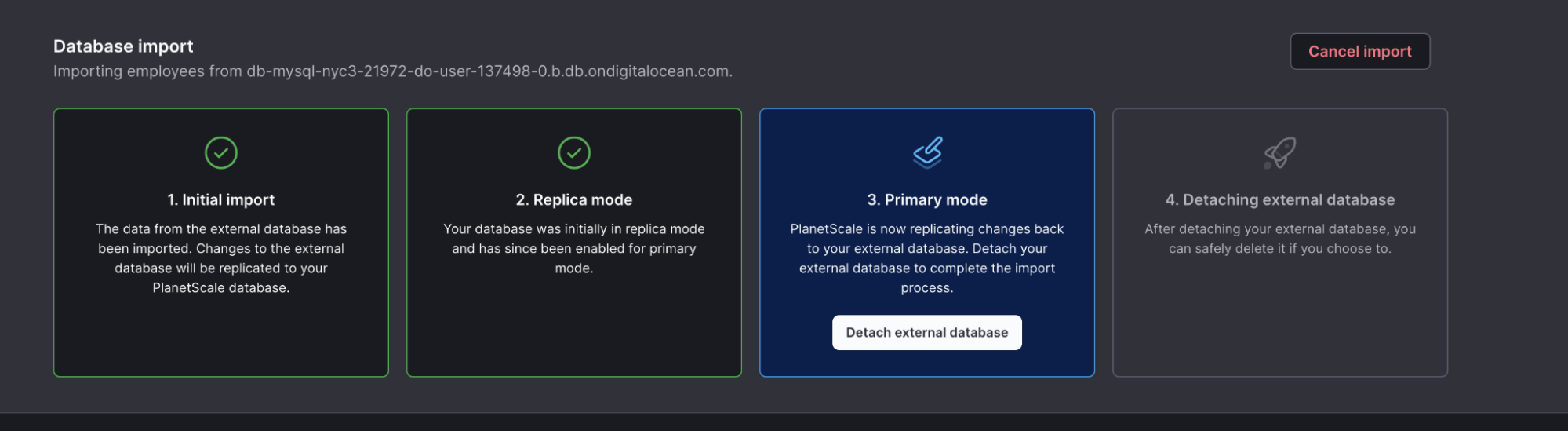
After you have ensured that your application is successful using PlanetScale, you can promote it as the primary or cancel the data import. You do this by clicking on the “Enable primary mode” button in the data import banner.
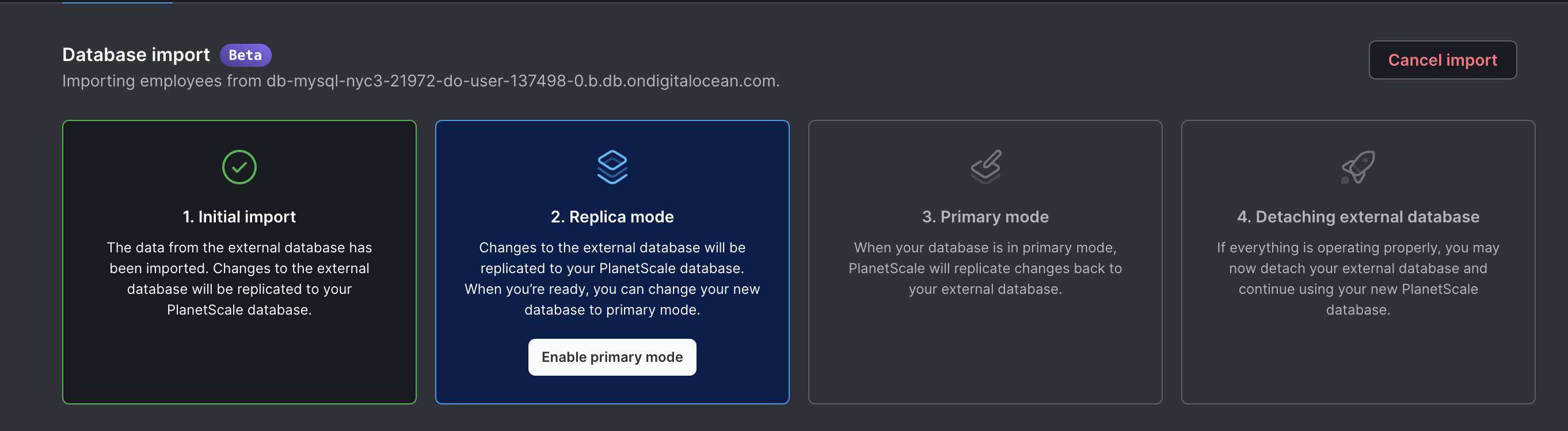
This will reverse the direction of the routing — reads and writes will now go directly to PlanetScale, and we’ll replicate any writes and updates back to your original database, to make sure it stays in sync. This allows you to cut traffic over without worrying about a difficult or unsafe migration process if anything goes wrong.
Detaching PlanetScale from your database
Once you’re fully migrated and ready to use PlanetScale forever, we’re going to detach your external database from PlanetScale. Click on the “Detach external database” button and follow the prompts to disconnect PlanetScale from your database. We will delete all connection details from PlanetScale and no longer read/write from/to your external database.
Now, you’re fully onboarded to PlanetScale and your database is at home here!
Try it out
Try importing your existing MySQL Database on PlanetScale and let us know how we can make this better. We’d love to hear from you on any ideas you have to improve onboarding. We are always looking for ways to polish the Planet.