






Our mission at PlanetScale is to build the best database for developers, so of course we’ve been using PlanetScale as our primary database since we started. We have high standards for our development workflow and velocity, and we know our customers expect the same. Simply put, if it’s not good enough for us, it won’t be good enough for you. This blog post will talk about how we leverage features like branching and non-blocking schema changes to constantly ship new features to our users.
Our local development environment
There are many moving parts that power PlanetScale, but for me, an engineer on the Surfaces team (which is responsible for the UI, API, and CLI), there are two primary codebases that I focus on. My days are usually spent working on the PlanetScale front-end, which uses Next.js with TypeScript, and the Ruby on Rails API that powers it. For simplicity and ease of use, each engineer runs the Ruby on Rails application locally, which speaks to a local MySQL instance. You’re probably wondering–if you use MySQL for local development, when do you use PlanetScale? When it comes time to make schema changes, we use PlanetScale’s branching feature to deploy changes to our production database which is hosted on PlanetScale.
For developers, schema changes are a way of life
Before we talk about how we do migrations at PlanetScale, let’s walk through why schema changes are so important to get right.
There’s no escaping making changes to a database’s schema when utilizing a relational database as a product engineer. Whether it’s adding a column to a pre-existing table or adding a table that will power a new feature, it’s the developer’s way of life. In previous projects and engineering teams, shipping database changes to production has been a huge source of pain. In one case, the migrations were tied to application deployments, so the service would attempt to run the database migrations before starting. The downside of this is that when a database migration is long-running, it will prevent other application versions from being deployed until it finishes. Additionally, unexpected errors can occur during a migration, and you don’t want those affecting the application deployment process.
There’s no escaping making changes to a database’s schema when utilizing a relational database as a product engineer.
I’ve also been a part of engineering organizations with a dedicated team for applying database migrations. This involved opening up a ticket with the migration’s SQL statements and then waiting for the database team to review and apply them. While this sounds great in theory because it is somebody else’s responsibility, the speed of the migrations rolling out then depends on the availability of another team and any other database migrations that may come before it. This waiting game negatively affects the time it takes to ship and test a new product feature in production and hurts product velocity. After these past experiences with database migrations, I am thoroughly impressed with the PlanetScale workflow for deploying schema changes with zero downtime and without breaking production traffic.
Empowering developers with database branching and deploy requests
My previous experiences with database migrations helped me understand and appreciate the value of non-blocking schema changes in PlanetScale. First, we create our database migrations like we usually do, using the relevant Rails command:
bundle exec rails g migration CreateAuditLogTable
This creates a migration file that we can then use to change the database schema. When it is time to apply this database migration, we usually apply these migrations to two locations:
- The local MySQL database server, to test the code locally
- A dedicated database branch in PlanetScale, which is an isolated copy of your production database that you can make changes to
After getting our database changes to a good spot locally, we’re ready to create a pull request on GitHub and a deploy request on PlanetScale. I won’t explain how to create a pull request (although GitHub has a great guide), but here’s the workflow we use for creating and deploying a deploy request:
Creating a new database branch
With the PlanetScale CLI, we create and switch to a new branch in our database by running the following command:
pscale branch switch add-audit-logs-table --database ourdatabase --create
This command will store the configuration for using the database branch locally at .pscale.yml, which is used by planetscale-ruby for connecting when needed.
Connecting to the new database branch with Rails
To switch between our local MySQL database and our PlanetScale database branch, we use an environment variable called ENABLE_PSDB. When this setting is enabled, it connects the Rails application to the database branch in PlanetScale. We can now make any desired changes against this branch in complete isolation from our main production database.
Below, you can see how we use this environment variable in our config/database.yml file and custom config/planetscale.rb file:
development:
  primary:
    <<: *default
    port: <%= ENV['ENABLE_PSDB'] ? 3305 : nil %>
    database: <%= ENV['ENABLE_PSDB'] ? 'ourdatabase' : 'psdb_development' %>
  primary_replica:
    <<: *default
    port: <%= ENV['ENABLE_PSDB'] ? 3305 : nil %>
    database: <%= ENV['ENABLE_PSDB'] ? 'ourdatabase' : 'psdb_development' %>
    replica: true
# Connect to the main production database and start the PlanetScale Proxy
if Rails.env.production?
    PlanetScale.start(
      org: 'planetscale',
      db: 'ourdatabase',
      branch: 'main'
    )
elsif Rails.env.development? && ENV['ENABLE_PSDB']
  PlanetScale.start(org: 'planetscale')
end
Applying the schema changes and creating a deploy request
When it comes time to apply this migration, we run ENABLE_PSDB=1 bundle exec rake db:migrate, which then applies the schema change against the database branch. You can then either go to the PlanetScale application and open a deploy request from the branch itself, or use the CLI to create a deploy request like so:
pscale deploy-request create ourdatabase add-audit-logs-table
Usually, I visit the Deploy requests page within our database in the web application and copy the URL to the deploy request, or construct it myself from the deploy request number. The creator then pastes that URL into the body of their pull request on GitHub so reviewers can look at both side-by-side. The deploy request also shows the DDL statements (CREATE/ALTER/DROP) for each table changed in the migration, with a line-by-line diff, so everybody with access can clearly see what will happen.
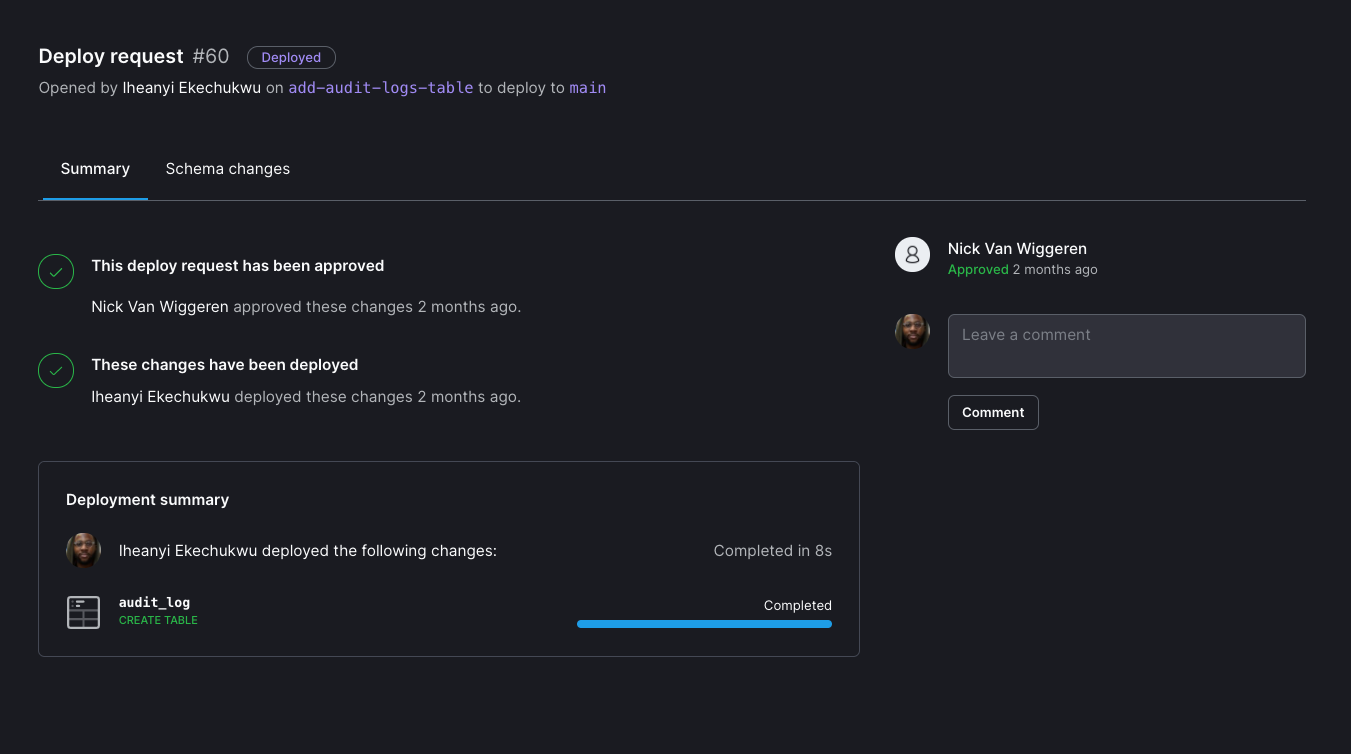
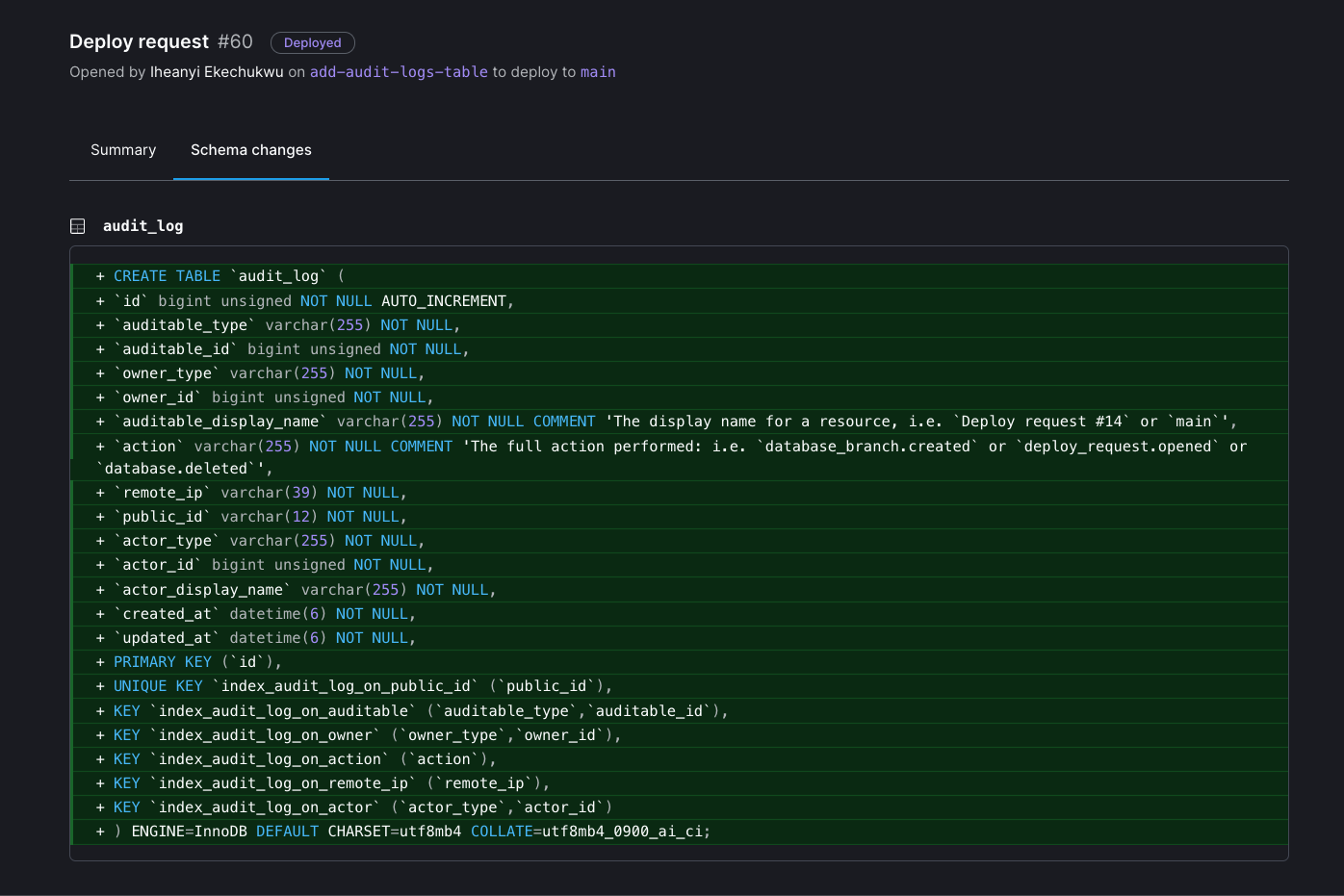
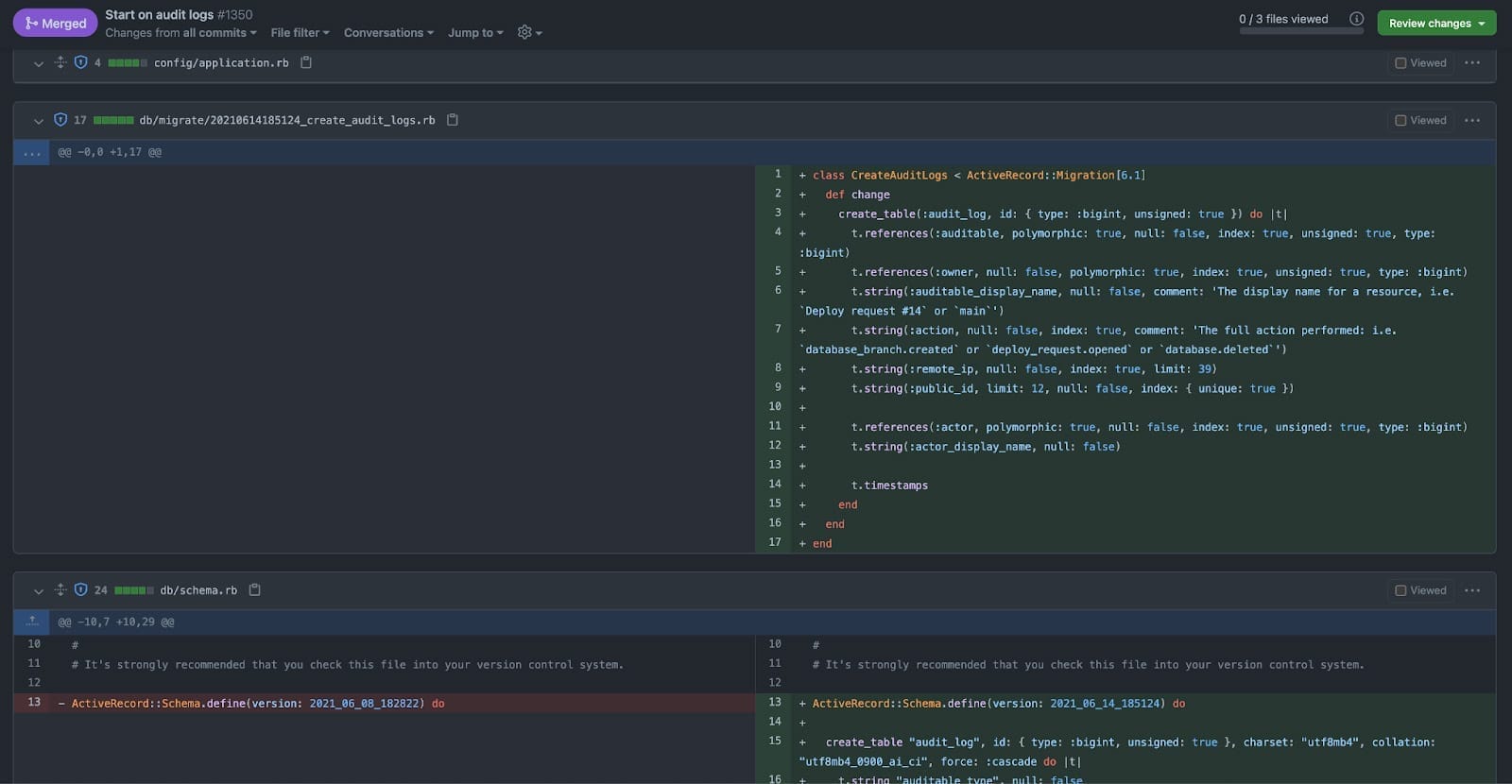
We have a dedicated Slack channel for pull requests, which usually helps decrease the turnaround time on reviews. Posting a link to the deploy request in Slack also doesn’t hurt, which helps decrease the review time since schema migrations tend to be fairly brief.
Deploying the schema changes
After a deploy request has been approved by a team member, the creator can deploy the schema changes to the main production branch by adding it to the deploy queue. The deploy queue enables multiple deployments to be queued up at once, so another teammate can also queue up their schema changes for deployment after the currently running one. If anything goes wrong during the migration (such as adding a NOT NULL constraint to a row that is NULL), the deployment will stop and show the relevant error. After fixing the error, the deployment can then be restarted. After the deployment is successfully completed, the GitHub pull request is merged and our application gets deployed to production with the new changes. If something needs to be added or changed in the schema, it’s just as easy to create another deploy request with the updates and push those changes to a new pull request.
The beauty of this process is that it decouples the deployment of database schema changes from the application deployment process without needing a database administrator to handle it.
Database migrations aren’t scary anymore
The beauty of this process is that it decouples the deployment of database schema changes from the application deployment process without needing a database administrator to handle it. Additionally, these migration deployments come with no downtime or locking of production database tables. Since we’ve started using database branches and deploy requests to manage our schema in production, I feel empowered whenever I’m building new features or making schema changes. It’s no longer scary to make changes to the database, even after we’ve had some long-running (multi-day) migrations. We can see the operations that will occur directly in a deploy request before we deploy them. Non-blocking schema changes help us move fast and ship new features without breaking things or requiring a database administrator.
…I feel empowered whenever I’m building new features or making schema changes. It’s no longer scary to make changes to the database…
Whether you are a developer who likes to hack on side projects or part of an engineering team, I’d love for you to experience the joy of using PlanetScale. Sign up today and give us a shot. Happy hacking!
P.S. We’re hiring! If you’re interested in being a part of the team that builds the best database for developers, take a look at our careers page!