惯性聚合 高效追踪和阅读你感兴趣的博客、新闻、科技资讯
阅读原文 在惯性聚合中打开

推荐订阅源

V
Vulnerabilities – Threatpost
雷峰网
雷峰网
GbyAI
GbyAI
F
Fortinet All Blogs
MyScale Blog
MyScale Blog
MongoDB | Blog
MongoDB | Blog
博客园 - 聂微东
V
V2EX
Jina AI
Jina AI
Apple Machine Learning Research
C
CXSECURITY Database RSS Feed - CXSecurity.com
美团技术团队
Engineering at Meta
Engineering at Meta
T
Tenable Blog
P
Privacy & Cybersecurity Law Blog
Project Zero
Project Zero
Cloudbric
Cloudbric
Help Net Security
Help Net Security
让小产品的独立变现更简单 - ezindie.com
L
LINUX DO - 热门话题
J
Java Code Geeks
WordPress大学
WordPress大学
S
Securelist
F
Full Disclosure
N
News and Events Feed by Topic
B
Blog
H
Hackread – Cybersecurity News, Data Breaches, AI and More
I
InfoQ
P
Proofpoint News Feed
Hugging Face - Blog
Hugging Face - Blog
U
Unit 42
Google Online Security Blog
Spread Privacy
Spread Privacy
P
Proofpoint News Feed
宝玉的分享
宝玉的分享
S
Schneier on Security
T
The Exploit Database - CXSecurity.com
cs.AI updates on arXiv.org
Schneier on Security
Google DeepMind News
cs.CV updates on arXiv.org
月光博客
月光博客
Martin Fowler
Martin Fowler
T
Threat Research - Cisco Blogs
小众软件
小众软件
V2EX - 技术
V2EX - 技术
Last Week in AI
Last Week in AI
Stack Overflow Blog
Stack Overflow Blog
The Last Watchdog
The Last Watchdog
D
DataBreaches.Net

博客园 - 轻舟软件

轻舟分公司协作平台:统一管理、高效协作 [ERR] 1118 - Row size too large (> 8126) python SQLite 访问组件 AI课堂笔记:AI编程 轻舟项目管理系统:台账・文件・协作・管控,让项目告别混乱,有序可控! 分公司项目的柔性管理(造价咨询、招标代理) 咨询行业——项目费用管控 咨询行业——项目管理模型 Java8:函数式接口、Lambda、Stream Java知识图谱(转) 简约至上 软件需求分析方法论(转) EasyUI的属性、事件、方法的使用 两位小数偶感 什么是函数? HQL分页查询、分组查询 MySql 、Oracle 获取表结构和字段信息 马云卸任演讲全文(2019-09-10) MySQL权限管理常用命令
IDEA中Java代码修改后及时生效的方法
轻舟软件 · 2025-06-09 · via 博客园 - 轻舟软件
  1. 环境及效果

    1. 环境:Spring Boot、IntelliJ IDEA 2024.1.4 (Ultimate Edition)、Java Web 项目。
    2. 效果:在 Web 项目开发中,在项目启动情况下(在编辑器中启动),如果修改了 Java 代码,如何能立即生效,而不是重启项目后才生效?
  1. 要做这些

    1. 设置——构建、执行、部署——编译器——选中“自动构建项目”
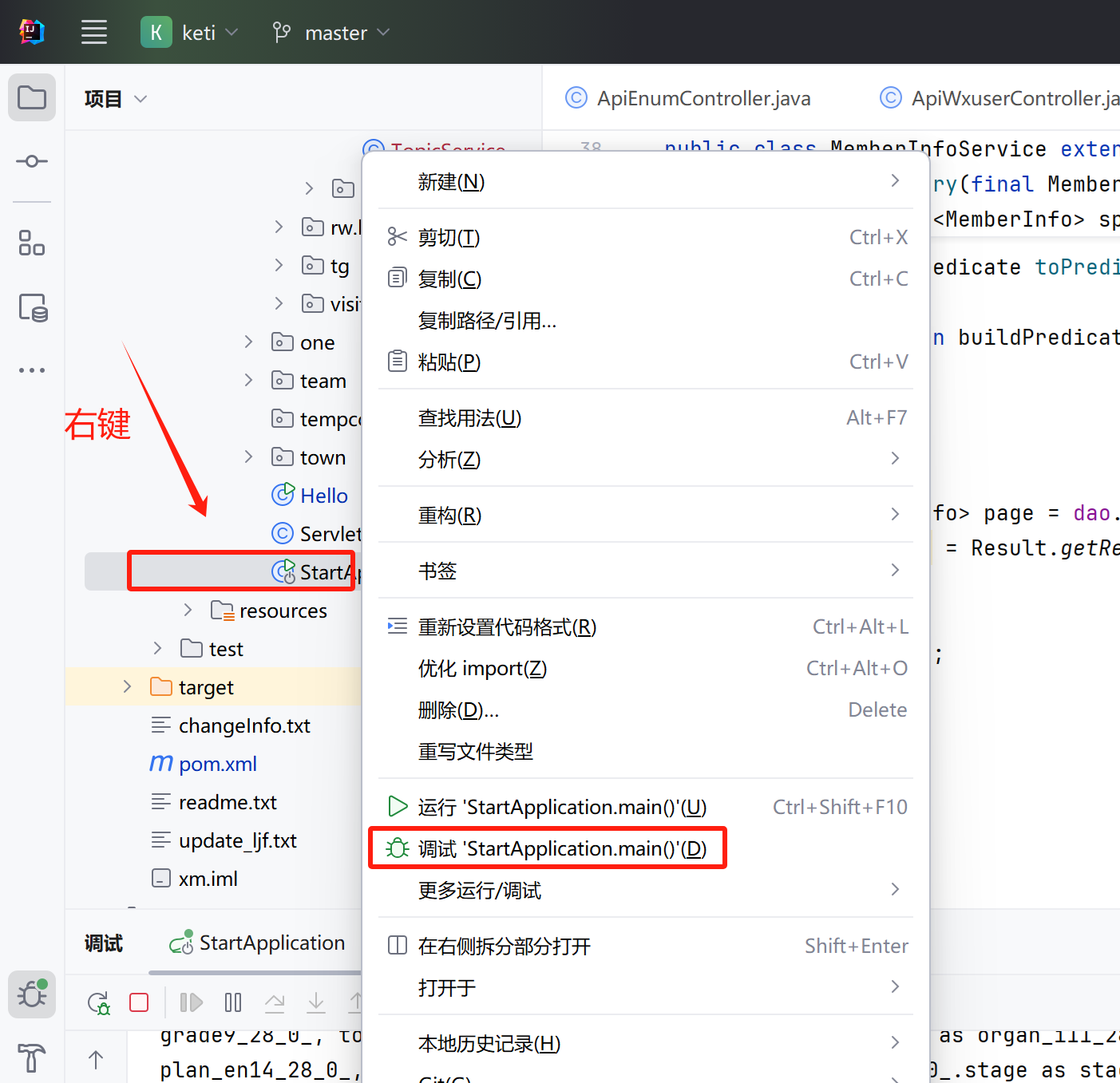
    2. 以“调试”模式启动项目。(注:“运行”模式不行)
    3. 修改 Java 代码后,按 Crtl + Shift + F9 编译当前类,或按按 Crtl + F9 编译整个项目,即生效。
  1. 不要做这些

    1. 设置——高级设置——编译器——选中“即是开发的应用程序当前正在运行,也允许自动make启用”。不要去勾选这个选项,否则有修改时,会自动重启项目。
    2. 不要引入 spring-boot-devtools 包并配置 spring.devtools.restart.enabled=true,否则有修改时,会自动重启项目。

posted @ 2025-06-09 21:11  轻舟软件  阅读(1458)  评论(0)    收藏  举报