



惯性聚合 高效追踪和阅读你感兴趣的博客、新闻、科技资讯
阅读原文 在惯性聚合中打开

推荐订阅源

S
SegmentFault 最新的问题
Spread Privacy
Spread Privacy
Google DeepMind News
WordPress大学
WordPress大学
Blog — PlanetScale
Blog — PlanetScale
OSCHINA 社区最新新闻
OSCHINA 社区最新新闻
Apple Machine Learning Research
SecWiki News
SecWiki News
腾讯CDC
P
Privacy International News Feed
Webroot Blog
Webroot Blog
J
Java Code Geeks
爱范儿
爱范儿
A
About on SuperTechFans
S
Secure Thoughts
cs.CL updates on arXiv.org
D
DataBreaches.Net
Cloudbric
Cloudbric
Security Archives - TechRepublic
CTFtime.org: upcoming CTF events
C
Cyber Attacks, Cyber Crime and Cyber Security
P
Proofpoint News Feed
钛媒体:引领未来商业与生活新知
钛媒体:引领未来商业与生活新知
H
Hackread – Cybersecurity News, Data Breaches, AI and More
Security Latest
Security Latest
Forbes - Security
Forbes - Security
小众软件
小众软件
www.infosecurity-magazine.com
C
Cybersecurity and Infrastructure Security Agency CISA
T
Threatpost
量子位
MongoDB | Blog
MongoDB | Blog
奇客Solidot–传递最新科技情报
奇客Solidot–传递最新科技情报
月光博客
月光博客
W
WeLiveSecurity
P
Privacy & Cybersecurity Law Blog
Vercel News
Vercel News
Google Online Security Blog
云风的 BLOG
云风的 BLOG
GbyAI
GbyAI
S
Security @ Cisco Blogs
T
The Exploit Database - CXSecurity.com
Help Net Security
Help Net Security
V
Visual Studio Blog
C
CXSECURITY Database RSS Feed - CXSecurity.com
Application and Cybersecurity Blog
博客园 - 聂微东
P
Proofpoint News Feed
C
CERT Recently Published Vulnerability Notes
Attack and Defense Labs

博客园 - 松山居士

部署Hermes-Agent和SenseNova-Skills ubuntu用root账户启动服务指定脚本 WSL迁移OpenEuler虚拟机 采用Ollama本地布署DeepSeekCoderV2 Loongnix Server 23.2安装Docker及常用镜像 Ollama导出和导入DeepSeek预训练大模型 Win10上模拟LoongArch虚拟机安装Deepin系统 查看exe启动命令和参数 Visual Studio C++设置EXE和DLL在不同路径 JMeter做WEB和API自动化测试 PG数据库常用DDL VSCode+XMake开发环境搭建备忘 C++库管理Conan使用备忘 Win10上模拟LoongArch虚拟机并搭建Qt5开发环境 解决向日葵无人值守自启动的权限问题 强制去掉Qt的运行环境信息 QGIS插件开发备忘 Linux shell 实用命令备忘 WIN10配置FX DocuCentre-IV C2260 PCL6打印机 VMWare虚拟磁盘整理与收缩 解决启用C++17后byte重定义的问题(byte ambiguous ) 解决Deepin安装Flatpak程序时不能创建临时文件的错误
Python多版本管理Anaconda备忘
松山居士 · 2023-03-03 · via 博客园 - 松山居士

一、到https://www.anaconda.com下载安装Anaconda,将conda.exe所在目录加入到Path环境变量。

二、Anaconda配置与版本切换

conda create -n py27 python=2.7    #创建一个python2.7 名为py27的虚拟环境
conda create -n py311 python=3.11  #创建一个python3.11 名为py311的虚拟环境

conda remove -n env_name --all     #移除环境

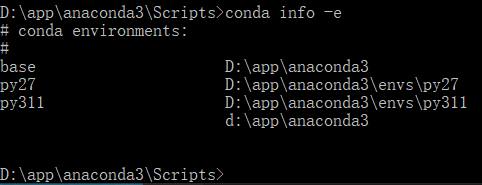
conda info -e                      #查看已经创建的所有虚拟环境
conda env list #查看所有环境及版本,与上面命令功能相同
 

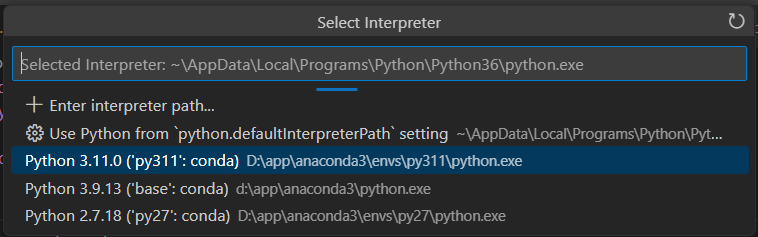
 在VSCode中,点击Python Interpreter,就能选择对应的环境进行开发。
 

 三、pip包安装

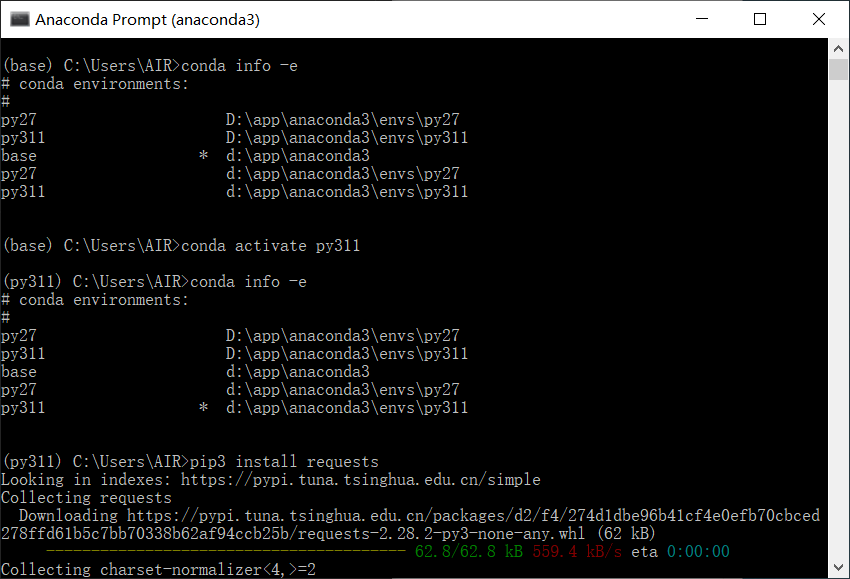
打开Anaconda Pormpt命令行窗口,或许在cmd窗口运行Script目录下的activate.bat,再输入:

conda info -e
conda deactivate
conda activate py311
pip3 install xxx
 

  三、Conda更新

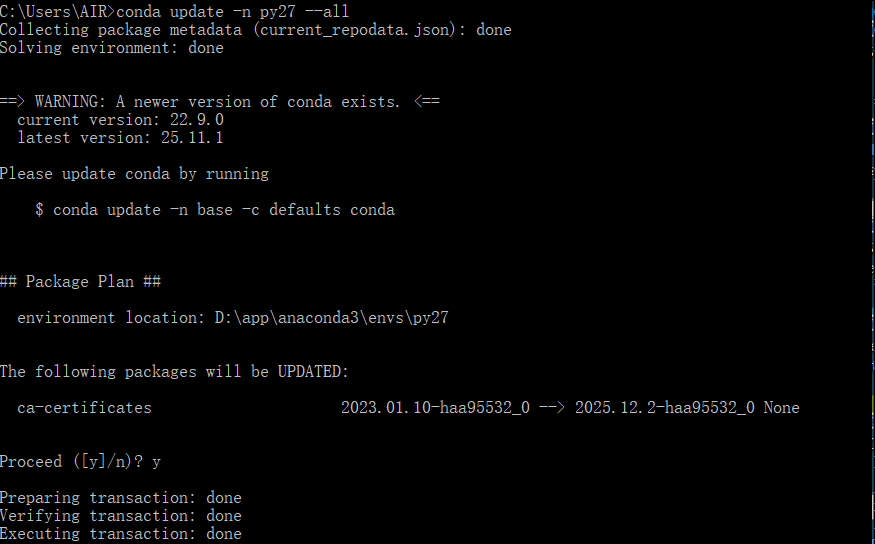
更新指定环境的包:

conda update -n py27 --all
图片