惯性聚合 高效追踪和阅读你感兴趣的博客、新闻、科技资讯
阅读原文 在惯性聚合中打开

推荐订阅源

爱范儿
爱范儿
博客园_首页
W
WeLiveSecurity
S
Secure Thoughts
S
Security @ Cisco Blogs
Recent Commits to openclaw:main
Hugging Face - Blog
Hugging Face - Blog
www.infosecurity-magazine.com
H
Hacker News: Front Page
Project Zero
Project Zero
cs.CV updates on arXiv.org
U
Unit 42
N
News and Events Feed by Topic
N
News and Events Feed by Topic
Hacker News - Newest:
Hacker News - Newest: "LLM"
Forbes - Security
Forbes - Security
T
Tor Project blog
I
Intezer
B
Blog
F
Full Disclosure
Security Archives - TechRepublic
F
Fortinet All Blogs
Schneier on Security
T
Threat Research - Cisco Blogs
AI
AI
Google DeepMind News
L
LINUX DO - 最新话题
Cloudbric
Cloudbric
L
Lohrmann on Cybersecurity
WordPress大学
WordPress大学
博客园 - 聂微东
雷峰网
雷峰网
P
Privacy International News Feed
让小产品的独立变现更简单 - ezindie.com
cs.AI updates on arXiv.org
PCI Perspectives
PCI Perspectives
Y
Y Combinator Blog
Spread Privacy
Spread Privacy
Simon Willison's Weblog
罗磊的独立博客
Vercel News
Vercel News
A
Arctic Wolf
The Register - Security
freeCodeCamp Programming Tutorials: Python, JavaScript, Git & More
Microsoft Azure Blog
H
Heimdal Security Blog
Know Your Adversary
Know Your Adversary
P
Proofpoint News Feed
C
Cybersecurity and Infrastructure Security Agency CISA
P
Proofpoint News Feed

博客园 - zhengyan_web

rn 适配 鸿蒙 极光推送集成记录 xcode 打包 报错 main.jsbundle does not exist. react-native-background-job 加载依赖报错处理 解决gradle与gradle plugin匹配关系以及gradle下载缓慢的问题 ‌华为手机记录密码后页面显示的用户名可以通过修改设置来隐藏 极狐gitlab 搭建 rn node 版本问题 mac 电脑查看已安装的谷歌插件 xcode 15打包报错 网络代理 mac jdk切换 js编码、解码方法(escape,encodeURI,encodeURIComponent区别及用法) grep命令 苹果审核Guideline 2.3.1 - Performance XCode报错Thread 1: EXC_BAD_ACCESS (code=2, address=0x....) docker 安装homebrew报错error: Not a valid ref: refs/remotes/origin/master 的解决方法 React Native 新版 pod install 依赖时报错
mac m1 运行老项目
zhengyan_web · 2022-10-18 · via 博客园 - zhengyan_web

1. Homebrew 国内下载失败

  使用 /bin/zsh -c "$(curl -fsSL https://gitee.com/cunkai/HomebrewCN/raw/master/Homebrew.sh)" 选择你想要的镜像源

2.  m1 或 m2 芯片  项目启动报 Command Ld failed with a nonzero exit code
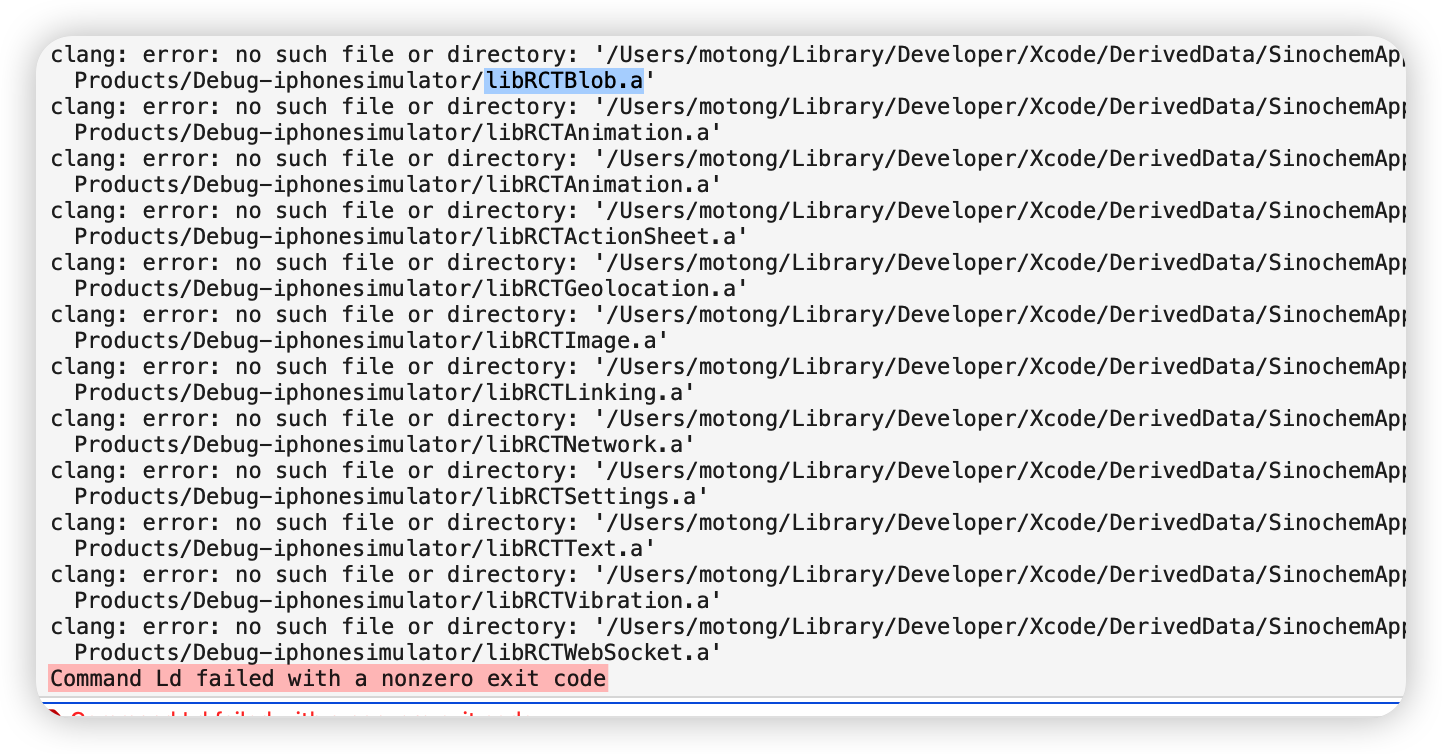
   解决方式:

  • 使用兼容模式运行Xcode;

  1. 完全退出Xcode;

  2. 在Finder -> 应用程序 -> Xcode,找到Xcode;

  3. 在Xcode上右键出菜单栏,找到“显示简介”点击打开;

  4. 找到打开“使用Rosetta打开”;

          注意:打完包后不要忘记将xcode改为M1下运行,也就是将“使用Rosetta打开”勾掉,因为使用Rosetta的话是将应用改为在inter的x86下兼容运行,会导致编译速度变慢。

3.   `fsevents` unavailable (this watcher can only be used on Darwin)

   原因 :watchman 没有安装成功 ,watchman 没安装成功 很可能是 Homebrew安装的有问题
    步骤1 :brew -v  查看有没有报错
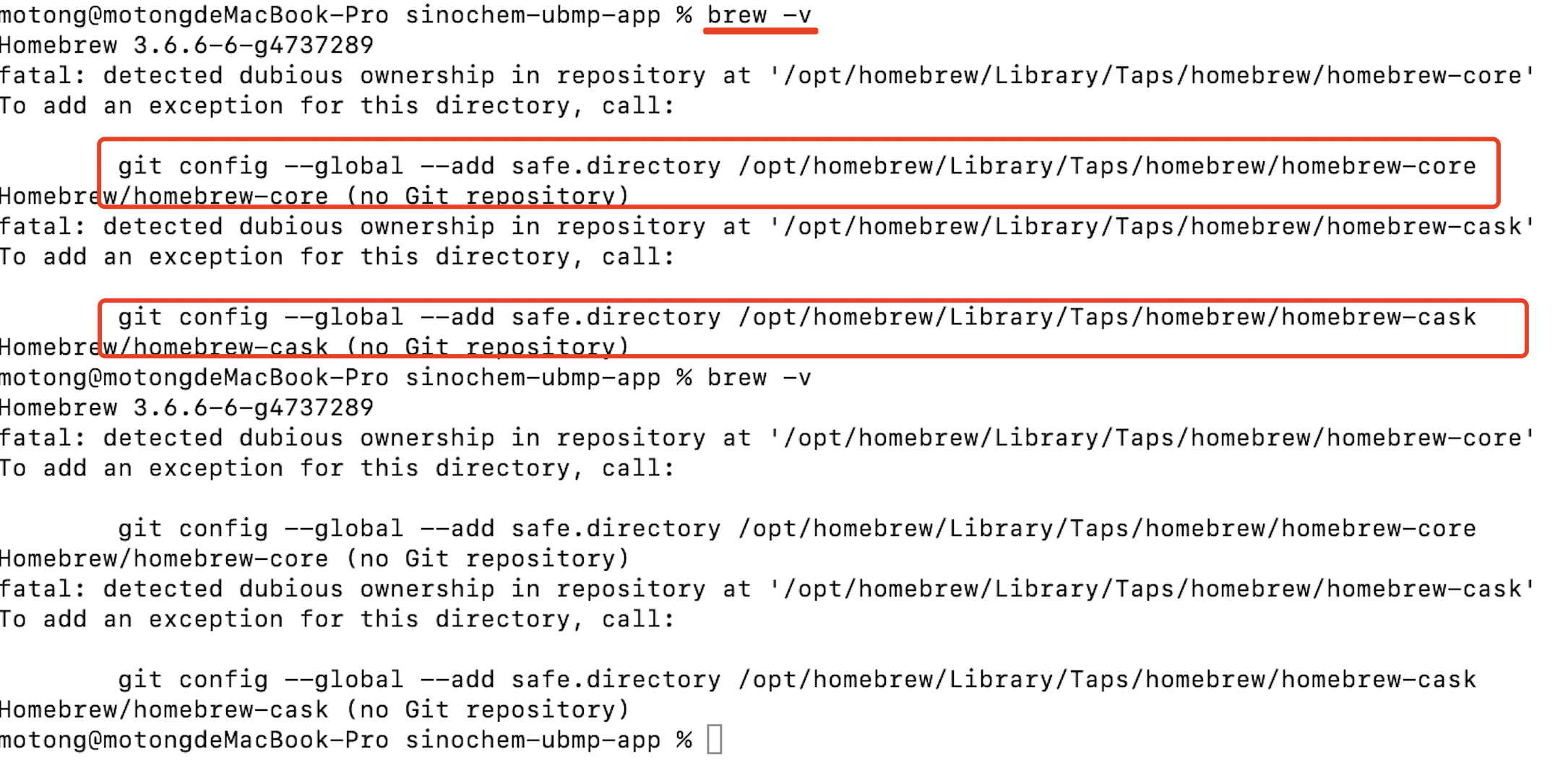
       

       根据提示 :运行下面俩行代码
          a. git config --global --add safe.directory /opt/homebrew/Library/Taps/homebrew/homebrew-cask

          b. git config --global --add safe.directory /opt/homebrew/Library/Taps/homebrew/homebrew-core

4、m2 + xcode 14.3 问题
  问题一:

    错误信息:

      a、ReactNativePageView.h:11:42: error: expected a type

      b、ReactNativePageView.h:15:32: error: unknown type name 'RCTEventDispatcher'

    解决:在文件 s-u-a-0.66.4/node_modules/@react-native-community/viewpager/ios/ReactNativePageView.h文件中添加  #import <React/RCTEventDispatcher.h>

  问题二:

    错误信息:

      In /Users/name/works/app/项目名称/ios/Pods/BaiduMapKit/BaiduMapKit/thirdlibs/libcrypto.a(cryptlib.o), building for iOS Simulator, but linking in object file built for iOS, file '/Users/name/works/app/项目名称/ios/Pods/BaiduMapKit/BaiduMapKit/thirdlibs/libcrypto. a' for architecture arm64

    解决办法:

       xcode14后:
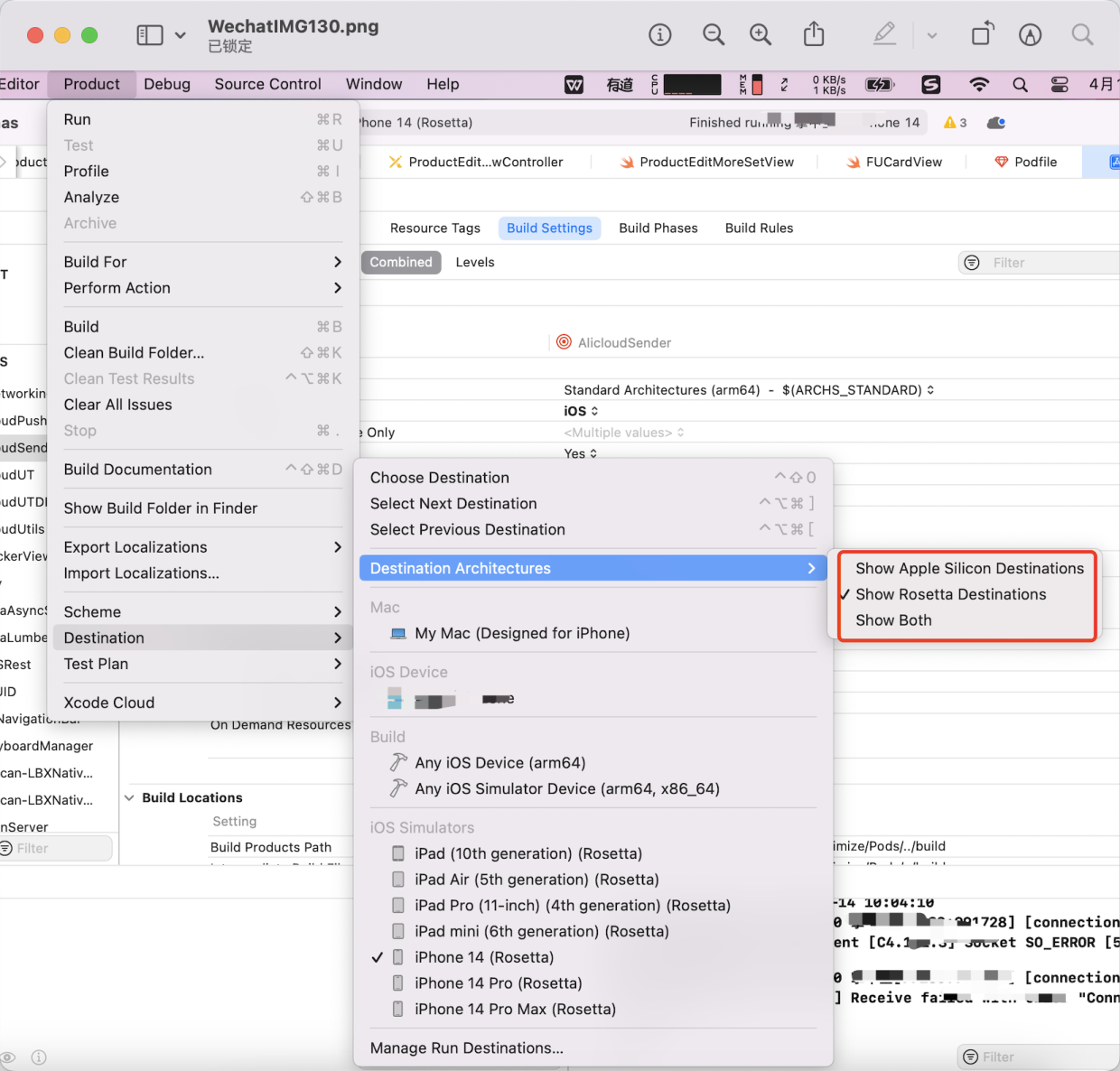
        苹果在xcode的简介里没有了这个选项 Rosetta 

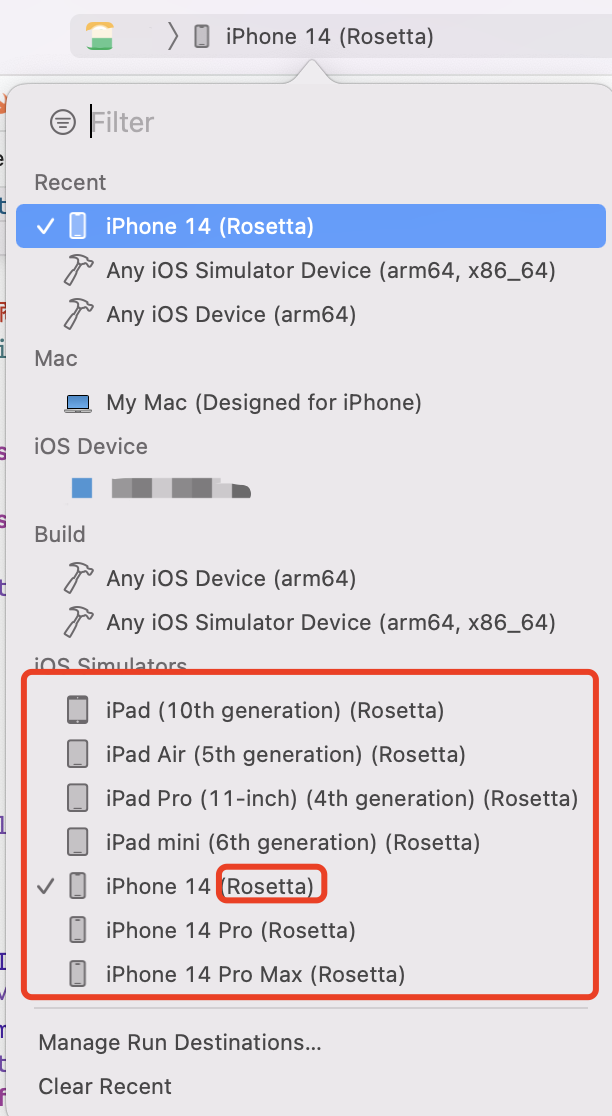
        但我们可以选择Rosetta的模拟器

        步骤:xcode打开项目->Product-> Destination-> Destination Architecturesk 可以选择用哪种模式的模拟器打开。
            我们选择 (Rosetta)结尾的模拟器即可。