


首先需要配置好HTTPS单向或双向链接
参考:
然后编辑tomcat的conf目录下的web.xml
在<welcome-file-list>结束标签之后添加
    <login-config>
        <!-- Authorization setting for SSL -->
        <auth-method>CLIENT-CERT</auth-method>
        <realm-name>Client Cert Users-only Area</realm-name>
    </login-config>
    <security-constraint>
        <!-- Authorization setting for SSL -->
        <web-resource-collection >
            <web-resource-name >SSL</web-resource-name>
            <url-pattern>/*</url-pattern>
        </web-resource-collection>
        <user-data-constraint>
            <transport-guarantee>CONFIDENTIAL</transport-guarantee>
        </user-data-constraint>
    </security-constraint>
如下图所示
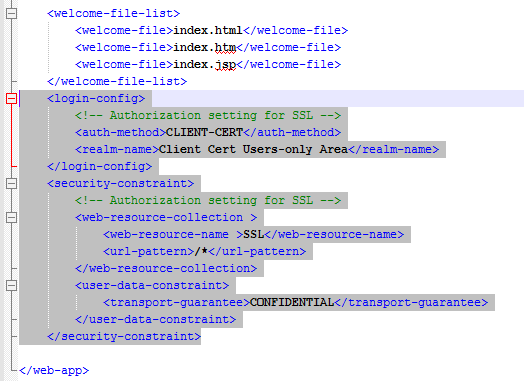
然后重启tomcat,用浏览器打开
地址栏能看到https://localhost:8443/说明配置成功
此内容由惯性聚合(RSS阅读器)自动聚合整理,仅供阅读参考。 原文来自 — 版权归原作者所有。