
惯性聚合 高效追踪和阅读你感兴趣的博客、新闻、科技资讯
阅读原文 在惯性聚合中打开

推荐订阅源

酷 壳 – CoolShell
酷 壳 – CoolShell
D
Docker
Microsoft Security Blog
Google DeepMind News
M
MIT News - Artificial intelligence
P
Proofpoint News Feed
Engineering at Meta
Engineering at Meta
Y
Y Combinator Blog
Vercel News
Vercel News
F
Fortinet All Blogs
B
Blog
Recent Announcements
A
About on SuperTechFans
GbyAI
GbyAI
T
The Blog of Author Tim Ferriss
钛媒体:引领未来商业与生活新知
钛媒体:引领未来商业与生活新知
博客园 - Franky
MongoDB | Blog
MongoDB | Blog
Stack Overflow Blog
Stack Overflow Blog
B
Blog RSS Feed
C
Check Point Blog
Cyber Security Advisories - MS-ISAC
V
Visual Studio Blog
月光博客
月光博客

博客园 - 水车

踩坑记录:Keyboard Maestro 截取 Chrome 浏览器窗口报错的终极避坑方案 Riverpod3 注解方式写api 请求的provider在其他地方调用方式 2026 避坑首选:用专属域名发邮件的极致方案(Gmail + Cloudflare + Resend) Keyboard Maestro 逻辑控制深度指南:If Then Else 与多模态条件 Keyboard Maestro 进阶指南:如何像写代码一样调用宏(Macro) 深度解析 Keyboard Maestro 变量系统:从全局持久化到局部作用域 零门槛打造 4K 家庭影院:Mac mini M4 + 小米电视 + Jellyfin + Tailscale 全攻略 出墙记录 Mac 电脑用终端格式化移动硬盘/内存卡教程 IDEA中,如何切换Gemini Code Assist 登录的账号 Mac、Windows电脑怎么安装Java|JDK环境安装 Mac电脑设置chrome浏览器语言为英文办法 Mac 电脑安装Ruby新版本 AWS S3服务,将当前桶设置成公开访问教程 Keyboard Maestro Tokens 使用方法 Chrome 下载文件时总是提示“已阻止不安全的下载”的解决方案 gin框架在BindJSON解析参数时,遇到错误直接返回400状态码的坑 Mac电脑下,关于Redis的一些使用记录 Mac电脑 docker 修改镜像源 ubuntu24 安装 caddy Ubuntu 24.04安装MySQL,并且配置外网访问
Mac电脑:FVM4.x版本 安装教程
水车 · 2025-11-20 · via 博客园 - 水车

官方文档参考:https://fvm.app/documentation/getting-started

官方推荐用脚本方式,但是我没用,我使用了 Homebrew方式安装

安装命令

brew tap leoafarias/fvm
brew install fvm

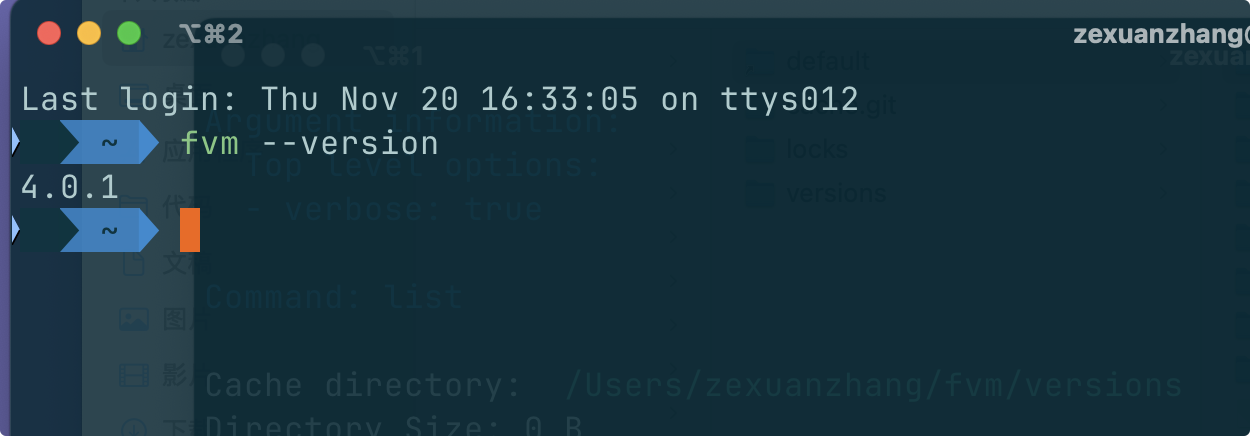
这两条命令运行完成后,确认 fvm是否安装成功

fvm --version
image

基本知识

  1. fvm 安装的flutter默认缓存到了 ~/fvm/versions 目录下

使用

  1. 先下载一个最新版本的flutter(查看可以下载的版本列表用 fvm list)

    fvm install 3.38.1
    # 或者
    fvm install stable
    
  2. 下载完成后,设置一个全局的flutter版本

    fvm global 3.38.1
    
  3. export PATH="$HOME/fvm/default/bin:$PATH"添加到环境变量中

  4. 确认 flutter 是否安装成功: flutter --version

博客中所涉及到的图片都有版权,请谨慎使用

posted @ 2025-11-20 17:14  水车  阅读(195)  评论(0)    收藏  举报