
惯性聚合 高效追踪和阅读你感兴趣的博客、新闻、科技资讯
阅读原文 在惯性聚合中打开

推荐订阅源

奇客Solidot–传递最新科技情报
奇客Solidot–传递最新科技情报
Blog — PlanetScale
Blog — PlanetScale
小众软件
小众软件
F
Fortinet All Blogs
博客园 - 叶小钗
博客园_首页
D
DataBreaches.Net
Apple Machine Learning Research
U
Unit 42
爱范儿
爱范儿
aimingoo的专栏
aimingoo的专栏
博客园 - Franky
Martin Fowler
Martin Fowler
酷 壳 – CoolShell
酷 壳 – CoolShell
The Cloudflare Blog
A
About on SuperTechFans
Google DeepMind News
Microsoft Security Blog
IT之家
IT之家
M
MIT News - Artificial intelligence
有赞技术团队
有赞技术团队
博客园 - 【当耐特】
S
SegmentFault 最新的问题
Hugging Face - Blog
Hugging Face - Blog

博客园 - 余昭(Ray)

AI 编程实战营毕业总结 解决github访问速度慢的问题 使用交互界面配置centos网络(NMTUI) 银河麒麟安装达梦数据库失败Unable to load native library: libnsl.so.1: cannot open shared object file: No such file or directory Net5中使用Swagger 编译Windows 版本的Redis 6.x TypeScript入门 NetCore使用Nlog记录日志 QuickStart系列:Docker部署PostgreSQL 搭建docker本地仓库 NT Kernel & System (ntoskrnl)占用80端口 简单的验证码识别 使用SSH配置git服务器免密提交 QuickStart系列:docker部署之Gitlab本地代码仓库 https环境搭建(本地搭建) docker搭建elk 本地调试微信(内网穿透) ElasticsearchCRUD翻译系列之(一): ElasticsearchCRUD 介绍 阿里云Oss对象存储 asp.netmvc部署到linux(centos)
使用本机IP调试web项目
余昭(Ray) · 2018-10-26 · via 博客园 - 余昭(Ray)

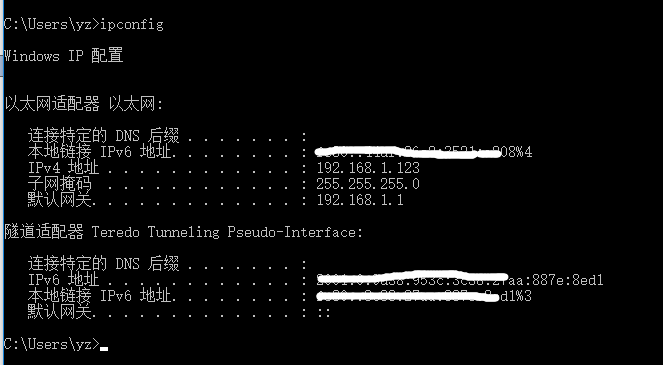
1.查看本机IP

使用命令行查看本机ip地址: cmd 进入命令行  Ipconfig 查询本机ip。
2.找到启动项目的配置文件 

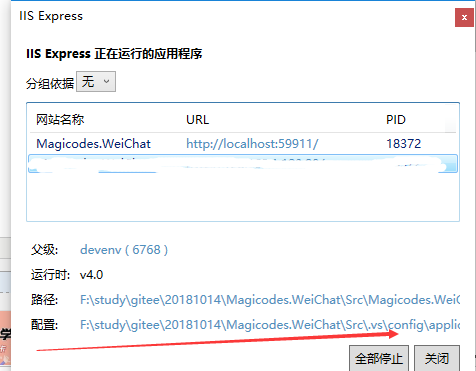
启动IIS查找配置文件的位置
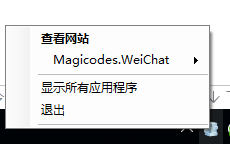
 

点击显示所有应用程序  
3.修改项目配置文件

修改配置文件。添加本机ip和端口号。

  注意是三部分。格式是  Ip:端口:* (Ip、端口、*)。其中192.168.1.123是本机内网ip, 80是端口号可改成其他的不冲突就可以。

<binding protocol="http" bindingInformation="*:59911:localhost" />
<binding protocol="http" bindingInformation="192.168.1.123:80:*" />

4.重启vs和iis

 建议使用管理员启动IIS,防止权限不足的问题。

5.检查防火墙

 如果访问不了,可以检查下防火墙是不是限制了。