惯性聚合 高效追踪和阅读你感兴趣的博客、新闻、科技资讯
阅读原文 在惯性聚合中打开

推荐订阅源

freeCodeCamp Programming Tutorials: Python, JavaScript, Git & More
Recent Announcements
cs.AI updates on arXiv.org
Exploit-DB.com RSS Feed
Application and Cybersecurity Blog
N
News | PayPal Newsroom
P
Proofpoint News Feed
L
Lohrmann on Cybersecurity
S
Security @ Cisco Blogs
K
Kaspersky official blog
A
Arctic Wolf
D
Darknet – Hacking Tools, Hacker News & Cyber Security
Project Zero
Project Zero
L
LINUX DO - 最新话题
CTFtime.org: upcoming CTF events
The Last Watchdog
The Last Watchdog
T
The Exploit Database - CXSecurity.com
奇客Solidot–传递最新科技情报
奇客Solidot–传递最新科技情报
Security Archives - TechRepublic
V
V2EX
cs.CL updates on arXiv.org
H
Hackread – Cybersecurity News, Data Breaches, AI and More
爱范儿
爱范儿
F
Full Disclosure
I
Intezer
Schneier on Security
AWS News Blog
AWS News Blog
C
Cybersecurity and Infrastructure Security Agency CISA
博客园 - 聂微东
M
MIT News - Artificial intelligence
P
Privacy & Cybersecurity Law Blog
Attack and Defense Labs
量子位
Google DeepMind News
T
Threat Research - Cisco Blogs
Last Week in AI
Last Week in AI
Google Online Security Blog
博客园 - 三生石上(FineUI控件)
WordPress大学
WordPress大学
Microsoft Security Blog
Scott Helme
Scott Helme
C
Check Point Blog
N
Netflix TechBlog - Medium
博客园 - Franky
SecWiki News
SecWiki News
Know Your Adversary
Know Your Adversary
Engineering at Meta
Engineering at Meta
F
Fortinet All Blogs
Blog — PlanetScale
Blog — PlanetScale
S
Securelist

博客园 - 奔跑的小蚂蚁9538

Vue 3 组件通信,别只会用 Props 和 Emits 了,你想知道的都在这里 Vue 3图片全屏预览组件:打造专业级图像浏览体验 使用vue3+ts构建企业级文件传输管理系统:状态管理、性能优化与用户体验的深度实践 使用fetchEventSource构建高效AI智能助手:文件搜索场景的完整实现与深度解析 从表格到脑图:Vue3 + TypeScript +antv-x6 打造可视化督办任务系统(支持多级拆解+批量操作+动态视图切换) 构建企业级督办任务系统:Vue3 + TypeScript 实战(多级任务拆解+批量操作+进度追踪+单元格合并) 打造沉浸式智能AI问答助手:Vue3 + UniApp 全端实战(支持 Markdown/公式/多模态交互) 构建企业级智能知识库:Vue3 + TypeScript 实战(分类管理+全文检索+批量操作) Vue3 + TypeScript 实战:打造企业级工单管理系统(列表+详情+时间轴交互) Vue3 + G2 实战:打造高校学生打卡数据可视化大屏 Vue3 + TypeScript 实战:打造自适应 AI 问答与在线测验考试系统 Vue3 + TypeScript 实战:打造企业级动态合同表单系统 Vue3 + Iframe 实战:打造企业级流程配置中心 基于 Vue3 + TS + Ant Design Vue 实现精细化菜单按钮权限授权组件 用 Vue3 + fetch-event-source 打造流式 AI 翻译平台:OCR + 大模型 + SSE 全链路实战 web端ant-design-vue-Anchor锚点组件使用小节(2) web端ant-design-vue-Anchor锚点组件使用小节(1) web端ant-design-vue Upload 手动实现文件上传使用小节 web端ant-design-vue Modal.info组件自定义icon和title使用小节 前端工程化解决方案webpack使用小结 vue前端使用nexus配置npm私有仓库
uniapp电子签名盖章实现详解
奔跑的小蚂蚁9538 · 2023-08-09 · via 博客园 - 奔跑的小蚂蚁9538

  项目开发中用到了电子签名、签好名的图片需要手动实现横竖屏旋转、并将绘制的签名图片放到pdf转换后的base64的图片上,可以手动拖动签名到合适的位置,最后合成签名和合同图片并实现pdf和图片文件输出。和以往一样,先发一下效果图。整理总结不易,如需全部代码,请联系我15098950589(微信同号)。
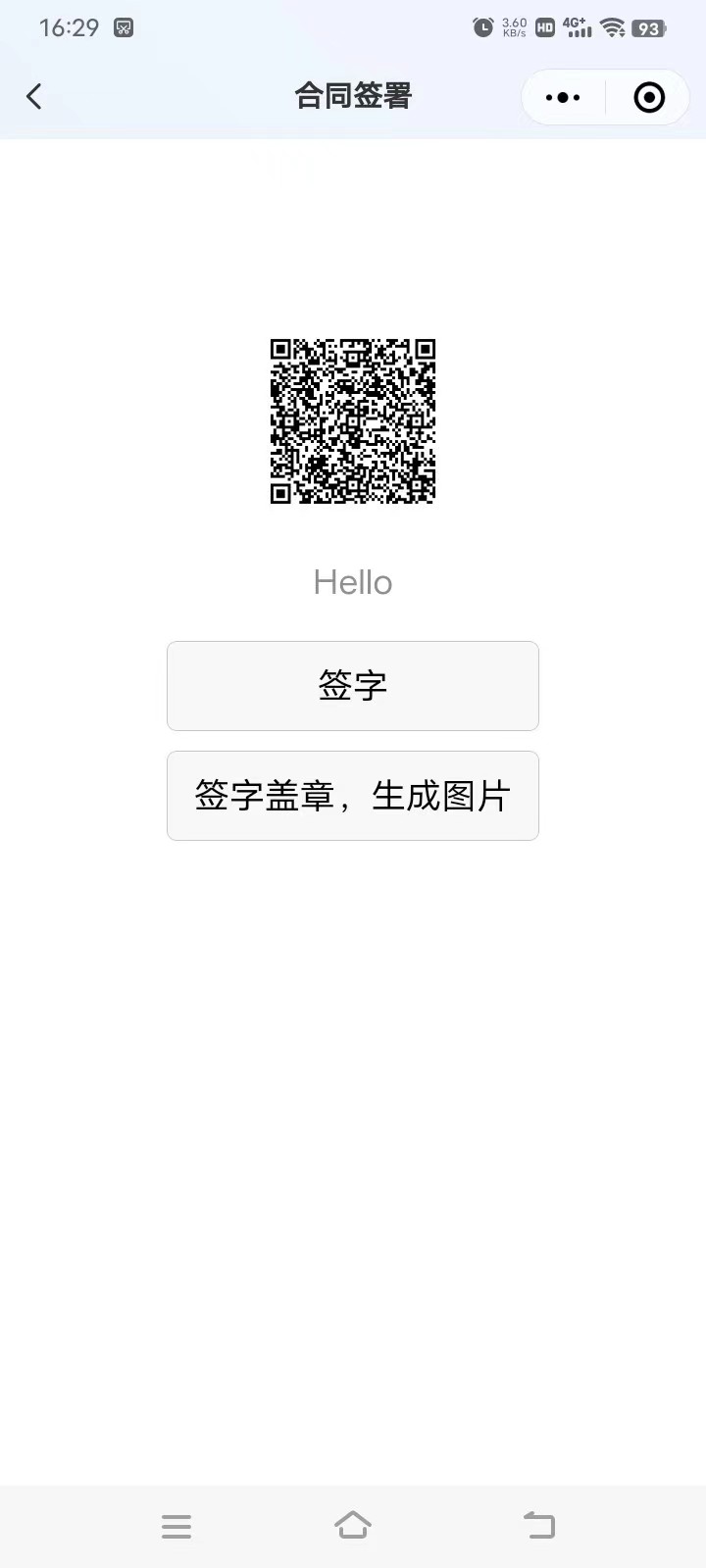
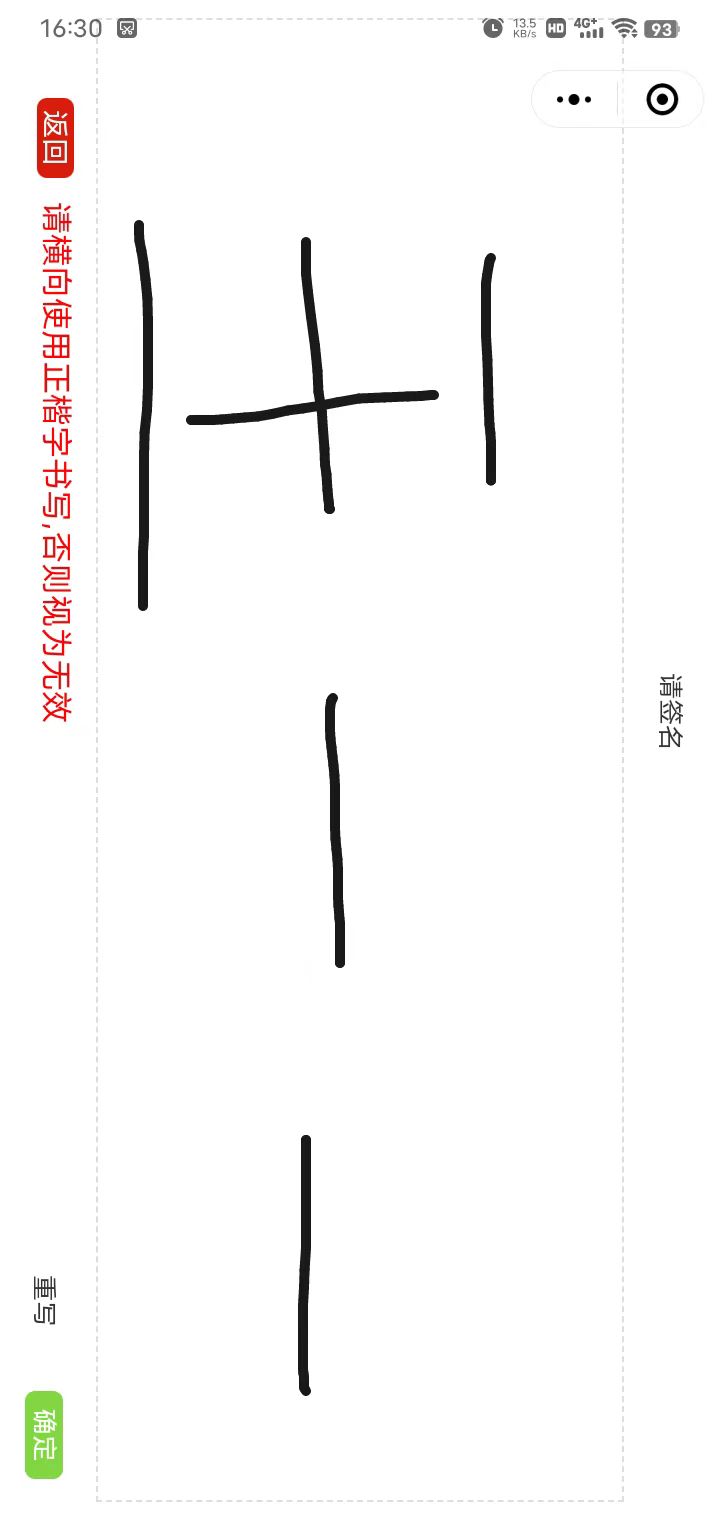
 核心代码如下

//保存图片
saveClick: function() {
var that = this;
if (!this.isDraw) {
uni.showToast({
title: '请先签名',
icon: 'none',
duration: 2000
});
return;
}
uni.canvasToTempFilePath({
canvasId: 'sign',
fileType: 'png',
quality: 1, //图片质量
destWidth: 260,
destHeight: 600,
success: function(res) {
let tempFilePaths = res.tempFilePath;
wx.getImageInfo({ // 获取图片的信息
src: tempFilePaths,
success: (msg) => {
console.log('保存图片', tempFilePaths)
let height = msg.height / 2 //图片的高
let width = msg.width / 2
//开始旋转 旋转方向为顺时针 90 180 270
if (width < height) { // 竖变横 左为正底 旋转后 为下为正底
// this.canvasWidth = height,
// this.canvasHeight = width,
console.log('这张图片 是竖的 要变成横屏的')
//绘制canvas 旋转图片
let canvas = wx.createCanvasContext('camCacnvs');
// 逆时针旋转90度
canvas.translate(height / 2, width / 2)
canvas.rotate(270 * Math.PI / 180)
canvas.drawImage(tempFilePaths, -width / 2, -height /
2, width, height);
canvas.draw(false,
() => { // 将之前在绘图上下文中的描述(路径、变形、样式)画到 canvas 中
// 把当前画布指定区域的内容导出生成指定大小的图片。在 draw() 回调里调用该方法才能保证图片导出成功。
wx.canvasToTempFilePath({
canvasId: 'camCacnvs',
quality: 1, //图片质量
destWidth: msg.width,
destHeight: 120,
success(vas) {
console.log(vas)
// 存储缓存,方便取出
uni.setStorageSync(
'tempFilePath', vas
.tempFilePath);
console.log('保存图片', vas
.tempFilePath)
setTimeout(() => {
uni
.navigateBack({});
}, 100);
// that.uploadImg(vas.tempFilePath);
// wx.saveImageToPhotosAlbum({
// filePath: vas
// .tempFilePath,
// success(res) {
// wx.showToast({
// title: '已保存到相册',
// duration: 2000
// });
// }
// });
}
}) // 在自定义组件下,当前组件实例的this,以操作组件内 canvas 组件
})
}
}
})
}
});
}