




VS Code 配置 C/C++ 编程运行环境(保姆级教程)_vscode配置c++环境-CSDN博客
1. 安装vscode,安装插件(C/C++ Runner C/C++ Build Task C/C++ C/C++ Extension Pack CMake CMake Tools)
2. 安装MinGW-W64,添加到环境变量,mingw32-make.exe重命名为make
gcc --version
g++ --version
gdb --version
main.c
#include <stdio.h>
#include "max.h"

int main()
{
    for (int i = 0; i < 2; i++)
        printf("Hello Grayson~%d\n", i);

    int a = 10;
    int b = 30;
    int c = findMaxNum(a, b);
    printf("%d\n", c);

    return 0;
}
max.c
#include "max.h"

int findMaxNum(int num1, int num2)
{
    return num1 > num2 ? num1 : num2;
}
max.h
#ifndef __MAX_H__
#define __MAX_H__
#include <stdio.h>

int findMaxNum(int num1, int num2);

#endif // __MAX_H__
【编译调试】
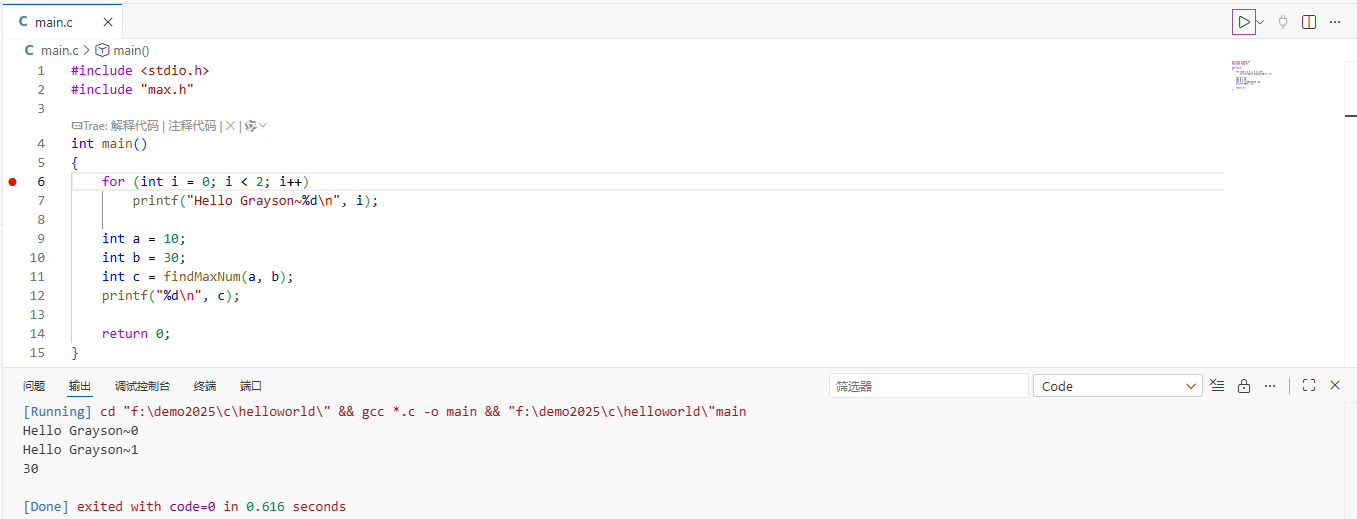
vscode: Code Runner直接编译运行多个C程序
解决引用了库文件但提示找不到调用函数的问题:
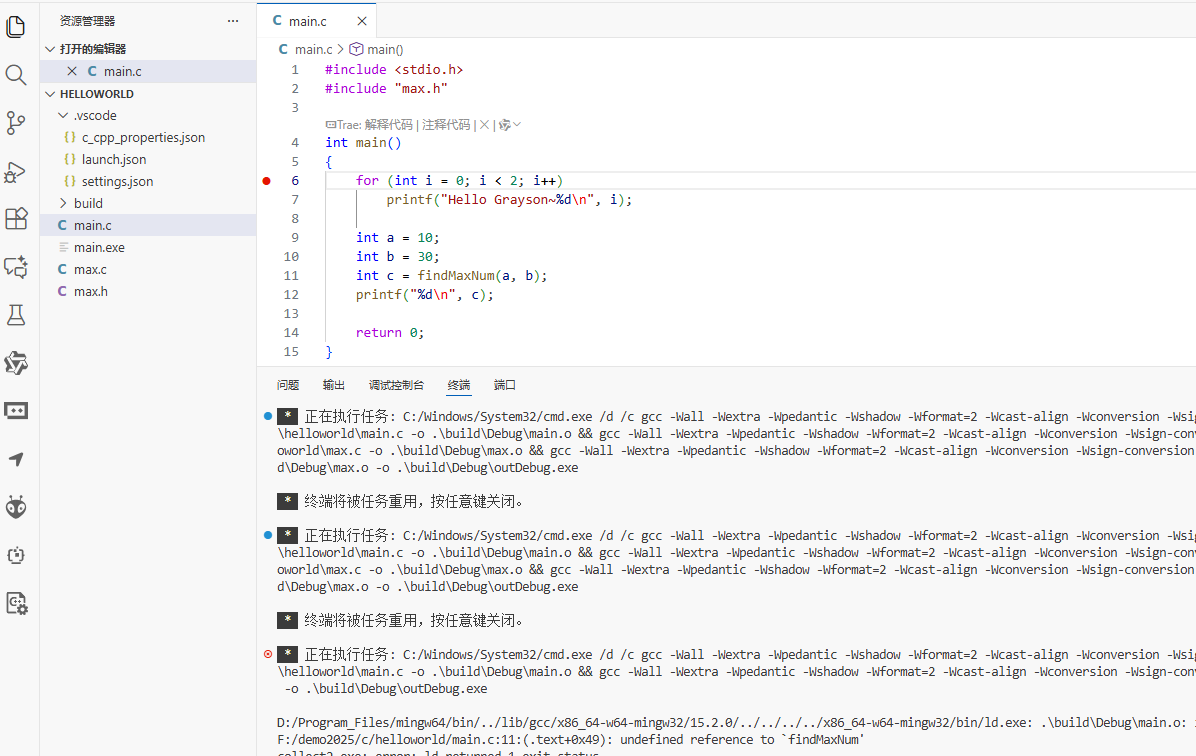
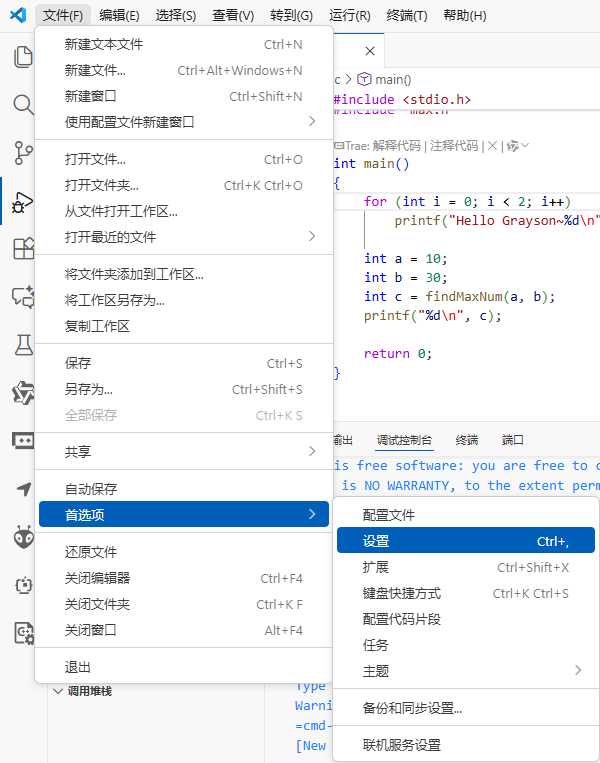
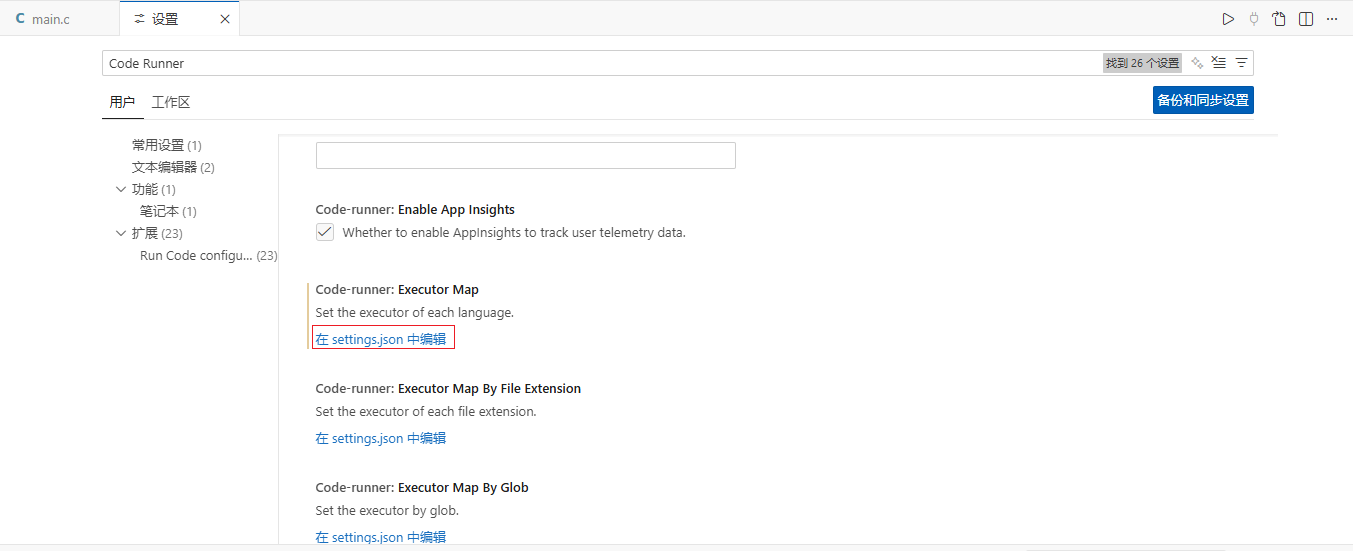
点击在settings.json中编辑后,打开settings.json文件如图,找到executorMap设置项,在其中c程序对应的一行,修改其中的gcc $filename为gcc *.c
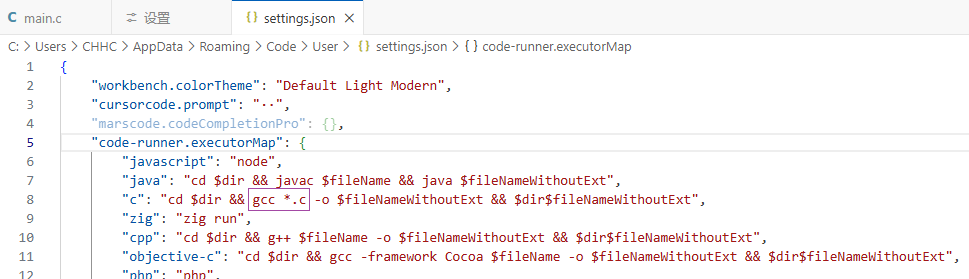
修改保存之后,再点击Code Runner运行按钮,可以直接编译运行了
Debug调试
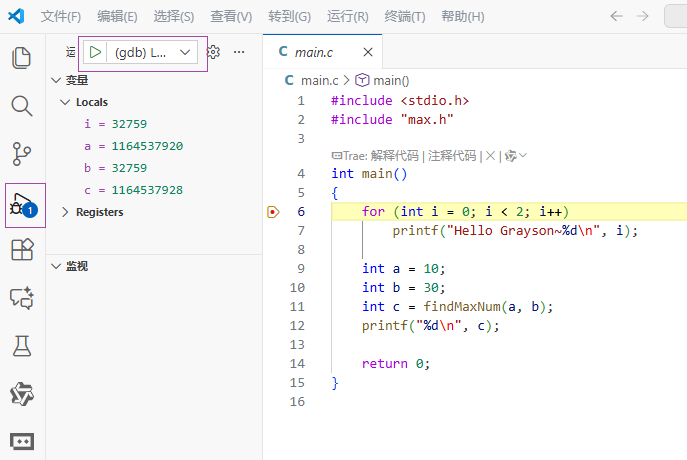
按 Ctrl+Shift+P,输入并选择 “任务:配置任务”。选择 “从模板创建 tasks.json 文件” -> “Others”。
tasks.json
{
"version": "2.0.0",
"tasks": [
{
"type": "cppbuild",
"label": "Build All C Files", // 任务名称
"command": "gcc", // 或你的编译器路径,如 "C:/MinGW/bin/gcc.exe"
"args": [
"-g", // 生成调试信息
"-Wall", // 开启警告
"*.c", // 关键:编译当前目录下所有.c文件[citation:9]。也可明确列出,如 "main.c", "helper.c"
"-o", // 指定输出文件名
"${workspaceFolder}/bin/helloworld.exe" // 生成的可执行文件路径
],
"options": {
"cwd": "${workspaceFolder}" // 在项目根目录执行命令
},
"problemMatcher": ["$gcc"],
"group": {
"kind": "build",
"isDefault": true
}
}
]
}
launch.json
{
"version": "0.2.0",
"configurations": [
{
"name": "(gdb) Launch",
"type": "cppdbg",
"request": "launch",
"program": "${workspaceFolder}/bin/helloworld.exe",
"args": [],
"stopAtEntry": false,
"cwd": "${workspaceFolder}",
"environment": [],
"externalConsole": false,
"MIMode": "gdb",
"miDebuggerPath": "gdb",
"setupCommands": [
{
"description": "Enable pretty-printing",
"text": "-enable-pretty-printing",
"ignoreFailures": true
}
],
"preLaunchTask": "Build All C Files"
},
{
"name": "C/C++ Runner: Debug Session",
"type": "cppdbg",
"request": "launch",
"args": [],
"stopAtEntry": false,
"externalConsole": true,
"cwd": "f:/demo2025/c/helloworld",
"program": "f:/demo2025/c/helloworld/build/Debug/outDebug",
"MIMode": "gdb",
"miDebuggerPath": "gdb",
"setupCommands": [
{
"description": "Enable pretty-printing for gdb",
"text": "-enable-pretty-printing",
"ignoreFailures": true
}
]
}
]
}
配置后,按 Ctrl+Shift+B 即可执行 make 命令来构建项目
【发布】
Makefile编译
CC = gcc
CFLAGS = -Wall -Wextra -std=c99 -I.
TARGET = main.exe
OBJS = main.o max.o

# 检测操作系统
ifeq ($(OS),Windows_NT)
    RM = del /Q
    TARGET := $(TARGET)
    RM_CMD = if exist $(1) $(RM) $(1)
else
    RM = rm -f
    RM_CMD = $(RM) $(1)
endif

all: $(TARGET)

$(TARGET): $(OBJS)
    $(CC) $(CFLAGS) -o $@ $(OBJS)

main.o: main.c max.h
    $(CC) $(CFLAGS) -c main.c

max.o: max.c max.h
    $(CC) $(CFLAGS) -c max.c

clean:
    $(call RM_CMD,$(TARGET))
    $(call RM_CMD,main.o)
    $(call RM_CMD,max.o)
    @echo Clean completed!

.PHONY: all clean
make clean
make
使用 CMake 自动生成 Makefile
CMakeLists.txt
# 指定CMake最低版本要求
cmake_minimum_required(VERSION 3.10)
# 定义项目名称
project(helloworld)
# 设置C标准
set(CMAKE_C_STANDARD 11)
# 生成可执行文件,列出所有源文件
add_executable(helloworld main.c max.c max.h)
Makefile编译
F:\demo2025\c\helloworld>rmdir /s /q build

F:\demo2025\c\helloworld>mkdir build

F:\demo2025\c\helloworld>cd build

F:\demo2025\c\helloworld\build>cmake -G "MinGW Makefiles" ..
-- The C compiler identification is GNU 15.2.0
-- The CXX compiler identification is GNU 15.2.0
-- Detecting C compiler ABI info
-- Detecting C compiler ABI info - done
-- Check for working C compiler: D:/Program_Files/mingw64/bin/cc.exe - skipped
-- Detecting C compile features
-- Detecting C compile features - done
-- Detecting CXX compiler ABI info
-- Detecting CXX compiler ABI info - done
-- Check for working CXX compiler: D:/Program_Files/mingw64/bin/c++.exe - skipped
-- Detecting CXX compile features
-- Detecting CXX compile features - done
-- Configuring done (8.6s)
-- Generating done (0.0s)
-- Build files have been written to: F:/demo2025/c/helloworld/build

F:\demo2025\c\helloworld\build>make
[ 33%] Building C object CMakeFiles/helloworld.dir/main.c.obj
[ 66%] Building C object CMakeFiles/helloworld.dir/max.c.obj
[100%] Linking C executable helloworld.exe
[100%] Built target helloworld

F:\demo2025\c\helloworld\build>helloworld.exe
Hello Grayson~0
Hello Grayson~1
30
此内容由惯性聚合(RSS阅读器)自动聚合整理,仅供阅读参考。 原文来自 — 版权归原作者所有。