





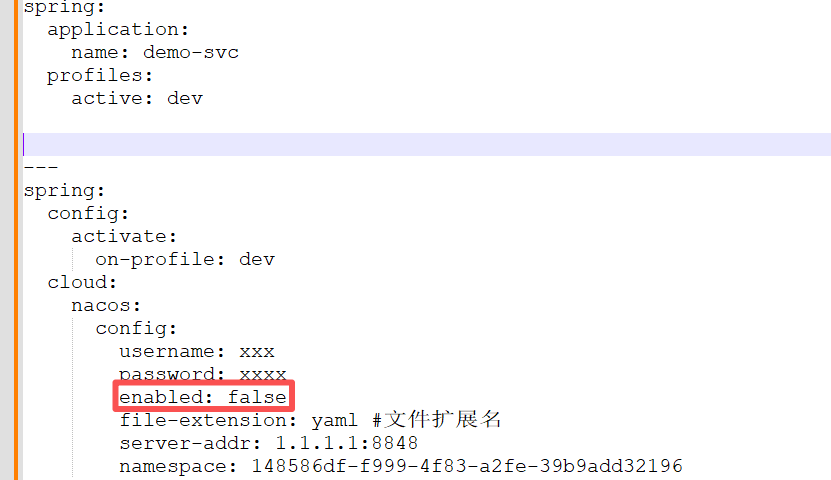
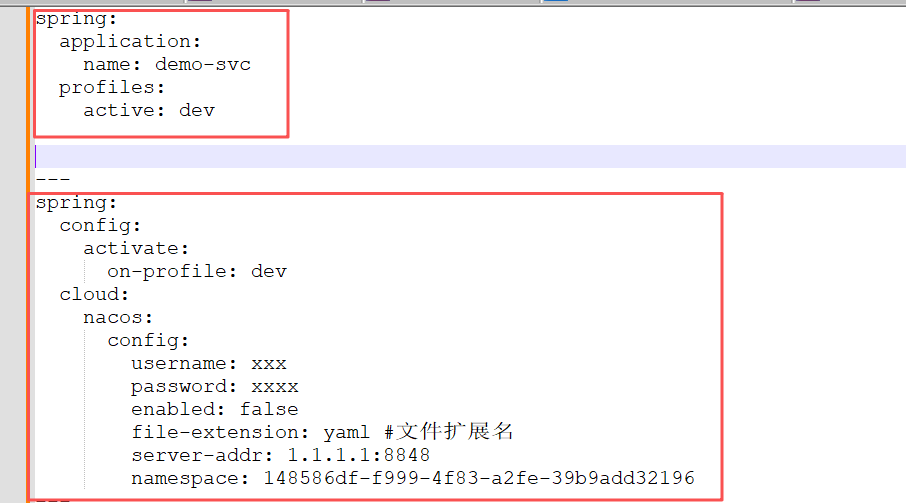
接手的一个spring cloud项目,我最近在对其进行改造,更符合自己的习惯。我个人习惯在bootsrap.yml中指定spring.profiles.active,如下所示,只要修改spring.profiles.active的值,就能切换到想要的profile去,使用对应的nacos配置:
spring:
  application:
    name: demo-svc
  profiles:
    active: dev


---
spring:
  config:
    activate:
      on-profile: dev
  cloud:
    nacos:
      config:
        username: xxx
        password: xxxx
        enabled: false
        file-extension: yaml #文件扩展名
        server-addr: 1.1.1.1:8848
        namespace: 148586df-f999-4f83-a2fe-39b9add32196
---
spring:
  config:
    activate:
      on-profile: test
  cloud:
    nacos:
      config:
        username: xxx
        password: xxxx
        enabled: true
        file-extension: yaml #文件扩展名
        server-addr: 1.1.1.1:8848
        namespace: dfcf830b-0cd3-433b-bf35-6d153b9f142d
当然,上面文件中的profile为dev,我们还可以在命令行启动脚本中指定("java -Dspring.profiles.active=prod -jar demo.jar"),命令行中优先级最高,此时profile就是prod。
当然,命令行中不指定时,就应该是bootsrap.yml中的为准。
我这次问题就是发生在,命令行未指定的情况下,bootstrap.yml中指定了dev这个profile。
下图,我这里并未启用nacos,此时按理说就会去找application-dev.yml这个配置:
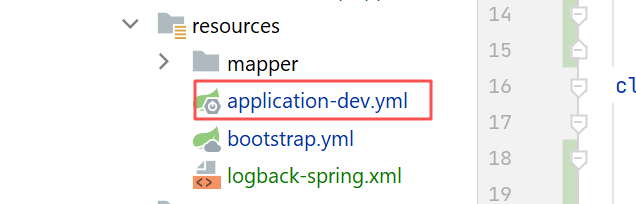
最终,却好像是没去读取application-dev.yml,导致程序读取不到配置,直接启动失败了。

但是,我发现,服务器上运行时,我们都是在命令行中指定了profile,运行是完全正常的:
"java -Dspring.profiles.active=dev -jar demo.jar"
为啥不在命令行中指定就不行呢(在本地idea中启动,我都是不会加命令行参数的,按理说就会取bootstrap.yml中的profile)?
框架版本,spring-boot基本是2.7.*中的最高版本了,cloud版本是2021.0.5。
<properties>
    <java.version>1.8</java.version>
    <spring-boot.version>2.7.16</spring-boot.version>
    <spring-cloud-alibaba.version>2021.0.5.0</spring-cloud-alibaba.version>
    <spring-cloud.version>2021.0.5</spring-cloud.version>
</properties>
由于可以复现,且在本地可以debug,而且可以对比,正常和异常时的情况,这个问题肯定是能找到的。
我发现,正常情况下(本地idea启动时指定下命令行参数),在查找配置值时,一般就是去Environment中的propertySource列表中查找,正常长这样:
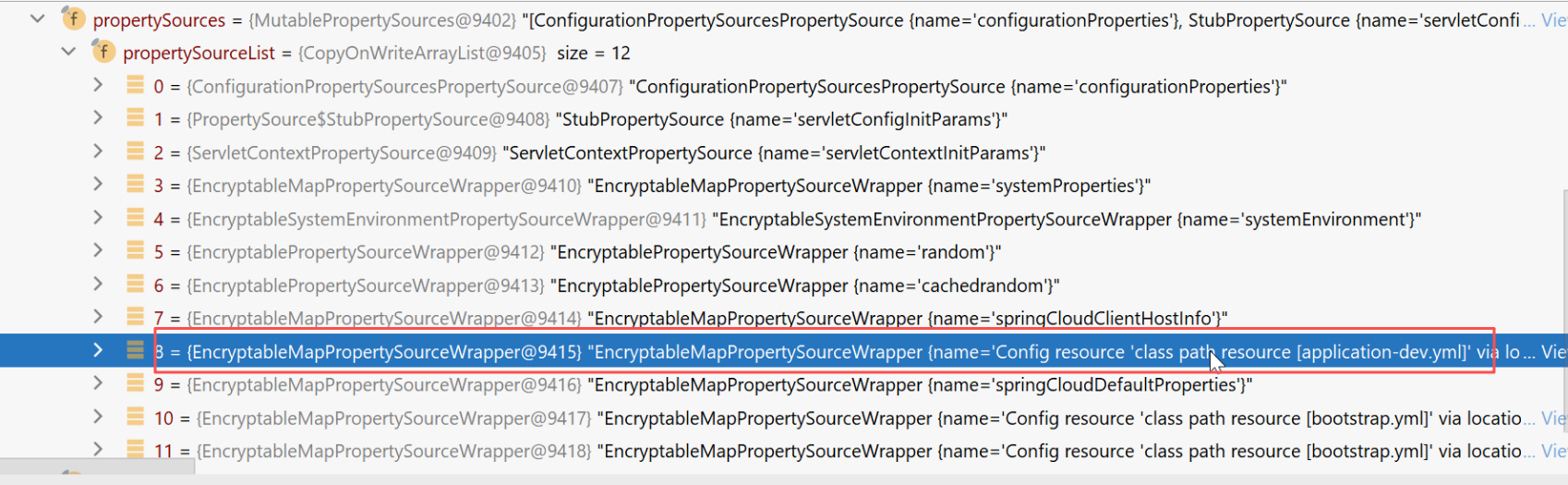
上图所示,是有一个classpath下的resource:application-dev.yml。这个propertySource的类型是com.ulisesbocchio.jasyptspringboot.wrapper.EncryptableMapPropertySourceWrapper,大家可能有点奇怪,不熟悉这个类,这个是因为我们项目在生产环境里,对配置文件中的值进行了加密(比如数据库密码)。
这个加解密用的是:
<dependency>
    <groupId>com.github.ulisesbocchio</groupId>
    <artifactId>jasypt-spring-boot-starter</artifactId>
    <version>3.0.4</version>
</dependency>
本来正常情况下,propertySource的类型大概是这样:
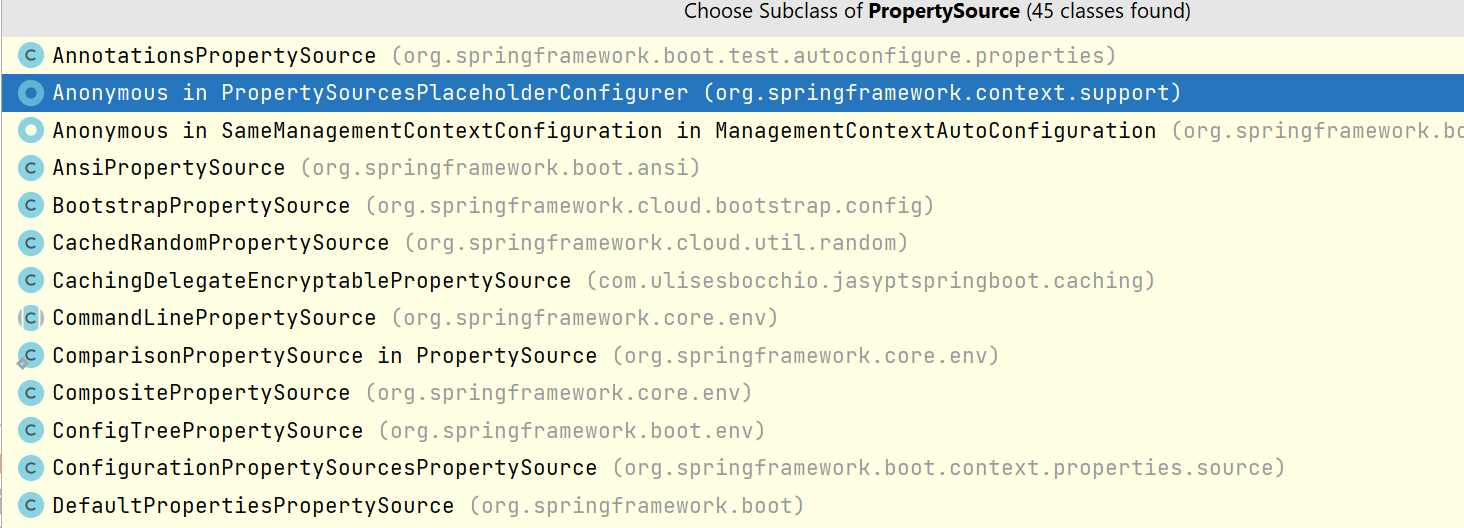
然后,jasypt这个加解密组件,就把上述的propertySource类型全给转成了它自己的:
EncryptableMapPropertySourceWrapper
然后内部再包含了原始的propertySource:
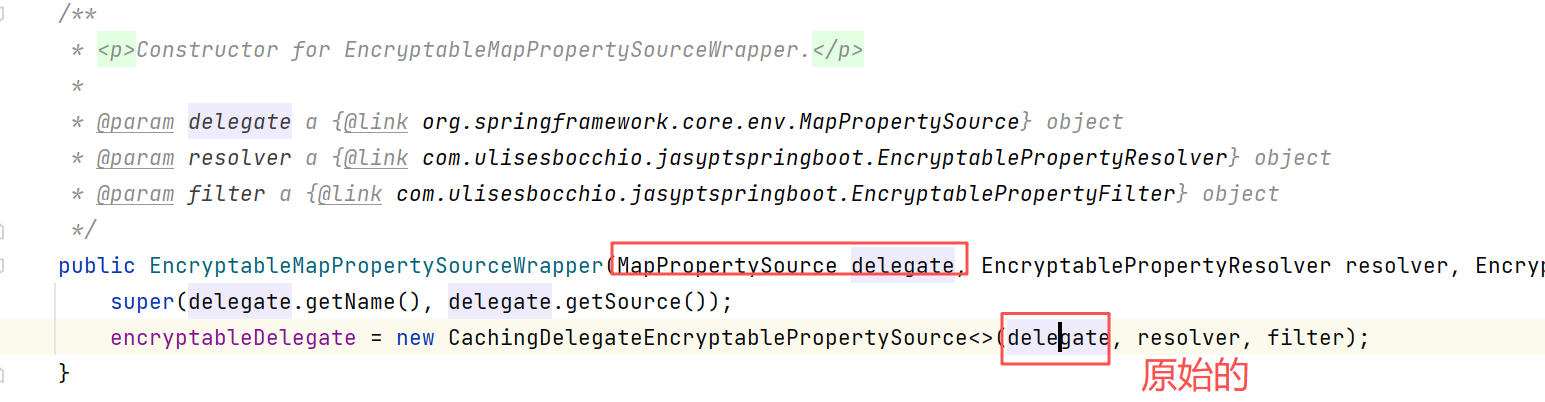
debug发现,EncryptableMapPropertySourceWrapper中包含的原始的propertySource类型为:
org.springframework.boot.env.OriginTrackedMapPropertySource
我们接下来看看,正常情况下,OriginTrackedMapPropertySource是啥时候初始化的。
打个断点:
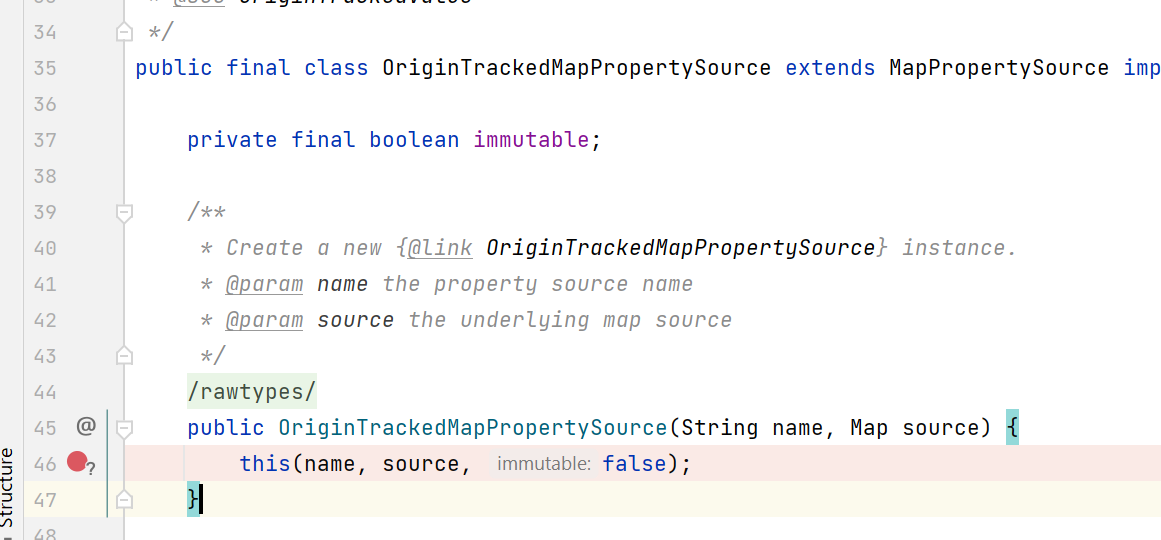
最后发现new的时机大概是,applicationContext这个上下文完成了environmentPrepared后,就会发布一个org.springframework.boot.context.event.ApplicationEnvironmentPreparedEvent,这时候各个listener就会处理这个事件。
其中一个listener为:
org.springframework.boot.env.EnvironmentPostProcessorApplicationListener
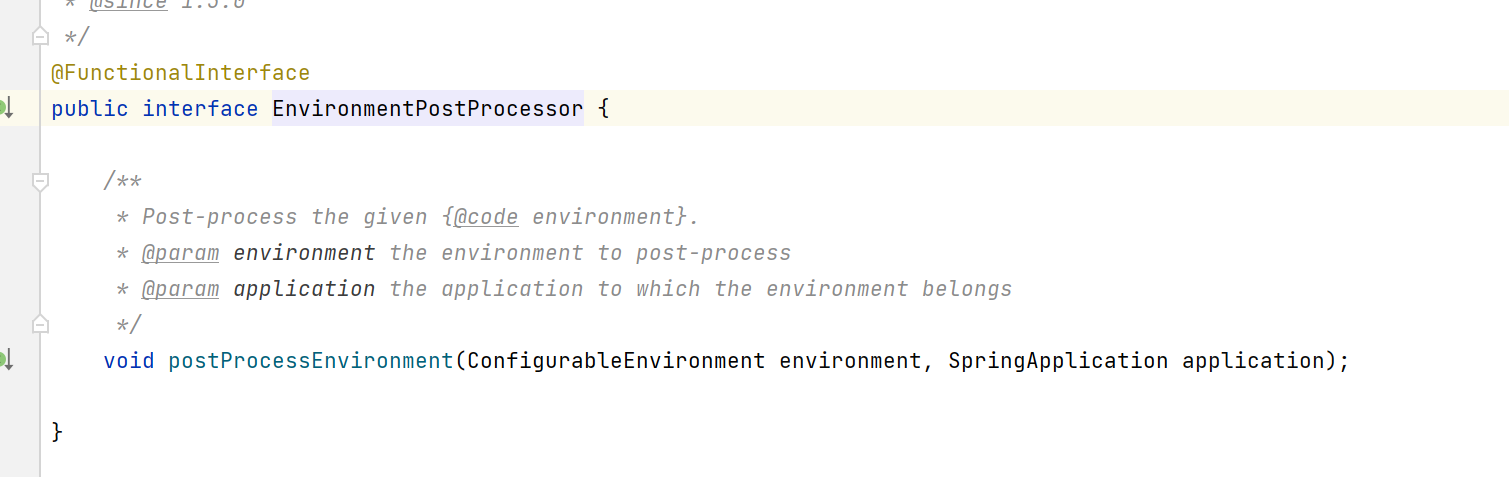
这个listener中会找到各个EnvironmentPostProcessor,这个后置处理器接口,类似于bean的那些后置处理器,也是spring给我们提供的扩展点,这个org.springframework.boot.env.EnvironmentPostProcessor主要就是方便我们对Environment进行后置处理。
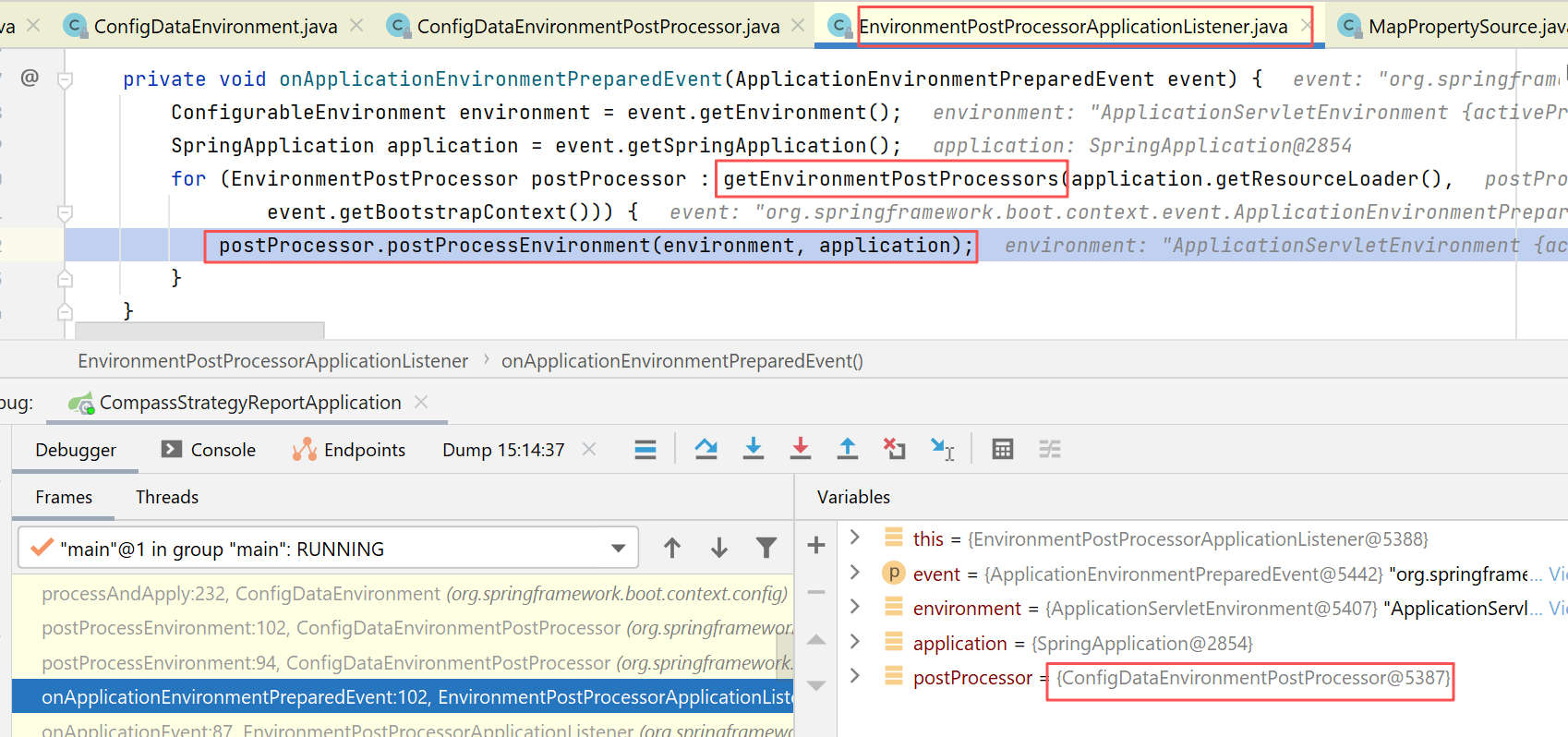
在我这边,找到的Environment后置处理器还是很多:
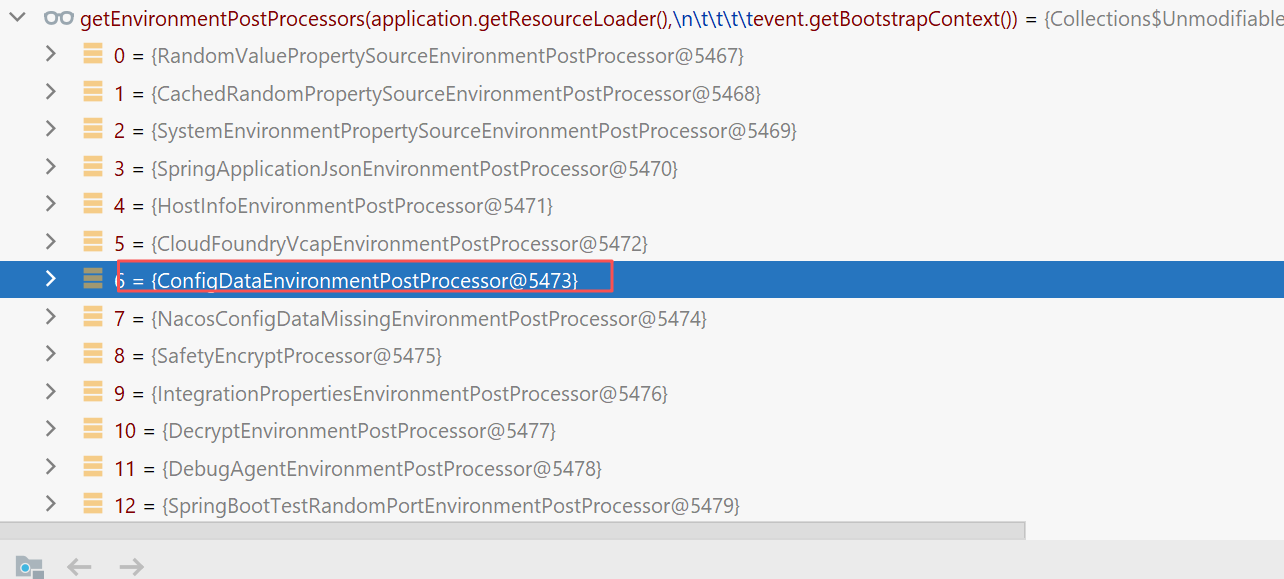
其中的第7个ConfigDataEnvironmentPostProcessor就是本文主角:
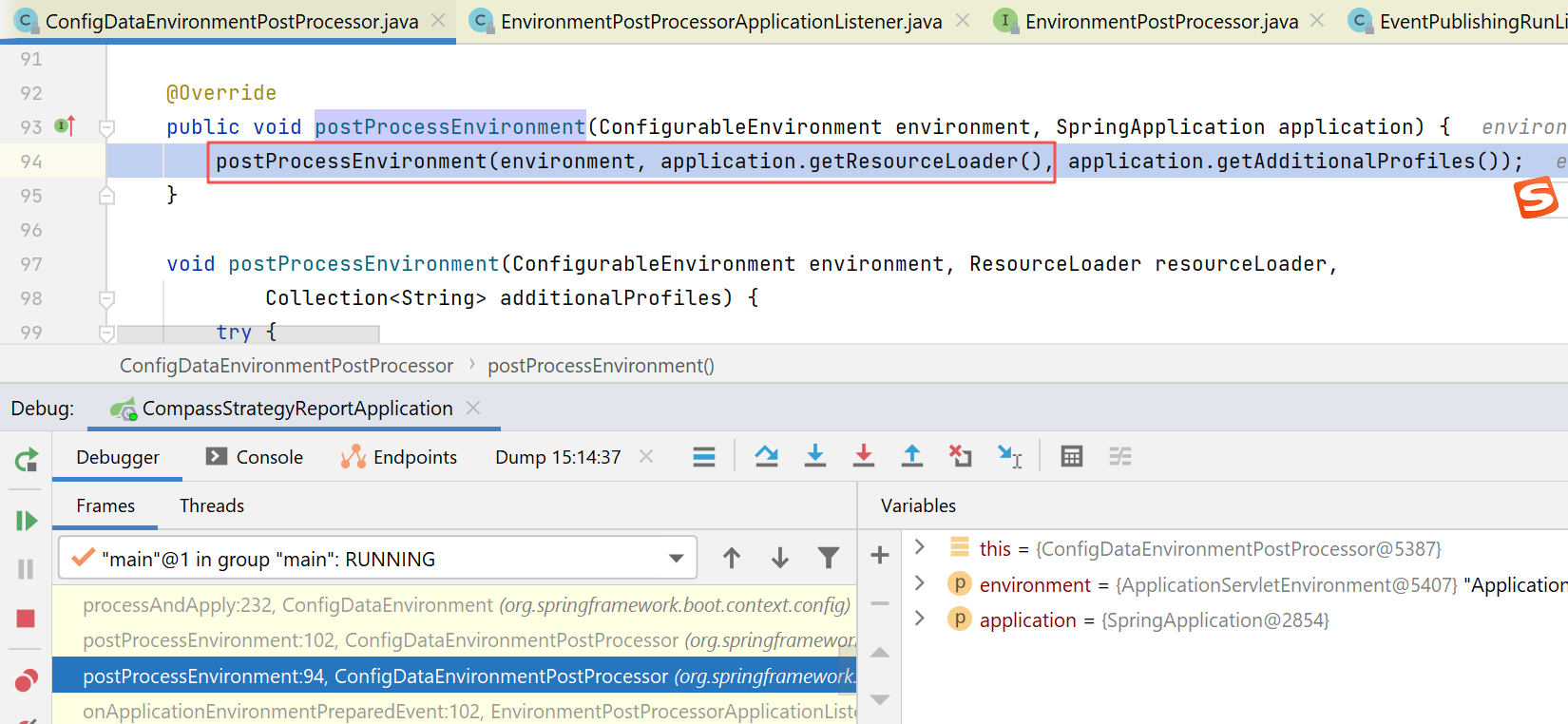
它就会到处去找配置:
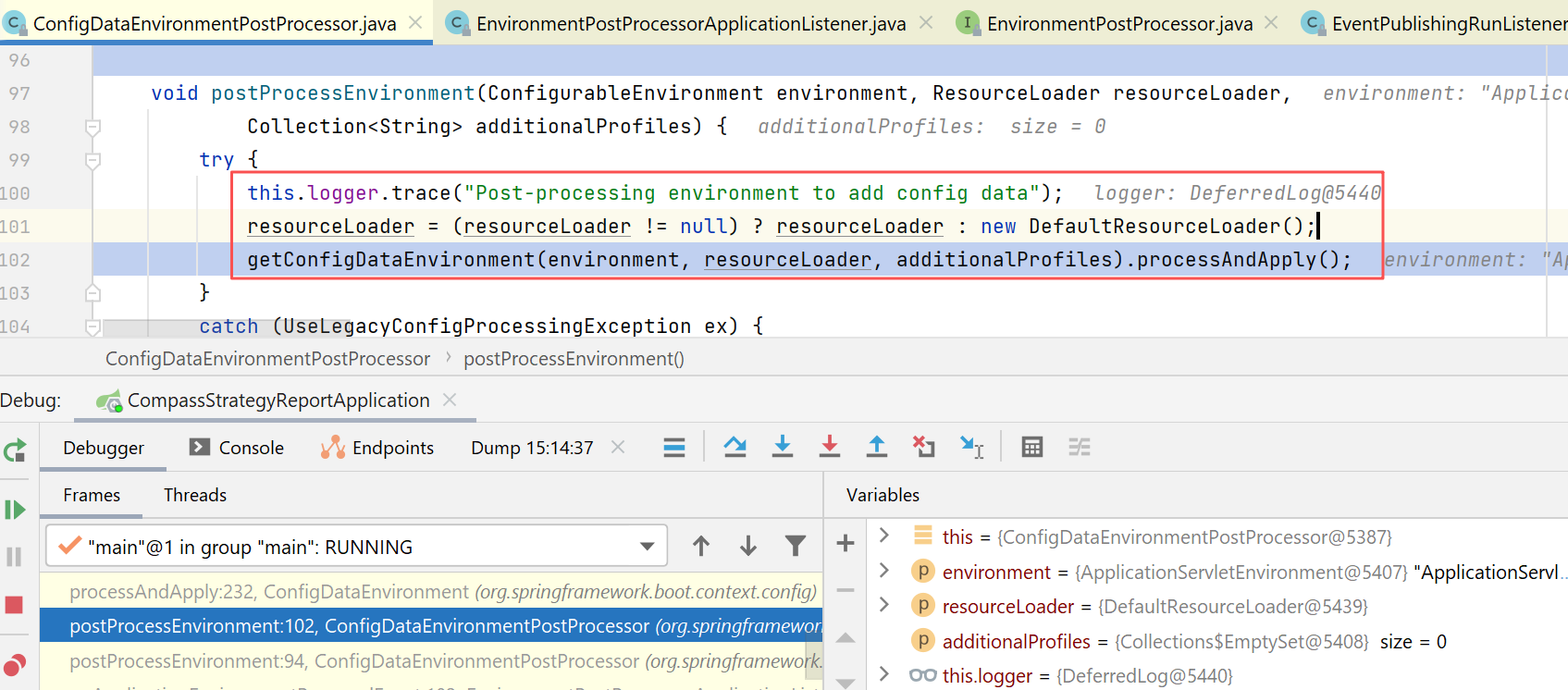
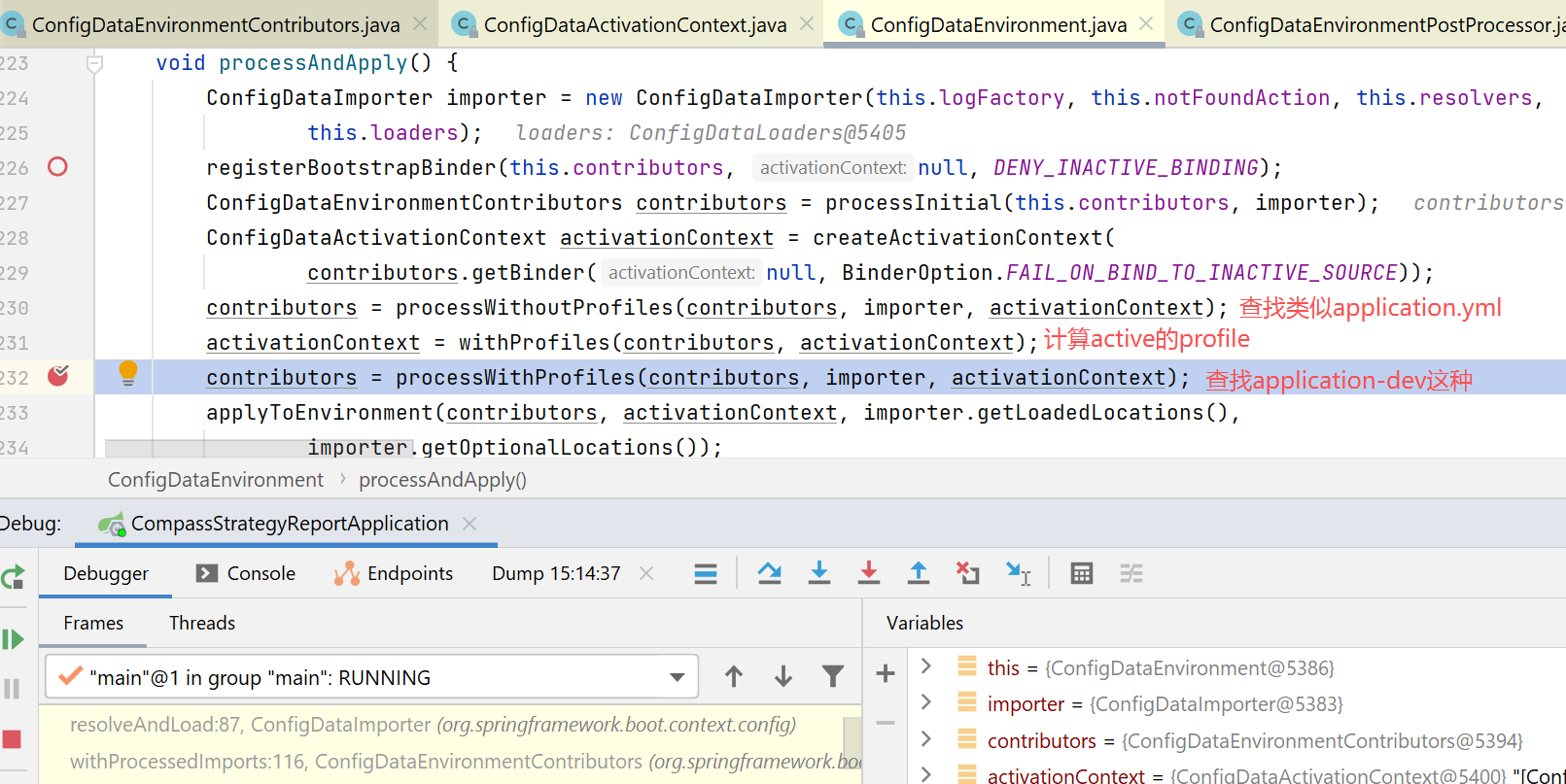
如果想要完整了解这块的流程,可以打开logger配置:
<logger name="org.springframework.boot.context.config" level="TRACE"/>
<logger name="org.springframework.boot.logging" level="TRACE"/>
大概流程如下:
查找的位置:
04-26 15:30:47.949 [main] TRACE [] o.s.boot.context.config.ConfigDataEnvironment Adding initial config data import from location 'optional:file:./;optional:file:./config/;optional:file:./config/*/' [DeferredLog.java:249]
04-26 15:30:47.949 [main] TRACE [] o.s.boot.context.config.ConfigDataEnvironment Adding initial config data import from location 'optional:classpath:/;optional:classpath:/config/' [DeferredLog.java:249]
查找的文件:
04-26 15:30:47.949 [main] TRACE [] o.s.boot.context.config.ConfigDataLocationResolver Skipping missing resource file:./application.yaml [DeferredLog.java:249]
04-26 15:30:47.949 [main] TRACE [] o.s.boot.context.config.ConfigDataLocationResolver Skipping missing resource file:./application.yml [DeferredLog.java:249]
04-26 15:30:47.949 [main] TRACE [] o.s.boot.context.config.ConfigDataLocationResolver Skipping missing resource file:./application.properties [DeferredLog.java:249]
04-26 15:30:47.949 [main] TRACE [] o.s.boot.context.config.ConfigDataLocationResolver Skipping missing resource file:./application.json [DeferredLog.java:249]
04-26 15:30:47.949 [main] TRACE [] o.s.boot.context.config.ConfigDataLocationResolver Skipping missing resource file:./application.xml [DeferredLog.java:249]
04-26 15:30:47.949 [main] TRACE [] o.s.boot.context.config.ConfigDataLocationResolver Skipping missing resource file:./config/application.yaml [DeferredLog.java:249]
04-26 15:30:47.949 [main] TRACE [] o.s.boot.context.config.ConfigDataLocationResolver Skipping missing resource file:./config/application.yml [DeferredLog.java:249]
04-26 15:30:47.954 [main] TRACE [] o.s.boot.context.config.ConfigDataLocationResolver Skipping missing resource file:./config/application.properties [DeferredLog.java:249]
04-26 15:30:47.954 [main] TRACE [] o.s.boot.context.config.ConfigDataLocationResolver Skipping missing resource file:./config/application.json [DeferredLog.java:249]
04-26 15:30:47.954 [main] TRACE [] o.s.boot.context.config.ConfigDataLocationResolver Skipping missing resource file:./config/application.xml [DeferredLog.java:249]
在计算了profile后,如:profile为dev,则:
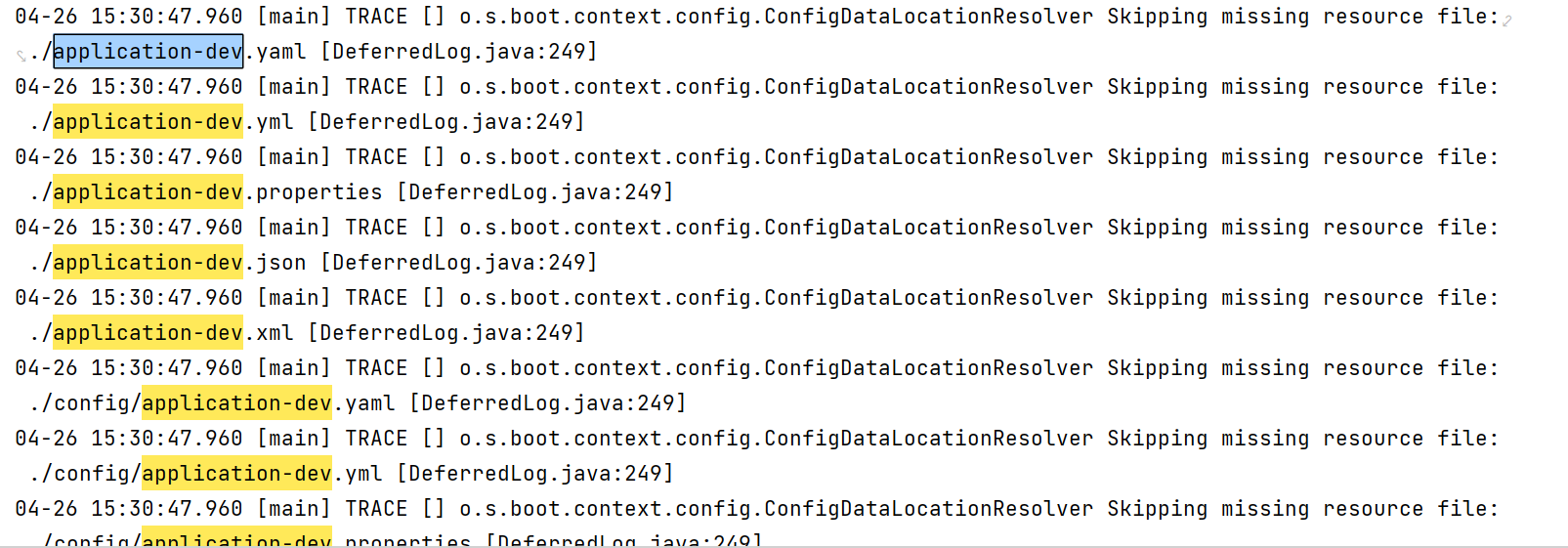
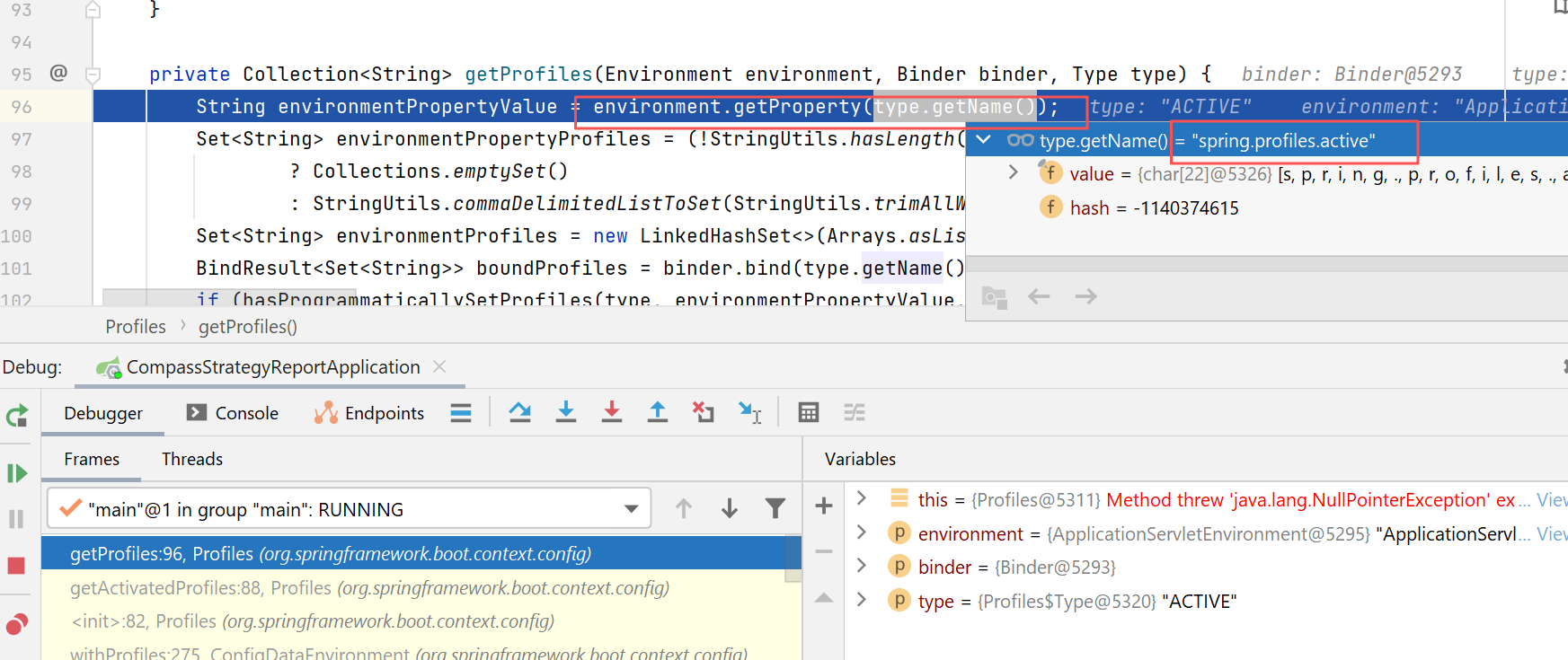
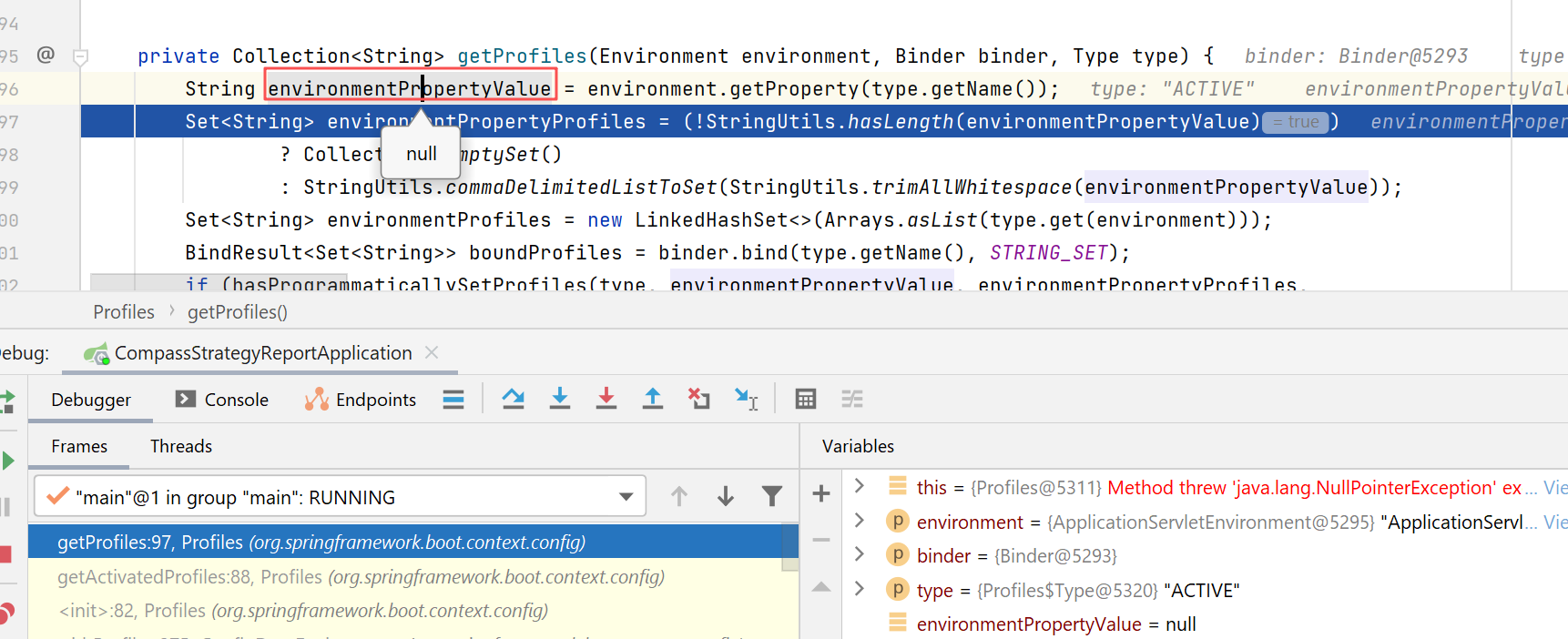
后来经过反复对比正常和异常情况下的代码路径,发现异常情况下,计算出来的active的profile竟然是空的。正常情况下,profile是dev。
然后重点查下面的代码:
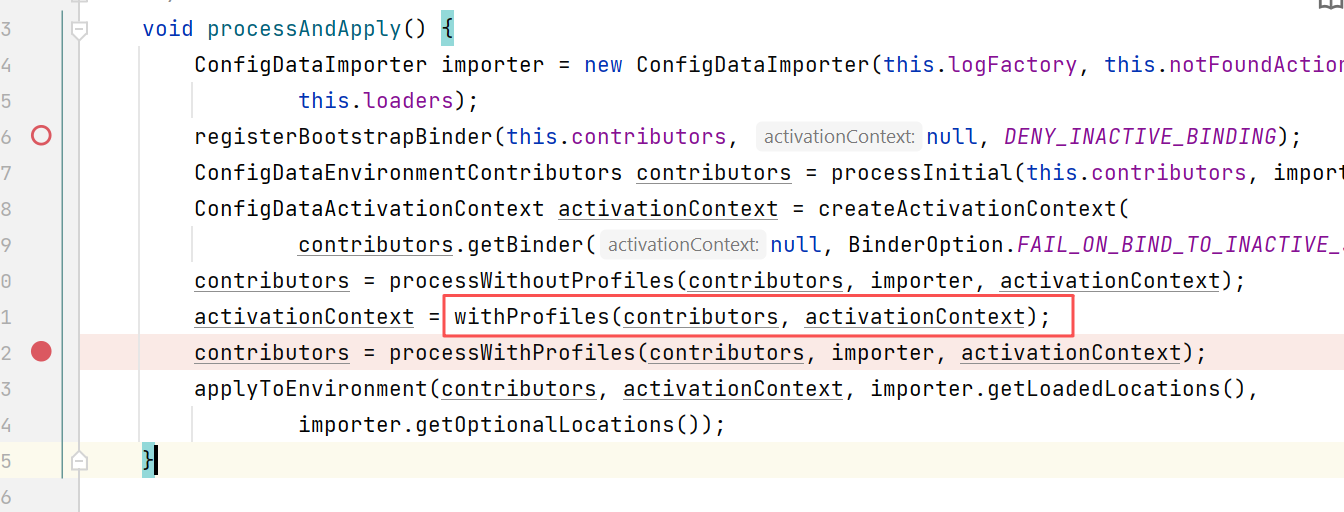
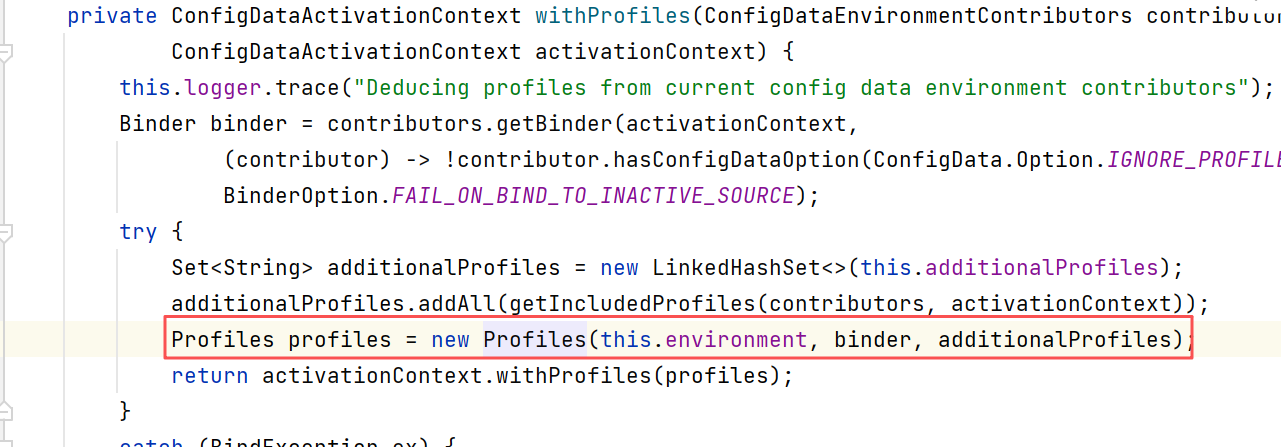
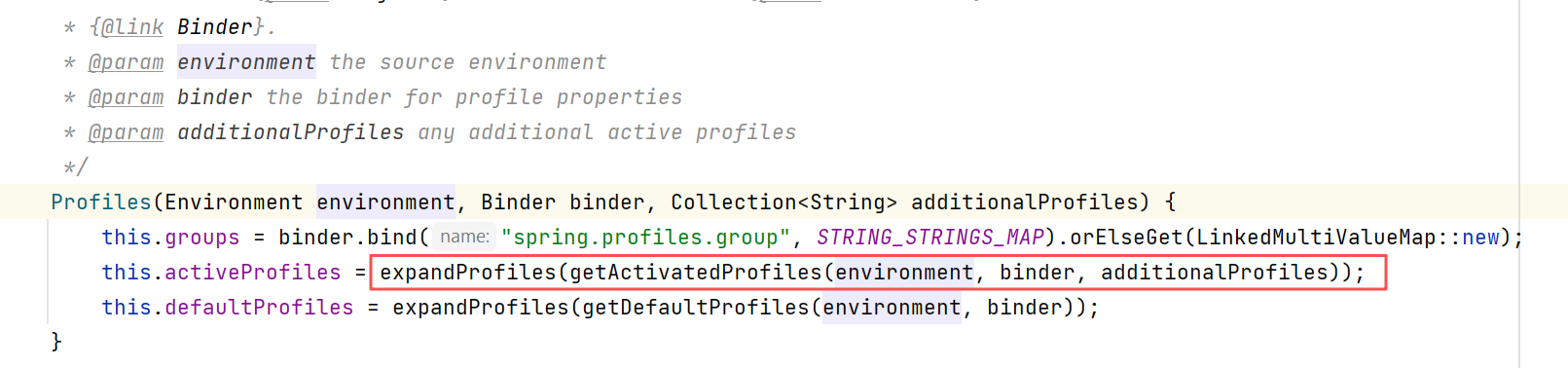
我们知道,在environment中包含了propertySource的list,我在对比异常情况下的list发现,如下的propertySource有差别,正常情况下,我这边,profile是在bootstrap.yml这种指定的,那就应该正常如下:
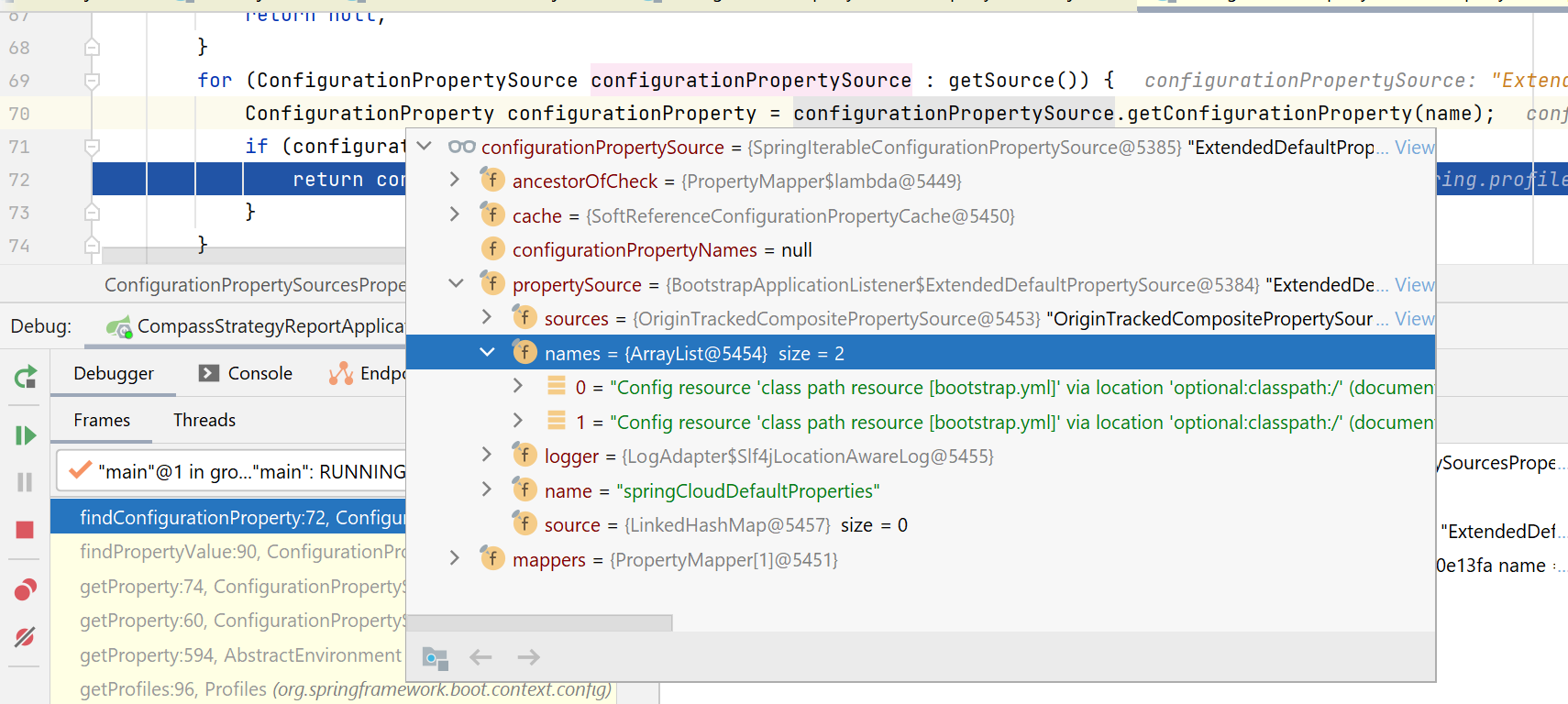
上图中,names这个数组里,包含了两个bootstrap.yml,其实就是如下这两段配置:
但是在异常情况下,names数组是空的:
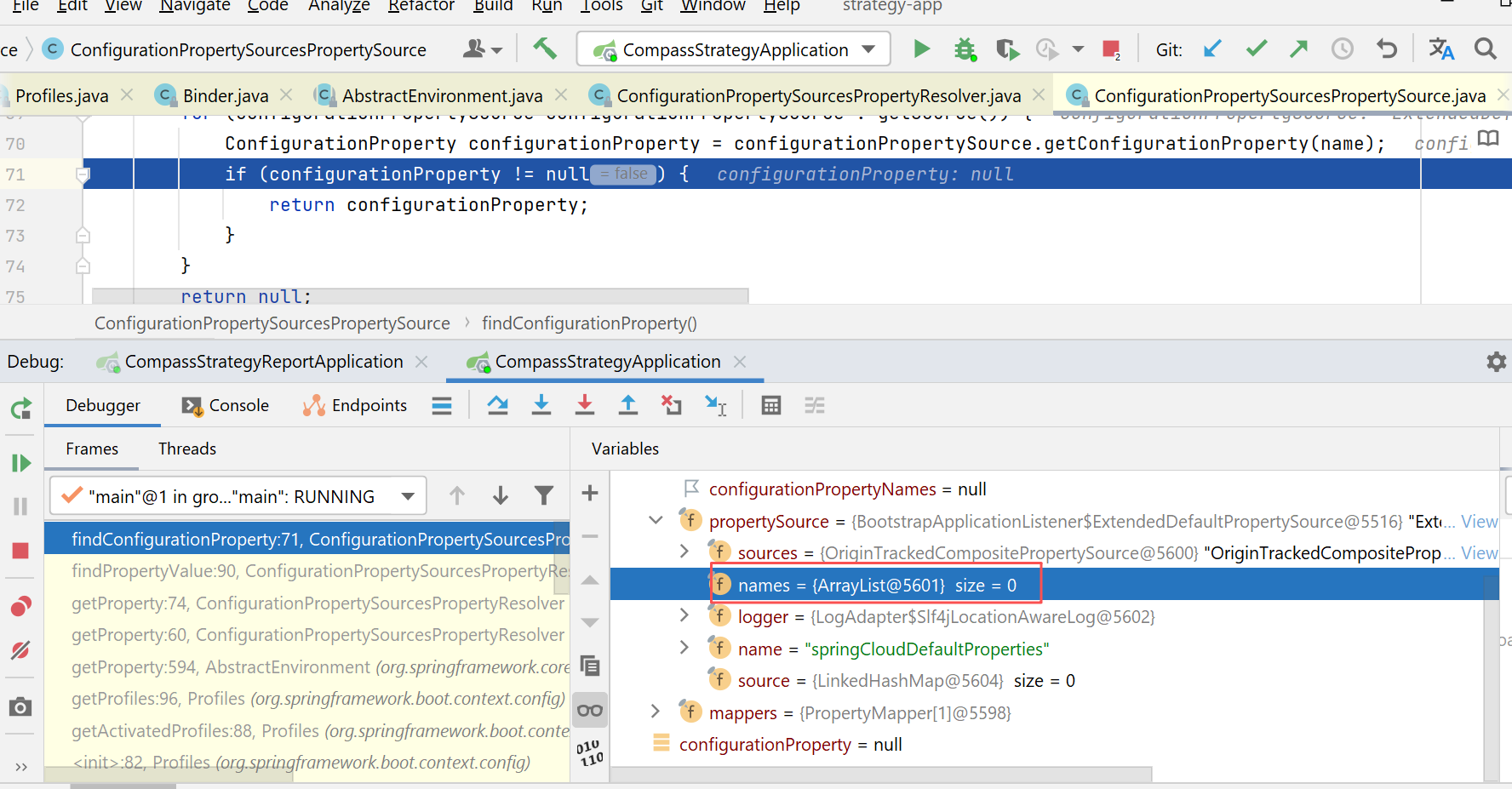
切到这个propertySource的代码一看,找了下操作names数组的地方:
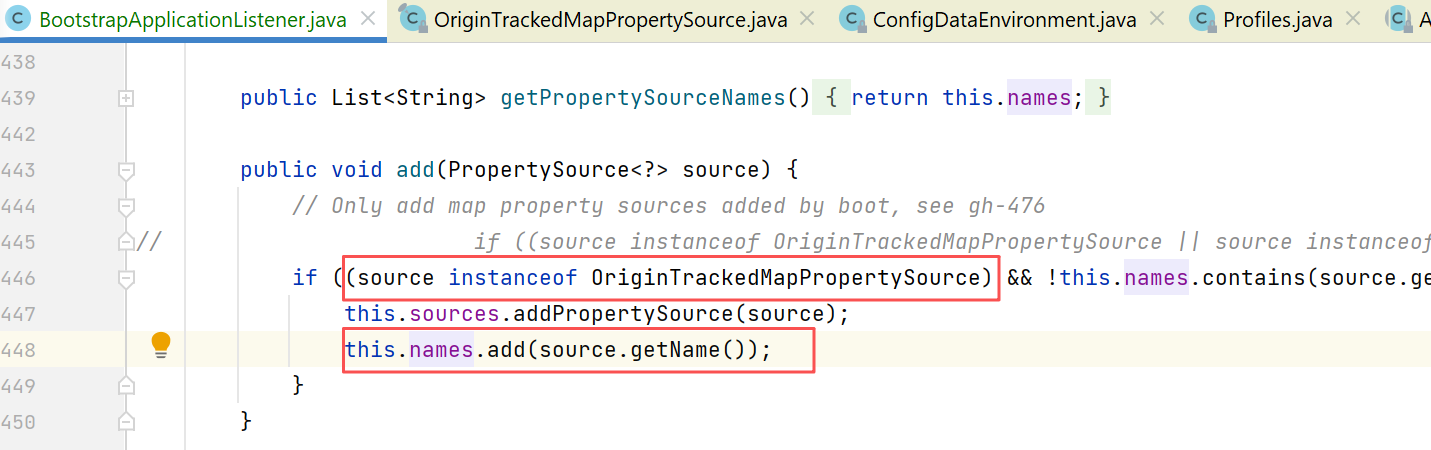
发现会判断propertySource是不是OriginTrackedMapPropertySource类型,而我们知道的是,那个加密组件,会把正常的OriginTrackedMapPropertySource类型的propertySource转成EncryptableMapPropertySourceWrapper,而这个EncryptableMapPropertySourceWrapper就不是OriginTrackedMapPropertySource的子类,所以这里就没法加入到names数组。
我以前就被这个加密组件坑过一次了,改的方式就是:
直接把这个类的源码拷贝了一份,改了一下,放到项目的src下(包名不能变):
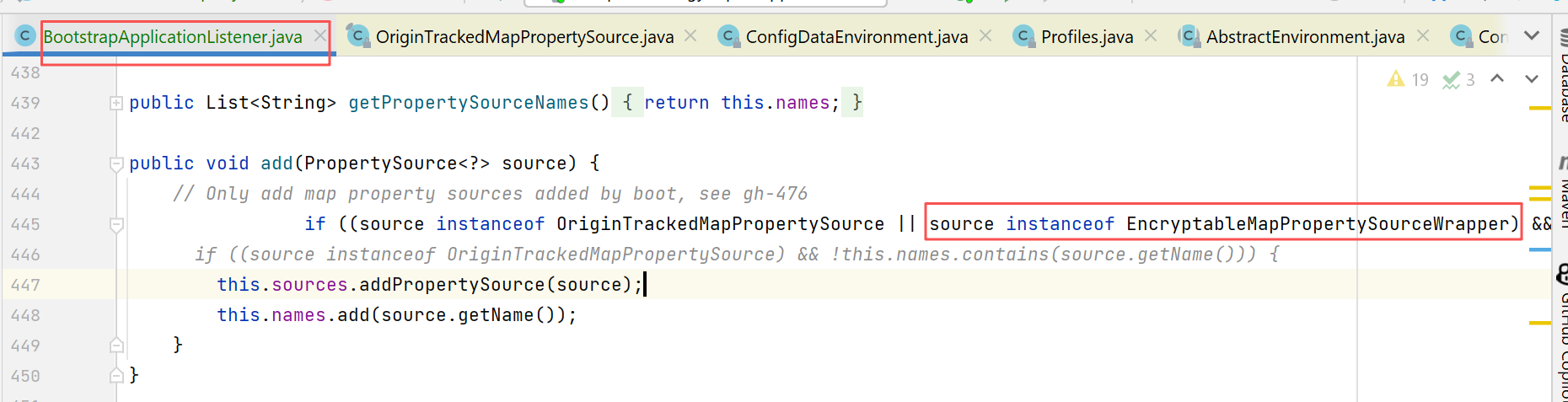
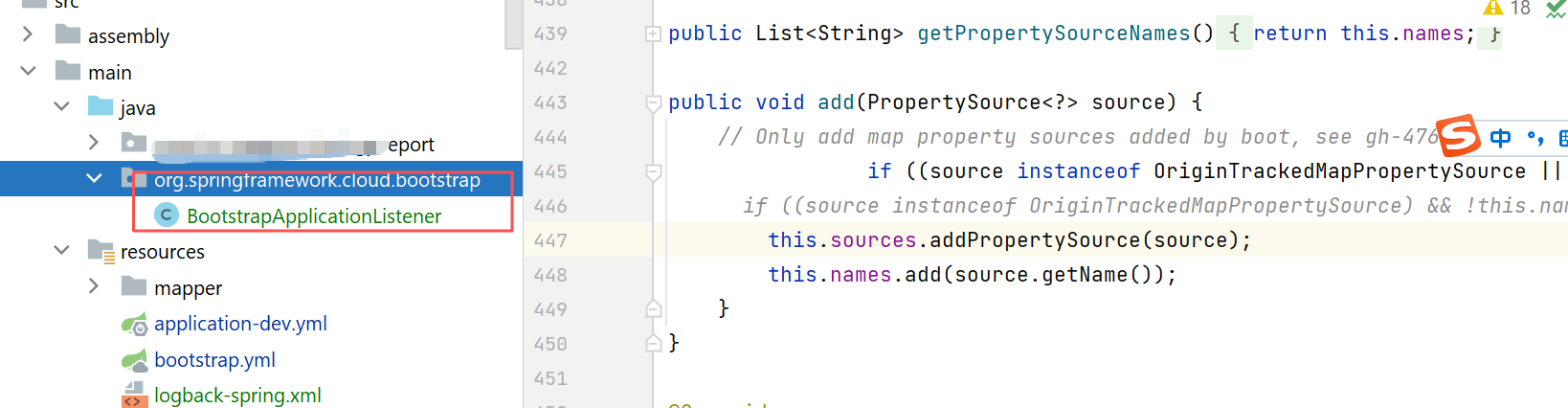
上述这个方法什么时候调用的呢,其实就是在上文说的,applicationContext这个上下文完成了environmentPrepared后,就会发布一个org.springframework.boot.context.event.ApplicationEnvironmentPreparedEvent,这时候各个listener就会处理这个事件。
前面那个listener是下图第3个,这里我们add方法这块,就是在第一个listener中调用的:
org.springframework.cloud.bootstrap.BootstrapApplicationListener
这个listener就负责了spring cloud中boostrap阶段的工作(支持bootstrap.yml,从nacos这类配置中心读取配置)。
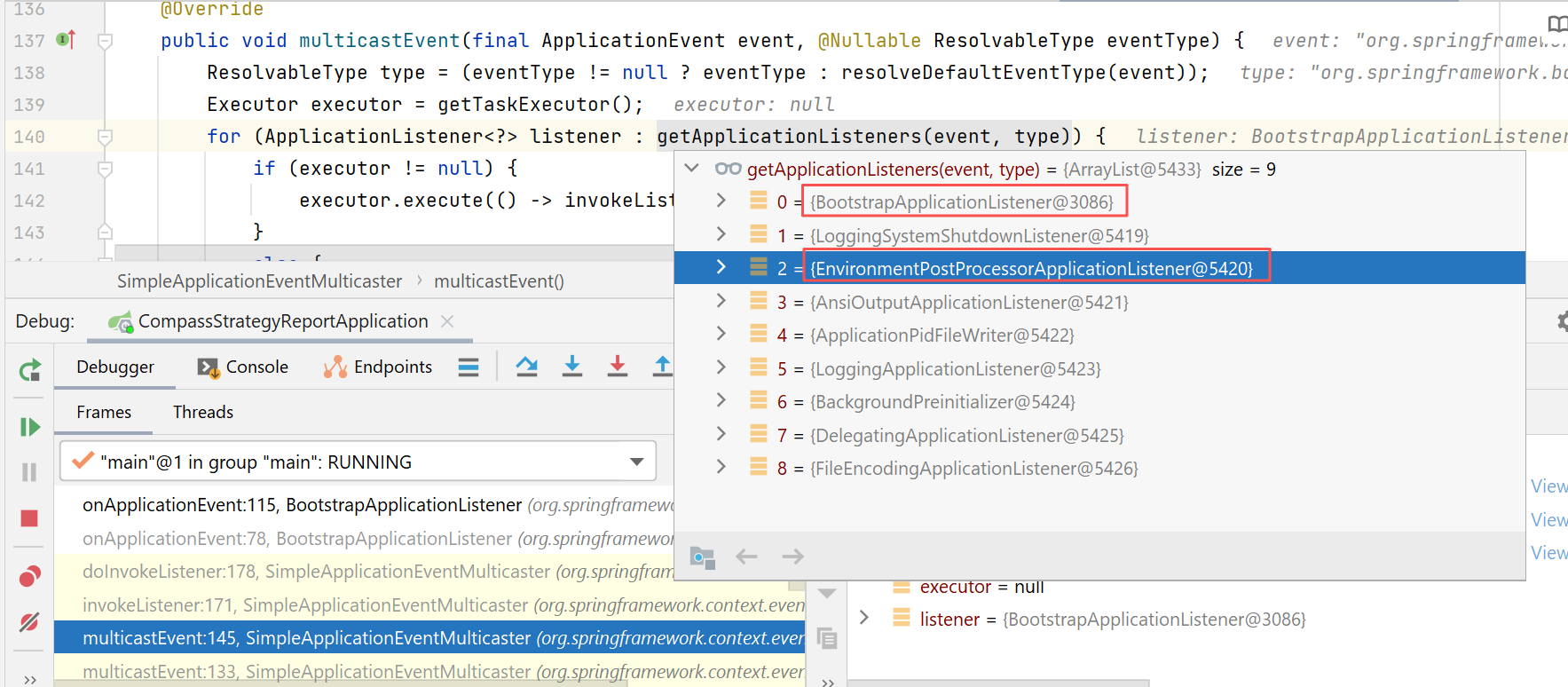
在这个listener中:
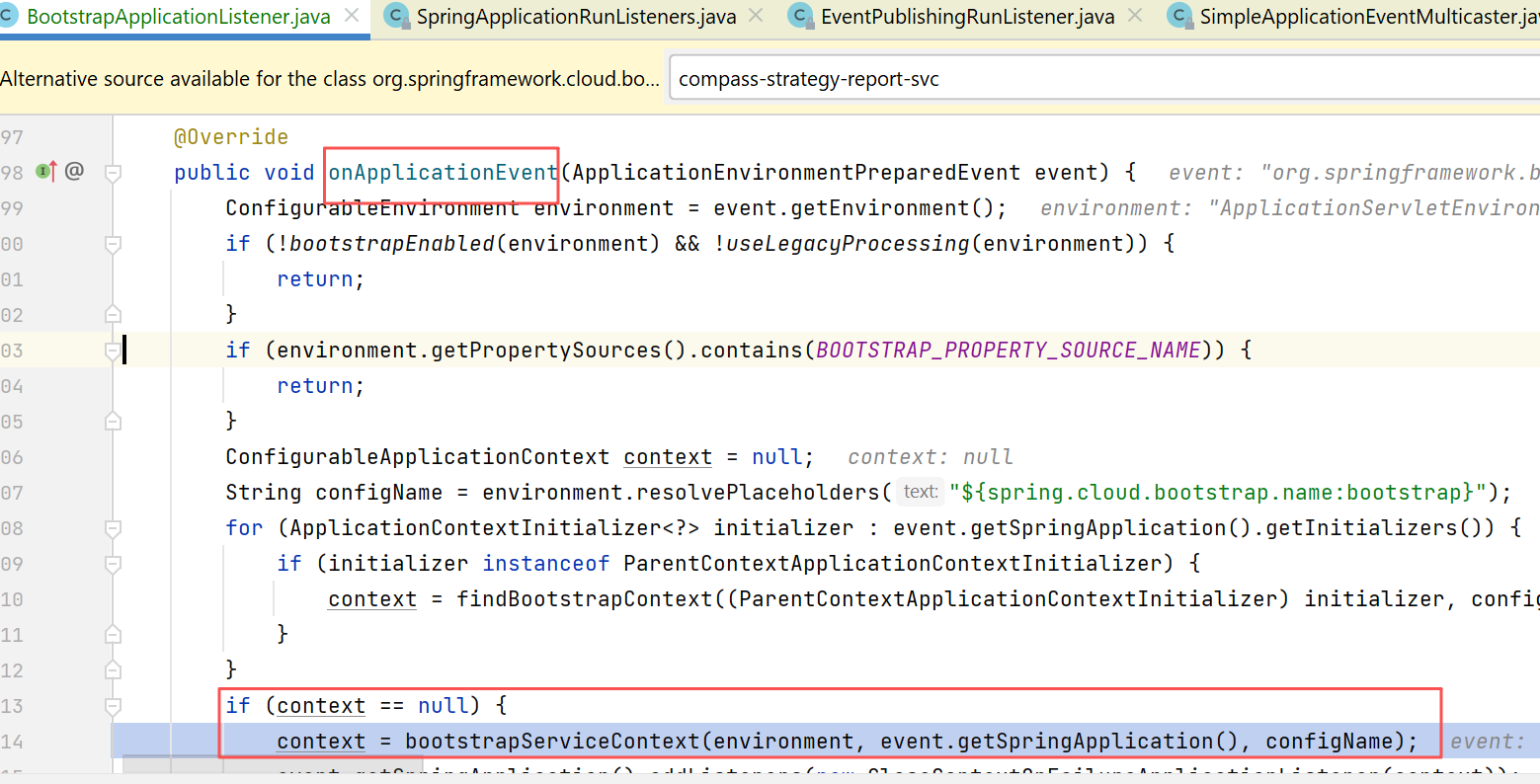
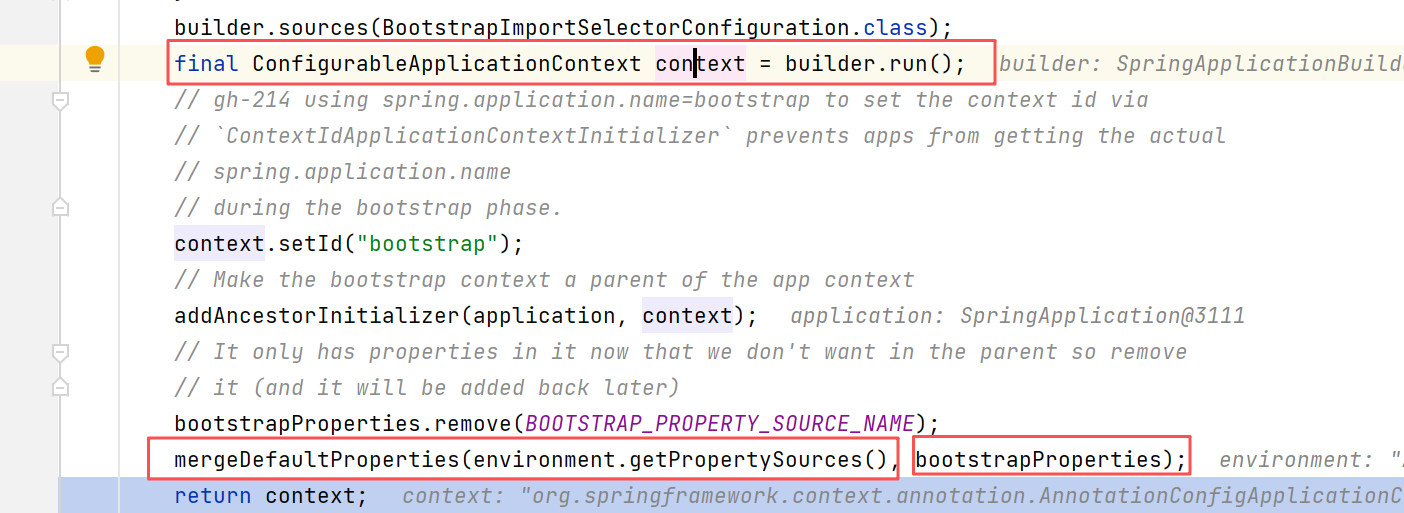
下图所示,这个listener中也会生成一个bootstrap阶段的applicationContext,且也会查找自己的各个propertySource作为自己的env(包括去查找各个bootstrap.yml等配置文件)
04-26 15:55:39.725 [main] TRACE [] o.s.b.c.config.ConfigDataEnvironmentContributors Processing imports [optional:file:./;optional:file:./config/;optional:file:./config/*/] [DeferredLog.java:249]
04-26 15:55:39.725 [main] TRACE [] o.s.boot.context.config.ConfigDataLocationResolver Skipping missing resource file:./bootstrap.yaml [DeferredLog.java:249]
04-26 15:55:39.725 [main] TRACE [] o.s.boot.context.config.ConfigDataLocationResolver Skipping missing resource file:./bootstrap.yml [DeferredLog.java:249]
04-26 15:55:39.726 [main] TRACE [] o.s.boot.context.config.ConfigDataLocationResolver Skipping missing resource file:./bootstrap.properties [DeferredLog.java:249]
04-26 15:55:39.726 [main] TRACE [] o.s.boot.context.config.ConfigDataLocationResolver Skipping missing resource file:./bootstrap.json [DeferredLog.java:249]
04-26 15:55:39.726 [main] TRACE [] o.s.boot.context.config.ConfigDataLocationResolver Skipping missing resource file:./bootstrap.xml [DeferredLog.java:249]
04-26 15:55:39.726 [main] TRACE [] o.s.boot.context.config.ConfigDataLocationResolver Skipping missing resource file:./config/bootstrap.yaml [DeferredLog.java:249]
04-26 15:55:39.726 [main] TRACE [] o.s.boot.context.config.ConfigDataLocationResolver Skipping missing resource file:./config/bootstrap.yml [DeferredLog.java:249]
04-26 15:55:39.726 [main] TRACE [] o.s.boot.context.config.ConfigDataLocationResolver Skipping missing resource file:./config/bootstrap.properties [DeferredLog.java:249]
04-26 15:55:39.726 [main] TRACE [] o.s.boot.context.config.ConfigDataLocationResolver Skipping missing resource file:./config/bootstrap.json [DeferredLog.java:249]
04-26 15:55:39.726 [main] TRACE [] o.s.boot.context.config.ConfigDataLocationResolver Skipping missing resource file:./config/bootstrap.xml [DeferredLog.java:249]
04-26 15:55:39.726 [main] TRACE [] o.s.boot.context.config.ConfigDataImporter Considering resource file [.] from location optional:file:./;optional:file:./config/;optional:file:./config/*/ [DeferredLog.java:249]
04-26 15:55:39.726 [main] TRACE [] o.s.boot.context.config.ConfigDataLoaders Loading file [.] using loader org.springframework.boot.context.config.StandardConfigDataLoader [DeferredLog.java:249]
04-26 15:55:39.726 [main] TRACE [] o.s.boot.context.config.ConfigDataImporter Loaded resource file [.] from location optional:file:./;optional:file:./config/;optional:file:./config/*/ [DeferredLog.java:249]
04-26 15:55:39.726 [main] TRACE [] o.s.b.c.config.ConfigDataEnvironmentContributors Imported 1 resource [file [.]] [DeferredLog.java:249]
04-26 15:55:39.726 [main] TRACE [] o.s.b.c.config.ConfigDataEnvironmentContributors Processing imports [optional:classpath:/;optional:classpath:/config/] [DeferredLog.java:249]
04-26 15:55:39.726 [main] TRACE [] o.s.boot.context.config.ConfigDataLocationResolver Skipping missing resource classpath:/bootstrap.yaml [DeferredLog.java:249]
04-26 15:55:39.726 [main] TRACE [] o.s.boot.context.config.ConfigDataLocationResolver Skipping missing resource classpath:/bootstrap.properties [DeferredLog.java:249]
04-26 15:55:39.726 [main] TRACE [] o.s.boot.context.config.ConfigDataLocationResolver Skipping missing resource classpath:/bootstrap.json [DeferredLog.java:249]
04-26 15:55:39.726 [main] TRACE [] o.s.boot.context.config.ConfigDataLocationResolver Skipping missing resource classpath:/bootstrap.xml [DeferredLog.java:249]
04-26 15:55:39.726 [main] TRACE [] o.s.boot.context.config.ConfigDataLocationResolver Skipping missing resource classpath:/config/bootstrap.yaml [DeferredLog.java:249]
04-26 15:55:39.726 [main] TRACE [] o.s.boot.context.config.ConfigDataLocationResolver Skipping missing resource classpath:/config/bootstrap.yml [DeferredLog.java:249]
04-26 15:55:39.726 [main] TRACE [] o.s.boot.context.config.ConfigDataLocationResolver Skipping missing resource classpath:/config/bootstrap.properties [DeferredLog.java:249]
04-26 15:55:39.726 [main] TRACE [] o.s.boot.context.config.ConfigDataLocationResolver Skipping missing resource classpath:/config/bootstrap.json [DeferredLog.java:249]
04-26 15:55:39.726 [main] TRACE [] o.s.boot.context.config.ConfigDataLocationResolver Skipping missing resource classpath:/config/bootstrap.xml [DeferredLog.java:249]
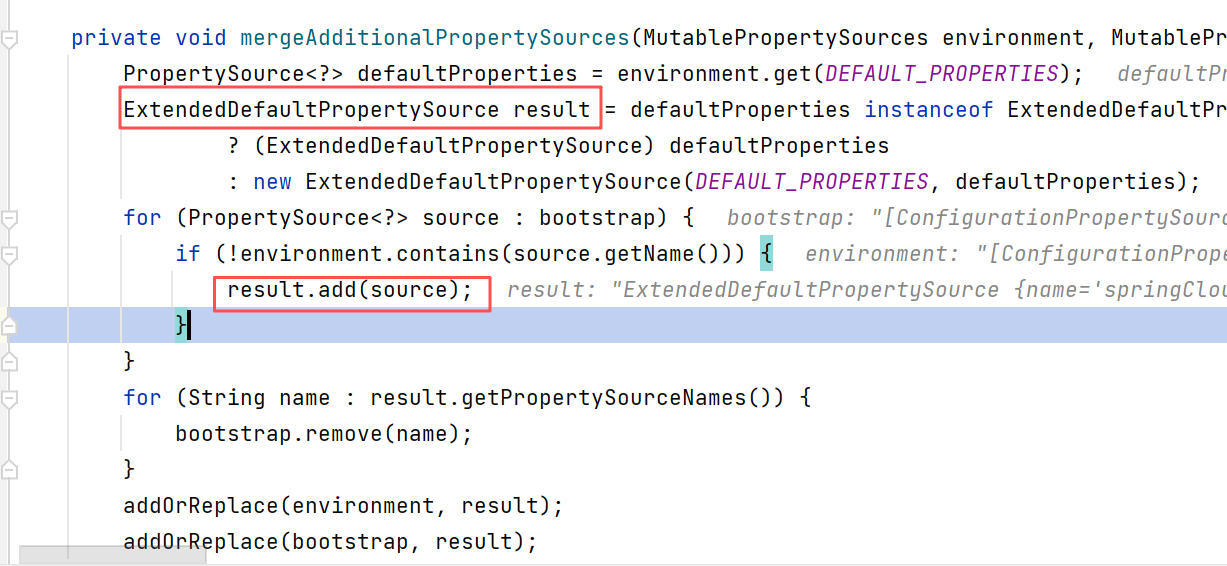
最终,bootstrap阶段这些配置,是需要合并到原来的env里的。
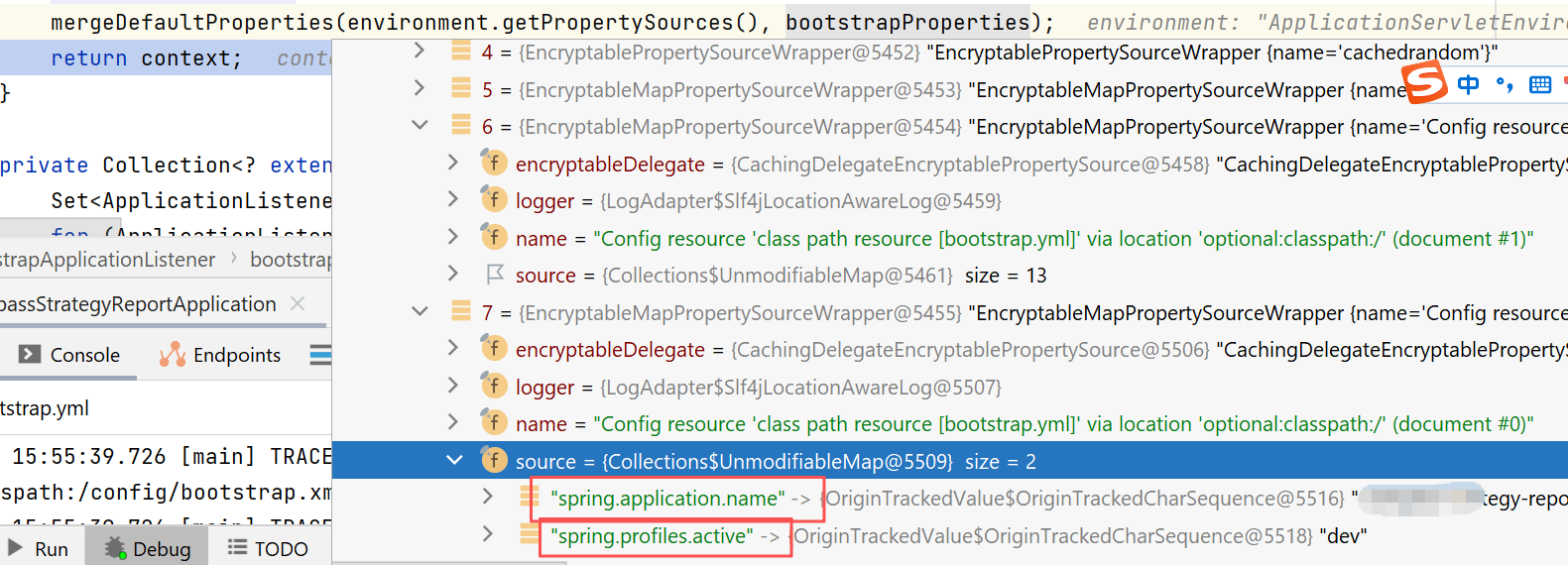
下图就是触发add方法的地方(就是需要修改代码的那里):
此内容由惯性聚合(RSS阅读器)自动聚合整理,仅供阅读参考。 原文来自 — 版权归原作者所有。