


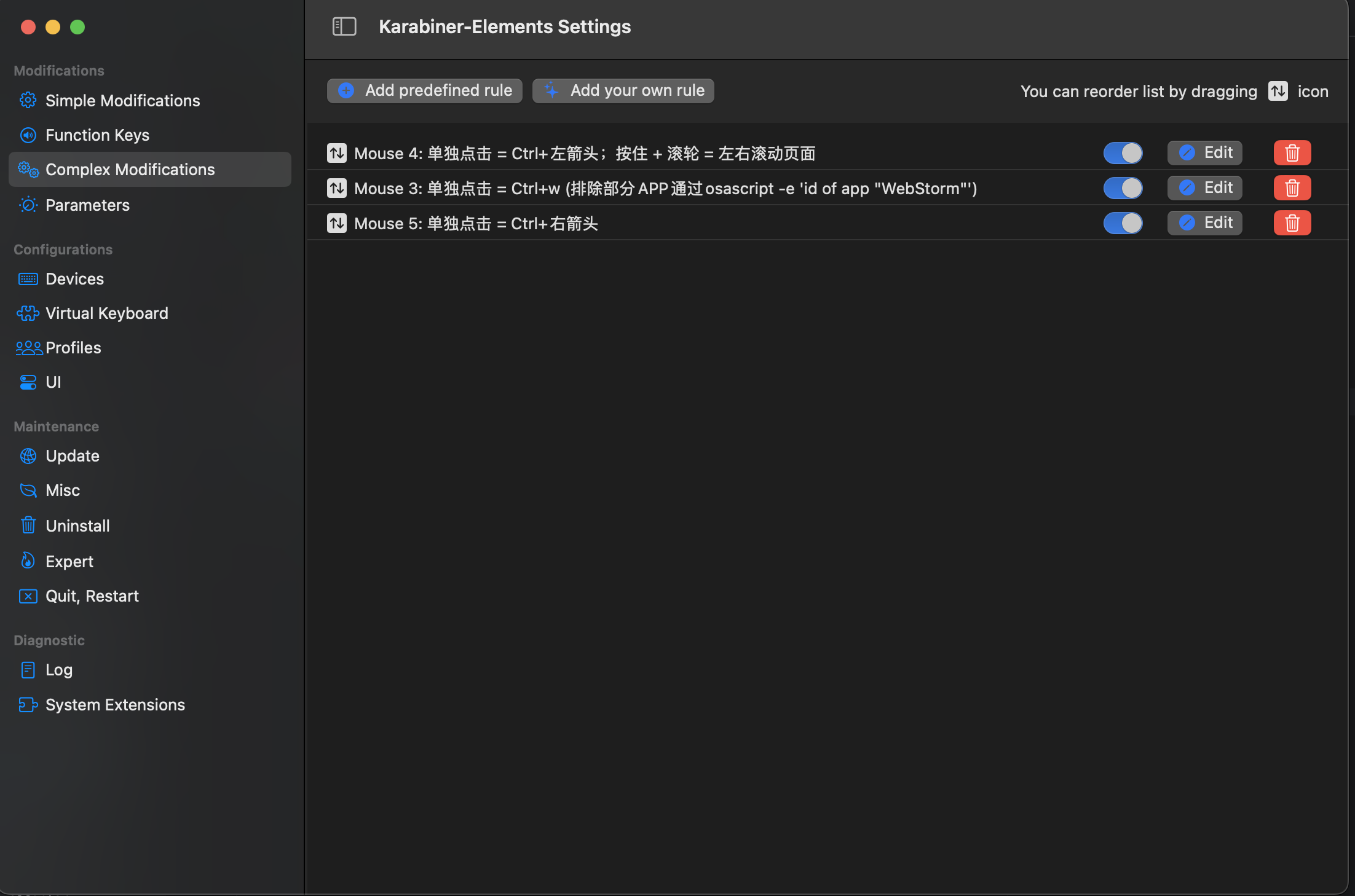
1、Mouse 4: 单独点击 = Ctrl+左箭头;按住 + 滚轮 = 左右滚动页面
{
    "description": "Mouse 4: 单独点击 = Ctrl+左箭头;按住 + 滚轮 = 左右滚动页面",
    "manipulators": [
        {
            "from": { "pointing_button": "button4" },
            "to": [
                {
                    "set_variable": {
                        "key_up_value": 0,
                        "name": "button4_held",
                        "value": 1
                    }
                }
            ],
            "to_if_alone": [
                {
                    "key_code": "left_arrow",
                    "modifiers": ["left_control"],
                    "repeat": false
                }
            ],
            "type": "basic"
        },
        {
            "conditions": [
                {
                    "name": "button4_held",
                    "type": "variable_if",
                    "value": 1
                }
            ],
            "swap": ["wheels"],
            "type": "mouse_basic"
        }
    ]
}
2、Mouse 5: 单独点击 = Ctrl+右箭头
{
    "description": "Mouse 5: 单独点击 = Ctrl+右箭头",
    "manipulators": [
        {
            "from": { "pointing_button": "button5" },
            "to": [
                {
                    "key_code": "right_arrow",
                    "modifiers": ["left_control"],
                    "repeat": false
                }
            ],
            "type": "basic"
        }
    ]
}
3、Mouse 3: 单独点击 = Ctrl+w (排除部分APP通过 osascript -e 'id of app "WebStorm"' 确认APP的id)
{
    "description": "Mouse 3: 单独点击 = Ctrl+w (排除部分APP通过osascript -e 'id of app \"WebStorm\"')",
    "manipulators": [
        {
            "conditions": [
                {
                    "bundle_identifiers": [
                        "^com\\.jetbrains\\.WebStorm$",
                        "^com\\.jetbrains\\.PhpStorm$",
                        "^com\\.jetbrains\\.pycharm$",
                        "^com\\.jetbrains\\.intellij$",
                        "^com\\.apple\\.dt\\.Xcode$",
                        "^com\\.google\\.android\\.studio$",
                        "^com\\.tencent\\.webplusdevtools$",
                        "^com\\.todesktop\\.230313mzl4w4u92$",
                        "^com\\.sublimetext\\.4$"
                    ],
                    "type": "frontmost_application_unless"
                }
            ],
            "from": { "pointing_button": "button3" },
            "to": [
                {
                    "key_code": "w",
                    "modifiers": ["left_gui"],
                    "repeat": false
                }
            ],
            "type": "basic"
        }
    ]
}
此内容由惯性聚合(RSS阅读器)自动聚合整理,仅供阅读参考。 原文来自 — 版权归原作者所有。