


惯性聚合 高效追踪和阅读你感兴趣的博客、新闻、科技资讯
阅读原文 在惯性聚合中打开

推荐订阅源

T
Threatpost
O
OpenAI News
Forbes - Security
Forbes - Security
W
WeLiveSecurity
Engineering at Meta
Engineering at Meta
Stack Overflow Blog
Stack Overflow Blog
P
Privacy & Cybersecurity Law Blog
The Register - Security
T
Tor Project blog
CTFtime.org: upcoming CTF events
S
Secure Thoughts
D
DataBreaches.Net
Vercel News
Vercel News
D
Docker
T
The Blog of Author Tim Ferriss
K
KPMG report finds enterprise disconnect between AI and its ROI | CIO
M
MIT News - Artificial intelligence
cs.CL updates on arXiv.org
L
LangChain Blog
博客园_首页
S
Schneier on Security
宝玉的分享
宝玉的分享
Project Zero
Project Zero
V
Visual Studio Blog
Attack and Defense Labs
量子位
P
Proofpoint News Feed
The GitHub Blog
The GitHub Blog
B
Blog
V2EX - 技术
V2EX - 技术
T
Troy Hunt's Blog
N
Netflix TechBlog - Medium
H
Hacker News: Front Page
Cloudbric
Cloudbric
云风的 BLOG
云风的 BLOG
Latest news
Latest news
P
Proofpoint News Feed
Help Net Security
Help Net Security
Schneier on Security
H
Heimdal Security Blog
Hacker News: Ask HN
Hacker News: Ask HN
有赞技术团队
有赞技术团队
B
Blog RSS Feed
Last Week in AI
Last Week in AI
C
Cyber Attacks, Cyber Crime and Cyber Security
I
Intezer
Threat Intelligence Blog | Flashpoint
Webroot Blog
Webroot Blog
让小产品的独立变现更简单 - ezindie.com
Microsoft Security Blog

博客园 - 幻化成疯

今天又是一年的最后一个工作日 今天是最后一个工作日 过年了,龙年 新年又来了!今天是放假的最后前的最后一个工作日! Vue开发时运行npm install命令导致npm包自动升级而引起bug iOS AppIcon透明圆角导致的动画问题 iOS14 毛皮玻璃Blur效果英文教程推荐 iOS14 SceneKit Camera 的视角 Swift5 的 Enum 用.Net 开发Windows Service ,合并dll到exe中 iOS SpriteKit 字体设置无效问题 2021又来到了! Dart 和 Javascript 中的await 和 async的理解 iOS12 判断网络链接状态NWPathMonitor 又离职了~ 留个纪念,过了这么多年,又干回Android了! mac上运行shell脚本遇到回车字符错误 - 幻化成疯 - 博客园 iOS12 中的后台下载与上传 以iphone作为热点时ios程序中的UDP广播地址
iOS14 Core Location后台定位
幻化成疯 · 2021-03-15 · via 博客园 - 幻化成疯

首先贴出 官方文档:https://developer.apple.com/documentation/corelocation/choosing_the_location_services_authorization_to_request 详细介绍了如何确定你需要申请的Location权限。

定位的权限申请

在iOS14中,使用用户Gps信息,需要申请权限。申请的权限分为2种。

When In Use
Always

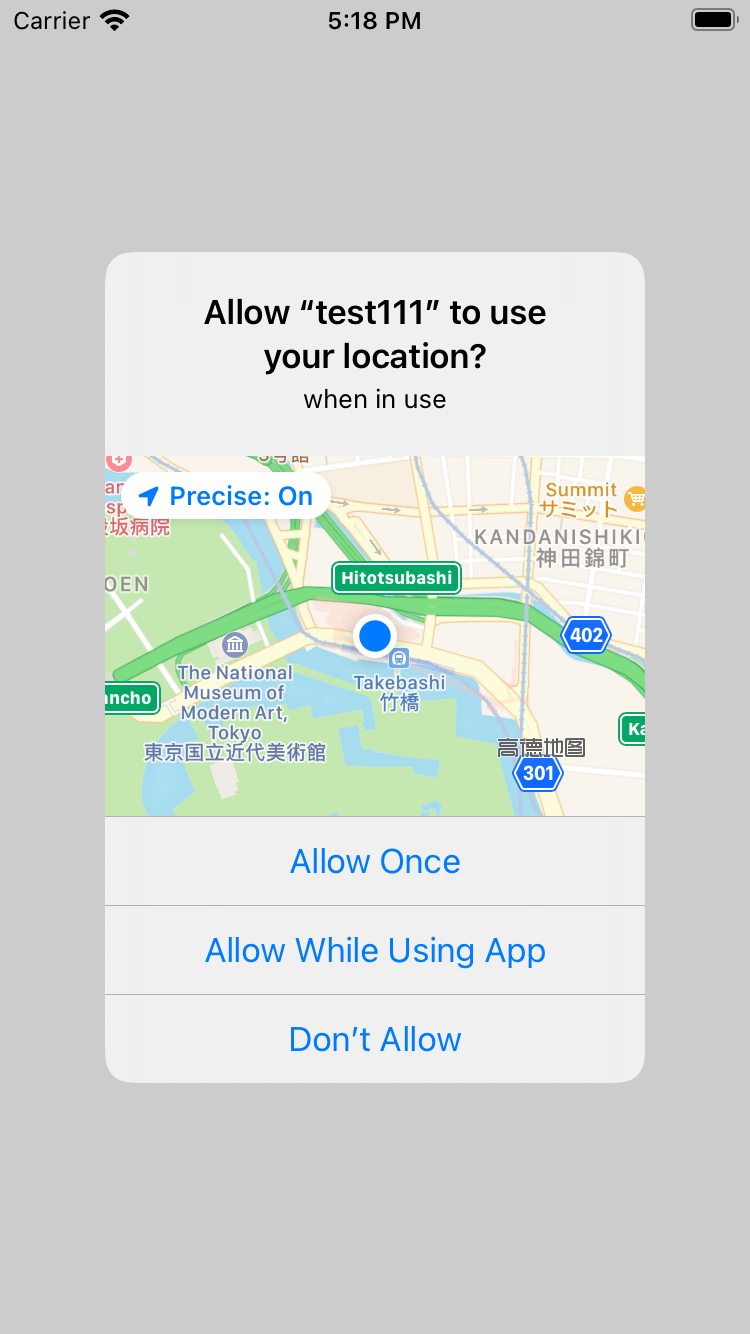
When In Use提示界面如下:
image

Always 的申请方式有2种,提示界面也稍有不同,
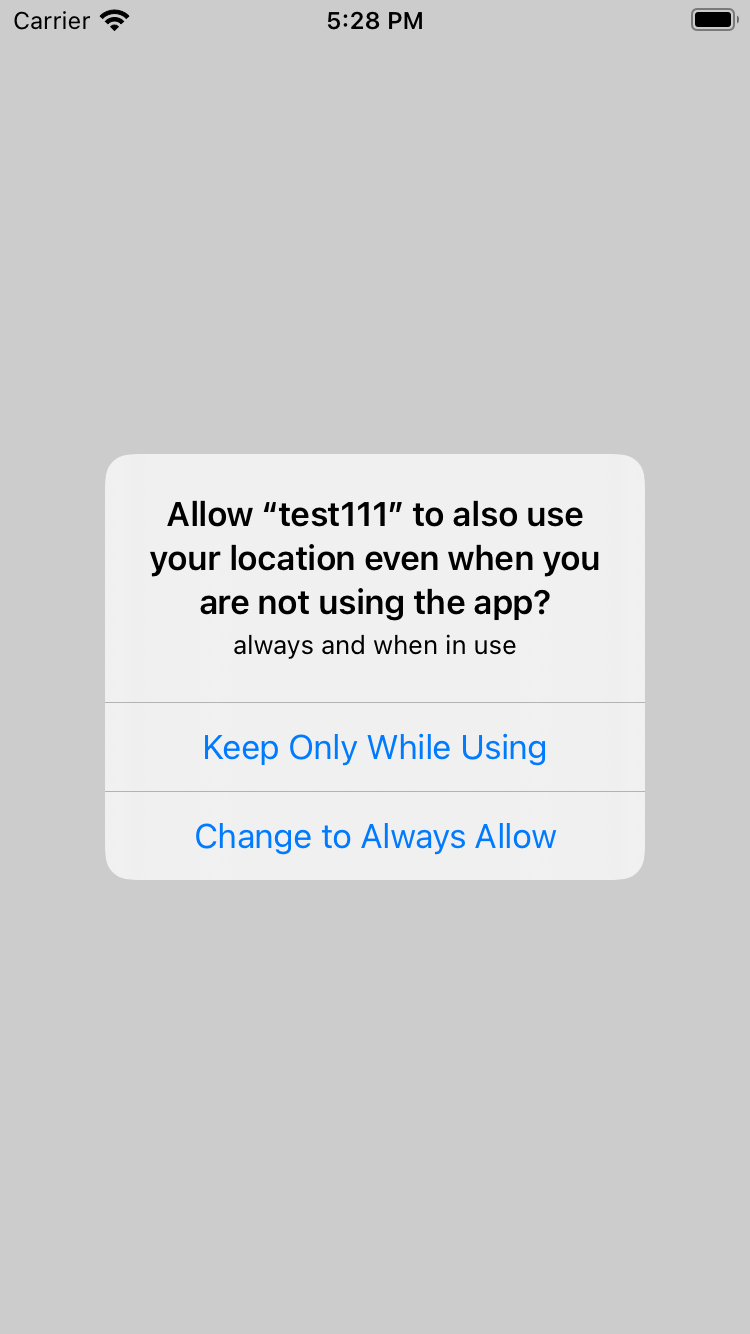
第一种是先成功申请到了 When In Use,之后使用requestAlwaysAuthorization申请always,弹出如下界面:
image

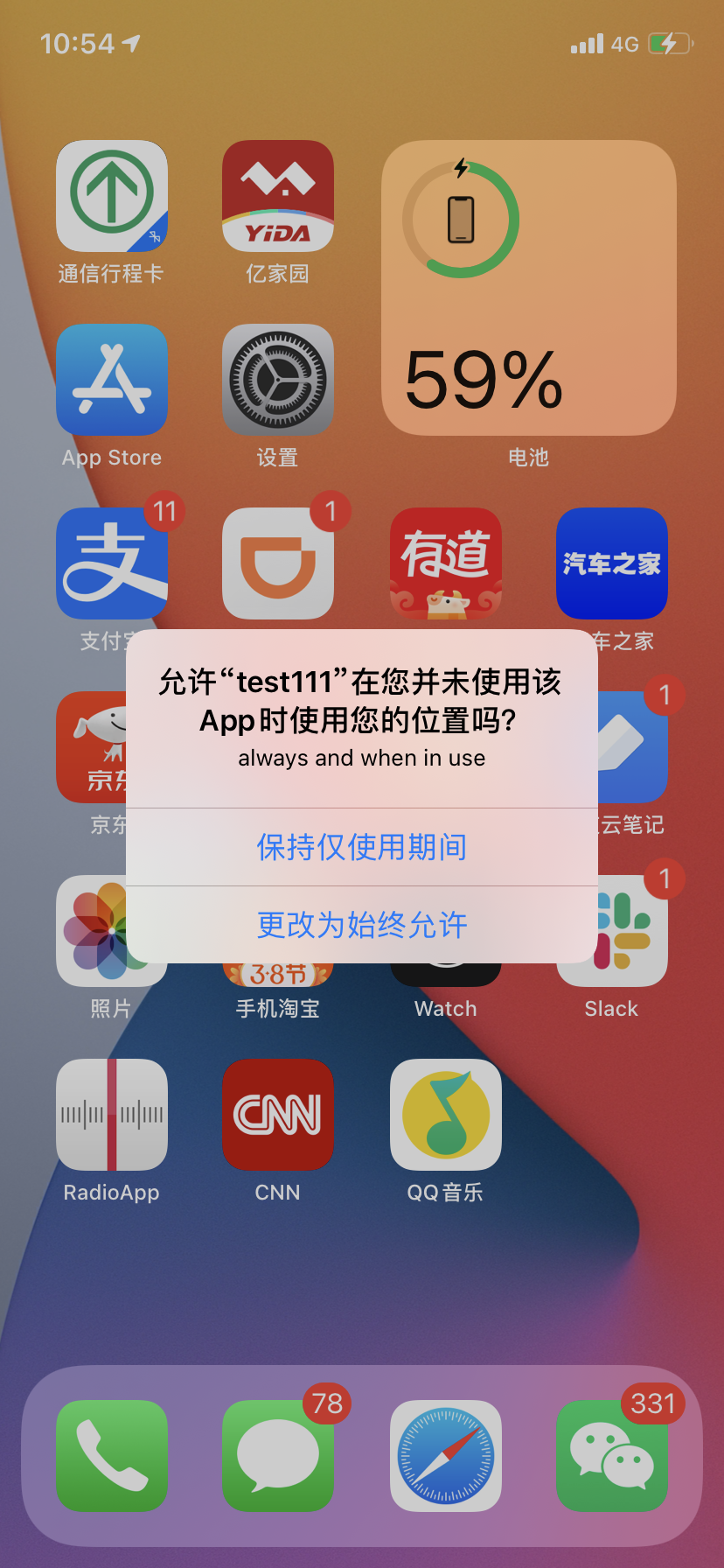
第二种是直接使用requestAlwaysAuthorization,但是程序弹出的界面还是When In Use的界面,如果用户允许了,当系统第一次在后台向app发送gps信息时,会自动弹出第二个授权界面:
image

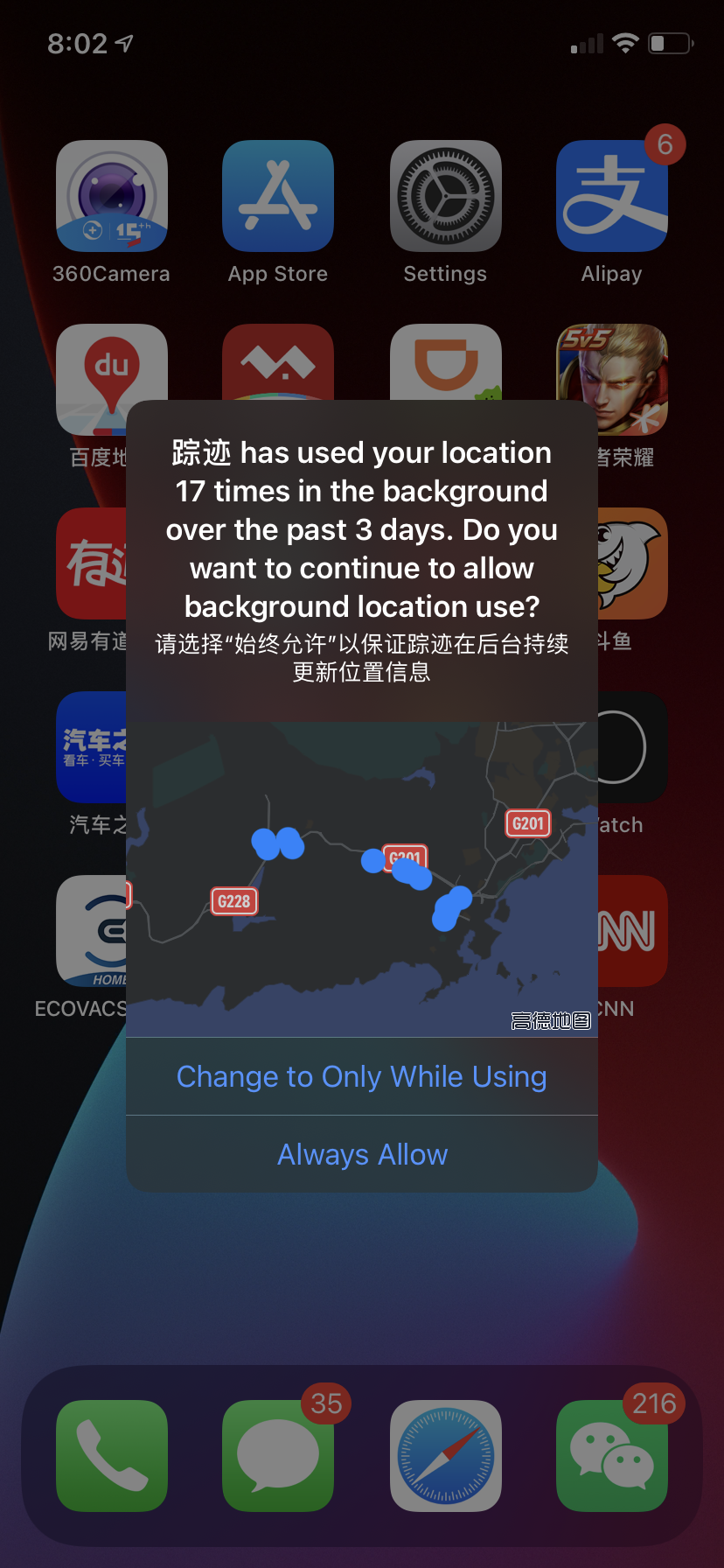
这2种权限的最大不同在于,当app被kill掉后,Always权限能够让系统在后台自动启动被kill掉的程序,运行相应的代码。对于个人隐私来说,这是一个十分危险的选项!为了应对这个隐私安全问题,iOS会定期弹出通知,提醒你这个程序又在后台使用了你的位置,起到了一定的安全作用,如下图:
image

在background模式下获取location

无论是 When In Use 还是 Always 权限,只要不kill掉app,app都可以在后台持续收集gps信息。
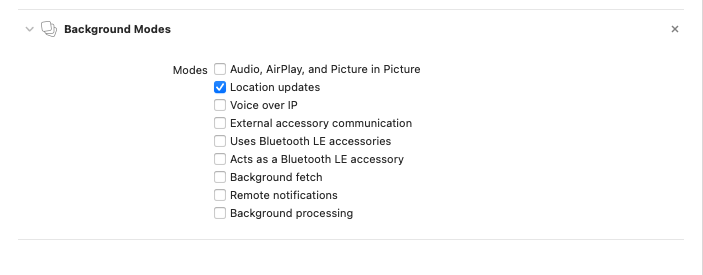
要开启后台模式,首先开启Location update的 backgroud mode ,如图:
image

再设置 allowsBackgroundLocationUpdates = true,就能在程序进入backend后,继续跟踪用户的坐标信息。
如果想更加明确地告知用户正在使用后台定位,可以设置
locationManager.showsBackgroundLocationIndicator = true
这样在status bar左上会显示蓝色定位图标,表示正在后台使用导航定位。如图:image
如需要关闭后台定位,只需要设置 allowsBackgroundLocationUpdates = false,这样程序进入后台,也不会取定位信息了。

定位精确度和耗电

location的精确度和耗电息息相关,越精确越耗电。通过 locationManager.desiredAccuracy可以设定精确度。
精确度从高到低依次为:

public let kCLLocationAccuracyBestForNavigation: CLLocationAccuracy //导航应用使用
public let kCLLocationAccuracyBest: CLLocationAccuracy //iOS 默认值
public let kCLLocationAccuracyNearestTenMeters: CLLocationAccuracy
public let kCLLocationAccuracyHundredMeters: CLLocationAccuracy
public let kCLLocationAccuracyKilometer: CLLocationAccuracy
public let kCLLocationAccuracyThreeKilometers: CLLocationAccuracy
public let kCLLocationAccuracyReduced: CLLocationAccuracy // 最不精确,不精确范围在1-20km之间

选择合适的精确度,可以大幅降低电池的消耗。