


使用路径标记语法 StreamGeometry 来设计最大化 最小化 恢复和关闭按钮,以下为恢复按钮的路径,和拿邮件系统按钮做了对比,完全吻合
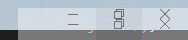
前一张图片设置了透明度为40
后一张为邮件恢复按钮
先看下代码效果图

# 前台实现
<Grid Background="#FFF0F0F0">
    <ContentControl x:Name="Content" />
</Grid>
# 后台实现
  public MainWindow()
  {
      InitializeComponent();

      var myPath = new Path();
      myPath.Stroke = Brushes.Black;
      myPath.StrokeThickness = 1;

      // Create a StreamGeometry to use to specify myPath.
      StreamGeometry geometry = new StreamGeometry();
      geometry.FillRule = FillRule.EvenOdd;

      // Open a StreamGeometryContext that can be used to describe this StreamGeometry
      // object's contents.
      using (StreamGeometryContext ctx = geometry.Open())
      {

          // Begin the triangle at the point specified. Notice that the shape is set to
          // be closed so only two lines need to be specified below to make the triangle.
          ctx.BeginFigure(new Point(30, 50), true /* is filled */, true /* is closed */);

          // Draw a line to the next specified point.
          ctx.LineTo(new Point(30, 60), true /* is stroked */, false /* is smooth join */);

          // Draw another line to the next specified point.
          ctx.LineTo(new Point(110, 60), true /* is stroked */, false /* is smooth join */);
          ctx.LineTo(new Point(110, 50), true /* is stroked */, false /* is smooth join */);
          // Begin the triangle at the point specified. Notice that the shape is set to
          // be closed so only two lines need to be specified below to make the triangle.
          ctx.BeginFigure(new Point(30, 120), true /* is filled */, true /* is closed */);

          // Draw a line to the next specified point.
          ctx.LineTo(new Point(30, 130), true /* is stroked */, false /* is smooth join */);

          // Draw another line to the next specified point.
          ctx.LineTo(new Point(110, 130), true /* is stroked */, false /* is smooth join */);
          ctx.LineTo(new Point(110, 120), true /* is stroked */, false /* is smooth join */);

          ctx.BeginFigure(new Point(30, 60), true /* is filled */, true /* is closed */);

          // Draw a line to the next specified point.
          ctx.LineTo(new Point(30, 120), true /* is stroked */, false /* is smooth join */);

          // Draw another line to the next specified point.
          ctx.LineTo(new Point(40, 120), true /* is stroked */, false /* is smooth join */);
          ctx.LineTo(new Point(40, 60), true /* is stroked */, false /* is smooth join */);
          // Begin the triangle at the point specified. Notice that the shape is set to
          // be closed so only two lines need to be specified below to make the triangle.
          ctx.BeginFigure(new Point(100, 60), true /* is filled */, true /* is closed */);

          // Draw a line to the next specified point.
          ctx.LineTo(new Point(100, 120), true /* is stroked */, false /* is smooth join */);

          // Draw another line to the next specified point.
          ctx.LineTo(new Point(110, 120), true /* is stroked */, false /* is smooth join */);
          ctx.LineTo(new Point(110, 60), true /* is stroked */, false /* is smooth join */);

          ctx.BeginFigure(new Point(50, 50), true /* is filled */, true /* is closed */);

          // Draw a line to the next specified point.
          ctx.LineTo(new Point(50, 30), true /* is stroked */, false /* is smooth join */);

          // Draw another line to the next specified point.
          ctx.LineTo(new Point(130, 30), true /* is stroked */, false /* is smooth join */);
          ctx.LineTo(new Point(130, 110), true /* is stroked */, false /* is smooth join */);
          ctx.LineTo(new Point(110, 110), true /* is stroked */, false /* is smooth join */);
          ctx.LineTo(new Point(110, 100), true /* is stroked */, false /* is smooth join */);
          ctx.LineTo(new Point(120, 100), true /* is stroked */, false /* is smooth join */);
          ctx.LineTo(new Point(120, 40), true /* is stroked */, false /* is smooth join */);
          ctx.LineTo(new Point(60, 40), true /* is stroked */, false /* is smooth join */);
          ctx.LineTo(new Point(60, 50), true /* is stroked */, false /* is smooth join */);

      }

      // Freeze the geometry (make it unmodifiable)
      // for additional performance benefits.
      geometry.Freeze();

      // Specify the shape (triangle) of the Path using the StreamGeometry.
      myPath.Data = geometry;

      // Add path shape to the UI.
      this.Content.Content = myPath;
      System.Diagnostics.Debug.WriteLine(geometry);
# 打印结果
M30,50L30,60 110,60 110,50z M30,120L30,130 110,130 110,120z M30,60L30,120 40,120 40,60z M100,60L100,120 110,120 110,60z M50,50L50,30 130,30 130,110 110,110 110,100 120,100 120,40 60,40 60,50z
# 实现应用 打印的数据放到Button的内容中
<Button x:Name="RestoreButton">
    <StreamGeometry>M30,50L30,60 110,60 110,50z M30,120L30,130 110,130 110,120z M30,60L30,120 40,120 40,60z M100,60L100,120 110,120 110,60z M50,50L50,30 130,30 130,110 110,110 110,100 120,100 120,40 60,40 60,50z</StreamGeometry>
</Button>
https://learn.microsoft.com/zh-cn/dotnet/desktop/wpf/graphics-multimedia/how-to-create-a-shape-using-a-streamgeometry?view=netframeworkdesktop-4.8
https://vimsky.com/examples/detail/csharp-ex-System.Windows.Media-StreamGeometry---class.html
https://learn.microsoft.com/zh-cn/dotnet/desktop/wpf/graphics-multimedia/path-markup-syntax?view=netframeworkdesktop-4.8
此内容由惯性聚合(RSS阅读器)自动聚合整理,仅供阅读参考。 原文来自 — 版权归原作者所有。