惯性聚合 高效追踪和阅读你感兴趣的博客、新闻、科技资讯
阅读原文 在惯性聚合中打开

推荐订阅源

IT之家
IT之家
H
Help Net Security
GbyAI
GbyAI
博客园_首页
G
Google Developers Blog
Microsoft Security Blog
博客园 - 【当耐特】
月光博客
月光博客
美团技术团队
B
Blog RSS Feed
博客园 - 三生石上(FineUI控件)
WordPress大学
WordPress大学
博客园 - 叶小钗
有赞技术团队
有赞技术团队
T
The Blog of Author Tim Ferriss
Engineering at Meta
Engineering at Meta
Google DeepMind News
Y
Y Combinator Blog
宝玉的分享
宝玉的分享
Microsoft Azure Blog
罗磊的独立博客
云风的 BLOG
云风的 BLOG
Cyber Security Advisories - MS-ISAC
P
Proofpoint News Feed

博客园 - 彭旭

[WPF]控件应用多个样式 [ASP.NET MVC] Real-time之HTML5 服务器发送事件(server-sent event) [WCF]DomainServices客户端操作异常处理 [Silverlight]监听指定控件(FrameworkElement)的依赖属性(DependencyProperty)的更改 [Silverlight]键盘钩子KeyboardHook [Chrome扩展]屏蔽Google搜索结果重定向 Linq Distinct扩展 [Winform/C#]点击工作区域移动窗体 [WinForm] C#避免Panel(ScrollableControl)的子控件获取焦点时滚动条自动滚动 C#远程连接Oracle数据库(不安装客户端) RichTextBox.MouseWheel事件控制父控件Panel的内容滚动 ID3v1信息结构(MP3文件)的读取、修改(C#) 在线编辑Office文件 SQL优化 将自然数分解为若干连续的自然数 小写金额转换为大写金额 大数阶乘 查看文件夹大小及占用空间 VS2005开发WAP网站初识 - 彭旭 - 博客园
VNC远程Gnome图形桌面(openEuler 20.03 LTS系统)
彭旭 · 2026-01-22 · via 博客园 - 彭旭

前置

服务端安装vnc

  • 安装tigervncserver

    install tigervnc-server tigervnc-server-module -y

  • 设置连接密码

    vncpasswd

  • 修改vnc配置文件

    vi ~/.vnc/xstartup

  • 修改内容

    !/bin/sh

    unset SESSION_MANAGER
    unset DBUS_SESSION_BUS_ADDRESS
    OS=uname -s
    if [ $OS = 'Linux' ]; then
    case "$WINDOWMANAGER" in
    gnome)
    if [ -e /etc/SuSE-release ]; then
    PATH=$PATH:/opt/gnome/bin
    export PATH
    fi
    ;;
    esac
    fi
    #注释掉xinitrc
    #if [ -x /etc/X11/xinit/xinitrc ]; then
    # exec /etc/X11/xinit/xinitrc
    #fi
    #if [ -f /etc/X11/xinit/xinitrc ]; then
    # exec sh /etc/X11/xinit/xinitrc
    #fi
    [ -r $HOME/.Xresources ] && xrdb $HOME/.Xresources
    xsetroot -solid grey
    vncconfig -iconic &
    #xterm -geometry 80x24+10+10 -ls -title "$VNCDESKTOP Desktop" &
    #twm &

    gnome桌面

    gnome-session &
    #打开一个文件管理器
    nautilus &

  • 启动vnc

    vncserver -kill :1
    vncserver

客户端连接

  • 客户端选择
    各种客户端都行,比如tightvnc viewer,RealVNC Viewer都行

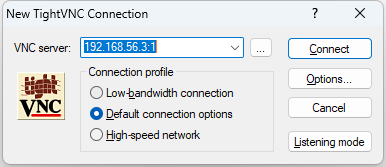
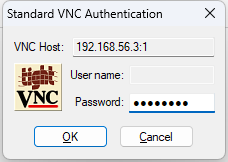
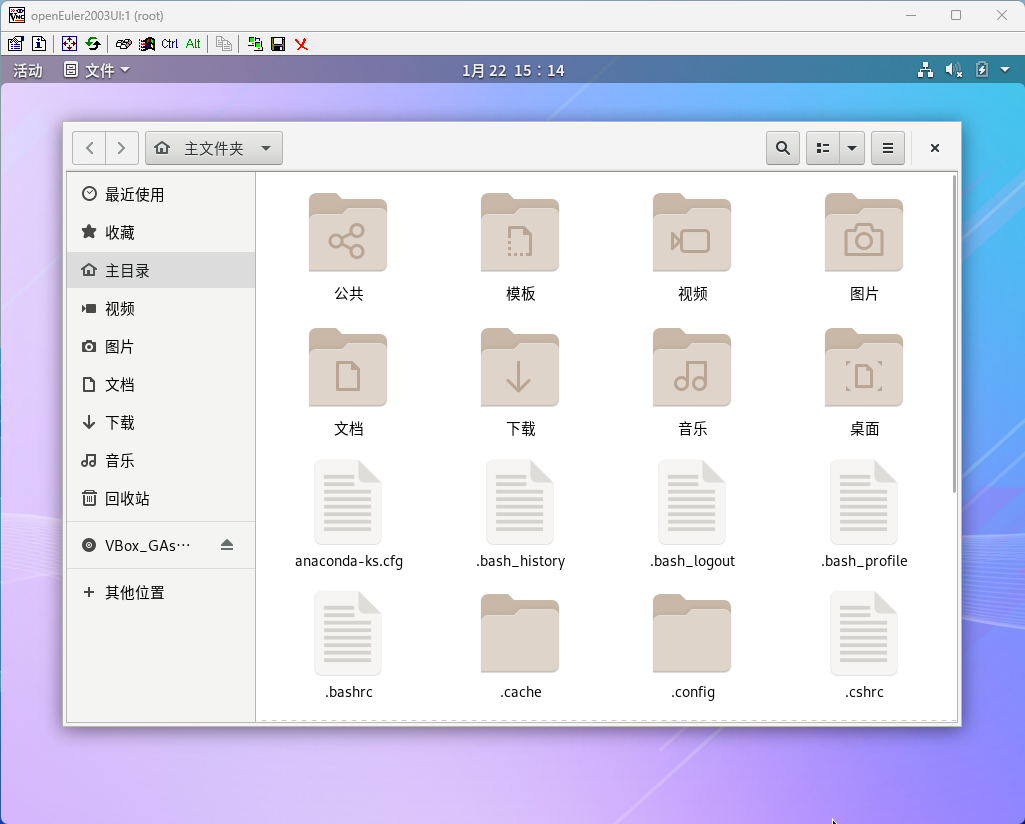
  • tightvnc连接
    image
    image
    image

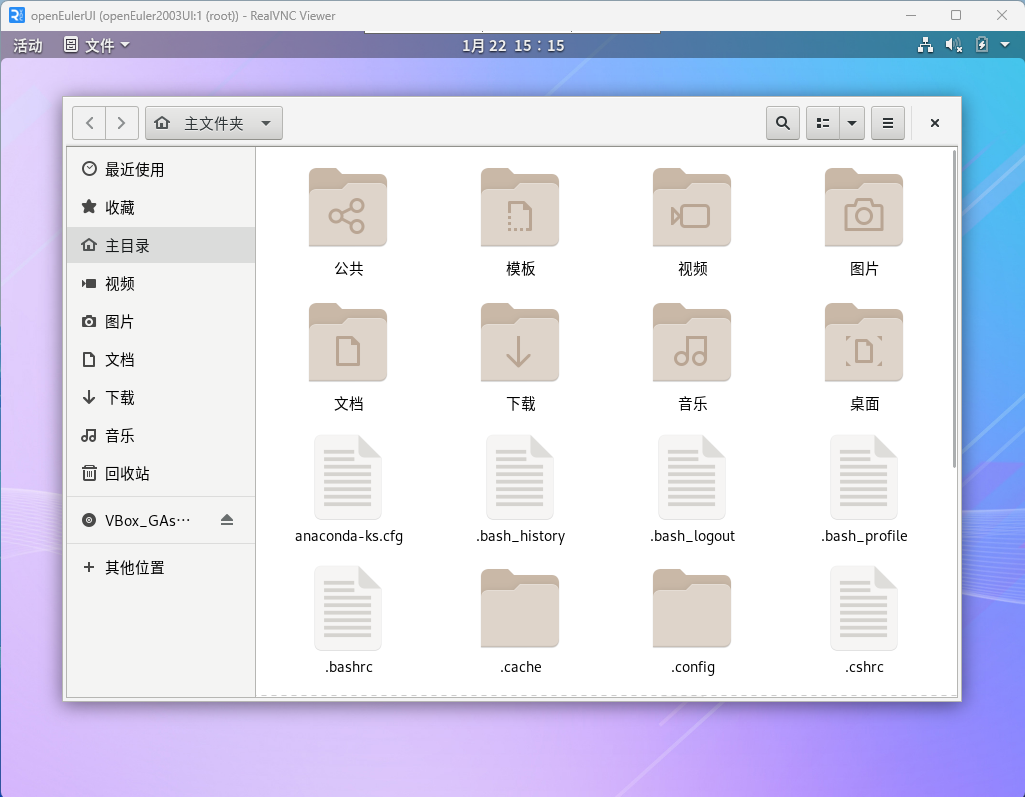
  • RealVNC Viewer
    image