


The “Agree to the Terms and Conditions” checkbox on a website is more than just a formality; it is a crucial legal tool that protects website owners and informs users of their rights and responsibilities. That’s why understanding its purpose, requirements, and best practices is important. Keep reading for everything you should know on the topic!
In this post, we explain:
- What is an “Agree to the Terms and Conditions” Checkbox?
- What is an Agree to Terms and Conditions Statement?
- Why is an “Agree to the Terms and Conditions” Statement Important?
- Examples of “Agree to the Terms and Conditions” Statements
- Generate your own professional Terms and Conditions document
What is an “Agree to the Terms and Conditions” Checkbox?
The “Agree to the Terms and Conditions” checkbox is a digital mechanism that requires users to acknowledge and accept the Terms and Conditions of a website or application before proceeding with its use.
💡 Did you know? Terms and Conditions are also called Terms of Service, Terms of Use, or User License Agreement. They lay down the rules that users must follow when using the products/services/website and clarify important elements like account suspension, limitations of liability, copyright, and more.
The checkbox is typically accompanied by a hyperlink to the actual Terms and Conditions (T&C) document. It acts as a gatekeeper, ensuring that users cannot claim ignorance of the rules governing their behavior and rights on the site since they have agreed to them.
What is an agree to terms and conditions statement?
The agree to terms and conditions statement typically accompanies a checkbox and serves as an explicit acknowledgment by the user that they have read, understood, and agreed to the terms and conditions provided by the website or application.
This statement is crucial for establishing a legally binding agreement between the service provider and the user. It makes sure the user has read the terms and helps to enforce them. A common formulation of this statement might look like: “I have read and agree to the Terms and Conditions.” or “I acknowledge that I have read, understand, and agree to the Terms of Use.”
When and Where is it Required?
While not legally required in every jurisdiction, the implementation of an “Agree to the Terms and Conditions” checkbox is considered best practice for almost all websites, and some clauses are mandatory when doing e-commerce.
Here are some key situations when you should ask users to accept Terms and Conditions:
- Before Creating an Account: It is common practice to get consent to your terms at the very beginning of the user journey, that is, during account creation.
- Before Making Purchases: E-commerce websites must have users agree to T&C before completing any purchase. These terms typically cover payment processes, shipping policies, returns and refunds, and warranty information.
- When Offering Subscriptions or Memberships: If your site offers subscriptions or memberships, users should agree to T&C detailing subscription terms, billing cycles, cancellation policies, and any automatic renewals.
- For Communities and User-Generated Content: If your platform allows users to post content (e.g., comments, photos, articles) like through social media, you should require users to accept Terms and Conditions outlining what is acceptable content, copyright issues, and your rights to use or remove user-generated content.
- For Software or App Downloads: Websites that offer software or app downloads should have T&C that inform users about the usage rights, licensing terms, restrictions, and any liabilities related to the use of the software.
💡 Why is an “Agree to the Terms and Conditions” Statement Important?
The importance of the “Agree to the Terms and Conditions” checkbox cannot be overstated. It serves as evidence that the user agreed to the site’s terms, protecting you, the website owner, in potential legal disputes and issues arising.
It also encourages users to read and understand the terms under which the service is provided. Finally, it’s a great and extremely common practice to ensure compliance with laws for doing business online!
Examples of “Agree to the Terms and Conditions” Statements
Here are some practical examples of situations where it is a best practice to mention or link to your Terms and Conditions.
eBay
eBay has a statement during the account creation process about their User Agreement as well as their User Privacy Notice.

Disney+
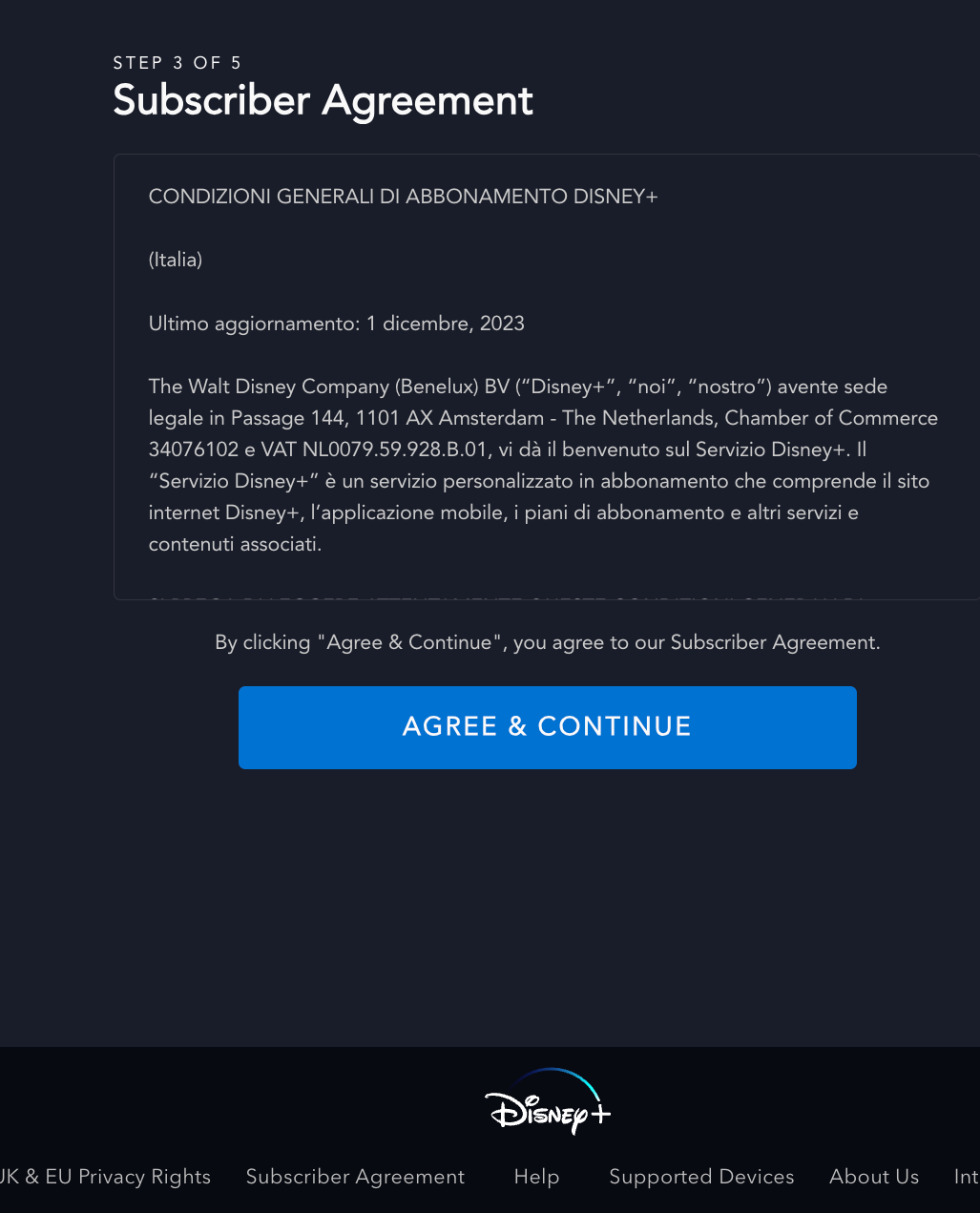
When subscribing for a Disney+ subscription, the user is guided through different steps like submitting email, creating password, and as you can see below, step 3 is dedicated to agreeing to their Subscriber Agreement. Disney+ doesn’t use a hyperlink to their Terms, but a box where users can scroll down and read the full document.
Spotify
Here’s one example to show you how important Terms are. Yes, they’re written in small letters, but they made it to Spotify Premium’s home page. There’s a link to their Terms to complement the information provided about subscriptions.

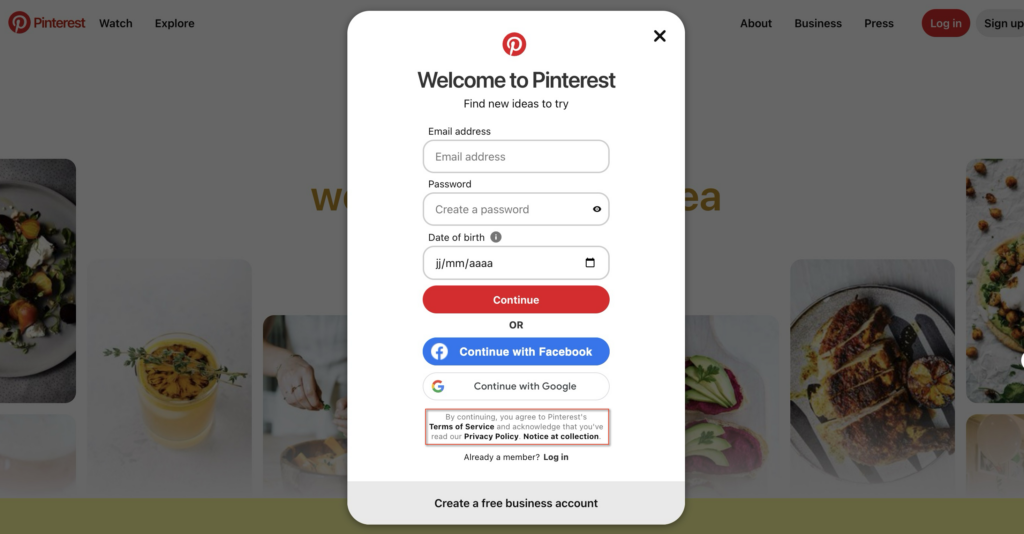
To join Pinterest’s community and create a free account, you need to agree to their Terms of Service.
👋 Want to create and install a Terms and Conditions document on your site?
We get it. It’s not an easy task from both a technical and legal standpoint. Luckily, we have two solutions that you should consider in order to simplify this process:
🚀 Generate a professional document with our Terms and Conditions Generator and integrate with your site in a flash; or
🚀 To get started, use our free Terms and Conditions Template!