







With the increase in online transactions and the sensitive information that is transmitted online, it is crucial to have secure communication protocols in place. This is especially true for websites that handle sensitive personal data. Here’s where SSL vs HTTPS comes in.
One way to ensure that your website is secure is through an SSL certificate, which encrypts the communication between the browser and web server.
In this article, we’ll compare SSL, HTTP and HTTPS to help you understand all the differences.

What is SSL (Secure Sockets Layer)?
SSL stands for Secure Sockets Layer, and it’s a security protocol that encrypts communication between a web server and a client, such as a web browser. An SSL certificate confirms your identity as the website owner and ensures your users’ privacy is protected.
SSL was first introduced in the 1990s but over time it evolved into its successor, Transport Layer Security (TLS), which is still used today to secure web communication.
How does SSL work and what does it do?
SSL works by creating an encrypted connection between a client and a server. When a client initiates a connection with a server, the server presents its SSL certificate, which contains information about the server’s identity.
The client then verifies the server’s identity and, if everything checks out, creates an encrypted connection with the server. All data transmitted over this connection is encrypted, making it difficult for anyone to intercept.
What is HTTP (HyperText Transfer Protocol)?
HTTP stands for HyperText Transfer Protocol and it’s the standard protocol for transmitting information over the internet.
It was first introduced in the 1990s as a means of transmitting hypertext documents and allowing users to access web pages and retrieve information from the web. Over time, HTTP evolved to include new features and capabilities, such as the ability to transmit multimedia content and secure communication.
How does HTTP work and what does it do?
HTTP works by sending a request from a client, such as a web browser, to a server, which then sends back a response. This request-response cycle allows clients to access information from servers and servers to transmit information to clients.
During this request-response cycle, the information is divided in form of data packets and then transferred, making it easier for hackers to access it. That’s why HTTP has been replaced with HTTPS (Hypertext Transfer Protocol Secure).
HTTP vs HTTPS
HTTP is not secure, nor does it provide encryption or authentication. To address this HTTPS was developed. HTTPS works in much the same way as HTTP, but it adds encryption and authentication to the communication, making it secure.
Basically, HTTPS is a combination of the Hypertext Transfer Protocol (HTTP) with either SSL or TLS certificate.
SSL vs HTTPS: What’s the difference?
As you may have understood, SSL and HTTPS are actually two different things combined:
- SSL (and TLS) is a security protocol that provides encryption and authentication for internet communications.
- HTTPS is a protocol that is built on top of HTTP for transmitting information over the internet. HTTPS uses SSL (or TLS) to encrypt the data transmitted, and to verify the identity of the server.
💡 Users can easily spot whether a website has an SSL certificate directly from within their browser. It’s usually found in the address bar.
See the example below:

The lock symbol indicates that the website is secure.
Do I need SSL on my website?
In most cases, yes, you do. Nowadays, almost every website collects personal data, so it’s important that the connection is secure.
Moreover, having a secure website will also help you have a better ranking on search engines. It can also happen that browsers block websites they mark as unsafe for users, because they see them as a threat to their privacy.
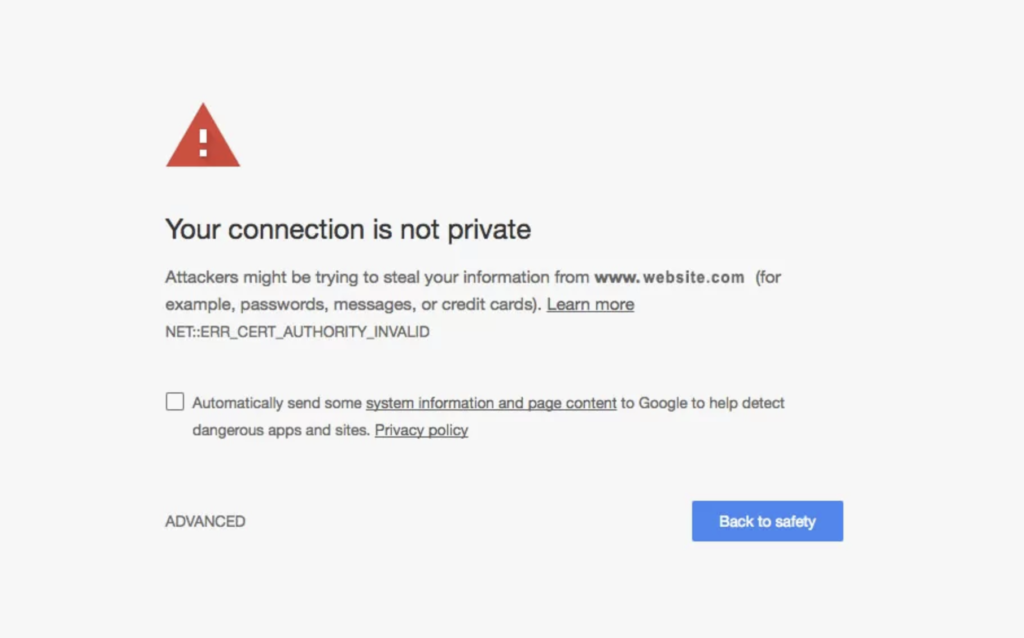
To avoid this, you need an SSL certificate.
About us

Attorney-level solutions to make your websites and apps compliant with the law across multiple countries and legislations.