


So long, old friend!
In the beginning, all we had was the PowerShell Module. It's the origin of Oh My Posh and has remained available ever since, even with the move to Go. With that evolution however, its advantages have been greatly reduced. In fact, it even introduced additional hurdles along the way.
As of March, the module no longer offers new functionality and displays a warning message. Have a look at the migration page for a guide on how to migrate from the module to other means of installation. It only takes a minute.
A fews weeks ago I started a giveaway to celebrate the 6 year anniversary of Oh My Posh. But then I went on holiday, and didn't follow up to announce the winner. So without further ado, congratulations to @samerde for getting picked by a random online random picker and winning the giveaway!
It's been a while, so you might want to hang tight 😅
In the early days, Oh My Posh was forcibly setting PowerShell to UTF-8 due to issues with fonts and paths.
However, it turned out that wasn't really necessary. A new way of invocation was introduced, which removes
the need to set this shell wide and avoids unwanted side effects. This can however still break path when
for example your --config path contains a non-ascii character. Can't win them all I guess. In that case,
set the shell to UTF-8 in the scope of initializing Oh My Posh.
$previousOutputEncoding = [Console]::OutputEncoding
[Console]::OutputEncoding = [Text.Encoding]::UTF8
try {
    oh-my-posh init pwsh --config ~/custom.omp.json | Invoke-Expression
} finally {
    [Console]::OutputEncoding = $previousOutputEncoding
}
If you haven't seen Nu shell yet, it's a new kid on the block. Oh My Posh now supports it just like we support any other popular shell (bash, zsh, fish, etc). This means we can keep adding functionality without the need for user interaction apart from updating Oh My Posh.
Ever wanted to have a powerline segment to display collapsed when disabled? Now you can!
Use the accordion style to display a segment in a collapsible state.
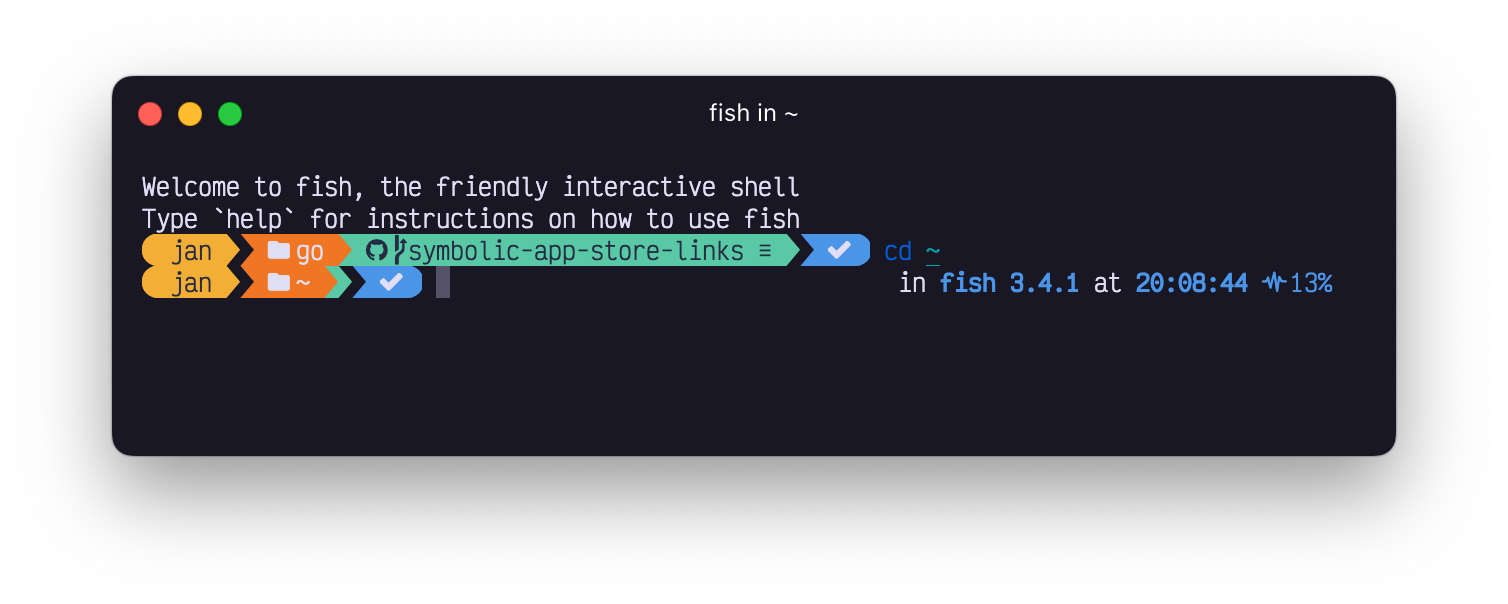
Things just keep growing. The project segment now supports the following project definitions:
If you work with multiple shell versions, this one's for you. You can now use the .Version property
in the shell segment to distinct between versions:
"template": " in {{ .Name }} {{ .Version }} "
The git segment learned a new trick to make your life easier (or faster). Before we hardcoded the
untracked files mode to normal. However, on larger repo's this can get rather cumbersome, so we now allow
you to override this per repo.
"untracked_modes": {
  "/Users/user/Projects/oh-my-posh/": "no"
}
The available options are listed in the git documentation, use them as you see fit!
Wait, what? Yes, you read that right. Oh My Posh now supports cross segment template properties.
This means you can use one segment's properties in another segment's template. How? Oh My Posh
exposes the .Segments property which contains all segment's properties in a map. To make use
of another segment's data, use {{ .Segments.Segment }} in your template where .Segment
is the name of the segment you want to use with the first letter uppercased.
If you want to for example use the git segment's .UpstreamGone property in the exit segment, you can
do so like this:
"template": " {{ if .Segments.Git.UpstreamGone }}\uf7d3{{ else if gt .Code 0 }}\uf00d{{ else }}\uf00c{{ end }} "
caution
For this to work, the segment you refer to needs to be in your config. The above example won't work if your config does not contain a git segment as Oh My Posh only populates the properties when it needs to.
oh-my-posh debug now measures the run time correctly and can log startup logic.python-version filesinit command has a new switch called --strict which no longer resolves the executable.slnf files.Writable property, indicating if the current user
can write to the current folder--separate-git-dirSet-PSReadlineOption -ExtraPromptLineCount),
this fixes weird behaviour when using a transient prompt when your config results in a multiline promptPATH entries correctly, regardless of the installation modeThat's it for this time, see you for the next one 🤞🏻
Keep that prompt posh everyone!
此内容由惯性聚合(RSS阅读器)自动聚合整理,仅供阅读参考。 原文来自 — 版权归原作者所有。